Microsoft Project for Beginners: Create Simple Project Plans
Key Takeaways
Creates simple project plans using Microsoft Project for effective project management and masters the essentials of Microsoft Project
Original Description
In this comprehensive project-based course spanning 1 hour, participants will embark on a journey to master the essentials of Microsoft Project for effective project management. The focus of this course is to empower learners with the skills needed to create and manage projects using Microsoft Project, a powerful project management tool widely used across industries.
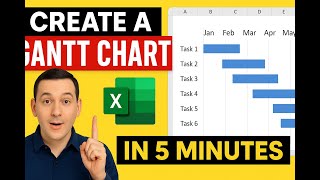
Throughout the course, learners will be actively engaged in creating a Project Management board for an internal events calendar app at a university. The hands-on nature of the project will provide participants with practical experience, allowing them to navigate the Microsoft Projects interface, establish task relationships, set up task statuses, and utilize Gantt charts for effective project visualization.
The course caters to individuals eager to delve into project management using Microsoft Project. With no stringent prerequisites, this course is accessible to any computer user with basic competence, making it an ideal starting point for those new to project management or seeking to enhance their skills.
AI explanation not available for this lesson yet
This lesson is still being prepared for the AI tutor. In the meantime, explore lessons that are ready.
Browse explainer-ready lessons →
More on: PM Basics
View skill →




Related Reads
🎓
Tutor Explanation

 DeepCamp AI