How to BULK Edit Google Ads FAST (Google Ads Editor Tutorial)
Skills:
AI Marketing80%
If you've ever had to make the same change across dozens of campaigns (changing ad copy, swapping out headlines, or cleaning up after a promo), you know how painful the web interface can be.
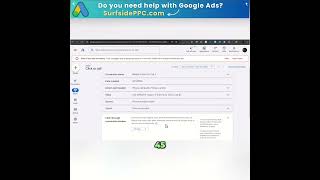
In this video, I’ll show you exactly how to use Google Ads Editor to save time, avoid browser crashes, and bulk edit elements in your account FAST.
Additional helpful resources:
👉 Top 10 Irresistible Google Ads Headlines: https://www.advantageroas.com/top-10-irresistible-google-ads-headlines
▶️ How to Write CATCHY Google Ads Headlines & Descriptions (FULL GUIDE): https://youtu.be/cvySz7gkDr4
0:00 Intro
1:03 What Is Google Ads Editor?
1:40 Getting Started: Download, Setup. Edits
14:00 Safety Tips and Best Practices
I hope you found the video helpful!
Subscribe to the channel for more valuable videos about Google Ads.
#googleads #googleadseditor #bulkedit #bulkchanges #googleadsnerd #adsnerd
Watch on YouTube ↗
(saves to browser)
Sign in to unlock AI tutor explanation · ⚡30
More on: AI Marketing
View skill →







Related AI Lessons
⚡
⚡
⚡
⚡
How to Keep Humanity in the Writing of a Technical World
Medium · Machine Learning
How copywriters attract leads right now: Proven 10x plays (not 2x tactics)
Copyhackers
The authority book move that separates you from every copywriter with a ChatGPT account
Copyhackers
5 international copywriters prove the power of Copy School
Copyhackers
Chapters (4)
Intro
1:03
What Is Google Ads Editor?
1:40
Getting Started: Download, Setup. Edits
14:00
Safety Tips and Best Practices
🎓
Tutor Explanation

 DeepCamp AI