8 Tips To Increase Developer Productivity
Key Takeaways
The video discusses 8 tips to increase developer productivity, including structuring the workday, avoiding distractions, and using project management tools like monday.com. It also covers the importance of consistency, collaboration, and continuous learning in maintaining a productive work environment.
Full Transcript
[Music] this video is sponsored by monday.com which is a centralized platform for managing every detail of your work from highle roadmap planning to the specifics of day-to-day tasks while building a culture of transparency it's fantastic for developers and just about any other type of professional the platform is suitable for individuals and teams of all sizes from a couple Freelancers to thousands collaborating across the globe to learn more about monday.com and what it can offer your business click the link in the description below hey what's going on guys so in this video I want to talk about something that we all struggle with it doesn't matter what type of developer you are what skill level what language being productive is something that we've all struggled with at least at some point in our careers and I've addressed this a few times but I wanted to come up with some solid tips to be more productive and one thing I I don't like about making these types of videos is I don't want to come off as a know-it-all because that's far from the truth the truth is every single one of these tips are for my own struggles and things I've done to try to work on them um it's also true that I have a long way to go and I still get off track but overall these things have helped my productivity and made me more successful in both development and content creation so the first tip is to be less random and there's a lot of ways to put this you could say manage your time better be more organized but for me I used to have a very random workday where I just take things as they come and this applies especially to people who either work from home or have a lot of freedom in their workday okay even if you work for a company if if the way that your company runs they they give you freedom to pretty much do what you want then it's up to you to structure your workday correctly okay it does take a lot of self-control but it pays off to be consistent um you know even from the moment you wake up so for me I wake up around 5:30 or 6 I mess around on YouTube and social media for an hour take my daughter to school at around 7:10 or so come back and then work starts okay so that's very consistent so you want to start work at the same time every day same with breaks try and take breaks at the same time every day get down a routine um I used to take an hour break to go to the gym sometimes at 11:00 sometimes at 2: sometimes I'd wait till after work now it's 12:30 every day go at 12:30 try to get back at 1:30 and continue work okay so you'll find when you have structured days you start being random uh in your workflow you'll be much more productive okay so this brings us to the next one which is stop wasting time and I'm mostly talking about wasting time on websites like social media um you know checking analytics things like that news the reason I do all my social media and Stat checking and stuff in the morning before I start work is to get it out of the way um we all have websites that we're basically addicted to and it could be like I said social media either Prof professional or personal maybe you're big into sports or politics and you're constantly checking news sites one of my big things as a content creator is analytics I used to go and check for instance my YouTube analytics every hour uh I'd stop what I'm doing and I'd go and see how many views I got subscribers or whatever and Not only was that wasting time but it it was bringing me out of the Zone when I was actually coding and creating projects and taking breaks is important but they should be planned breaks not just SP the sporadic need to check Facebook or Twitter and you definitely want to turn off notifications if you're in the middle of programming or doing something that requires your full attention and you get these desktop notifications maybe someone responded to a tweet or something like that it can really throw you off so I would suggest at least turning them off for the workday um and if you find it hard stopping to stopping going to Twitter or Facebook or whatever your thing is if you find it that hard there's actually apps and extensions that can help you with that so it'll actually block you from going to those sites at certain times so uh I haven't used any of these programs but I know people that have and they and that they've worked for all right so the next tip is to have a well-planned project structure and if you work for a company that already has a strict workflow then you already have it mapped out for you scrum is pretty popular in companies when you're dealing with you know large projects with multiple developers so just make sure you follow it if you're planning your own project then you want to have some kind of template or framework or checklist that you follow from all the way through from Gathering materials to deployment and maintenance and this is hard when you first get started back when I was freelancing I didn't know what the hell I was doing there was no really no Rhyme or Reason to the way I did things but over time I developed a checklist and a boiler plate for how I handled each project and obviously all projects are different you might have a small project where you're doing some contract work maybe adding a feature to an application or a website or something and then you may have a you know an entire e-commerce platform from start to finish so obviously those two projects are much different so you might end up with a few different checklists or a few different templates for different projects um also I'd suggest chunking your work into small tasks so instead of having a task like let's say create rest API you want to look at what models and database resources you're going toate create what routes uh will you be writing tests create rest API shouldn't be a task it should be a category of tasks so you want really want to break things up uh another thing to look into is automation so things like bug tracking and deployment there's a lot of services out there that can help automate that stuff okay so anything that can just increase your productivity and make things move along faster okay so in order to keep track of your tasks and projects you should use some kind of project management tool monday.com is sponsoring this video which is an excellent platform kind of a Shameless plug there but there's there's literally hundreds of choices and you may have some that you've already worked with you may have to try a couple different tools out to kind of compare and contrast I personally like tools that are simple that are browser based but there's there's so many out there and they have Standalone web apps browser extensions desktop apps uh mobile apps and then sometimes you have services that have a combination of these so whatever you do don't try to keep everything in your head and don't just use client or or or team emails as your project management system I did this for a while when I started out and it was extremely unorganized and unproductive instead of having to go back and check your emails immediately put the task or the feedback whatever it is into your project management system for easy reference um so just do some searching find a tool that works for you uh if you haven't already and you know if you work with a team make sure that it has good collaboration features so the next tip is to code faster in my last video we created some custom Snippets in the visual studio code text editor now Snippets allow you to not have to keep writing the same code over and over and this is one example of what you can do to code faster um keyboard shortcuts are also huge whether you use Visual Studio code or some other text editor or ID try and learn the keyboard shortcut it's going to take time and practice to learn them but once you you actually learn them it's going to increase your speed dramatically um so you definitely want to look into that a lot of us can't type very fast I'm not incredibly slow but I'm also not a very fast typer so using things like Snippets and shortcuts really helps um another thing you may want to do is actually work on your type speed one thing that I would suggest is z type which is a really fun game where you actually shoot down spaceships and stuff like that um it's something that that I've used to try and increase my type speed it's also really fun um also you can use tools to speed things up like EMT which is used for HTML and CSS um so you don't have to type out you know the full HTML beginning and end tag and all your Styles and stuff like that so just look for tools like that to increase your code speed um even things like bug trackers testing Frameworks browser extensions these are all things that will increase productivity and and help you write not just write code faster but create your projects faster so the next one is don't work too much and take breaks and I know this might sound a little counterintuitive saying don't work too much uh because this is this is about productivity however I think coding is kind of like working out at the gym if you work out for an hour that's great you build muscle but if you go much longer than that your body starts to get overtrained and it actually has the opposite effect so I think that the same is true with your brain If you overtrain it you're going to going to get worn down burnt out and not only that you're also going to lose your focus you're going to lose ambition you're going to lose your drive for for coating um nothing's worse than sitting down and just dreading your work so you want to keep that drive and passion for what you do so try not to overwork yourself this also includes taking breaks and I've said this in many other videos when I'm stuck on something for hours and I take a break and come back that's when I usually figure it out cuz I was able to to clear my head for a little bit um come back refreshed and then the solution is clear to me um again though you want to try to stay consistent with break times so as far as how often you take breaks I mean that differs for everyone I know people that take breaks every 25 minutes I also know people that don't take any breaks at all which I definitely wouldn't recommend what I do is I try to take a 5 to 10 minute break every two hours or so and then about halfway through the day I'll take an hour break all right so I mean that's that's what I do but you need to find what suits you best so the next one is to minimize distractions and sometimes this is out of your control because you know you may work in an office with co-workers or you may work from home where your family is I've done both and and I would say that home is definitely the bigger challenge especially if you have kids um at a company usually co-workers are pretty respectful and they they have their own stuff to do however if you're at home you should establish boundaries with your family and Trust trust me I know that's not always easy um but let your significant other know that you you need your work time to be your work time you may have to say it over and over it may even cause some conflict but it's important that you have peace and quiet in your environment if you're a developer um or at least peace I know some people like to listen to music while they code which seems crazy to me because I need it absolutely silent but everyone's different so just try and create um you know a peaceful work atmosphere for yourself whatever that may entail all right so the last tip is to always be learning and it's easy to fall out of the habit of learning new things once you get a job as a developer or once you start working you get complacent with the Technologies you're using at work however in my experience if you stop learning new things your your passion kind of goes out the window and if that happens your work suffers so I always suggest having some kind of side project that is out of the scope of your daily work and Technologies and I know earlier I said don't work too much so it's kind of a weird balance to be able to learn new stuff but also not overwork yourself I do think coding for work is more stressful on your mind than coding for fun or to learn there's much more responsibility so I think it's possible to do maybe an hour or so of your own stuff every day stuff that you enjoy that feels more like a hobby than a job um for some reason once we start getting paid for something we love to do and it becomes a job it becomes less desirable um I know that's true for myself and and many others and another thing you might want to do is look for pockets of time that you can take advantage of to learn new things so one example is driving in the car whether it's a commute to work or if you have a long drive somewhere else maybe listen to an audible book uh podcast something like that uh also if you go to the gym and you walk on the treadmill instead of listening to music maybe watch a tutorial or a course and and you can learn that way so you're doing something um that you would do anyways which is go to the gym or go for a drive plus your learning so look for things like that that that's really helped me out all right guys so I think that's going to do it hopefully you found some of this stuff useful and really try to put some of it into play I know it's hard to to change but you really see the benefit of being more organized and productive it's ultimately going to make you much more successful so that's it thanks for watching guys if you like this video please leave a like and I'll see you next time
Original Description
Here are some things that have helped me become more productive in development, business and content creation
Monday.com - http://go.thoughtleaders.io/934120190227
Timestamps:
1: Be Less Random - 1:18
2: Stop Wasting Time - 2:34
3: Well Planned Project Structure - 4:10
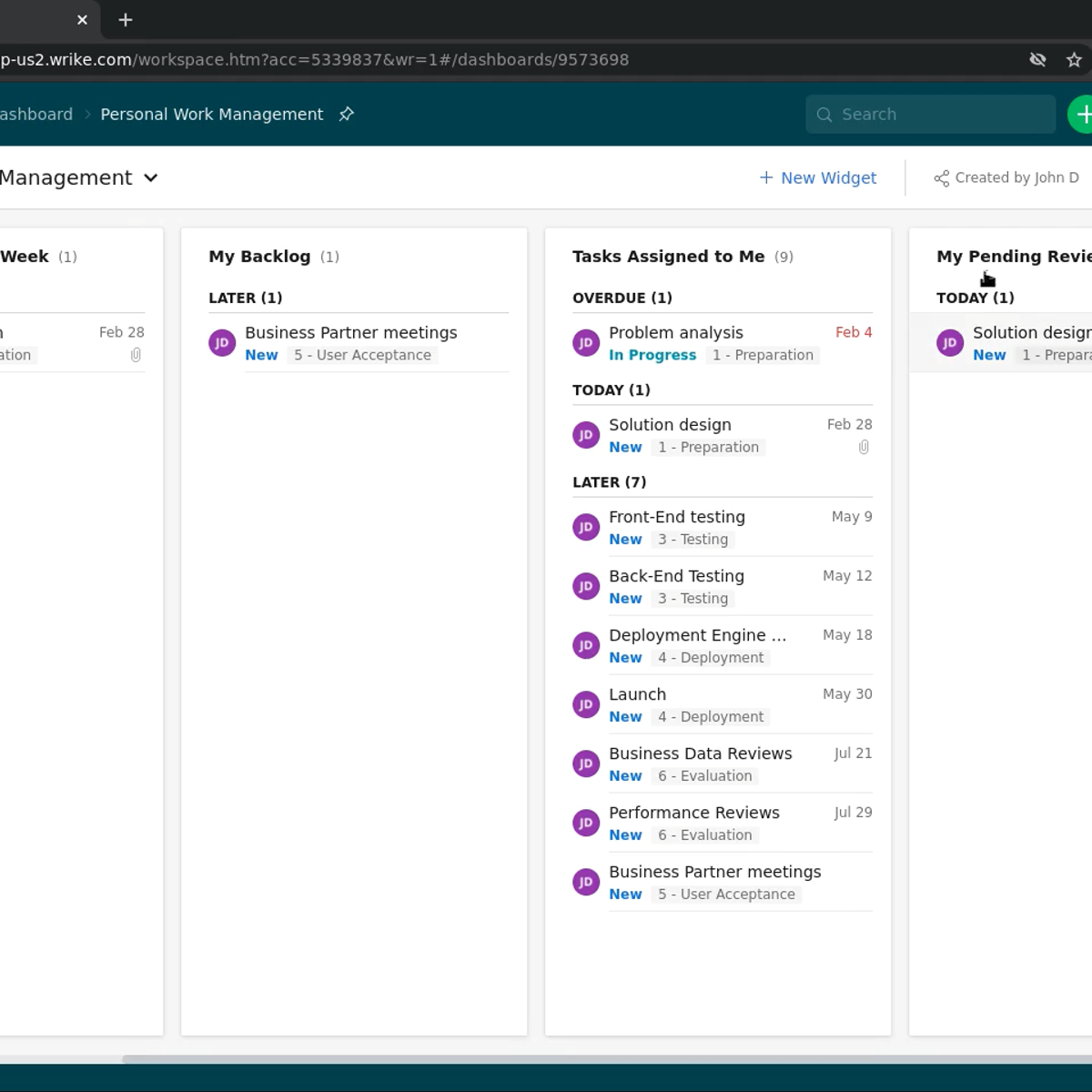
4: Use Project Management Tools - 5:53
5: Code Faster - 7:05
6: Don't Work Too Much & Take Brakes - 8:31
7: Minimize Distractions - 10:02
8: Always Be Learning - 11:00
💖 Become a Patron: Show support & get perks!
http://www.patreon.com/traversymedia
Website & Udemy Courses
http://www.traversymedia.com
Follow Traversy Media:
https://www.facebook.com/traversymedia
https://www.twitter.com/traversymedia
https://www.instagram.com/traversymedia
Watch on YouTube ↗
(saves to browser)
Sign in to unlock AI tutor explanation · ⚡30
Playlist
Uploads from Traversy Media · Traversy Media · 0 of 60
← Previous
Next →
1
 2
2
 3
3
 4
4
 5
5
 6
6
 7
7
 8
8
 9
9
 10
10
 11
11
 12
12
 13
13
 14
14
 15
15
 16
16
 17
17
 18
18
 19
19
 20
20
 21
21
 22
22
 23
23
 24
24
 25
25
 26
26
 27
27
 28
28
 29
29
 30
30
 31
31
 32
32
 33
33
 34
34
 35
35
 36
36
 37
37
 38
38
 39
39
 40
40
 41
41
 42
42
 43
43
 44
44
 45
45
 46
46
 47
47
 48
48
 49
49
 50
50
 51
51
 52
52
 53
53
 54
54
 55
55
 56
56
 57
57
 58
58
 59
59
 60
60

Changing Your DNS/Nameservers
Traversy Media
Create a MySQL database in cPanel
Traversy Media
Install & Uninstall Joomla Extensions
Traversy Media
Adding and linking an article in Joomla
Traversy Media
Create a Joomla Blog
Traversy Media
Import & Export A MySQL Database
Traversy Media
Use A Custom Font On Your Website Using CSS
Traversy Media
Connect Joomla Site With Dreamweaver
Traversy Media
Remove Phoca Gallery 3.2.3 Footer Text
Traversy Media
Drupal 7 Security Update 7.19 to 7.20
Traversy Media
Add An Addon Domain In Cpanel
Traversy Media
Pull A Heroku Rails App and Database
Traversy Media
Create a Custom Joomla 2.5 Module - Part 1
Traversy Media
Create a Custom Joomla 2.5 Module - Part 2
Traversy Media
Create a Custom Joomla 2.5 Module - Part 3
Traversy Media
Joomla SEO Tutorial - sh404sef Configuration
Traversy Media
Font Dragr
Traversy Media
Convert an HTML Template to Joomla 2.5/3.0 - Part One
Traversy Media
Convert an HTML Template to Joomla 2.5/3.0 - Part Two
Traversy Media
Rockettheme Rocketlauncher Joomla Site in Under 10 Minutes
Traversy Media
JQuery FAQ Slider Tutorial
Traversy Media
301 Redirect With htaccess File
Traversy Media
Convert HTML to Wordpress Theme - Part 1
Traversy Media
Convert HTML to Wordpress Theme - Part 2
Traversy Media
Easy JQuery Widgets
Traversy Media
Codeigniter App Part 1 - Creating the Database
Traversy Media
Codeigniter App Part 2 - Installation and Configuration
Traversy Media
Codeigniter App Part 6 - Login/Register System
Traversy Media
Codeigniter App Part 7 - Models List CRUD
Traversy Media
Codeigniter App Part 8 - Models Task CRUD
Traversy Media
Node.js Part 1 - Install NodeJS on Windows
Traversy Media
Node.js Part 3 - Building a Static Page Server
Traversy Media
Node.js Part 4 - NPM
Traversy Media
Node.js Part 2 - Install MongoDB in Windows
Traversy Media
Create a Joomla Quickstart with Custom Sample Data
Traversy Media
Install MongoDB in Ubuntu
Traversy Media
HTML5 Web Storage
Traversy Media
Create a Joomla Bootstrap Template From Scratch
Traversy Media
Ubuntu Server 14.04 Setup Part 1 - Installation
Traversy Media
Ubuntu Server 14.04 Setup Part 3 - Set Static IP
Traversy Media
Create A Wordpress Widget - Part 1
Traversy Media
Create A Wordpress Widget - Part 2
Traversy Media
Create A Wordpress Widget - Part 3
Traversy Media
Create A Wordpress Widget - Part 4
Traversy Media
Get Started With Sass on Windows
Traversy Media
Build An HTML5 Template With Bootstrap and SASS - Part 1
Traversy Media
Build An HTML5 Template With Bootstrap and SASS - Part 6
Traversy Media
Build An HTML5 Template With Bootstrap and SASS - Part 4
Traversy Media
Build An HTML5 Template With Bootstrap and SASS - Part 5
Traversy Media
Build An HTML5 Template With Bootstrap and SASS - Part 3
Traversy Media
Build An HTML5 Template With Bootstrap and SASS - Part 2
Traversy Media
Build An HTML5 Template With Bootstrap and SASS - Part 7
Traversy Media
Build An HTML5 Template With Bootstrap and SASS - Part 10
Traversy Media
Build An HTML5 Template With Bootstrap and SASS - Part 8
Traversy Media
Build An HTML5 Template With Bootstrap and SASS - Part 11
Traversy Media
Build An HTML5 Template With Bootstrap and SASS - Part 9
Traversy Media
Build An Audio Player Using HTML5 & jQuery - Part 1
Traversy Media
Build An Audio Player Using HTML5 & jQuery - Part 2
Traversy Media
Youtube Data API v3 & jQuery To List Channel Videos
Traversy Media
Using Bootstrap With Ruby on Rails
Traversy Media
More on: PM Basics
View skill →




Related Reads
📰
📰
📰
📰
How I’d Scope a Project Before Writing a Single Line of Code
Medium · Startup
A Gantt where the bar's width IS the task's duration — built into WordPress, on live records
Dev.to · Project Flash Build
Project management for startups, without the bloat
Dev.to · Nico Acosta
Ops Case Studies: Why You Can’t Prepare For Them, and What You Can Do Instead
Medium · Startup
🎓
Tutor Explanation
 DeepCamp AI