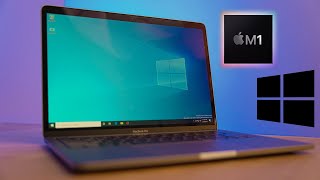
M1 Macbook Air vs Pro (8 vs 16 GB) for Data Science
Skills:
Data Literacy80%
Key Takeaways
The video compares the M1 Macbook Air and Macbook Pro for data science needs, discussing differences in graphics, memory, and storage, and provides recommendations based on analytical operations and budget considerations.
Full Transcript
so you're looking to get the new m1 macbook for your analytical need to use applications such as excel and python but you're not really sure which m1 macbook to select in this video i'll be going over which computer you should be selecting based on your need for me for the first time i'm luke and i'm a data analyst and i've been using the new m1 mac for my job and so i figured i would share some lessons that i've learned whenever i was going through and searching for the new m1 back for this i'll be discussing the different options available from apple and looking at specifically graphics memory and storage and like any data nerd i've put together a dashboard as well that you can do price comparisons between the different macs so with that let's jump right in so let's look at the two options available for laptops for getting the m1 processor so those are the macbook air and then also the macbook pro which is only available currently in the 13 inch first let's look at what is similar between the two both of them use the same pu and are using the m1 chip additionally the ram or memory is configurable at 8 or 16 gigabytes and also storage is configurable from 256 gigabytes to 2 terabytes both the memory and storage have similar price points whether you're using the air or the pro for upgrading your memory or storage but you're watching this video so you obviously want to know what are the differences between the two the mac pro pro is obviously bigger so because of this bigger size it supports an internal fan and this is good especially if you're doing some sort of long lasting computation or analytics you would want that fan for the processing one thing to note about my m1 mac is i've been doing tons of analytical operations i've also been doing video editing for this channel i haven't heard the fan cut on once next is the touch bar so the pro is going to have the touch bar and the air is not personally i can't stand the touch bar so it's not really a pro that the pro that the pro has it and then finally the last major difference i found was the battery life so the macbook air only has a 18 hour uh battery life i say only and the macbook pro has a 20 hour battery life so a two hour improvement i don't really know if that's really that much of a difference other considerations is both the macbook air and macbook pro only support officially one external monitor but there are workarounds that i currently utilize to support more than one monitor and i'll include a link down below on how you can actually do that if you need to set up an additional monitor so if you're deciding between the macbook air and the macbook pro honestly if you're just doing basic data science needs my recommendation is going to be go with the macbook air if you're trying to save money if you have the extra money go for that macbook pro but overall i don't think it's going to be necessary so now let's go further into depth with some of the specification options that you can select when picking out either your macbook air or macbook pro first one we're going to look at is the graphics or the gpu the air comes with the option of either coming with a 7 core gpu or an 8 core gpu the pro only comes with the 8 core gpu what i've noticed when going through and testing this and running 10 different browser tabs multiple excel sheets tableau up python running my gpu never got over for my eight core gpu on my macbook pro it never got over 50 load uh my recommendation between choosing between the seven core and eight core if you don't have the money just go with the seven core it's gonna be more than enough to fit your need the next hardware component to look at is your memory or ram random access memory and you have two options you can either get the eight gigabyte or upgrade to the 16 gigabyte for 180 to show an extreme case i started up my computer with multiple different chrome tabs multiple different excel tableau and also python running and i was getting around 9 to 10 gigabytes of ram usage so a little bit over 50 for my 16 gigabyte uh macbook and you're probably saying to yourself hey i mean obviously i need more than 8 gigabytes and this is an extreme case i also have a lot of different background applications running for most people that just use common applications such as excel and python and maybe some internet browsing maybe spotify the eight gigabyte is going to be more than enough to satisfy your need but if you think that you're going to need more so you're going to be using things like virtual machines or maybe you're going to do video editing i would recommend that you update or upgrade to the 16 gigabyte because one thing to note is you cannot upgrade your ram once you get your mac it is it's permanent the last hardware component to choose is your storage and different ssd sizes come with the macbook pro and macbook air that are going to vary in size from 256 gigabytes all the way up to two terabytes to get a rough estimate of what you may need i recommend just going into your current mac if you have one or windows and go in and see how much storage you're using now and do the selection off that if money is a concern i highly recommend just going with the lowest option of 256 gigabytes and that's going to be that'll be more than enough to handle your storage needs for all your applications and all your different documents for data science and one option just to consider right this is a one terabyte external hard drive costs about 40 bucks you can always move whatever files and stuff onto this external hard drive later on so that's why i say hey with ram you can't do anything about it later on that's why if you need to upgrade upgrade for the storage you can always get some sort of external storage later on so for the average data analyst or data scientist that are gonna be using those excel and python and whatever it may be those common applications i recommend and you're trying to save some money go with the macbook air seven cores perfectly fine eight gigabytes of ram and the 256 gigabytes of storage if there's anything if you do have some extra cash and you're looking to upgrade any component the first thing i would upgrade is the ram and then from there base your other upgrades based on whatever need you have so if you're know you're going to be doing extended data analytics maybe you need to go with the pro or if you know you're going to do a lot of files in the future maybe you need to upgrade the storage and with that let me know if you have any questions in the comments below smash that like button and i'll see in the next video
Original Description
Parallels 14-day Free Trial 👉🏼 https://lukeb.co/ParallelsFreeTrial
Which M1 Macbook should you be selecting based on your data science needs? I run a few tests with my new M1 Macbook Pro and provide recommendations on what size graphics (GPU), memory (unified memory), and storage (SSD) you will need.
M1 Macbook Air 8GB 👉🏼 https://geni.us/M1macAir8GB
M1 Macbook Pro 8GB 👉🏼 https://geni.us/M1macPro8GB
M1 Multiple monitor adapter 👉🏼 https://geni.us/DisplayLinkAdapter
*Check Apple's website for lower prices & discounts (and 16 GB versions)
Live dashboard to compare M1 prices 👉🏼https://public.tableau.com/profile/luke.barousse#!/vizhome/M1MacbookAirvsPro/M1Selection
How to connect more than one external monitor 👉🏼https://www.youtube.com/watch?v=5jLAwSvs7vE
Certificates & Courses
==================================
Coursera Courses:
📜 Google Data Analytics Certificate (START HERE) 👉🏼 https://lukeb.co/GoogleCert
💿 SQL for Data Science 👉🏼 https://lukeb.co/SQLdataScience
🧾 Excel Skills for Business 👉🏼 https://lukeb.co/ExcelBusinessAnalyst
🐍 Python for Everybody 👉🏼 https://lukeb.co/PythonForEverybody
📊 Data Visualization with Tableau 👉🏼 https://lukeb.co/Tableau_UCDavis
🏴☠️ Data Science: Foundations using R 👉🏼 https://lukeb.co/RforDataScienceJH
Coursera Plus Subscription (7-day free trial) 👉🏼 https://lukeb.co/CourseraPlus
DataCamp Courses:
🐍 Python 👉🏼 https://lukeb.co/PythonBasicsDataCamp
📈 Power BI 👉🏼 https://lukeb.co/PowerBIDataCamp
📊 Tableau 👉🏼 https://lukeb.co/TableauDataCamp
🏴☠️ R 👉🏼 https://lukeb.co/RDataCamp
🐍 Data Analyst w/ Python 👉🏼 https://lukeb.co/PythonAnalystDataCamp
DataCamp Subscription (25% off ) 👉🏼 https://lukeb.co/datacamp_discount
👨🏼🏫 All courses 👉🏼 https://kit.co/lukebarousse/data-analytics-courses
My Tech for Data Science
(Includes Amazon Affiliate Links)
==================================
💻 Dell New XPS 13 (PC of choice) 👉🏼 https://geni.us/DellNewXPS13
💻 Dell New XPS 15 👉🏼 https://
Watch on YouTube ↗
(saves to browser)
Sign in to unlock AI tutor explanation · ⚡30
Playlist
Uploads from Luke Barousse · Luke Barousse · 31 of 60
1
 2
2
 3
3
 4
4
 5
5
 6
6
 7
7
 8
8
 9
9
 10
10
 11
11
 12
12
 13
13
 14
14
 15
15
 16
16
 17
17
 18
18
 19
19
 20
20
 21
21
 22
22
 23
23
 24
24
 25
25
 26
26
 27
27
 28
28
 29
29
 30
30
 ▶
▶
 32
32
 33
33
 34
34
 35
35
 36
36
 37
37
 38
38
 39
39
 40
40
 41
41
 42
42
 43
43
 44
44
 45
45
 46
46
 47
47
 48
48
 49
49
 50
50
 51
51
 52
52
 53
53
 54
54
 55
55
 56
56
 57
57
 58
58
 59
59
 60
60
Connect Google Sheets to Tableau & Joining Data - Tableau Tutorial P.1
Luke Barousse
How To Use Tableau Desktop Controls - Tableau Tutorial P.2
Luke Barousse
Dimensions Vs Measures (Blue Vs Green Data) - Tableau Tutorial P.3
Luke Barousse
Create Stacked Bar Chart (and any other visuals EASILY!) w/ Show Me! - Tableau Tutorial P.4
Luke Barousse
Conditional Format Tables in Tableau (Like Excel!) - Tableau Tutorial P.5
Luke Barousse
Calculated Fields in Tableau (Formulas & IF Statements) - Tableau Tutorial P.6
Luke Barousse
Parameters (Create & Use in Calculated Fields and/or Visuals) - Tableau Tutorial P.7
Luke Barousse
Totals, Average Lines, & Trend Lines (Analytics Pane) - Tableau Tutorial P.8
Luke Barousse
How To Create a Dashboard - Tableau Tutorial P.9
Luke Barousse
Upload your dashboard to Tableau Public - Tableau Tutorial P.10
Luke Barousse
Install Python for Data Science on Mac & Windows (PC) with Anaconda - P.1
Luke Barousse
How to run Python for Data Science - Editors vs IDEs - P.2
Luke Barousse
Install VS Code with Python for Data Science / Data Analysis - P.3
Luke Barousse
Understanding Virtual Environments for Data Science / Data Analysis - P.4
Luke Barousse
Using VS Code with Python for Data Science / Data Analysis - P.5
Luke Barousse
Python for Data Science / Analysis ft. 'The Office' Dataset - P.0
Luke Barousse
Python Objects frequently used in Data Science / Data Analysis - P.1
Luke Barousse
Python If Statements for Data Science / Data Analysis - P.2
Luke Barousse
Python For & While Loops for Data Science / Data Analysis - P.3
Luke Barousse
Python List Comprehension for Data Science / Data Analysis - P.4
Luke Barousse
Python Functions for Data Science / Data Analysis - P.5
Luke Barousse
Lambda Functions for Data Science / Data Analysis - Python P.6
Luke Barousse
How NOT to learn Python for Data Science
Luke Barousse
What is Business Intelligence (BI)? 📊😅
Luke Barousse
Top 3️⃣ Technical Skills for Business Intelligence 📚📊
Luke Barousse
Top Non-technical Skills for Business Intelligence 📊👨🏼💻
Luke Barousse
M1 vs Intel Mac for Data Science
Luke Barousse
M1 vs Intel Mac for Excel 📈👨🏼💻
Luke Barousse
M1 vs Intel Mac for Python 🐍👨🏼💻
Luke Barousse
M1 vs Intel Mac for Business Intelligence Tools 💻📊
Luke Barousse
M1 Macbook Air vs Pro (8 vs 16 GB) for Data Science
Luke Barousse
Python for M1 Mac vs Intel (SPOILER: M1 is 2x faster)
Luke Barousse
Data Analyst's WFH Setup & Upgrades
Luke Barousse
Windows on the M1 Mac - What are your options?
Luke Barousse
Install your favorite Windows app on M1 Mac - ft. Parallels
Luke Barousse
Data Science shortcuts for Mac
Luke Barousse
Day in the life of a data analyst
Luke Barousse
Power BI vs Tableau - Best BI Tool
Luke Barousse
Mac Vs PC - BEST for Data Science
Luke Barousse
Data Scientist vs Data Analyst (funny!)
Luke Barousse
Become a DATA ANALYST with NO degree?!? The Google Data Analytics Professional Certificate
Luke Barousse
Certificates vs Degree for Data Analysts (ft. Google Data Analytics Professional Certificate)
Luke Barousse
Google vs IBM Data Analyst Certificate - BEST Certificate for Data Analysts
Luke Barousse
Python Vs R (funny!)
Luke Barousse
THIS got me my job as a Data Analyst - My portfolio tip
Luke Barousse
I used Python to Count my Bike Jumps!
Luke Barousse
Standout as a Data Analyst with THIS TOOL
Luke Barousse
STOP using Spreadsheets for Everything!
Luke Barousse
Transition into Data Science - My Tips & Story
Luke Barousse
Get a JOB w/ Google Data Analytics Certificate?!? (ft. Certificate Holders)
Luke Barousse
Staying Motivated in Data Science
Luke Barousse
Data Science - Expectation vs Reality (funny!) - ft. @KenJee_ds
Luke Barousse
Get NOTICED in Data Science!!! (3 types of GREAT projects)
Luke Barousse
Use THIS to showcase EXPERIENCE in Data Science
Luke Barousse
How to show EXPERIENCE... when you have NONE?!?
Luke Barousse
Learn PYTHON to be a DATA ANALYST?!? (or is R enough...)
Luke Barousse
The BIGGEST MISTAKE when starting a data project!
Luke Barousse
Top Jobs in Data Science
Luke Barousse
How to get Data Analytics side jobs - NEW LinkedIn Feature
Luke Barousse
Building a bot to scrape job data… How NOT to collect data
Luke Barousse
More on: Data Literacy
View skill →









Related Reads
📰
📰
📰
📰
The Ultimate Step-by-Step Guide: Connecting Power BI to Cloud-Based & Local PostgreSQL
Dev.to · michael imani
Understanding Data Warehousing: The Complete Beginner’s Guide for Data Engineering
Medium · Data Science
Job Hunting? Free Data Tools for Salary, Certification, and Visa Research
Dev.to · datapeek
Python for Data Science — Sampling and Why Your Conclusions Can Be Wrong
Medium · Data Science
🎓
Tutor Explanation

 DeepCamp AI