LangGraph: Force-Calling a Tool
Key Takeaways
The video demonstrates a modification to the chat agent runtime to force-call a tool at the start of agent execution using LangGraph, a tool from LangChain. The modification involves creating a new node in the graph that returns a message to call a specific tool, and then modifying the graph to set this new node as the entry point.
Full Transcript
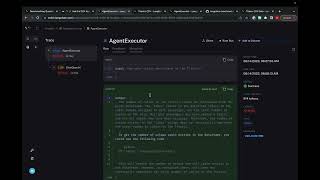
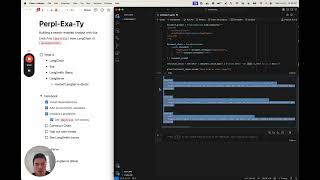
in this video we're going to make a really simple modification to the chat agent executive so that we always call a tool first so if you haven't already watched the chat agent executive video please do that um we will work off of that uh notebook that we have there and we'll only make a few modifications and in this video we're only going to cover those modifications so if you want more context on what's going on in the notebook please check out the the video and the notebook for the base chat execu all right so we're going to set this up where Force calling tool first most of the setup the same we're going to create our tools we're going to create this tool executor to column we're going to create our model we're going to bind the tools to the model we're going to Define an agent State this is all exactly the same and we're going to actually Define the same exact uh states that or nodes and and edges that we had before but we're also going to Define an additional node so this is we're going to call this the first model node and this is basically uh this is going to be the first node that gets called and we want this to return a message that says to call a specific tool so we have this tavil search results uh Json tool that's the name of the tool that we defined above if you wanted to call a different tool you have to you have to pass in the different name here and then we're going to pass in the inputs that we want it to call with so we're going to basically call it with query and we're going to get the most recent message and get the content from that message and pass that in as a query so we're going to create this function and now we're going to modify the graph so compared to the previous graph we now have this new entry point which is called first agent we have the same two other entry points as before agent and action and we're going to set the entry point to be first agent so this is a change from before as well so now we're setting that this first agent node is always called first we then have a conditional node from agent to action or end this is the same as before we now have this node from action to agent this is the same as before but but we have this new node from first agent to action which we're going to set and this is basically saying after we call the first agent we always want to call an action and we know that we always want to call an action because we are forcing it to call a AI message with this function call so we always want it to call this tool so we can create this graph um and now if we use it we can see that we get the first result back really really fast because not actually calling a language model it's just passing this message in as the argument um and then we can see the other things as well if we take a look at what's going on under the hood in lsmith we can see this even better so we have this result here we can see that the first agent you know we pass in this message and we get back this other message but there's actually no language model call going on under the hood um and the tool is really the first thing that's ever invoked um and then there is a language model call at the end but we can see that we skip this entirely because we are forcing the uh the the agent to basically always call the tool first
Original Description
In this video we will go over a simple modification you can make the chat agent runtime to force call a tool at the start of the agent execution. This is useful when you want to ensure that a tool is always called first.
Notebook (for chat agent): https://github.com/langchain-ai/langgraph/blob/main/examples/chat_agent_executor_with_function_calling/force-calling-a-tool-first.ipynb
Notebook (for agent executor, not covered but relevant): https://github.com/langchain-ai/langgraph/blob/main/examples/agent_executor/force-calling-a-tool-first.ipynb
Playlist
Uploads from LangChain · LangChain · 54 of 60
1
 2
2
 3
3
 4
4
 5
5
 6
6
 7
7
 8
8
 9
9
 10
10
 11
11
 12
12
 13
13
 14
14
 15
15
 16
16
 17
17
 18
18
 19
19
 20
20
 21
21
 22
22
 23
23
 24
24
 25
25
 26
26
 27
27
 28
28
 29
29
 30
30
 31
31
 32
32
 33
33
 34
34
 35
35
 36
36
 37
37
 38
38
 39
39
 40
40
 41
41
 42
42
 43
43
 44
44
 45
45
 46
46
 47
47
 48
48
 49
49
 50
50
 51
51
 52
52
 53
53
 ▶
▶
 55
55
 56
56
 57
57
 58
58
 59
59
 60
60

Chat With Your Documents Using LangChain + JavaScript
LangChain
LangChain SQL Webinar
LangChain
LangChain "OpenAI functions" Webinar
LangChain
LangSmith Launch
LangChain
LangChain x Pinecone: Supercharging Llama-2 with RAG
LangChain
LangChain Expression Language
LangChain
Building LLM applications with LangChain with Lance
LangChain
Benchmarking Question/Answering Over CSV Data
LangChain
LangChain "RAG Evaluation" Webinar
LangChain
Fine-tuning in Your Voice Webinar
LangChain
Tabular Data Retrieval
LangChain
Building an LLM Application with Audio by AssemblyAI
LangChain
Superagent Deepdive Webinar
LangChain
Lessons from Deploying LLMs with LangSmith
LangChain
Shortwave Assistant Deepdive Webinar
LangChain
Cognitive Architectures for Language Agents
LangChain
Effectively Building with LLMs in the Browser with Jacob
LangChain
Data Privacy for LLMs
LangChain
"Theory of Mind" Webinar with Plastic Labs
LangChain
LangChain Templates
LangChain
Using Natural Language to Query Postgres with Jacob
LangChain
Building a Research Assistant from Scratch
LangChain
Benchmarking RAG over LangChain Docs
LangChain
Skeleton-of-Thought: Building a New Template from Scratch
LangChain
Benchmarking Methods for Semi-Structured RAG
LangChain
LangSmith Highlights: Getting Started
LangChain
LangSmith Highlights: Debugging
LangChain
LangSmith Highlights: Datasets
LangChain
LangSmith Highlights: Evaluation
LangChain
LangSmith Highlights: Human Annotation
LangChain
LangSmith Highlights: Monitoring
LangChain
LangSmith Highlights: Hub
LangChain
SQL Research Assistant
LangChain
Getting Started with Multi-Modal LLMs
LangChain
Build a Full Stack RAG App With TypeScript
LangChain
Auto-Prompt Builder (with Hosted LangServe)
LangChain
LangChain v0.1.0 Launch: Introduction
LangChain
LangChain v0.1.0 Launch: Observability
LangChain
LangChain v0.1.0 Launch: Integrations
LangChain
LangChain v0.1.0 Launch: Composability
LangChain
LangChain v0.1.0 Launch: Streaming
LangChain
LangChain v0.1.0 Launch: Output Parsing
LangChain
LangChain v0.1.0 Launch: Retrieval
LangChain
LangChain v0.1.0 Launch: Agents
LangChain
Build and Deploy a RAG app with Pinecone Serverless
LangChain
Hosted LangServe + LangChain Templates
LangChain
LangGraph: Intro
LangChain
LangGraph: Agent Executor
LangChain
LangGraph: Chat Agent Executor
LangChain
LangGraph: Human-in-the-Loop
LangChain
LangGraph: Dynamically Returning a Tool Output Directly
LangChain
LangGraph: Respond in a Specific Format
LangChain
LangGraph: Managing Agent Steps
LangChain
LangGraph: Force-Calling a Tool
LangChain
LangGraph: Multi-Agent Workflows
LangChain
Streaming Events: Introducing a new `stream_events` method
LangChain
Building a web RAG chatbot: using LangChain, Exa (prev. Metaphor), LangSmith, and Hosted Langserve
LangChain
OpenGPTs
LangChain
Open Source RAG with Nomic's New Embedding Model (and ChromaDB and Ollama)
LangChain
LangGraph: Persistence
LangChain
More on: Tool Use & Function Calling
View skill →









Related Reads
📰
📰
📰
📰
The Steelman: When an AI Agent Actually Earns Its Complexity
Dev.to AI
Occamy-1.0: Open Pareto-frontier 35B Intelligence for Co-work
ArXiv cs.AI
Harness or Model? Isolating the Harness Effect in Agentic Coding with a Contamination-Controlled Private Suite
ArXiv cs.AI
DU-NO: A Parameter-Efficient Double U-Shaped Neural Operator for Phase-Resolving Wave Modeling
ArXiv cs.AI
🎓
Tutor Explanation

 DeepCamp AI