LangGraph: Chat Agent Executor
Skills:
Tool Use & Function Calling80%Multi-Agent Systems70%Autonomous Workflows70%Agent Foundations60%
Key Takeaways
This video demonstrates the LangGraph Chat Agent Executor, a simpler agent runtime for models that support chat messages and function calling, using tools like LangGraph, open AI, and Toil search.
Full Transcript
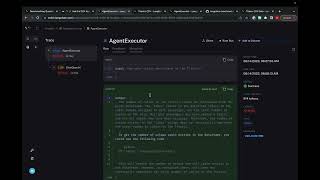
in this video we're going to go over the chat agent executor that we've added to L graph so the chat agent executor is basically an agent executor that works solely on a list of input messages and then basically adds messages to that list to keep track of the agent State over time this is useful and interesting because a lot of the newer models are chat based models that represent function calling and function responses as messages and so we can just append it to this list of messages and keep track of it that way compared to the other video on using L chain agents this will actually use less L chain Concepts so it will just use the open AI model um it can use any model that supports function calling but we'll use the open AI model for this for this video and it will use tools from Lang chain but it won't use the the Lang chain agent abstractions it will it will be more kind of like Bare Bones so let's take a look at setting it up we're going to require L chain package we're going to require L chain open AI package to use the open AI model and we're going to require toil package um which will be the Search tool that we'll use we'll set the API keys for that and then we'll also set up uh Lang chain uh tracing from Lang Smith so this isn't required but this is a really good way to observe what's going on under the hood with your agents so first we're going to set up the tools uh we can do that pretty easily we're going to be using toil search here and then we're just going to set up the tool executor which is a helper method to basically invoke these tools after that we're going to set up the model so what we're going to do is we're going to import the chat open AI model from the Lang chain integration um we're going to initialize it we're going to set streaming equals to true and we'll see why this is important later on but basically we can stream back tokens this way um and then what we're going to do is we're going to basically attach the functions that we want the model to have the ability to call to this object um so we can call this format tool to open AI function method which takes in the Lang chain tools and converts it to the format that the open AI functions calling expects once we do that we can Define the agent state so the agent state is the thing that is passed around and all nodes in the graph will basically update this state over time so here the state's really simple it's just going to require it's going to be a dictionary and there's going to be one key in it it's going to be this list of messages this list of messages we want to append to over time so there's two different ways that you can update the state of of you can update the state over time you can either overwrite the individual attributes or you can add to it here we want to add to it so we're going to use annotated and then this operator. add toe that any updates from nodes to this messages thing are going to add to it over time and this is nice so we just so we can just return only the new messages and not have to worry about returning the old messages plus the new messages after this we're going to define the nodes and the edges so the nodes are things that do work and then edges are basically things that connect them so we're going to want a few things here we're going we going to want an agent node that basically calls the language model and uh and and gets back a response and then we're going to want a action node which will take the the the response or the list of messages see if there's any tools that should be called call those tools and then append them to the list of messages we're also going to need a way to determine whether we want to go from the agent to the tool calling thing or to finish so remember the agent doesn't always have to call tool when it's fin when it's called as many tools as it wants to and it wants to finish it can just return directly and so we need to have a function that determines which of those paths to go down and that's called a conditional Edge we'll see that later on so here we'll first Define this function that determines which branch to go down it's going to look at the at the current list of messages if there's a function call in the last uh message then we're uh going to or sorry if there's not a function call in the last message then we're going to end if there is a function call then we're going to continue and so we'll use this to create that conditional Edge later on then we have this function that calls the model here we just get the messages pass it into the model and then append that response this response will be a single message and we'll use a list here because this is getting added to the current messages value so we need it to be something that can be added with a list and then finally we'll have this call tool node and this will take in the messages it will get the last message it will create this tool invocation um which basically just has the tool and then the tool input and we'll we'll load those from the function calling that's returned from open a function calline we will then call the tool executor with this uh with this tool invocation uh we'll create a function message and then we'll append this function message to the list of messages by returning this function message as its own list once that's done we can now Define the graph so we create a graph by passing in the agent State we defined above we then create two nodes the agent node and the action node we then set the entry point to be the agent node and so this is basically saying as soon as the input gets in the first node that we're going to send it to is the agent node we're then going to add a conditional Edge after the agent is called so after the agent is called we either want to go to the action node or we want to finish and we want to do that based on the logic that's up here in the should continue function so we're going to P we're going to add conditional edges from the agent node it's going to use continue as the function and then basically we're going to pass in a mapping from string to some other node name so continue and end these are the two values that are returned from the should continue function and basically if continue is called then we're going to go to the action node that we defined above if end is called then we're going to go to this end node and this is a special node that denotes the end of agent now we can add an edge from the action node to the agent node and we're going to do this because we always want to go to the agent node after we call an action and then we can compile this graph into something that we can use uh like a l chain runnable and so we'll expose a lot of similar interfaces as Lang chain runnables do and we'll we'll use these below so in order to use it we need to create our input our input is going to be a dictionary it's going to have a messages key and that messages key is just going to be a list of messages here I just have one human message but I can easily add a system message um a system message a human message an AI message and then another human message anything there so I can have full control over the list of inputs it's just a list of messages once I call it I need to run the above cell once I call it um it will take a little bit because it's doing a bunch of calls under the hood um but it will eventually return an answer and it will return uh an updated thing with this messages and this messages will be the list it has in the human message that we passed in uh and then uh uh the AI message which is the first call that it made a function message which is the result and then an AI message which is the fin final result if we want to see what's going on under the hood one way that we can do that is with L Smith so we can go in here and we can see that there's a few things that are happening under the hood first we're calling open AI the inputs this list of messages which is just this human message it gets back this function call thing um we then call this uh we then go to the action node and we call toil search and so we get back this list of results and then we have another call to the agent where we have this list of messages as input and we have this output so this shows what's going on under the hood as you may have noticed it took a little bit to get this and so one of the things that's really nice about L graph is it also has a few different streaming capabilities and that's what we'll cover in the next video
Original Description
This is a version of an agent executor specifically designed for chat models. It represents state as a list of messages and passes that around. This is a simpler agent runtime for models that support chat messages and function calling.
Notebook: https://github.com/langchain-ai/langgraph/blob/main/examples/chat_agent_executor_with_function_calling/base.ipynb
Playlist
Uploads from LangChain · LangChain · 49 of 60
1
 2
2
 3
3
 4
4
 5
5
 6
6
 7
7
 8
8
 9
9
 10
10
 11
11
 12
12
 13
13
 14
14
 15
15
 16
16
 17
17
 18
18
 19
19
 20
20
 21
21
 22
22
 23
23
 24
24
 25
25
 26
26
 27
27
 28
28
 29
29
 30
30
 31
31
 32
32
 33
33
 34
34
 35
35
 36
36
 37
37
 38
38
 39
39
 40
40
 41
41
 42
42
 43
43
 44
44
 45
45
 46
46
 47
47
 48
48
 ▶
▶
 50
50
 51
51
 52
52
 53
53
 54
54
 55
55
 56
56
 57
57
 58
58
 59
59
 60
60

Chat With Your Documents Using LangChain + JavaScript
LangChain
LangChain SQL Webinar
LangChain
LangChain "OpenAI functions" Webinar
LangChain
LangSmith Launch
LangChain
LangChain x Pinecone: Supercharging Llama-2 with RAG
LangChain
LangChain Expression Language
LangChain
Building LLM applications with LangChain with Lance
LangChain
Benchmarking Question/Answering Over CSV Data
LangChain
LangChain "RAG Evaluation" Webinar
LangChain
Fine-tuning in Your Voice Webinar
LangChain
Tabular Data Retrieval
LangChain
Building an LLM Application with Audio by AssemblyAI
LangChain
Superagent Deepdive Webinar
LangChain
Lessons from Deploying LLMs with LangSmith
LangChain
Shortwave Assistant Deepdive Webinar
LangChain
Cognitive Architectures for Language Agents
LangChain
Effectively Building with LLMs in the Browser with Jacob
LangChain
Data Privacy for LLMs
LangChain
"Theory of Mind" Webinar with Plastic Labs
LangChain
LangChain Templates
LangChain
Using Natural Language to Query Postgres with Jacob
LangChain
Building a Research Assistant from Scratch
LangChain
Benchmarking RAG over LangChain Docs
LangChain
Skeleton-of-Thought: Building a New Template from Scratch
LangChain
Benchmarking Methods for Semi-Structured RAG
LangChain
LangSmith Highlights: Getting Started
LangChain
LangSmith Highlights: Debugging
LangChain
LangSmith Highlights: Datasets
LangChain
LangSmith Highlights: Evaluation
LangChain
LangSmith Highlights: Human Annotation
LangChain
LangSmith Highlights: Monitoring
LangChain
LangSmith Highlights: Hub
LangChain
SQL Research Assistant
LangChain
Getting Started with Multi-Modal LLMs
LangChain
Build a Full Stack RAG App With TypeScript
LangChain
Auto-Prompt Builder (with Hosted LangServe)
LangChain
LangChain v0.1.0 Launch: Introduction
LangChain
LangChain v0.1.0 Launch: Observability
LangChain
LangChain v0.1.0 Launch: Integrations
LangChain
LangChain v0.1.0 Launch: Composability
LangChain
LangChain v0.1.0 Launch: Streaming
LangChain
LangChain v0.1.0 Launch: Output Parsing
LangChain
LangChain v0.1.0 Launch: Retrieval
LangChain
LangChain v0.1.0 Launch: Agents
LangChain
Build and Deploy a RAG app with Pinecone Serverless
LangChain
Hosted LangServe + LangChain Templates
LangChain
LangGraph: Intro
LangChain
LangGraph: Agent Executor
LangChain
LangGraph: Chat Agent Executor
LangChain
LangGraph: Human-in-the-Loop
LangChain
LangGraph: Dynamically Returning a Tool Output Directly
LangChain
LangGraph: Respond in a Specific Format
LangChain
LangGraph: Managing Agent Steps
LangChain
LangGraph: Force-Calling a Tool
LangChain
LangGraph: Multi-Agent Workflows
LangChain
Streaming Events: Introducing a new `stream_events` method
LangChain
Building a web RAG chatbot: using LangChain, Exa (prev. Metaphor), LangSmith, and Hosted Langserve
LangChain
OpenGPTs
LangChain
Open Source RAG with Nomic's New Embedding Model (and ChromaDB and Ollama)
LangChain
LangGraph: Persistence
LangChain
More on: Tool Use & Function Calling
View skill →









Related Reads
📰
📰
📰
📰
Understanding Long-Term Memory in AI Agents: A Complete Guide to Episodic, Semantic, and Procedural…
Medium · LLM
What Is RTX Spark? NVIDIA And MediaTek’s New AI Chip
Medium · AI
Engineering Reliable AI Agents: Evaluation, Optimization, and Red Teaming
Medium · Machine Learning
Engineering Reliable AI Agents: Evaluation, Optimization, and Red Teaming
Medium · LLM
🎓
Tutor Explanation
 DeepCamp AI