Beyond the Build: Navigating the Google Workspace Marketplace Review Process
Key Takeaways
This video provides an expert guide to navigating the Google Workspace Marketplace review process, covering critical stages like OAuth, brand verification, and the Cloud App Security Assessment (CASA). It offers practical steps and tools for efficiently getting applications approved.
Full Transcript
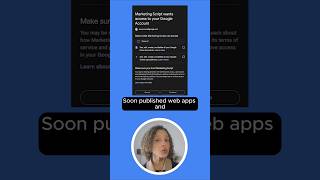
My name is Joe for those of you that have not met me before. Um I got I got my start yeah with Google for your domain. This has got to be something like 16 years ago now. It was pretty much just Gmail and your custom domain name. Spent a bunch of times as a young entrepreneur. Then went over into our our wonderful services partner ecosystem. Had a lot of fun there. Got to spend some time as a as a SAS administrator for Workspace and other SAS applications for enterprises. And now I get to help strategic partners build stuff. uh what I'm so I'm going to be referring to the workspace marketplace throughout this whole presentation. Uh but the majority of the content is applicable whether you're going to be publishing there or just building an integration even if you don't intend to list it there. This crazy AI moment that we're all living through right now is has gotten a lot of folks much more interested in building workspace integrations. Was talking to Stephen with it about it this morning. So in that in the spirit of innovation there uh I'm going to share what I think are like the essential bits of knowledge uh for quickly and successfully navigating the workspace marketplace review. So first tip, you aren't actually done. You've not submitted unless you have seen this screen and you click the submit button. If you think that you submitted your application and this is not familiar, please go back because you haven't actually done it yet. Fair warning, through the review process, the only way to communicate with our Google trust and safety team who owns the review process is over an email thread that they're going to start with owners and editors of the project and also a support email address that you get to put in for your application. That is it. You don't get video calls. There's no there's no phone number. There are no smoke signals or carrier pigeons available. You get the email thread. So, make sure that you have your owners and editors up to date before you hit the submit button. Um, and also, please don't wait to respond. Uh, if if you want to keep this moving forward, the onus is really on you. They're not going to come proactively check in and see how you're doing. They work with sometimes hundreds of applications at a time. This is the best case timeline uh that you're going to see going through the process, especially if you use restricted scopes. it's going to take longer. They don't have an official SLA for how long it will take you to get through that. We'll talk a little bit more about restricted scopes later, but in my personal not official capacity experience working with partners, I see the restricted scope process for our enterprise partners usually at about 10 weeks or so. So, please build that in as a as a possibility. And you're your best advocate here, okay? Our reviewers are it's their job to be critical of your scope choices. It's their job to be critical of the name that you've chosen for your application, your homepage, your privacy policy. It's a lot of critique to take in over an email thread. So, the better prepared you are ahead of the process, the smoother that it is going to go. The first piece where we're going to I'll show you an example from one of our awesome partners, Lumaps. Uh this is an example of their most recent chat application. Uh this brand verification process covers a lot of things not just the name. Um so if you if you are not sure what logo to use or exactly what phrasing to use for the name of your app um check out partner marketing hub, check out partner advantage. Um that honestly the name is something that I see happen a lot. If they had tried to call this uh you know the chatty lumaps integration that's not going to fly. Please this just terminology is going to get approved 10 times out of 10. One of the other really common misconceptions that I see is homepage. It's really easy to think that when the the trust and safety team says, "Hey, you need to put your homepage link in there." It's easy to say that, "Oh, that's the top level domain name for my company. That's my homepage." That is not necessarily what they're asking for. They are asking for a homepage for the application or the integration that you've created because they need to see some specific things on it. They need to see what it does, how it interacts with whatever Google Workspace application that you you've done the integration with, not necessarily your top level. And also another chance to shout out our wonderful partner Loom Apps. Uh also important tip, uh you need to verify ownership for all the domains that you use in your submission. So for this, uh if if they're if they had submitted marketplace.loomaps.com, looms.com. Even though it's a it's a subdomain, that's considered a separate domain name, they would need to prove with DNS records that they actually own that. So whether it's for your homepage or anything else, if you've got a domain name at all in your listing that you have submitted for approval, please make sure you've got control over the the DNS records or at least if you're in a larger company, you at least know who to talk to for that because you're going to need it. our limited use uh and user privacy policy. There's a lot of stuff that gets rolled into here and we take these the the privacy and the security of user data really seriously. Uh it's a it's a big deal that so many that 11 million plus businesses have trusted us with their with their data. Um and and it gets I think you'll see that and it's frustrating but also great. You'll see that as you go through the the review process for your application. Um it is taken really seriously. You've got a two choices, but you can address it in two ways. You can either just incorporate it into your overall privacy policy. Plenty of companies do that. If you're in a larger enterprise, that means going through internal counsel or someone. It can be a whole bunch of steps. So make friends with your lawyers. The other option that you have is to take that language and make sure it's reflected on the homepage for your application that you submitted earlier. Um, you can do both if you want to do that, but it's got to be somewhere public that the review team can see. Here's an example of what both of those look like. So, this is on the top is Openext. They went the route. I did a Google Drive integration with them a couple of years ago. They made a brand new section in their official privacy policy to put all of this language. Took a while to get to make that happen. Zoho, on the other hand, decided to put the language on their homepage for all of their integrations. And they just made one that is is all-encompassing enough to cover what they've already made and what they could potentially make going forward. But you you got to address it some way. There are specific there's specific terminology in the limited use policy that addresses AI and and you need to make sure that you are compliant with that as well. The we got I've listed the big ones here. There's much more though. If you check out the A IML use case list, do me a favor. If you are about to submit or you're already submitted and you haven't gotten to this step yet, please, please, please, please, please review the A IML use case list that's published publicly before you respond to Google Trust and Safety because if you tell them that you intend to build something that's not allowed on that list, that's going to be the end of your review process. So, check that. Make sure you're doing something that is compliant with how it's been structured. Pro tip, here's an example from our partner into it, um, who I've gotten to work with a whole bunch over the last few years as well. Uh, they they added it directly into their privacy policy, but just the same as the example that you saw from Openext um, and Zoho, you can add it to your homepage. It just has to be somewhere public and it has to have the correct language. Um, and that's uh, here's a great example of that. So, please, if this is public, nothing confidential here. um head to their page and uh and you can see it for yourself. The best advice that I can I can possibly give to folks if you are thinking about using restricted scopes is don't um the uh if you're using restricted scopes uh actually let me let me back up for a second just in case that folks aren't super familiar with what the what I'm talking about for scopes at all. So the simplest way that I I like to think of it in my head is that uh an API APIs into any of our products, Gmail, calendar, chat, drive, whatever, they kind of define what you can do. Um and we have those bundled into API scopes which define what your app is allowed to do um with user data that they have consented for. Um so you can do a lot with what we consider restricted scopes. You could read everything that's in every especially if you've used domainwide delegation which was talked about in our later presentation as well. You can act on behalf of anyone in the organization and read everything that's in their Gmail. You may need to for the app or drive or calendar or whatever it is. But if you can take a break and take a little bit of a step back, review what's available outside of the restricted scopes and see what might be a sensitive scope or a nonsensitive scope that you could use in a creative fashion instead. There's tremendous upside. It's just going to save you so much time and energy. Um, not to mention it's free if you are not using restricted scopes. Uh, we'll get to that in a minute, too. Um, if you've already developed an app and you're using restricted scopes, you've got two choices. You can go back to the app you thought was complete. I'm sorry. um and try and get creative about not using those restricted scopes or you can you can just know that what you're about to enter is the hard mode of application review processes and you are going to have to prove a whole lot more than you thought you were going to need to to prove that those restricted scopes are necessary and uh and there's also a third party review that comes along for the ride. It is still not short for Casabonita, the only restaurant where you can watch cliff divers jump 25 feet off a waterfall while you eat soapas. Um, it's the cloud application security assessment. It's not free, so don't feel bad about shopping around. Uh, the vendors are available publicly on the on the Kasa website. Reach out to them. Uh my best advice for you here, this is something that I see a lot of partners get stuck in, uh is if you make changes to your application as you go through the review process, if you add scopes, if you add or remove functionality, please tell them. They won't know because you submit everything up front and says, "Here's my app. Review it." If you're making changes that haven't gotten to them, they're not going to know that that needs to now be a part of your review process. You could unintentionally make this much longer than it needs to be. So please stay in communication with those uh thirdparty reviewers. Also, CASA is not done when you uh get that letter of of certification at the end of the process that gives you aert for 12 months. At the end of a year, you need to go back through the process again. And please, this is the one that I I see the most for the yearly annual renewal for Casa that gets folks tripped up, especially in large organizations, but it could be applicable for companies of any size. Your a lot can happen in a year. Your owners might change. The editors on the project might change. There might be a whole bunch of turnover. That whole piece of the company might not exist anymore. Please try and set up processes so that the owners and the editors get reviewed regularly because if the team does need to reach out to you either for your CASA renewal or any other reason, those are the folks that are going to get the email. And if those people don't work for your company anymore, then that means no one's going to know that something important needs to happen. I'm I'm going to run through some very specific partner examples that I think are great things to emulate. Um, there might be one surprise in here, but I think it's important to call them out a second time. So, if you missed your picture the first go around and now's your chance. Homepage. It is not. It might be your actual top level domain homepage. It might not be. Please make sure that you know how to change DNS records, that you can prove that you own it, and that the information that they need is actually listed on it. Limited use and privacy policy. It's this terminology, this language has got to be added somewhere public. It can't be a private page. It can't be on a Facebook marketplace listing or a Craigslist post. It's got to be somewhere on on a domain that you own. And uh and it can it but it can either be your privacy policy or a separate page. AI also very very important going forward. There is specific terminology that you've got to make sure that you reflect and check the use case list. Please check the use case list. The biggest problem that I have seen over the last year and a half is these tools have gotten really quite good are folks being really excited about building something. Maybe they've already spent hundreds of hours building it, but it's on the list of things that you cannot do with end-user data and AI. Please don't waste all that effort. Check check check the list first. This is this is a new one. Uh so really I worked with workday. There should be a better way to say that. I don't like saying work twice in the same sentence. Um I helped them build a a Google Sheets integration which is going live shortly over like the last year and a half. And very very early in the process we realized that the restricted scopes would be great for them to use but their internal processes around user data and privacy and security are just as uh challenging as ours. So we we spent a lot of extra time upfront to architect a different way to make sure that their needs were met that did not require the use of restricted scopes and it was 100% worth it. So if this is at all possible for you, please please spend that extra time. We use some sensitive scopes instead and it's it's great. Had we gone the restricted scope route up front, I'm not at all convinced that they would be releasing it in limited availability in November, if at all. Um, and then pitch. Uh, I don't know if anybody uses workday adaptive planning. It's a a specific piece of the workday suite. If you do, uh, go ahead and sign into workday community because they've got some, uh, some posts in there for how to join the limited availability, uh, which is just next month, and it's really cool. If you use Google Sheets and if you use adaptive planning, you could do a two-way sync. There's AI stuff that's powered by Gemini, it's fantastic. I've already so I I I shared that that your reviewers will challenge your use of restricted scopes. But that doesn't just mean that you can throw every other scope at the wall and see what sticks. As you go through the review process, you're going to need to prepare scope justifications. So for every scope that's in your project that you're using or that you've told them you're going to use, you I would just say put together a single bullet point of what the scope is and what we're doing with it. That's it. You don't need to go crazy. If you can document this during the development process, that's better. But if you already passed that and you kind of go got to go back retroactively, that's okay, too. Um, but have it because they're going to challenge you on all of them. And it's not because they don't like you. It's they need to make sure that what you're doing with the user data is actually what you said you're doing. Okay. A good demo video, which is also a thing that you're going to have to do, has a handful of components in it, which you're going to want. And I see this get missed a lot. It needs to show at the top the whole signin flow for the OOTH grant process for an end user. So, you need to show what it looks like for someone who's never used it before to click the buttons and sign in and say, "I give it these permissions and I'm signed into the app." I see a lot of jump cuts in in cases that get escalated to me of people hitting the the sign-in button and then nothing happens and you fade to black and then now they're using the application and they don't see the scopes that they've approved. That's going to get you rejected immediately. you you need to see the whole flow from start to finish. And it's important because your reviewers are going to go back through and do this themselves. Later in the process, they're going to ask for a test account or they'll give you an account to allow list and you're going to need to sign into that or they're going to sign into it rather so that they can use your application and prove that the things that you showed off in the demo video are actually what you're doing with end user data. This is a good one. Uh there is a place called the OOTH verification center. Um, please bookmark it. Uh, you can find it from your OOTH consent screen. This is what it looks like. It's an old screenshot, sorry. But this is still what it looks like. This is the closest that you're going to get to a dashboard for where you are in the review process because otherwise, remember, you're just interacting with Google Trust and Safety over that single email thread. There's there's no other place other than this that you can go to to say, did I finish brand review? Did they say we were good? or did we just move on to the next step and we're going to have to revisit that at some point. Look here, it's very, very important. I cannot express how many partners I've seen get stuck in this particular spot. Um, your scopes live in a lot of different places. They can be in your OOTH consent screen. They can be in the marketplace SDK in the cloud console. If you're using Appcript, they can be in your add-on manifest. They can be in your application code regardless of what language you've written in. Wherever you have declared scopes, please make sure they're the same because you could get stuck in a really weird confusing thread spinning your wheels with the trust and safety team where they're saying, "Tell us why you're using this." And you're saying, "I'm not. We're not using that scope for anything because it was in a line in your code that was supposed to be commented out and it wasn't." They can be coming from anywhere, anywhere that you could possibly have scopes. make sure they're the same, please. Uh, this is great if you, uh, were moving to a much more granular consent process um, from well, a couple of years ago, honestly, through January 2026. I think it's great for end users to be able to say, I just want this app to use my drive data, and I don't really want it to do anything with Google calendar. I know that respectful disagreement in 2025 isn't what it used to be, but it's really essential to getting through this process quickly and efficiently. So, please be patient. Be as clear as you can, but don't be afraid to be persistent. If they don't under if the if the reviewers don't understand what you are trying to say, it's not because they hate you. It's it's likely because they just don't understand what you are trying to to tell them. So try another take at it. Try and explain things a different way. Don't worry about ask for documentation. Ask for examples. If you feel like there is a miscommunication happening, there almost certainly is. Um it is not their job to to just say no to every app that is is requested for review. Just try and take a breather. If it's possible, assume positive intent. If it's not, at least know there will be miscommunications and you are likely going to have to restate things or ask them to restate things a different way. On that note, there's a whole bunch of resources. This is a pretty good spot. A lot of the documentation for my presentation came from
Original Description
Do you want to confidently navigate the Marketplace review process and get your application approved efficiently? This session is your expert guide to demystifying critical stages like OAuth and brand verification, and the Cloud App Security Assessment (CASA).
This video was recorded at the Google Workspace Developer Summit in Sunnyvale on October 9, 2025.
Watch the other sessions presented at the Google Workspace Developer Summit: https://www.youtube.com/playlist?list=PLDdffPXqmxKPfEJsp70kk-qSpNSVOt2uR
Subscribe to our YouTube channel: https://www.youtube.com/@googleworkspacedevs/
Subscribe to our Google Workspace Developer Newsletter: https://developers.google.com/workspace/newsletters
#googleworkspacedevelopersummit #googleworkspaceplatform
Watch on YouTube ↗
(saves to browser)
Sign in to unlock AI tutor explanation · ⚡30
Playlist
Playlist UUUcg6az6etU_gRtZVAhBXaw · Google Workspace Developers · 20 of 48
1
 2
2
 3
3
 4
4
 5
5
 6
6
 7
7
 8
8
 9
9
 10
10
 11
11
 12
12
 13
13
 14
14
 15
15
 16
16
 17
17
 18
18
 19
19
 ▶
▶
 21
21
 22
22
 23
23
 24
24
 25
25
 26
26
 27
27
 28
28
 29
29
 30
30
 31
31
 32
32
 33
33
 34
34
 35
35
 36
36
 37
37
 38
38
 39
39
 40
40
 41
41
 42
42
 43
43
 44
44
 45
45
 46
46
 47
47
 48
48

Jump start your Apps Script project with a starter template
Google Workspace Developers
Format and fix code with the Apps Script command palette
Google Workspace Developers
Join the Google Workspace Developer Summit 2025
Google Workspace Developers
Simplify your code using Apps Script libraries and services
Google Workspace Developers
Quote other messages via Chat API, rollout of granular OAuth consent for Editor add ons, and more!
Google Workspace Developers
Developer Spotlight with Taylor Lykins, Product Manager at Lucid Software
Google Workspace Developers
Rollout of granular OAuth consent for Editor add-ons
Google Workspace Developers
Why did Lucid create Google Workspace integrations?
Google Workspace Developers
Use the Apps Script project dashboard
Google Workspace Developers
Generate Apps Script code using Google AI Studio
Google Workspace Developers
Updates to the Gmail API, the Reports API, Chat app capabilities, and more!
Google Workspace Developers
Create Deal Card via the Gmail API
Google Workspace Developers
Check out the interview Taylor from Lucid Software
Google Workspace Developers
Google Workspace Development Crash Course in Paris
Google Workspace Developers
How to use variables in Workspace Flows
Google Workspace Developers
Develop custom steps for Workspace Flows
Google Workspace Developers
Calendar API update for secondary calendars, create Workspace Flows custom steps, and more!
Google Workspace Developers
Google Workspace Developer Summit - Behind the scenes
Google Workspace Developers
From Signal to Success Lucid Software’s Journey as an Early Google Chat Integration Partner
Google Workspace Developers
Beyond the Build: Navigating the Google Workspace Marketplace Review Process
Google Workspace Developers
Prepare for Granular OAuth Consent in Apps Script powered Add-ons and Chat Apps
Google Workspace Developers
Demystifying Service Accounts When, Why, and How to Use Them
Google Workspace Developers
Supercharge collaboration with Meet APIs
Google Workspace Developers
Apps Script in Google Workspace
Google Workspace Developers
Leveraging AI Tools in Workspace Development
Google Workspace Developers
Google Workspace Developer News: Granular OAuth rollout, Drive Events, Meet API, and more!
Google Workspace Developers
Granular OAuth consent for web apps and Workspace add-ons
Google Workspace Developers
Developer Spotlight: The State of AI in Workspace Development
Google Workspace Developers
What's your AI-assisted developer workflow?
Google Workspace Developers
Developer Spotlight: Service Accounts need to know & using AI isn't cheating
Google Workspace Developers
Using AI is not cheating!
Google Workspace Developers
Developer Spotlight: Granular OAuth consent and publishing to the Workspace Marketplace
Google Workspace Developers
Developer Spotlight: Suraj Iyer - Apps Script Product Manager
Google Workspace Developers
Google Workspace Developer News: December 2025 Updates
Google Workspace Developers
Automate Your Tasks in 5 Minutes: Apps Script + Gemini for Beginners
Google Workspace Developers
How to Use Gemini 2.5 Flash in Apps Script with Vertex AI
Google Workspace Developers
Get started with Vertex AI in Apps Script
Google Workspace Developers
Google Workspace Developer News: January 2026 Updates
Google Workspace Developers
Get started with Google Workspace Studio
Google Workspace Developers
Check out how to get started with Google Workspace Studio
Google Workspace Developers
How to use variables in Google Workspace Studio
Google Workspace Developers
Why you sometimes can't add variables in Google Workspace Studio
Google Workspace Developers
Google Workspace Studio: Extract PDF Data to Sheets Automatically
Google Workspace Developers
Let's build an invoice assistant in Workspace Studio
Google Workspace Developers
Google Workspace Developer News: February 2026 Updates
Google Workspace Developers
Google Workspace Studio: Understanding Starters and Steps
Google Workspace Developers
Check out templates in Google Workspace Studio
Google Workspace Developers
Get data from an email attachment with Workspace Studio
Google Workspace Developers
More on: AI Security
View skill →







Related AI Lessons
⚡
⚡
⚡
⚡
Common Next.js Errors (and How I Solved Them)
Dev.to · gary killen
Applying Scalability in Backend (CodeBuddy)
Medium · LLM
Why Every Backend Developer Should Learn Nginx Before Going to Production
Medium · DevOps
Connecting Frontend to Backend: A Backend Engineer’s Reality Check
Medium · Programming
🎓
Tutor Explanation

 DeepCamp AI