Prepare for Granular OAuth Consent in Apps Script powered Add-ons and Chat Apps
Key Takeaways
Google Workspace is introducing granular OAuth consent for Apps Script add-ons and chat apps, requiring developers to prepare for this change by updating their apps to handle user selections gracefully, using tools like Apps Script, OAuth, and Google Workspace Marketplace. The change will affect new users, who will be asked to accept specific permissions, while existing users will not be affected. Developers can use the authorization info class and its methods to determine what has been authoriz
Full Transcript
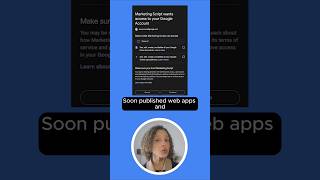
My name is Dave as mentioned. I'm a Google Workspace customer engineer and um so I'm not a develop I'm not a part of the developer relations team but I do do a lot of development myself and so love to uh do events like these if I can. Uh quick who am I by the numbers. I've been at Google um since start of 2010 15 plus years now. Uh I measure my time here typically by how old my daughter is because she was born just shortly after I started. She's squarely a teenager now. So if I give you any sass or roll my eyes during this presentation that's totally age appropriate. Uh, I've been on eight teams working across six products and four different roles in my time here. Uh, and I have three public add-ons in the Google Workspace Marketplace. All of which are written in Appcript. So, what's going on? Well, this was supposed to be animated, but that's okay. We'll just do all all at once, which is appropriate for the theme, right? Because today we have uh users who use apps at Google, specifically those written in Appcript or Google Workspace add-ons, are asked to accept all of the permissions at one time. These are Oath scopes, right? Or just permissions if you like. And it's all or nothing. They either accept it all or and use your app or they don't. Right? And for some time now uh a lot of integrations that use oathu across Google whether it's on Android or web apps they've been switching to this granular method actually for a couple years already where users can pick and choose uh which specific specific scopes they want to allow whether all of them or some subset. For example, if you have an app that integrates with Gmail and calendar, they may say it's fine you can you can access my Gmail but not my calendar. Right? Now, this change is coming to Appcript and don't worry, this new consent screen will only be applying to not will not apply to users who have already installed your app. It's only going to be for uh cases where uh new users going forward or users who have uninstalled and are reinstalling your app. Just so you know, I want to say that right up front so you don't have to panic. But you do want to prepare for this, right? Because if you don't prepare for this and new users come and they only grant permissions to or scopes to specific services or capabilities, then what's going to result is your app is going to have a broken experience if you're not ready for it, right? If you're not handling it. So, let's talk about when that's happening. I probably should use the right click, the correct clicker. There we go. So, when is this happening? There's actually a few different dates. All of them are kind of around the December, January time frame, but they're slightly different. First, let's talk about editor add-ons. These are legacy so-called legacy editor add-ons. They are things like add-ons and forms and sheets. They include chat apps and chat bots as well. I've noted that at the bottom there. Uh these we announced in January that this was coming and we actually already enabled it for the IDE. So you can test it locally in the IDE as well in Appcript. And uh just most recently in August we announced it was coming soon actually live uh not just in the ID but published add-ons as well whether internally published in your organization or published for users on our marketplace here in ISV. Um, and that was delayed slightly to give users more time to developers more time to adjust. And that enforcement begins mid December. Uh, I don't exactly know. So, this slide has not been updated. My apologies. It's supposed to be December 8th that's circled, not December 15th because mid December I decided it said second week of December. So, December 8th is the proper date there, not December 15th. That's the second week. Um, as mentioned, all mentions of editor add-ons here cover chat apps too. You might be wondering, well, what if I made a workspace add-on, not an editor add-on, and I did that in Appcript? When does that come? Well, that's coming in January. Uh, so keep an eye out for that announcement, but go ahead and start prepping for that now. That also includes web apps. So, if you have any internal web apps you've created or public ones, but most likely internal ones in AppScript, that's that's coming in January, too. So, you may as well be preparing for all this around the same time. Now, speaking of workspace add-ons, alternate runtimes, HTTP endpoints that was discussed today. These are the the add-ons that can cross multiple surfaces. They're contextually aware. They're available in that righth hand column in Google in like Gmail, for example, and Drive. Um these ones are going to also be having a granular oath that's coming the 1st of December and that that announcement went out I think in May. Um if you have again workspace add-ons created in appcript those will be that enforcement will come in January. But by and large the bottom line is this is coming and it's coming very soon and you need to prepare for it because if you don't you may be in a situation where your appears broken for your users. So uh first of all why are we doing this? This should be pretty obvious, but you we want to give more transparency and control to users of these apps at the end of the day. Uh so that they can pick and choose as they need to uh what data or capabilities they want your app to be able to see or do on their behalf. Uh now, how do you prepare for this? What do you need to do? We're going to break this down. Uh do your homework. We'll talk about where you can find information about this. Uh determine a strategy because there's a couple ways you can handle this and and decide, actually a few ways you can decide to move forward. implement those changes. We'll spend most of our time there uh today just talking about examples of how you'd implement this to show you how easy it is. Test those changes, of course, and then deploy. Four and five are not we're going to spend much time on, but we'll talk about two and three quite a bit. So, as far as doing your homework goes, all this is wonderfully documented. You probably got an MSA email about this if you have an editor add-on. If not, no worries. There's a QR code. These slides are going to be shared. This is all pointing back to our developer site where you can find information about uh what what you can do. Two things. First of all, if you're in Appcript, so this is for those of you writing things in Appcript, whether workspace add-ons, editor add-ons, web apps, chat bots, etc. Chat apps, etc. First of all, we have two new uh methods available at the script app at the script app level, which is require scopes and require all scopes. I'm going to show you some examples of those, but bottom line, it's telling you uh if the app it requires user authorization either as a whole or for specific scopes. Also, we have a new class called authorization info which is available and authorization info gives you more detailed uh metadata about okay what what scopes have they approved and uh if I want to get a link for example for them to have a popup to approve the missing scopes give me that link so you can have a little bit more control over it but all these uh two those two top methods plus the authorization info class and its three methods all revolve around the same thing right like what's been authorized or hasn't been authorized and how do I get it authorized if you are developing and we'll show an example that early if you're developing a workspace add-on uh using uh restful APIs uh not appcript appcript appcript yet although it's it's coming uh then that information is actually going to be passed in the request there's actually an authorization event object which has information about the user's o token specifically a list of the scopes they've approved so this is a little less done for you as it is in the appcript use case where we've bundled it up with some nice methods here it's just literally a list an array of scopes that the user has approved you're going to need to check that list yourself and decide oh am I missing anything from there and and then return something back to the back to the user in the response that will cause uh the app to prompt the user for granting authorization to the missing scopes. We'll show an example of that as well. So let's talk about determining a strategy. How do we go forward? The first strategy which will work in some cases is do nothing. Why can you do nothing? So if you are developing in appcript not alternate runtimes but appcript the appcript uh runtime has been set up so that if it sees an exception thrown that a scope is missing it will automatically prompt the user to uh grant all scopes. So, for example, if your add-on is mostly like user clicking around and uh up you haven't done any changes and they access something, they click a button or select a menu item that accesses the calendar and they haven't approved the calendar scope because this rolled out and they didn't they're a new user and they didn't check the box. You're going to have an exception thrown uh in in the runtime that says, "Hey, calendar not authorized, scope missing, scope required, whatever it might be." uh the runtime will catch that and will immediately throw up a box saying please grant access to this app with the list of all the scopes needed. Uh the user will have to go through and decide if they want to check them or not. However, this does not handle all cases. Um for example, programmatic triggers. So maybe your app sets up an hourly timer or maybe it has a programmatic trigger for when a Google form is submitted or Google sheet receives a new row. In that case, there's no user interaction to throw up that prompt, right? So what's going to happen is the ex the exception will still happen and little login error or error in the error handling in GCP but in the air logging but you will not be able to actually have the user do anything and the app will just fail. So in those cases this is not something you want to do. You're going to actually want to preemptively uh get that scope before setting up the trigger. Also um if your app catches exceptions and handles them beautifully and you I catch all exceptions and I do my own logging and I show my own messages to the user that's great. But because that exception will never make it up to the top level of the runtime in appcript, the user will never be prompted, right? So you're going to have to take action if you're doing that. Um, so again, doesn't work for all cases. It also of course doesn't work for add-ons not created appcript. So if you using alternate runtimes, your own end restful endpoints, this is not an option for you. And truthfully, it doesn't put you in control of the user experience or allow for handling of um, you know, conditional handling of ungranted scopes. Maybe you want to give the user a message, be like, "Oh, hey, you know, you you've clicked the calendar button and but guess what? You didn't approve this the first time. Here are the benefits of doing so. Click here to continue, right? You may want to do more like that." And that's really what we're going to focus on. So, we'll assume that we're not doing the previous one. We're going to actually do something here. So, you have a couple choices as well, even in this scenario where you're going to actually take take an action and you can decide, do I want to support partial ooth or not? Right? Am I in a s situation where I'm like, you know what, they either check all the boxes and use my app or they don't use my app. That's it. I don't care. I don't want to support half half the my app does great things on Gmail and Calendar, but if it doesn't do them all, it doesn't even it's not even worth using. Um I'm not going to support partial OOTH. I only support if the user has checked all the boxes. Or maybe you're like, I eventually want to support partial OOTH. That'd be really really nice. However, I'm not there yet. I need time. And so in the meantime, so they don't my app doesn't have a broken experience, I will say I'm not going to support partial off, but eventually I'll try to, but out the gate, I don't want a broken experience for users. So I'm a situation where if the user actually doesn't have all the scopes granted, I'm going to kick them back. And that's this this uh let's see this over here. I really wish my laser pointer worked better. It's tiny. I don't think you can see it, but I'll try anyway. So if I'm here where the oath prompt is shown to the user on install, for example, I can check are all scopes granted. Uh, if yes, then we're good, right? But if no, then I can decide here, well, do I want to support partial OOTH? If I don't want to support partial OOTH, I'm in this number one state, then I'm just going to go back and show them the prompt, and they're just going to be stuck in a loop there until they decide to check all the boxes or not use my app. However, if I want to be in a situation where I support partial O, that's number two. And that basically says my app can function indefinitely without some scopes being granted. Um and if they do not grant all this or if they if if uh sorry it can result in definitely with some with not all scopes being granted but limited cap with limited capabilities. So in the previous example my app does great things in Gmail and calendar. The user didn't check the boxes for calendar. No problem. I can just operate on the Gmail operations only and the calendar stuff just won't work. And maybe I'll give a message to the user telling them that when they try to use it. Now you probably don't want to stay there forever because it's not very super useful for the user. You could ideally, but optionally and and most likely you're going to want to choose uh to prompt the user to grant those additional scopes if and when they take some action. So, as in the affformentioned example, I have this great uh workspace add-on. It works in Gmail, works in calendar. They've approved the Gmail scopes, they didn't approve the calendar scopes, but then later they click the button uh that integrates with calendar in my app. And now I have an option to actually show them to say, "Oh, okay. I'm going to show you a prompt. It seems like you're trying to access calendar fee functionality. This app does not support that functionality. would you like to grant access to that now? Right? And that's that's where we would do this last step here uh where we take them we user perform an action that requires an undergraded scope and now we show them prompt to uh either approve all scopes or just the specific missing ones. So what does this actually look like? So I'm going to first start with the editor add-ons and then we'll move on to HTTP add-ons after. And within the editor add-ons, I'm going to start first with the partial ooth not supported use case. Basically I'm going to make sure they have all the scopes or nothing happens. That's it. I'm going to start by writing a function. And here I'm going to showcase the the different capabilities that are built into AppScript to help facilitate these checks. The first one is I'm making a function called O user has granted all scopes. It's a question. Has the user been granted all the scopes? Yes or no. This function is going to return true or false. Just make my life easy. Uh and by the way, all these functions are are basically the code drop in code I talked about at the end. So if you study this and understand it, you'll you already understand the drop in code. All right. All right. So for that I'm going to call the new method uh get authorization info at the script app level. You're always going to pass script app always almost always going to pass script app off mode full. So don't worry about that. You get back the off info class and that class or object has a method called get authorization status. And get authorization status really has two values. It's either required or not required. In other words, does the user need to authorize something or not? Have they checked all the boxes or only some of the boxes? That's it. Very simple. We're going to get into more granular stuff in a minute, but this allows me to just check, do I even need to prompt them to reapprove or are we good to go? If the if the status is not required, that means they're good to go. And we can this function returns true. The user is granted access to all scopes and and uh Bob's your uncle and we'll move on. Otherwise, we return false. That means something needs to be done. Now, how would we use this function? Let's go to the next screen. To use this function, I'm going to say if the user has not granted granted all scopes, there's that function in the if statement that we just defined on the previous slide. Then I'm going to go ahead and show a message to the user that says, hey, you know, to operate properly, this app triquarter uh requires that you approve all listed permissions during installation. Please click the link below to authorize it. And how do I do that? I call the get a going to get that a info object and I'm going to say get the URL from which the user will can if the user clicks on this URL they can be presented with a popup to authorize the scopes that would be all the scopes mind you not a specific set but we'll show how you do some just some of them in a minute that URL will lead them to that pop-up and then I'm going to show it to them I didn't show this function here but it's basically just a user modal or dialogue prompt user to authenticate and gives the URL which turns into something that looks like this fairly straightforward again we're we're just doing the the all or nothing approach. Let's say now I want to support partial ooth, right? I'm in a state where I don't want to just all or nothing. I actually want to let the user select and do the right thing uh based on that. So this obviously is a little bit more of a detailed example. But let's walk through it. First and foremost, I'm still using the same authorization info object. Nothing new there, but it actually has a method called get authorized scopes. Everything up until now was about tell me if all the scopes have been granted or not. Here what we're actually doing is saying give me a list of the scopes that have been granted so I can make a decision. Uh I've just defined here as constants the the full calendar scope and the and the readonly calendar scope. And very quickly on lines 46 and 47 I'm just basically saying hey check using index of because I'm old school. Um you know if those scopes are defined in that array. So I'm just checking did the user actually approve the full calendar scope. Did the user actually approve the readonly calendar scope. Line 49. If they have approved the full calendar scope huzzah we're good. Our app works as normal. do cool calendar stuff, do read importance calendar stuff and write cool stuff to the calendar, we're done. Else, if the user has granted not the full scope, but at least the read only scope, I have a choice. I could just not operate or maybe I can do some stuff. So maybe I can just do the the read important stuff from calendar stuff. Um, else that means the user has approved neither, right? And so here I'm in the situation where my app can either do nothing or maybe it can actually decide it wants to prompt the user to approve those. So let's see, let's see what would h what would change if I change that last part. It's the same code. The only thing that's different here is what's in the yellow box. So, this script has no access because neither scope has been approved. In that case, I'm just going to show a little UI message. Clearly, you can do something much fancier and nicer than this. Hey, the feature you selected requires approving Google calendar access. Do you want to proceed? Yes or no? Or okay. And if they say okay, it's going to continue here. And um the scopes to request are full and read only. You can decide if you want to just request one or both. That's fine. But notice I'm passing an array to scope script apps that require scopes. And that array is basically if I didn't pass it, it would just prompt them for all the scopes. Maybe there's other scopes too. Maybe drive scopes and things I don't want to bother them with right now. By passing the array, it actually only show them those particular scopes and ask them if they want to check the boxes this time around. Okay, that's editor add-ons. What about HTTP add-ons? This is um it's a simpler it's it's it's simpler to demonstrate. It's more work for you, but not that much. In the actual request as mentioned before the user token object will contain an array or list of authorized scopes. These are the scopes the user has authorized. So if you you'll have to check those. So for example one way to check them is if I'm if I'm doing the not partial oath not supported method. I'll first check and see um hey you know are all the scopes I expect to be there there are they present. Uh I'm not doing an explicit comparison here. I'm just saying I have a fake constant called number of total expected approved scopes. Maybe it's nine. Maybe it's eight. Maybe I more likely I'll have a list and I'll check uh and if that list is is the same as what the authorized scopes are which is here. So here we have uh request.body authorization event object that's that object that comes in authorized scopes. If that list is not existent then give me an empty list. Right? So either way I'll have an array. I can check it and if it's if it's not including all the scopes I expect return false otherwise return true. That's my just basic check. And now on some user action whatever it happens to be maybe they're doing something with the calendar I can call that function get a true or false back and then much as before I can make a decision based on that. So if all scopes are not granted and here's the magic I'm going to respond with requesting Google scopes with an argument of all a member of all scopes true all scopes true says request all the scopes. Show the user the box the all approval verification box approval box that lists all scopes even ones they've already approved. Those will be pre-checked but including the empty ones as well. So they have a choice to do that. Now if I want to support partial oath which probably I do eventually it's almost exactly the same example here. The difference is I'm basically saying okay if they are missing calendar and calendar readon I'm doing an explicit check uh either one then I'm going to say send back that same message requesting Google scopes but instead of all scopes true I'm going to actually pass an array of scopes I want and that'll prompt the user just for those particular ones. Those are the examples. Uh I I I mentioned these earlier but it's worth mentioning again just in case you missed it. There are some known watch points. For example, triggers. Uh for programmatic triggers, you want to ensure the scopes are granted prior to setting up the triggers. So if you have a trigger that fires every hour or when a form is submitted or or a calendar is updated, right? If those scopes don't exist ahead of time, then when the trigger runs and the user is not present for it to run, there's no way for you to tell them, hey, something is missing. You know, you might want to take an action. It's just going to fail, right? I suppose you could send an email to the user, but it's better that you actually request those scopes and make sure they are present and authorized before you set up any triggers. If the user hasn't, then you might be able to if if the trigger is set up based on a user action, you can say, "Hey, I I can't do this next step, right? I can't set up a a trigger or um a way to actually notify you when your form is submitted because you have yet to approve um the scopes I need to do. So, please do so now." Right? So, you can do that ahead of time. That's recommended. Um, and as mentioned, if and this is just for AppScript, if you catch exceptions, um, and you're relying on the do nothing method, uh, you might want to consider changing that or or at least rethrowing them to the top level so that the runtime can catch that and it can notify, uh, the user that they need to grant permission. How do you test changes? Well, uh, in the ID today, you can already in AppScript, you can already test it in the ID itself. Um, you may want to though test it in your published add-on um, prior to the roll out because you got all the code in there. It's but of course everything is returning true because all the scopes were granted. It's all fine. The roll out happens the next day. Some users start uh unchecking boxes or actually they're not checking all the boxes and you don't want to start testing then. So I don't know why this works but it does. I discovered it through a lot of testing. If you go and this works for um editor add-ons and appcript based add-ons. I haven't tried it for um uh alternative runtimes. So if anyone wants to try it, let me know if it works or not. But I think it should. install your add-on with a public account. So, go to your personal Gmail account or some other testing account that's uh associated with your add-on. Uh or if you're doing an internally published add-on, just an account that's not the developer, go and after you've installed it, authenticated it with the full list of scopes and everything, go into manage your Google account, find your add-on and third party services, and delete all connections. So, this causes the OOTH token to be deleted. The app is still installed though. [laughter] It's just that the OOTH token is gone. So when you do that, go back to your app, try to use it again. It will automatically, the appcript runtime will automatically prompt you and when it does so, it will give you the granular version. Uh so this is a great way to test uh internal add-ons, external add-ons uh post rollout of this feature uh or even sorry before roll out of this feature to see how it will behave and you can even just do it now to see like how will my app break if I do it now um to give yourself a better idea. Lastly, um I put a um on my GitHub, personal GitHub, which is linked to here, github.com/dabbu, again, that last name, sorry, slashgranular ooth and there's a QR code. Um there's a granular oath set of code. It's basically the code I showed here today so that you can easily drop this in if you want to for the the partial oath not supported use case, right? If I just want to drop something in today into my appcript uh ID in my appcript project for my add-on, be it workspace add-on or editor add-on or chat app. Uh that's basically going to prompt the user to say, "Hey, you're missing some scopes and show that dialogue which is already predefined. Click here to approve." You can use that and just drop it in anywhere where uh the user would first interact with your add-on. Don't drop it in like on open if you're like in a spreadsheet or a file because on open can't show UI, right? It doesn't have the full um off mode. So, you'll want to just drop it in a place like when the user first interacts with the menu or something or clicks an important button that's usually an entry
Original Description
This session will discuss the coming change to granular OAuth scope consent, and how to prepare for it to ensure your app handles user selections gracefully.
This video was recorded at the Google Workspace Developer Summit in Sunnyvale on October 9, 2025.
Watch the other sessions presented at the Google Workspace Developer Summit: https://www.youtube.com/playlist?list=PLDdffPXqmxKPfEJsp70kk-qSpNSVOt2uR
Get Dave's solution: https://github.com/dabouav/granularOAuth
Subscribe to our YouTube channel: https://www.youtube.com/@googleworkspacedevs/
Subscribe to our Google Workspace Developer Newsletter: https://developers.google.com/workspace/newsletters
#googleworkspacedevelopersummit #googleworkspaceplatform
Watch on YouTube ↗
(saves to browser)
Sign in to unlock AI tutor explanation · ⚡30
Playlist
Playlist UUUcg6az6etU_gRtZVAhBXaw · Google Workspace Developers · 21 of 48
1
 2
2
 3
3
 4
4
 5
5
 6
6
 7
7
 8
8
 9
9
 10
10
 11
11
 12
12
 13
13
 14
14
 15
15
 16
16
 17
17
 18
18
 19
19
 20
20
 ▶
▶
 22
22
 23
23
 24
24
 25
25
 26
26
 27
27
 28
28
 29
29
 30
30
 31
31
 32
32
 33
33
 34
34
 35
35
 36
36
 37
37
 38
38
 39
39
 40
40
 41
41
 42
42
 43
43
 44
44
 45
45
 46
46
 47
47
 48
48

Jump start your Apps Script project with a starter template
Google Workspace Developers
Format and fix code with the Apps Script command palette
Google Workspace Developers
Join the Google Workspace Developer Summit 2025
Google Workspace Developers
Simplify your code using Apps Script libraries and services
Google Workspace Developers
Quote other messages via Chat API, rollout of granular OAuth consent for Editor add ons, and more!
Google Workspace Developers
Developer Spotlight with Taylor Lykins, Product Manager at Lucid Software
Google Workspace Developers
Rollout of granular OAuth consent for Editor add-ons
Google Workspace Developers
Why did Lucid create Google Workspace integrations?
Google Workspace Developers
Use the Apps Script project dashboard
Google Workspace Developers
Generate Apps Script code using Google AI Studio
Google Workspace Developers
Updates to the Gmail API, the Reports API, Chat app capabilities, and more!
Google Workspace Developers
Create Deal Card via the Gmail API
Google Workspace Developers
Check out the interview Taylor from Lucid Software
Google Workspace Developers
Google Workspace Development Crash Course in Paris
Google Workspace Developers
How to use variables in Workspace Flows
Google Workspace Developers
Develop custom steps for Workspace Flows
Google Workspace Developers
Calendar API update for secondary calendars, create Workspace Flows custom steps, and more!
Google Workspace Developers
Google Workspace Developer Summit - Behind the scenes
Google Workspace Developers
From Signal to Success Lucid Software’s Journey as an Early Google Chat Integration Partner
Google Workspace Developers
Beyond the Build: Navigating the Google Workspace Marketplace Review Process
Google Workspace Developers
Prepare for Granular OAuth Consent in Apps Script powered Add-ons and Chat Apps
Google Workspace Developers
Demystifying Service Accounts When, Why, and How to Use Them
Google Workspace Developers
Supercharge collaboration with Meet APIs
Google Workspace Developers
Apps Script in Google Workspace
Google Workspace Developers
Leveraging AI Tools in Workspace Development
Google Workspace Developers
Google Workspace Developer News: Granular OAuth rollout, Drive Events, Meet API, and more!
Google Workspace Developers
Granular OAuth consent for web apps and Workspace add-ons
Google Workspace Developers
Developer Spotlight: The State of AI in Workspace Development
Google Workspace Developers
What's your AI-assisted developer workflow?
Google Workspace Developers
Developer Spotlight: Service Accounts need to know & using AI isn't cheating
Google Workspace Developers
Using AI is not cheating!
Google Workspace Developers
Developer Spotlight: Granular OAuth consent and publishing to the Workspace Marketplace
Google Workspace Developers
Developer Spotlight: Suraj Iyer - Apps Script Product Manager
Google Workspace Developers
Google Workspace Developer News: December 2025 Updates
Google Workspace Developers
Automate Your Tasks in 5 Minutes: Apps Script + Gemini for Beginners
Google Workspace Developers
How to Use Gemini 2.5 Flash in Apps Script with Vertex AI
Google Workspace Developers
Get started with Vertex AI in Apps Script
Google Workspace Developers
Google Workspace Developer News: January 2026 Updates
Google Workspace Developers
Get started with Google Workspace Studio
Google Workspace Developers
Check out how to get started with Google Workspace Studio
Google Workspace Developers
How to use variables in Google Workspace Studio
Google Workspace Developers
Why you sometimes can't add variables in Google Workspace Studio
Google Workspace Developers
Google Workspace Studio: Extract PDF Data to Sheets Automatically
Google Workspace Developers
Let's build an invoice assistant in Workspace Studio
Google Workspace Developers
Google Workspace Developer News: February 2026 Updates
Google Workspace Developers
Google Workspace Studio: Understanding Starters and Steps
Google Workspace Developers
Check out templates in Google Workspace Studio
Google Workspace Developers
Get data from an email attachment with Workspace Studio
Google Workspace Developers
More on: Prompt Craft
View skill →








Related AI Lessons
⚡
⚡
⚡
⚡
Common Next.js Errors (and How I Solved Them)
Dev.to · gary killen
Applying Scalability in Backend (CodeBuddy)
Medium · LLM
Why Every Backend Developer Should Learn Nginx Before Going to Production
Medium · DevOps
Connecting Frontend to Backend: A Backend Engineer’s Reality Check
Medium · Programming
🎓
Tutor Explanation

 DeepCamp AI