Install Jaxx cryptocurrency wallet Chrome extension
Skills:
Tool Use & Function Calling80%
Key Takeaways
The video demonstrates how to install and remove the Jaxx cryptocurrency wallet Chrome extension, covering the location of files on the system and basic usage of the wallet.
Full Transcript
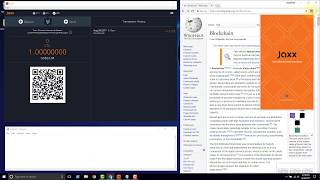
this video we're going to show how to install the Jax cryptocurrency wallet um using the their Chrome extension so to start out go ahead and open the browser and let's go to Jack's double x dot IO we are on Jack's website just make sure that you're at the right place jacks.io and in order to get to the into the installs install options we go to get Jax free and we can see here there are several options to choose from they support um all of these platforms you see here the one we're going to do is this Chrome extension so we just click Chrome and in order to add this extension we just click add to Chrome click ADD extension see down here it says adding to Chrome and it says here Jack's blockchain wallet has been added to Chrome use this extension by clicking the icon all right so we'll go and close that and we'll click the icon and here we are Jax's displaying the release notes to us we're on version 1.2 click continue the Jackson user license agreement can look through those click accept and now here we are we have the ability to create a new wallet so we'll click continue and the express version will go with that we can do custom but there's really there's not a whole lot of difference between the two at the moment and anything that you could have gotten into custom it's really easy after the fact to just make make the changes once the wallet is created click continue and this gives us the ability to go ahead and choose which type of wallets we want to activate and as you can see there are many different options here that's one of the benefits of Jax is that they they have a wide selection of coins so we'll go ahead and do Bitcoin ethereum and Litecoin and take me to my wallet they say here hang tight this is a very intensive process that process they're referring to is the generation of the public private keys for each wallet that we selected so we've got a Bitcoin wallet we've got an ethereum wallet and a Litecoin wallet all within one Jax application so we'll check out the interface really quickly this is the shapeshift integration we'll do another video to see how to use that they this here is your Bitcoin address if you want to copy that address you can click copy this is your public address so it's fine to share that publicly this is the thing that you would this is the the your address or your account that you would give to another person trying to send you Bitcoin new wallet so we've got enough no funds this QR code is a representation of this text so someone were to scan this QR code they would ultimately have access to this public address and then down here your transaction history will show up if you want to take a look at the ethereum wallet just click the eth up here and your ethereum wallet will be displayed the only difference that you're gonna see here is that you've got eth down here and this is your actual ethereum address same with if we click the Litecoin wallet we'll get a Litecoin address but otherwise everything is very similar now up here you have settings such as you've got tools and settings you've got your wallets and you've got your currency if you're interested in these items please check my other video where I went in into depth into each one of these settings now if you want to remove this extension you just hover over the icon you right click and you you say manage extensions and then down here you'll be able to see Jacks you can you can disable it if you want um which wouldn't be a bad idea if you're not using it to go ahead and disable it and then whenever you want to use it you could enable it and then if you want to get rid of it you just click remove from chrome and I'll show you on the system in the file system where the files are located where all of your wallet data will be stored we just need to go to you can click on open your file explorer you can click on this PC and you can click on the C drive click on users click on your user that you're signed in with click on app data and click on local and then you want to find Google Chrome and then user data so inside of this user data is where all of your Chrome user data is located so if you type in the search bar Jax you'll see a lot of Jack's items coming up now if we come back to our browser and we remove Jax remove D we will come here and refresh and you notice no items that match your search because all of the data got removed so if you had any funds in your wallet at that point you would have just killed the wallet you would have deleted everything and then if you didn't have your backup phrase then it then it would be lost so that's how you get up and running with Jax using the Chrome extension
Original Description
Covers install and removal of the Jaxx wallet Chrome extension. The location of files on system is also shown. Watch in 2x if it's too slow for you.
🕒🦎 VIDEO SECTIONS 🦎🕒
00:00 Welcome to DEEPLIZARD - Go to deeplizard.com for learning resources
00:30 Help deeplizard add video timestamps - See example in the description
06:34 Collective Intelligence and the DEEPLIZARD HIVEMIND
💥🦎 DEEPLIZARD COMMUNITY RESOURCES 🦎💥
👋 Hey, we're Chris and Mandy, the creators of deeplizard!
👉 Check out the website for more learning material:
🔗 https://deeplizard.com
💻 ENROLL TO GET DOWNLOAD ACCESS TO CODE FILES
🔗 https://deeplizard.com/resources
🧠 Support collective intelligence, join the deeplizard hivemind:
🔗 https://deeplizard.com/hivemind
🧠 Use code DEEPLIZARD at checkout to receive 15% off your first Neurohacker order
👉 Use your receipt from Neurohacker to get a discount on deeplizard courses
🔗 https://neurohacker.com/shop?rfsn=6488344.d171c6
👀 CHECK OUT OUR VLOG:
🔗 https://youtube.com/deeplizardvlog
❤️🦎 Special thanks to the following polymaths of the deeplizard hivemind:
Tammy
Mano Prime
Ling Li
🚀 Boost collective intelligence by sharing this video on social media!
👀 Follow deeplizard:
Our vlog: https://youtube.com/deeplizardvlog
Facebook: https://facebook.com/deeplizard
Instagram: https://instagram.com/deeplizard
Twitter: https://twitter.com/deeplizard
Patreon: https://patreon.com/deeplizard
YouTube: https://youtube.com/deeplizard
🎓 Deep Learning with deeplizard:
Deep Learning Dictionary - https://deeplizard.com/course/ddcpailzrd
Deep Learning Fundamentals - https://deeplizard.com/course/dlcpailzrd
Learn TensorFlow - https://deeplizard.com/course/tfcpailzrd
Learn PyTorch - https://deeplizard.com/course/ptcpailzrd
Natural Language Processing - https://deeplizard.com/course/txtcpailzrd
Reinforcement Learning - https://deeplizard.com/course/rlcpailzrd
Generative Adversarial Networks - https://deeplizard.com/course/gacpailzrd
🎓 Other Courses:
DL
Watch on YouTube ↗
(saves to browser)
Sign in to unlock AI tutor explanation · ⚡30
Playlist
Uploads from deeplizard · deeplizard · 4 of 60
1
 2
2
 3
3
 ▶
▶
 5
5
 6
6
 7
7
 8
8
 9
9
 10
10
 11
11
 12
12
 13
13
 14
14
 15
15
 16
16
 17
17
 18
18
 19
19
 20
20
 21
21
 22
22
 23
23
 24
24
 25
25
 26
26
 27
27
 28
28
 29
29
 30
30
 31
31
 32
32
 33
33
 34
34
 35
35
 36
36
 37
37
 38
38
 39
39
 40
40
 41
41
 42
42
 43
43
 44
44
 45
45
 46
46
 47
47
 48
48
 49
49
 50
50
 51
51
 52
52
 53
53
 54
54
 55
55
 56
56
 57
57
 58
58
 59
59
 60
60

Install Jaxx cryptocurrency wallet on Windows 10 and verify file hash
deeplizard
Jaxx cryptocurrency wallet overview - A Blockchain Interface
deeplizard
Remove Jaxx cryptocurrency wallet from Windows 10
deeplizard
Install Jaxx cryptocurrency wallet Chrome extension
deeplizard
Send Litecoin from GDAX to Jaxx wallet
deeplizard
Send Litecoin from Jaxx wallet to GDAX
deeplizard
Backup and restore Jaxx wallet with passphrase
deeplizard
Send Litecoin to Bittrex using Jaxx and monitor confirmations with BlockCypher
deeplizard
Join a mining pool on Waves platform and lease Waves
deeplizard
ZCASH Explained | An introduction to a privacy based cryptocurrency
deeplizard
ZCash t address creation with Jaxx wallet and private key blockchain discussion
deeplizard
Buy ZCash with Litecoin using the Shifty button in the Jaxx wallet
deeplizard
Buy ZCash with Litecoin using ShapeShift - FAILURE
deeplizard
Litecoin | Jaxx | Shapeshift | zcash | failed
deeplizard
Buy ZCash with Litecoin using ShapeShift - SUCCESS even with Jaxx issues
deeplizard
Explore ZCash blockchain with Zchain block explorer
deeplizard
Zchain ZCash block explorer API - PowerShell Code
deeplizard
Zchain ZCash block explorer API - Introduction
deeplizard
Zchain ZCash block explorer API - Application
deeplizard
Coinbase's Trading Platform | Previously known as GDAX
deeplizard
Coinbase Social Security Number (SSN) Requirement Explained
deeplizard
Who owns Coinbase? Here are some KEY people
deeplizard
How does Coinbase/GDAX secure Bitcoin, Litecoin, Ether?
deeplizard
Coinbase | HackerOne bug bounty program
deeplizard
Is Bitcoin safe at Coinbase/GDAX?
deeplizard
Coinbase Login Demo Using Google Authenticator (2FA)
deeplizard
Coinbase Pro - GDAX | Trading Interface Overview
deeplizard
Coinbase gives $10 in Bitcoin | Watch this before signing up
deeplizard
Coinbase around the globe | What countries are supported?
deeplizard
Order book explained | Trading concept to know
deeplizard
Bid/Ask spread explained | Trading concept to know
deeplizard
Maker vs Taker | Trading concept to know
deeplizard
Market Orders are Always TAKERS (HIGHER FEES)!
deeplizard
Buy as a MAKER (LOWER FEE) on Coinbase Pro - GDAX | Limit Order - Part 1
deeplizard
Buy as a MAKER (LOWER FEE) on Coinbase Pro - GDAX | Limit Order - Part 2
deeplizard
Time-in-force explained | Trading concept to know
deeplizard
Stop order explained | How to stop a loss | Coinbase Pro - GDAX
deeplizard
Stop Order on Coinbase Pro - GDAX | What the WARNINGS Mean
deeplizard
Market price vs Last price | Trading concept to know
deeplizard
Stop Order on Coinbase Pro - GDAX | How it is ACTIVATED
deeplizard
Stop-limit order | How to set the limit | Coinbase Pro - GDAX
deeplizard
Flash CRASH Part 1 | ETH/USD currency pair traded at $0.10
deeplizard
Slippage explained | Trading concept to know
deeplizard
Flash CRASH Part 2 | How did Coinbase Respond?
deeplizard
Buy side stop-limit order | Crypto trading strategy for buying a breakout
deeplizard
Buy side stop-limit order | Triggering under the market price
deeplizard
What is an order book?
deeplizard
What is a market?
deeplizard
What is an exchange?
deeplizard
What is a broker-dealer?
deeplizard
Keras prerequisites
deeplizard
Change Keras backend to Theano
deeplizard
#1 Order types and parameters | Trading on Coinbase Pro - GDAX
deeplizard
Trading strategy for stopping a loss | Don't trade all at once!
deeplizard
#2 Order matching engine | Trading on Coinbase Pro - GDAX
deeplizard
Batch Size in a Neural Network explained
deeplizard
Deep Learning playlist overview & Machine Learning intro
deeplizard
Artificial Neural Networks explained
deeplizard
Regularization in a Neural Network explained
deeplizard
Create confusion matrix for predictions from Keras model
deeplizard
More on: Tool Use & Function Calling
View skill →









Related AI Lessons
⚡
⚡
⚡
⚡
Want to get started with deep learning
Reddit r/deeplearning
Building a Deepfake Detector From Scratch — What Nobody Tells You
Medium · Deep Learning
Unfolding the Meandering Path: High-Dimensional Invariance and the Flat 2D Plane of Neural…
Medium · Deep Learning
Implementing Neural Style Transfer from Scratch: The Project That Started It All
Medium · Deep Learning
Chapters (3)
Welcome to DEEPLIZARD - Go to deeplizard.com for learning resources
0:30
Help deeplizard add video timestamps - See example in the description
6:34
Collective Intelligence and the DEEPLIZARD HIVEMIND
🎓
Tutor Explanation

 DeepCamp AI