Buy ZCash with Litecoin using ShapeShift - SUCCESS even with Jaxx issues
Skills:
Tool Use & Function Calling80%
Key Takeaways
The video demonstrates how to buy ZCash with Litecoin using ShapeShift, troubleshooting issues with the Jaxx wallet, and successfully broadcasting transactions using the Jaxx Chrome extension. The process involves sending Litecoin to ShapeShift, copying and pasting receiving addresses, and broadcasting transactions.
Full Transcript
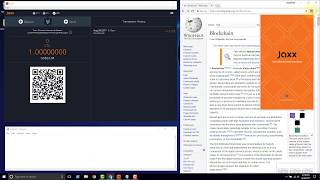
in this video we're going to go ahead and purchase our Z cash using like coin and shape-shift now we tried to do this a couple of videos back and we ran into an error and we did a video on troubleshooting the error and now we are back shape-shift is still waiting on us so we have the same order ID you can check that and we're just waiting the deposit so the setup down here shape-shift is asking us to send light coin to this address and they are telling us they will allow us to receive Z cash at this address that's the setup on the shape-shift side now this time what we're gonna do I have the light coin block Explorer block cipher open you want to go to get here you want to go to live block cipher calm you can get a slash LTC or you can choose the blockchain up here in the top right choose like one okay and then we scroll down and what I want to take a look at is the latest transactions so I want to see if we can catch our transaction coming through here whenever we actually send it if we can then we go and click on the transaction hash and we can shut a monitor a little more closely and see what's happening as we send this transaction because these are the latest transactions these are unconfirmed and we'll see that if we get the ability to actually see our transaction now the way we're gonna do it we won't know what the transaction ID is they're calling the transaction hash but we will know the amount that we're sending so we'll click the send button and then we'll flip back to this Explorer here and we'll just see if we can see the amount that we're sending okay so let's flip back to Jax and the set up on Jack's ID is we have point zero for light Queen available and we're gonna send this to shape-shift that way they'll go ahead and send us back some Z cash so let's go and get the address that we need the litecoin address from shape-shift so this is the light point address here where we need to send them light coin so copy that and then go back into Jack's we want to click the send button paste in the receiving address and we'll choose the max amount to send this will account for our mining fee that we're gonna have to pay and the value we're gonna be looking for back on the block Explorer is gonna be this point zero four one eight so we just need to keep an eye out for zero or 1/8 ready and I think we're good to go we'll click send and everything looks good here confirm transactions sent all right now let's click back to block Explorer and see if we can spot our transaction come through okay it's been about 15 minutes and our transactions still not going through it looks like this video may turn into a troubleshooting session as well hate that ads to turn out that way but it seems like Jax may be the issue I pause the video and I was troubleshooting a few things when I noticed that the transaction was coming through I closed Jackson reopened it and we see here Jax's wallets already reset again so I believe that Jax may be just failing to broadcast the transaction it did work with the shifty button before but what we're gonna do in this video is go ahead and I've installed the Chrome extension and we're gonna do what Jack said in that in the previous video we saw knowledge base that they told us that we should make sure it's not a platform issue so we're gonna go ahead and do that I've already backed up the I've already restored the wallet to this Chrome extension so we'll go ahead and login and we can see that we do we're back with the same amount in our litecoin wallet so let's go ahead and I've also pulled up the address here this is the address on the block Explorer to shape-shift where we're sending the funds but we'll go copy it from here just to make sure and we'll pull this up so we can try to eyeball if the transaction comes through so just open Jack's up again the Chrome extension and click send put in a receiving address choose a maximum and click send okay giving us some details all that looks good click confirm and they tell us that the transaction was sent so over here we'll be looking for point zero four okay so now point zero four let's see if we can see it on this side point zero four one I would actually expect box cipher to be faster than Jack's so we may just take this transaction ID yeah it's not coming through so we'll go and click on this transaction ID and they bring us to block cipher so with the Chrome extension they actually launched us to the website versus on the desktop version they put us in that little confined window so we have our transaction ID close this out and just refresh we have zero confirmations at the moment let me see down here the details of our transaction we're sending from this address to this address there were only be one output created the output is the fact that we're sending all of our funds to this address then we're gonna have one output and then we just got our first confirmation right now we just have one confirmation so if we look back shapeshift should have the funds and look they do pending confirmation they've already shipped shifts already done their work and we can probably get back into our we'll come here on the Chrome extension log back in and we should see go to our Z cash Wallet balance refreshing and payment received so here we have now sent our all of our light coin to Z cash and there's our second transaction that just came through this one says confirmed this one is unconfirmed on the Z cash blockchain now if we click this button will be taken to that was in a button that was a link rather right now they're telling us that we need a valid T address so currently it's not even the this Explorer is in beta and so they're they're little they're not as robust so sometimes you got to refresh a couple times refreshing this page isn't gonna work because it's just 404 but if you go back into your Jax wallet go to Z cache and go to see payment received the Jax wallet is actually displaying to us this is another another problem you see in Jax quite frequently is the fact that their display is incorrect there should be only point 0 to it'll refresh in a bit okay let's try this click this transaction again now here on the Z cache Z chain Explorer we can see our transaction and the details okay down here we have our Z cash that we received okay let's just go ahead and refresh the Mike Quinn Explorer and see it's quite fast we've already gotten four confirmations so two more confirmations to go and this this transaction will be considered to be permanent I think what we just witnessed here was an issue with the desktop version of Jax this is the newest version and it appears I've got some type of bug that's causing some issues because the experience that we just saw with the Jax so keep that in mind if you're using Jax you're just gonna need to you know if you're seeing an issue it should be pretty much incident and if it's not then you might want to try to use a different platform to see if the issue is with that particular version of Jax so for us it was a desktop version the chrome version work so that put us through a lot of trouble what it also means is in the previous video we talked about it looked like what had happened to us in the previous video was that the litecoin network was congested but more likely it seems like it was probably just an issue with Jax so instead of our transaction actually hitting the the litecoin blockchain and then getting kicked out of the men pulled that probably was not the case it looks like there's just an issue with a Jack's wallet actually sending the transaction to the blockchain so now this is a with this video we've showed how you can use shape-shift and notice to shape-shift was very quick so shape-shift waited on us for 24 hours and then when we finally sent it was it was like boom boom boom immediately they went ahead and did the exchange and sent us a Z cache so I hope this video was helpful please like the video subscribe and support there's a deep lizard channel thank you
Original Description
Found that our issue was with the Jaxx Windows desktop version.
Experienced the same issue again, but got around it by using the Jaxx Chrome extension.
🕒🦎 VIDEO SECTIONS 🦎🕒
00:00 Welcome to DEEPLIZARD - Go to deeplizard.com for learning resources
00:30 Help deeplizard add video timestamps - See example in the description
07:58 Collective Intelligence and the DEEPLIZARD HIVEMIND
💥🦎 DEEPLIZARD COMMUNITY RESOURCES 🦎💥
👋 Hey, we're Chris and Mandy, the creators of deeplizard!
👉 Check out the website for more learning material:
🔗 https://deeplizard.com
💻 ENROLL TO GET DOWNLOAD ACCESS TO CODE FILES
🔗 https://deeplizard.com/resources
🧠 Support collective intelligence, join the deeplizard hivemind:
🔗 https://deeplizard.com/hivemind
🧠 Use code DEEPLIZARD at checkout to receive 15% off your first Neurohacker order
👉 Use your receipt from Neurohacker to get a discount on deeplizard courses
🔗 https://neurohacker.com/shop?rfsn=6488344.d171c6
👀 CHECK OUT OUR VLOG:
🔗 https://youtube.com/deeplizardvlog
❤️🦎 Special thanks to the following polymaths of the deeplizard hivemind:
Tammy
Mano Prime
Ling Li
🚀 Boost collective intelligence by sharing this video on social media!
👀 Follow deeplizard:
Our vlog: https://youtube.com/deeplizardvlog
Facebook: https://facebook.com/deeplizard
Instagram: https://instagram.com/deeplizard
Twitter: https://twitter.com/deeplizard
Patreon: https://patreon.com/deeplizard
YouTube: https://youtube.com/deeplizard
🎓 Deep Learning with deeplizard:
Deep Learning Dictionary - https://deeplizard.com/course/ddcpailzrd
Deep Learning Fundamentals - https://deeplizard.com/course/dlcpailzrd
Learn TensorFlow - https://deeplizard.com/course/tfcpailzrd
Learn PyTorch - https://deeplizard.com/course/ptcpailzrd
Natural Language Processing - https://deeplizard.com/course/txtcpailzrd
Reinforcement Learning - https://deeplizard.com/course/rlcpailzrd
Generative Adversarial Networks - https://deeplizard.com/course/gacpailzrd
🎓 Other Courses:
Watch on YouTube ↗
(saves to browser)
Sign in to unlock AI tutor explanation · ⚡30
Playlist
Uploads from deeplizard · deeplizard · 15 of 60
1
 2
2
 3
3
 4
4
 5
5
 6
6
 7
7
 8
8
 9
9
 10
10
 11
11
 12
12
 13
13
 14
14
 ▶
▶
 16
16
 17
17
 18
18
 19
19
 20
20
 21
21
 22
22
 23
23
 24
24
 25
25
 26
26
 27
27
 28
28
 29
29
 30
30
 31
31
 32
32
 33
33
 34
34
 35
35
 36
36
 37
37
 38
38
 39
39
 40
40
 41
41
 42
42
 43
43
 44
44
 45
45
 46
46
 47
47
 48
48
 49
49
 50
50
 51
51
 52
52
 53
53
 54
54
 55
55
 56
56
 57
57
 58
58
 59
59
 60
60

Install Jaxx cryptocurrency wallet on Windows 10 and verify file hash
deeplizard
Jaxx cryptocurrency wallet overview - A Blockchain Interface
deeplizard
Remove Jaxx cryptocurrency wallet from Windows 10
deeplizard
Install Jaxx cryptocurrency wallet Chrome extension
deeplizard
Send Litecoin from GDAX to Jaxx wallet
deeplizard
Send Litecoin from Jaxx wallet to GDAX
deeplizard
Backup and restore Jaxx wallet with passphrase
deeplizard
Send Litecoin to Bittrex using Jaxx and monitor confirmations with BlockCypher
deeplizard
Join a mining pool on Waves platform and lease Waves
deeplizard
ZCASH Explained | An introduction to a privacy based cryptocurrency
deeplizard
ZCash t address creation with Jaxx wallet and private key blockchain discussion
deeplizard
Buy ZCash with Litecoin using the Shifty button in the Jaxx wallet
deeplizard
Buy ZCash with Litecoin using ShapeShift - FAILURE
deeplizard
Litecoin | Jaxx | Shapeshift | zcash | failed
deeplizard
Buy ZCash with Litecoin using ShapeShift - SUCCESS even with Jaxx issues
deeplizard
Explore ZCash blockchain with Zchain block explorer
deeplizard
Zchain ZCash block explorer API - PowerShell Code
deeplizard
Zchain ZCash block explorer API - Introduction
deeplizard
Zchain ZCash block explorer API - Application
deeplizard
Coinbase's Trading Platform | Previously known as GDAX
deeplizard
Coinbase Social Security Number (SSN) Requirement Explained
deeplizard
Who owns Coinbase? Here are some KEY people
deeplizard
How does Coinbase/GDAX secure Bitcoin, Litecoin, Ether?
deeplizard
Coinbase | HackerOne bug bounty program
deeplizard
Is Bitcoin safe at Coinbase/GDAX?
deeplizard
Coinbase Login Demo Using Google Authenticator (2FA)
deeplizard
Coinbase Pro - GDAX | Trading Interface Overview
deeplizard
Coinbase gives $10 in Bitcoin | Watch this before signing up
deeplizard
Coinbase around the globe | What countries are supported?
deeplizard
Order book explained | Trading concept to know
deeplizard
Bid/Ask spread explained | Trading concept to know
deeplizard
Maker vs Taker | Trading concept to know
deeplizard
Market Orders are Always TAKERS (HIGHER FEES)!
deeplizard
Buy as a MAKER (LOWER FEE) on Coinbase Pro - GDAX | Limit Order - Part 1
deeplizard
Buy as a MAKER (LOWER FEE) on Coinbase Pro - GDAX | Limit Order - Part 2
deeplizard
Time-in-force explained | Trading concept to know
deeplizard
Stop order explained | How to stop a loss | Coinbase Pro - GDAX
deeplizard
Stop Order on Coinbase Pro - GDAX | What the WARNINGS Mean
deeplizard
Market price vs Last price | Trading concept to know
deeplizard
Stop Order on Coinbase Pro - GDAX | How it is ACTIVATED
deeplizard
Stop-limit order | How to set the limit | Coinbase Pro - GDAX
deeplizard
Flash CRASH Part 1 | ETH/USD currency pair traded at $0.10
deeplizard
Slippage explained | Trading concept to know
deeplizard
Flash CRASH Part 2 | How did Coinbase Respond?
deeplizard
Buy side stop-limit order | Crypto trading strategy for buying a breakout
deeplizard
Buy side stop-limit order | Triggering under the market price
deeplizard
What is an order book?
deeplizard
What is a market?
deeplizard
What is an exchange?
deeplizard
What is a broker-dealer?
deeplizard
Keras prerequisites
deeplizard
Change Keras backend to Theano
deeplizard
#1 Order types and parameters | Trading on Coinbase Pro - GDAX
deeplizard
Trading strategy for stopping a loss | Don't trade all at once!
deeplizard
#2 Order matching engine | Trading on Coinbase Pro - GDAX
deeplizard
Batch Size in a Neural Network explained
deeplizard
Deep Learning playlist overview & Machine Learning intro
deeplizard
Artificial Neural Networks explained
deeplizard
Regularization in a Neural Network explained
deeplizard
Create confusion matrix for predictions from Keras model
deeplizard
More on: Tool Use & Function Calling
View skill →









Related AI Lessons
⚡
⚡
⚡
⚡
Want to get started with deep learning
Reddit r/deeplearning
Building a Deepfake Detector From Scratch — What Nobody Tells You
Medium · Deep Learning
Unfolding the Meandering Path: High-Dimensional Invariance and the Flat 2D Plane of Neural…
Medium · Deep Learning
Implementing Neural Style Transfer from Scratch: The Project That Started It All
Medium · Deep Learning
Chapters (3)
Welcome to DEEPLIZARD - Go to deeplizard.com for learning resources
0:30
Help deeplizard add video timestamps - See example in the description
7:58
Collective Intelligence and the DEEPLIZARD HIVEMIND
🎓
Tutor Explanation

 DeepCamp AI