After Effects BLACKPINK Glowing Scribble Dance Animation Tutorial part 2 + Free Project File
Key Takeaways
This video tutorial demonstrates how to create a glowing scribble dance animation in After Effects, utilizing tools such as the Composite Brush, Trapcode Star Glow, and Trapcode Shine, as well as techniques like compositing and camera shake effects.
Full Transcript
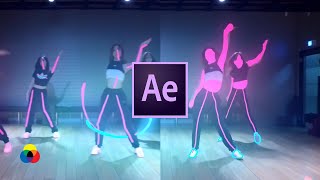
what's up everybody it's r18 and welcome to part 2 of the glowing hand-drawn animation tutorial now if you have not seen that video I recommend you to check that one out first and then come back here because we're gonna be picking up right where we left off now last time I talked about motion trails smoke decays and this time we're gonna get more into things like compositing and how to really make it pop alright so stick around and I also want to give a special thanks to all the new subscribers it's an honor have you in the black mixture fan I hope you enjoy all the new content it's made with love for you guys also special thanks to the family reddit who just blew me away again with the comments you guys are ridiculous you guys freaking gifted me Platinum's and golds and Silver's and honestly I took google that stuff because I had never gotten that before so huge honor and special thanks to this one who sent this awesome comment of course you know I'm excited I'm pretty sure you are too alright let's go ok so right now we're picking up right where we left off in after-effects and already this is looking like a pretty cool animation but we're not done because we have some more black mixture techniques that I want to show you the next technique that I wanted to talk to you guys about is called the outlines or silhouettes and all I'm actually doing is drawing over certain parts of their body now this can come across as feeling like an energy wave is going through them or they're powered up or something that you may have seen from a character select screen and it's really cool because just adding a few simple frames here and there makes such a huge difference and one of the ways that I even enhance that effect is I have the outline travel from one member of the group down to the next one's just for a few frames maybe two or three and this really elevates the effect to a whole nother level so I want to show you guys right now what I'm talking about BAM yeah you see those beautiful outlines yeah so all I'm doing is drawing these outlines for two to three frames and I'm having an overlap a little bit here and there I really want to accentuate this first step and make it feel as if they're like Power Rangers just assembling together so that's what you're seeing right now one of the cool techniques that I'm also doing is alternating between the outline and silhouette just for one or two frames again and this just takes it to a whole nother level when it gets played out in real time so now I'm gonna fast-forward through a bit and I'm gonna speed through this part because I think you guys can view outlines very easily if you know how to trace I think you can do this if not I still think you can because outlines is something that yeah it doesn't have to be perfect actually sometimes the little squiggles to add personality you guys keeping it no need for perfection here this is the bob ross of animation right now let's go okay now that the base animation is done let's get into some compositing to the compositing techniques I'll take this animation to the next level here's another really cool black mixture technique since this is a dance video I wanted the shoes have energy in them kind of like my light-up sketches when I was a kid likes 2.0 from Skechers I also didn't want them to take a huge amount of time or overpower the scene so to get them to glow and flicker to different colors I use composite brush another plug-in mentioned in the top 10 after effects plugins video seriously guys check it out and subscribe if you're not already and basically this plug-in let me key off the shoes selectively just by brushing my mouse over it it took a lot of finagling with the selecting what to keep and what not to keep and it helped that the camera was study throughout afterwards I was able to create a simple rectangle mask and that effectively took out the entire top glow for the glow effect I tried to use trapcode star glow and trapcode shine but ended up liking the default glow in After Effects I messed around with the threshold until the color came into the glow which normally happens above 70% and I also increase the radius and intensity until I liked it I'm purposefully leaving out the specific numbers for some of these effects because depending on your footage you're gonna have to play around with the values anyways most of these are pixel based algorithms and unless you're using the same scene these numbers don't mean talk to you just note that you have to play around with them move them left and right up and down side to side back and forth to and fro hither and thither over and under hippity-hoppity round the corner over the river and through the woods lickety-split o'clock in the Gees grinding the ax up to no good this bud good and plenty lollygagging around making the rounds painting the town red packing the load hugging a tree skin of the dog skip to my Lou so in my oats passing a stone shooting the breeze chases notes humping the horse dancing a jig spinning shipping the cider flexing the pegs grooving my do licking the chicken pinching the pen is the next advanced technique I added a camera shake to hiding the energy of the scene hold the camera steady no one wants to watch super shaky cinematography to do this I actually rendered out the entire video once I was done making the animations and adding the glow effects and then I read that into After Effects and applied the red giant camera shake effect to it the reason why I waited until after everything else was done was so that everything inside of the scene would get this really nice motion blur and position movement and that really helps sell the effect to make it dramatic it also helped a lot that this camera was super steady throughout so when I did add in the camera shake I could apply it specifically to one of the beat hits and I just really made the effect come together a few of you noticed those inverted frames in the animation and I don't know if you've ever seen those atomic test footage in which whenever the explosion happens you see this there's this moment in which the exposure for the camera looks like it shifts and everything just inverts from black to white and so that's kind of what I wanted to do to make it seem as if there was only this light source coming from the animation itself so to do that I actually took the glow effect and applied it to the entire composition and rather than keeping its glow operation the same I changed it to multiply what this did was make it feel as if I turned off the lights and only the light source was illuminating the room once I had that set then I duplicated that layer and turned it on only whenever I wanted it to occur so this was during points in the beat in which I had high hats in order to make it turn on and off really quickly I used one of my favorite black mixture techniques one that I call blank and I'm actually making a plugin and make this a whole lot easier so in order to make it turn on and off selectively and at a very high rate I applied an expression which I'm gonna leave in the description box below and what this does is change the opacity from a value of 100 to zero based on the speed value that we set now this can take a pretty long time to set up so that's actually why I'm also making a plugin which will make my life a lot easier and I'm pretty sure anyone else who wants to use this effect throughout their course of work does let me know if you want it and yeah balls okay and that's it for the video the video that's it for the video I hope you enjoyed this one and as always if you're able to make something super dope with this tutorial I hope that you leave a link in the description so that I can check it out and I'm sure the rest of the community would love to see it as well if there's something that you didn't get to follow along in this video or had a little difficulty with understanding also leave a question down below I'll try and check it out and if I can't answer I will but if not I'm sure there's plenty of others who love After Effects who also know how to handle a thing or two inside of their program and maybe they can help you out so [Music] you subscribe me what the heck specialist shoutouts to to mellow mood thing and the moon well I just got the notification off Phineas thanks guys I appreciate it or actually I don't know if it rolls that I didn't check the again remote I want to welcome you to the black mixture fan it's in honor to be able to teach freeze-out and also save me some gold content weekly so yeah if but if I don't know you and how to like exit that one but okay [Music]
Original Description
🔌⚡️ 🔥 1000+FX ELEMENTS Black Mixture Toolkit for After Effects/Premiere: https://bit.ly/BlackMixtureToolKit
Welcome back to part 2 of the glowing hand drawn animation tutorial! If you have not seen Part 1, I recommend you check that out first and then come back here. Today, I continue where we left off and show you how we made a cool glowing hand drawn dance animation in After Effects! In this video, learn the simple concepts that were crucial to making a dope animation even doper. HUGE shoutout to the Reddit and IG community for specifically requesting this tutorial. Much Love to Y'all!
Made with Paint & Stick Plugin ✍🏽:
https://aescripts.com/paint-and-stick/?aff=60
For Part 2, we go over COMPOSITING, OUTLINES/SILHOUETTES, MATTES, CAMERA SHAKE, EXPLOSION LIGHTING, NEON GLOW EFFECTS, EXPRESSIONS, AND MORE!
In the meantime, I SUGGEST YOU check out:
PART 1 of Glowing Hand Drawn Animation Tutorial:
https://www.youtube.com/watch?v=l_6AyErvoRI
Top 10 Best After Effects Plugins (Paid & Free):
https://www.youtube.com/watch?v=pCBuVFE6EKQ
Hit the subscribe button and turn on post notifications so you don't miss the latest tips, tricks, and design inspo!
Expression Used:
**Youtube doesn't let me add less than or greater than signs in the description so check the video for the correct code. There's a greater than sign in between (n) and (=) on the last line of code.**
//applyTo: opacity
blinkSpeed =500;
n = Math.sin(time*blinkSpeed);
if (n=0) 0 else 100;
Free After Effects Project File Download:
https://mailchi.mp/730ffda2b8c6/blackmixture
#BLACKMIXTURE #BLVCKMXTR
Visit our website https://www.blackmixture.com to learn more about us.
------------------------------------
Hit me up on Instagram: http://instagram.com/blackmixture
Drop a like on Facebook: https://www.facebook.com/blackmixturellc
Connect with me on Linkedin: https://www.linkedin.com/in/nathandwa...
Follow us on Twitter: https://twitter.com/blackmixtureatl
If you like what we're doing and want to
Watch on YouTube ↗
(saves to browser)
Sign in to unlock AI tutor explanation · ⚡30
Playlist
Uploads from Black Mixture · Black Mixture · 7 of 60
1
 2
2
 3
3
 4
4
 5
5
 6
6
 ▶
▶
 8
8
 9
9
 10
10
 11
11
 12
12
 13
13
 14
14
 15
15
 16
16
 17
17
 18
18
 19
19
 20
20
 21
21
 22
22
 23
23
 24
24
 25
25
 26
26
 27
27
 28
28
 29
29
 30
30
 31
31
 32
32
 33
33
 34
34
 35
35
 36
36
 37
37
 38
38
 39
39
 40
40
 41
41
 42
42
 43
43
 44
44
 45
45
 46
46
 47
47
 48
48
 49
49
 50
50
 51
51
 52
52
 53
53
 54
54
 55
55
 56
56
 57
57
 58
58
 59
59
 60
60

Black Mixture: Immersive Concert Oculus (360 Video)
Black Mixture
Black Mixture Vlog: 2016 in Review (A YEAR IN 4 MINUTES)
Black Mixture
Black Mixture: Immersive Concert
Black Mixture
Starting a Dance Studio (From Passion to Purpose)
Black Mixture
10 Best Plugins for After Effects (Paid and Free)
Black Mixture
After Effects BLACKPINK Glowing Scribble Dance Animation Tutorial
Black Mixture
After Effects BLACKPINK Glowing Scribble Dance Animation Tutorial part 2 + Free Project File
Black Mixture
My Favorite Scribble Animations
Black Mixture
Character Animation Workflow
Black Mixture
HOW TO GET PLUGINS for After Effects
Black Mixture
Thank You for 1000 Subscribers!
Black Mixture
Making of 1000 Subscribers
Black Mixture
Video Editor Reacts to BLACKPINK Kill This Love MV!
Black Mixture
4:20 a.m. ~ lofi chillhop mix | hip hop | jazzhop beats for sleep/study/homework
Black Mixture
Video Editor Reacts to BLACKPINK Kill This Love MV MAKING FILM!
Black Mixture
How to Animate on Your Phone (Android & IOS)
Black Mixture
Pro Video Editor Reacts to BTS Boy With Luv (ft. Halsey) Official MV!
Black Mixture
Video Editor Reacts to ME! by TAYLOR SWIFT Ft. Brendon Urie of Panic! At the Disco
Black Mixture
Google Earth vs. Real Life!
Black Mixture
lofi chillhop playlist - for working, editing, studying, and coding to
Black Mixture
Journey Inside a Pokeball ~ vaporwave/chillwave mix
Black Mixture
Top 5 Best Video Editing Software 2019 (Paid & Free)
Black Mixture
Motion Designer Reacts to Cyberpunk 2077 Cinematic Trailer
Black Mixture
DIY Art for Beginners: Easy Cactus Drawing Tutorial
Black Mixture
Thank You for 5000 Subscribers!
Black Mixture
72 Hours in New York City │What to Do, Eat & See
Black Mixture
Top 3 Best Drawing Tablets for Digital Artists
Black Mixture
Video Editor Reacts to Glowing Scribble Dance Animations
Black Mixture
Top 10 Best Effects in After Effects!
Black Mixture
5 Best Plugins for After Effects (Free)
Black Mixture
50 Cool Effects in Adobe After Effects
Black Mixture
How to Edit in Lightroom Mobile (Bright and Vivid Photos)
Black Mixture
Animate with AI │ EbSynth & FaceApp Tutorial
Black Mixture
Illustrator to After Effects - Speed Art Character Animation Workflow
Black Mixture
Speed Art Character Animation with After Effects
Black Mixture
Deepfakes with A.I│EbSynth & After Effects Tutorial
Black Mixture
Top 5 Best Plugins for After Effects (Paid)
Black Mixture
Video Editor Reacts to TWICE "Feel Special" M/V
Black Mixture
AFTER EFFECTS BASICS VFX TUTORIAL
Black Mixture
PLAN WITH ME │ October 2019 │HARRY POTTER Bullet Journal Setup
Black Mixture
TOP 10 CRAZY MARVEL VFX TECHNIQUES!
Black Mixture
Top 25 Best Effects in After Effects
Black Mixture
HOW TO MAKE A LIGHTSABER - AFTER EFFECTS VFX TUTORIAL
Black Mixture
How to Export Transparent Background Videos in After Effects
Black Mixture
$1500 AEJUICE Bundle Giveaway!
Black Mixture
Best After Effects Plugins of 2019
Black Mixture
$1500 AEJUICE Bundle GIVEAWAY UPDATE
Black Mixture
Make Your Own 3D Instagram Filters │Spark AR Basics Tutorial
Black Mixture
5 Best Expressions for After Effects
Black Mixture
5 Best Motion Graphics Techniques in After Effects
Black Mixture
Smooth Text Animation in After Effects Motion Graphics Basics Tutorial
Black Mixture
TOP 10 CRAZY AFTER EFFECTS TECHNIQUES
Black Mixture
How I Became A Video Editor and Motion Graphics Artist - 10 Things I Wish They Told Me
Black Mixture
TOP 10 CRAZY AFTER EFFECTS TECHNIQUES #2
Black Mixture
Top 3 Best Free & Easy Video Editing Software
Black Mixture
TOP 10 CRAZY AFTER EFFECTS TECHNIQUES #3
Black Mixture
TikTok's Future (or Lack Thereof)
Black Mixture
TOP 10 CRAZY AFTER EFFECTS TECHNIQUES #4
Black Mixture
Make After Effects run 100x Faster - Best PC Specs for Motion Graphics & VFX!
Black Mixture
DIY Music Video at Home - After Effects Green Screen Tutorial
Black Mixture
More on: Tool Use & Function Calling
View skill →









Related Reads
📰
📰
📰
📰
Creativity AI #82: Anthropic maps how people really use AI, designers shift from making to mending…
Medium · AI
The End of YouTube Search? Why AI Creator Discovery Is Becoming the Smarter Way to Learn in 2026
Medium · AI
Why AI Tools Are Becoming Essential for Modern Professionals
Medium · AI
The Food Stayed Real. The World Around It Changed.
Medium · AI
🎓
Tutor Explanation

 DeepCamp AI