Building a buzzing stocks news feed using NLP and Streamlit | Named Entity Recognition & Linking
Key Takeaways
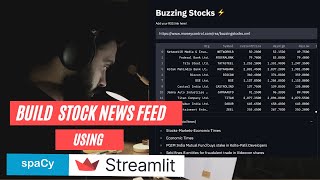
This video demonstrates building a stocks news feed using Natural Language Processing (NLP) and Streamlit, focusing on Named Entity Recognition (NER) and linking, with applications in finance and information retrieval. It utilizes the Spacey library, Yahoo Finance library, and Streamlit to extract data from news websites and stock market websites, and to create a custom stock market news feed with trending stock information and market price data.
Full Transcript
hello everyone welcome to the channel and in this video we are going to build a custom stock market news feed we'll be extracting data from all the news websites stock market websites we will have that corpus of textual headlines and then we'll extract important entities look them up on an external database and get all the market price data for those trending stocks for those buzzing stocks so this news feed would actually contain all the trending stock market information and all the market price data from the yahoo finance library so this is a common application of information retrieval named entity recognition we'll be using natural language processing the spacey library will be using their pre-trained language models to extract the important entities out of those headlines and then we look them up on an external database which is nifty 500 you know companies and from there we will extract all the market price data from yahoo finance again a very common and interesting use case of nlp and streamlit web application building tool so without any further ado let's get started take inspiration from this application and apply it across different domains all right so whenever i start off any project i basically play around with the libraries that i am going to use and i look around the data set what all possibilities i have and then i move on to you know coding it first of all i'll write down some documentation and things like that so first of all let's quickly change the title of this notebook let's give it a name news feed buzzing stocks all right the title has changed for this particular notebook i would be playing around with some textual data and then i'll use this pc library to extract the entities out of the textual data which textual data what all libraries what all models i'll use so let's get down to it i'll write some documentation over here let me add a textual cell move it to the top edit it and let me give it a name so this is news feed buzzing stocks this is our title uh and what are we going to cover let's uh create a list as well first of all i'll import the required libraries so here i am basically talking about the spacey library pandas to read the csv files here there will be some csv files later on and i would be using a request package to send get request to get some data and i would be using beautiful soup to parse through my xml data because i'm going to play around with some rss feeds and they come in xml and some other libraries so we'll just keep jotting them down over here and we'd use streamlit in our vs code so we'll import it there then the second thing that we would do is extract the data from the rss feed links so i'll show you which all feeds i'm going to use and then the third thing that we are going to do is we are going to process our data so we look into the spacey library and the spacey libraries nlp pipeline to process our extracted textual data all right that's third then we'll have some understanding by now that we have processed our nlp data what are the entities that we have got and then we look into nel so this part right here this is basically called named entity recognition ner and then we would move on to nel which is named entity linkings whatever entities that we will extract out of the third step we will actually link it with some external database it's basically a nifty 500 companies list so we are basically trying to you know build a financial news feed so this is named named entity linking and we'll link it then we will extract the stocks or you know the publicly traded companies data using the yahoo finance data so sorry the yahoo finance library so here what i'm going to do is extract the data of these entities which are basically publicly traded companies using yahoo finance library all right so this is basically what we're going to do today and then we'll create an application out of it i use google collab just to check out a few things so as soon as i get a picture of all right now i'd be able to develop an application out of it i move on to visual studio code so we'll come over here as soon as we have a good understanding of what we are trying to build over here or if we if i'm actually making sense of something all right so import spacey then i need pandas as pd then i would need the requests package to get my data first of all and yeah is there anything else yeah bs4 this is for beautiful soup from bs4 we need to have beautiful soup and we would also need to install yahoo finance it's not already available in colab so you'll have to do that as soon as i run it you'll see my server is starting so google colab will actually allocate some cpu some compute power to us and let's look at what all rss feeds i'm going to use so economic times all right so this is the link basically yeah so this gives you uh all right so they give you a lot of different types of rss feeds and the one that i am going to use is basically the markets uh yeah this is the one that we are going to use the markets feed and they give you a lot of different types of information as you can see this kind of looks like html but this is actually an xml file as you can see over here and the structure looks uh interesting so we are going to extract these titles the titles give you these headings so we are basically interested in this textual data that's present inside these title tags so all set for global bond index uh hdfc bank to raise up to 5000 crore via infraborne so you see all these trending news are coming up so we need to have a personal or custom news feed so that every or you can say all of this information can be jammed up and displayed in just one screen one other feed that you can look at is this money controls buzzing stock xml file so yeah when i am actually developing an application i can provide a feature whereas if you have like any rss feed link that you want to use in order to extract information you would be able to put it directly into that web application and it'll get the uh you know those stocks and the right information for you and you will have the list of stocks appended to the information that you need or to the main page let's go back to the google collaboratory and from here i am going to copy this link so let's do that and yeah first things we have imported the request package this has run successfully all the packages are with me so let's quickly send a resp request so request dot get now i need to extract all of this information so i need to get this xml into a response object first so i'm getting i'm using the request package for that i'll send a get request over this link the word the one that i've just copied so if you pass it over here and you look at the response object so it gives you different sort of http codes so if there is any error uh then it would give you 404 that is not found if the link is wrong or if the link is invalid and it'll give you 500 if the server is not working those kind of things but here it is 200 so that means there's request has been successful we've got the response object now and now we can start playing with this so at this point we would actually create a soup out of it we're using beautiful soup so let's do that we'll pass this response object to this and out of this response object i would extract the content also if you want to play around with this response object you can do a bunch of things you can do rasp.text so this gives you the entire text whatever is present inside this response if you look at the content you can do that as well so this will basically the content of your response so this is what we are passing to this soup as well so resp dot content and this is basically an xml file so features is xml or you can pass lxml as well and this will create a soup now if you look at the soup over here all right so it has basically identified everything now you can play around with the soup you can find out all sorts of titles so it kind of creates a dictionary and if you want to learn more about you know how beautiful soup works you can look at their documentation it is pretty self-explanatory and you'll get a really good understanding of you know how beautiful soup works and it how it gets you all of the elements present in your html or xml so yeah from this entire document i need to extract these titles so if i do let's say headlines i need to capture all the headlines right so i'm making it a variable from the soup find find all title so this will give me all the title tags all right let's run it and now in the next cell i am looking at the headlines now so if you run this you get a list of this is a python list of all the title tags if you see so markets economic times economic times ipo bound paytm employees add 5.45 lakhs more shares those sort of things and you have a list of all the headings in just one variable using just this much of code so in two lines you have got all of your textual data and now we can process each of these headlines uh get the data out of it now the processing this is where we basically talk about the second step which is what we wrote over here you know after extracting the data we are going to talk about nar which is named entity recognition and we're going to use the spacey library for that now how does it work what is pc let's talk about that a little bit let's head over to their documentation page so spacey api all right spacey is basically an open source national language processing library that processes textual data at a super fast speed now it's uh it's the leading library in nlp and before that it was i think nltk national language toolkit and now spacey has taken the leads has taken the charge in the market and it's being used in enterprise grade applications at scale it's good for it's well known for uh you know scaling well for different sort of problems and yeah it supports some more than 64 languages and works well with both tensorflow and the pytorch now talking about the kind of processing that we have to do for named entity recognition and you know different other things that we are talking about all right so these are the models that we're going to use so spacey provides basically two types of models uh these are all language models pre-trained model on a large corpus of data now there are two types of models first one is the core models as you can see in the name as well english core english core web small web medium web large web trf so trf is basically for yeah roberta based so this is a transformation base sorry transformer based model and uh yeah these are the models that they offer and the second one is the starter models the starting models are basically for niche applications they have learned weights and we can use them to fine-tune our custom models without having to train the model from scratch so we'll talk about star malls in some other video but here we're going to use one of these basic models of the core models uh that we talk about these are all pre-trained and we're going to use this english core web sm and you'll have to install it they have given you this command over here as well if you're doing this in your local machine you'll have to first run this command you'll have to download this model and then it'll start working in your script and yeah this is how you do it and have given it in the documentation nlp is pc.load english core web sm all right so yeah let's just copy that and move on to our notebook over here so thing is we copied this and now after this we have our nlp pipeline ready so what does this model actually give us it's an english pipeline optimized for cpu and there are different components this is tokenization this is tagging this is dependency parsing center and each of them have a meaning so the entire corpus of data the textual data needs to be first broken down into different tokens then it needs to be tagged so every part of the speech or every part of the sentence needs to be tagged with some metadata so that we get some context or the machine learning sorry gets some context then we have parser which basically creates a graph of how each of these entities or each of those tags are actually related to each other and if you look at these label schemes so tagger you can see where there are different sort of tags that are there let's move on and use this nlp the model that we have just loaded so the first thing that we need to do is pass or one of the headlines so we'll work with one headline at the moment there are like a bunch of these so if i let's say do processed underscore headline and we need to do that by you know we have this nlp model instantiated it's all loaded we can now pass the text to this nlp pipeline so here i'm going to do headlines and i'm going to capture let's say a third one all right or let's say fourth one so index four and i need to capture the text here it's in between these title tags so if you want to get just the middle part the content you can use the text attribute for that so i'll pass this text to my nlp pipeline then let's print first of all what is headlines for all right and then next thing i want to do is for token and processed underscore edgeline and here inside this i need to print everything so token.txt first of all i need to print all the tokens so here these are all the tokens in my heading and you can see this is the heading that we have hdfc bank to raise up to 5000 crores via infra bonds so this is the first thing the next thing is let's say for token so as i told you uh there are different components so first of all we have the tokenization process that goes under and then we have a tagger so in order to look at the different tags what we need to do is we can simply copy this part over here or just make the changes here itself so i have the token here then let's add some you know separator these are three dashes that i've added and then you can do token.pos underscore so this will this attribute is going to give you all the tags corresponding to each token so pois tagging basically adds some metadata to each token so if you run this you can see hdfc this is a proper noun bank is a proper noun 2 is a part raise is a verb so you see adverb noun pronoun parts of speech have been tagged and then let's copy this and paste it over here now the next part if you look at the spacey model we have the dependency parsing now this will add the relationship this will establish the relationship between each of these tokens now to look at these tokens we can let's do pos underscore then let's add another separator token dot dep underscore so this is your dependency parsing so this is the attribute that you can use to look at the relationship so this will basically add labels to each of these tokens to understand the relationship and we can also visualize how that knowledge graph or that you know the relationship graph is generated by the parser the dependency parsers so we have hdfc proper noun compound this is compound this is simple uh n subject is nominal subject then we have auxiliary we have a root as non-particle prepositional modifier all these are the meanings of each of these labels in the dependency similarly if you want to understand the meaning of pos labels you can do that as well so that'll give you the meaning of these tags proper noun proper noun particle verb adverb ad position so on and so forth all right and if you want to understand what all steps are involved you can basically look at the overview of all of these models and you have package naming conventions over here package versioning trained pipeline design so this is the pipeline design as i talked about so first of all the tokenization process happens then the tagging adds some metadata to each of those tokens parser is basically to add relationship between or among those tokens then we have attribute ruler lemmetizer that will give you the basic uh word the root or in its basic form and then we have named entity recognition which is what we are going to use so this is what happens behind the scenes now let's come back over here so we've seen how each of these processes are happening we've seen different sort of labels now what we can do is we can actually visualize these relationships as well using the displacy visualizer so here we're going to use spacey dot displacy dot render and to this we can pass any sort of processed data so processed headline i'm going to process or sorry i'm going to pass this processed headline itself and the next thing that i want to do is pass the style so style could have anything so it could you can pass the tags to it or you can pass sorry the entities or you you can pass the dependencies to it so i'll pass the dependencies at the moment just to look at the graph that dependency parser has generated for us then i'll add jupiter equals true and the next thing that i want to do is you can add some styling options so here i will add options equal to a tuple sorry a dictionary where my distance you can adjust the distance here this one says 120 if you run this over here so here you go the entire sentence has first broken down into tokens hdfc bank to raise up to you can see these tokens and you can also see the relationship between each uh or you can say any two tokens or any three tokens as well so the entire relationship is established by the dependency parcel so these so you can see the pause tags as well part of speech tags as well over here and and the arrows the edges basically display the dependency parser labels as well so prep you can see adb mode and we have nominal subject over here then we have compound over here so you can visualize this sort of relationship as well now this is all happening for one sentence we can perform this for all the titles or all the headlines that we have so this is just for our basic understanding now we don't need to keep performing this for every title or every headline i just showed you how everything is working behind the scenes now we can start doing the processing for all the titles all the information so now comes the main part which is named entity recognition so here i have processed this first line all right now i need to extract all the main entities out of this one headline so i can simply do ent instead of dependencies so here the style was dep and here i've changed it to ent now if i run this so here you go it has basically labeled all of these main entities so this is where named entity recognition ner process has been run so the pipeline as you have seen over here is all sorry the pipeline is designed to give you the ner the main entities and that's what it returns so for one sentence that we passed over here this processed headline sdfc bank is an organization label and then 5000 is in cardinal label so it adds those labels to different entities in one sentence or in one processed headline or title so you can pass like a bunch of sentences a bunch of paragraphs to this particular render function from the display c class and then you can basically look at these sort of uh you know tagged labels so this is the amazing part of using spacey library it has become very very accessible very useful and you can look at a bunch of different features right there in your google collaboratory notebook now what we need to do is extract all of this information for all of our headlines so spacey.displacey.render processed headline i need to capture all the organizations so here what i'm going to do is i'm going to create companies an empty list i want to capture all the list of the companies and then let's do one thing let's move straight to our jupyter notebook and here i'm going to create a new folder so [Music] open folder and this is my new folder news feed all right i'm inside my packet i'll create a new application app dot pi all right and here i'll import all of the required packages now i'm going to start off with my application building i have kind of got an understanding of how everything is working and i'll keep moving back to collab as and when i would need it so i've imported all the packages and other things that i need to import is streamlit so streamlight is the package that we are going to use to create our application you can head over to streamlight to look at the documentation it's pretty straightforward very easy to get started with the application development stream layer as an open source app framework is a breeze to get started with and you can see you first need to install it in your environment i'm right here so i have this nlp underscore a anv so this is my virtual environment that's currently running and it has this streamlit installed so you need to simply run this command pip install streamlate hit enter and you can see requirement already satisfied because i have it installed already so import streamlit as st and now i can start writing or developing my application so i can first write st.title and add a title to an application which is let's say buzzing stocks and i'll add a zap after that so here just save it this is just our simple application i haven't done anything right now now in order to run this application i'll show you how easy it is all you got to do is run this command streamlit run app.pi and if you want to first check what all files i have in this folder i just have this app.py that i have just created so it contains just one file and now if i run streamlet run app.pi hit enter and i've come to my web browser it opens up automatically you can see buzzing stocks and then this is my zap it looks cool my application by web app has started running now i can work on processing my data so let's quickly do that so now you already know how to build this web application and it's very easy to deploy as well once it is deployed you can also share it with your friends colleagues and you know with the entire world so first of all i'll create this function now whenever you are writing scripts it's always a good habit to write your code in a functional manner so every function should do its job and there should be like one purpose for one function so this function is going to extract text from my rss feed all right add some documentation this will parse the xml and extract the headings from the links in a python list that's it now i'll create headings which is an empty list and inside this list i'll keep appending all of the titles from different links so first of all i'll create a request r is equal to requests.get and to this i'll pass the same link that we were using inside our collab copy this from here paste it over here and once you have got it the next step is to create a soup so soup is beautiful soup and you need to pass r dot content to this beautiful soup class and features is equal to lxml so you'll have to install this package as well lxml i think uh in some of the machines it gives error when i was trying it out on my local machine earlier it was giving me some error for xml and then i read it somewhere online and it said that lxml would work as well and it did so we'll run it again and we'll see if it gives me some errors or not then i will capture the headings or you can say the headlines so soup dot find all and i'll capture the titles from here the title tags and this will return the headings so that's all it this function does now if you want to add a feature where basically you pass the rss feed link so in your application so let's say this is your application and you want to have an input bar over here where you can pass any link and it should extract the information just making it more generic so you can ask for an rss link and then you will send a request as well now what you can do is you can do this for economic times this is your let's say the default link and after this you can also run another one for the link that the user has provided so this is going to be your default link r1 and after this i'll do r2 for the link that the user has provided so requests dot get and we will simply use the rss link that the user has provided so the request would go to this link so this would become soup one and this would become soup too so let's just copy this paste this this will r1 this will be r1 content and this will be r2 content all right soup 1 soup 2 already and similarly i would have headings 1 over here and headings 2 from my other soup which is soup too so all the headings are here and then lastly i would have my final headings which will be the sum of both of these headings both of these lists headings ones plus headings two so this is it this is our final extract text from rss function now what i need to do next is extract all the stock information so here if i come back to my collaboratory notebook and if you look at let's quickly install pip install via finance library so this doesn't come already you know pre-installed in collab so you'll have to install it first and now from all of these extracted entities i would first need a hdfc bank extracted and i'll show you how i can extract this entity from this processed headline but before that we need the knowledge base so the knowledge base is basically our nifty 500 companies and if you go to the nse india website so here i have downloaded this list of nifty 500 stocks i'll so here i will download it again so this in nifty 500 list dot csv is right over here let's quickly upload it into a google collaboratory notebook from google.colab import files and files dot upload so if you run this you can upload any sort of file so here let's go to downloads so we are uploading this end nifty 500 list dot csv and once it is loaded you can read it stocks df pd dot read underscore csv to read my csv into a data frame and then your file which is this right over here copy the path and that's it if you look at this stocks underscore df dot head now it's a list of 500 companies and it has company name it has industry symbol series and isi and code now why this is important because from the name of the company here it is hdfc bank we actually need the company's symbol this is important if we do not know the symbol we won't be able to access the data so from the yahoo finance library if you check why finance [Music] library yeah this is the one pie pie and here you need to pass the label or you can say the stock symbol to get the information of that particular stock so if i come over here and let's say stock underscore info and i do i have to first import it so import y finance as y f and after that i'll add y f dot ticker and here i need to pass the name of this symbol so if i let's say copy this 3m india and stock underscore info let's see what i get inside this info so here you go 5 finance dot ticker object 3m india and if let's say if i go back over here if you want to get the info you can use this dot info parameter or attribute stock info dot info and let's run this again so you see it has not given us anything and if i do instead of 3m india if i do appl which is the stock symbol for apple us so here it will give us a lot of information about the apple stock you can see here i have got a bunch of different type of information including the circulating supply uh the current um okay a lot of information is none over here i'm not sure why but let's check for another symbol for microsoft all right here okay microsoft has quite a lot of information i must be doing something wrong there with apple okay so you can see you have got currency country current price this is the current price of for microsoft stock which is 296.43 us dollars but in case of indian stocks what you need to do is you'll need to pass dot ns as well ahead of which is basically suffixed after the stock symbol so if you do this dot ns and if you run this now here you'll see you've got the information for that particular stock for which earlier it was showing you log url empty there were just only two properties so it's very important that you add this dot ns which is basically for national stock exchange nse so this is for indian stocks you need to add this dot ns after uh your stock symbol and once you have suffixed it you will get all of the information for your indian stock so now after capturing these organizations we'll first link it with the external database which is the nifty 500 companies we'll match the name of the company that we have got from the text from the headline using this company name column and corresponding to this company name we will capture the symbol after capturing the symbol we will send it to the yahoo finance this ticker class or ticker function and from there we will extract all of this information we'll store it inside a dictionary and then we'll convert it into a data frame which will be displayed in our application so that is the goal now let's get down to writing a function about it so stock underscore info so here i'll pass this function all of the headings now these headings would be this list that we have created with all the title tags as we have seen above so this list of headlines will be passed to this function now what this function is going to do is let's quickly write down okay it goes over each heading to find out the entities and link it with the nifty 500 companies data and extract the market data using yahoo finance tickers function all right and then lastly it will return data frame containing all the buzzing stocks and their stats all right so this is what the stock underscore info function is going to do so let's quickly write it down so first of all stocks underscore df so i need to read pde.read underscore csv so here i'll create a folder which is data uh inside this data folder i need to basically move my uh 500 nifty 500 list so this is my nifty 500 list i go to the folder this is my folder project courses news feed all right this is my data folder i'll paste it over here so if we come back to this data folder i have an underscore nifty 500 list right over here okay now dot slash data and then inside this data folder i have in underscore nifty 500 list dot csv so my stocks underscore df is ready now i need to capture each of these titles from my headings so for title in headings so pass the heading the text of the titles uh to my nlp library all right so we haven't defined the nlp model just yet so for that what we'll do is we'll write over here itself so nlp is basically spacey dot load and i'll pass english core web small this is the model that we are using the pre-trained language model and here i'm creating a doc this is the process doc and this will basically contain title dot txt so i'll pass the heading the exact heading between the title tags to this nlp pipeline and once i get this process doc i'll basically start processing the token so for token in doc dot ents so i'll basically capture all the entities right from here and from this one now i can start processing each of these tokens so there comes the next part which is checking if the entity that this doc.ents has given is actually present inside my knowledge base or my stocks underscore data frame or not so for that if stocks underscore df the name of the column is company name this dot str dot contains if it contains token dot text so the token.text is basically as i've shown you over here token.txt is hdfc the actual text okay and if you are not understanding what is inside my ents doc dot ents so here for ent in processed underscore h line dot ents print entity so here you go there are two entities hdfc bank and 5000 and we can also get their label ent dot label underscore so this will give you the label so here uh hdfc bank has a label of org which is organization and 5000 is cardinal as we saw over here as well in this visual version of this same process all right so the next step again i need to check now coming back i need to check if this text is available inside my company name column and i'll do some as well so it'll give you basically a true false two false so if the result is one you know if any one of the field matches if i have the name then basically i'll move inside so symbol is equal to stocks underscore df and here again i'll pass the same condition so basically i'm actually capturing the row here so this is the filtering process so i need to capture the entire row sum is not required here so company name dot str dot contains so i'm basically filtering the row where you know the name of the company matches with the entity so this token instead of token you can say ent so you can change the name ent ent.text and ent dot text over here as well and now this part i need to capture the symbol so this will be the data frame row this will give you the data from row and inside the data frame we have the symbol column so i need to capture the symbol column and from the symbol column i need to capture the value so values zero i need to capture the first value all right this i will have let's break it down into two lines okay and after this once i have it over here now the next thing that i need to do is capture the organization name so org name is basically stocks now the organization name is going to come from this company name column so stocks underscore df again i'll have to write it like this filter the row again and yeah instead of symbol here you are just capturing the company name and here as well you need to get the values which is zero okay the first value basically and then now i need to create a dictionary here before creating a data frame so here you can see there is a bunch of information that is provided by this yahoo finance ticker function so uh here i will simply create a token underscore dict or you can say stock deck stock info underscore dict and this this dictionary will contain a bunch of information first one is organization name and it'll have a list corresponding to it the second one is the symbol that'll also have the list then we would have a current price from the yahoo finance library and then we have day high that basically day high is the highest price that the stock has achieved during that day after that we would have d low again a list then we can have forward pe this is again a list then i would have dividend this will have an empty list again and i think that's enough if you need more information if you need anything in specific you can add it to this particular dictionary all right and now i can start adding the information to this dictionary so stock underscore info underscore dict i'll first add the organization name that i've just captured so here all of these are lists so you can simply use the append function you'll have to keep appending if you will write it basically at the end of all of your loops you will only have one row so you will keep appending everything for each stock symbol for each company so dot append and here you just add org name and similarly you keep adding all of the information so here i would do stock on export info underscore dict and then i'll add symbol after that dot append and symbol is going to come from this symbol variable that i've just captured okay and similarly let's just copy this and paste it over here for all the others as well after that symbol i have current price okay before this one thing that i forgot was i did not send it to yahoo finance so we forgot that so let's add that uh sending why finance the symbol for stock info we need to capture the information from yahoo finance so that would be basically stock underscore info and yf dot ticker make sure you have imported yahoo finance so let's add it over here at the top import via finance as yf make sure you have it installed inside your environment i have it already installed by f dot tickle and here inside this five dot ticker just pass your symbol plus dot ns make sure that you suffix this dot ns after this symbol string once you have done that you can also cascade this info function so this will actually return an information dictionary that we just saw so this dictionary would be stored inside the stock underscore info and from this stock underscore info we can capture all of this information current price uh day high let's add the high this is day low and where will current price come from from this stock underscore info variable all right so this is us this is the output of yahoo finance library so inside this you can pass the current price make sure the name of the key is correct so here current price we check current price is c lowercase and p uppercase that's great and then after this we can simply add stock underscore info and here instead of current price we need day high here as well here we would need day low and similarly copy and paste it and now we need forward p e forward p e okay on c command v and lastly we need dividend yield if there is any property is missing inside the yahoo finance information like from the library itself then it would add n a itself so here just add dividend yield and we've already added this entire block inside try so if there isn't like any exception it won't stop it would keep on running so not all of the companies would be matched some of their companies would be missed by this algorithm but we are not actually worried about getting all the information we only need the right information so it's okay i'm just letting it go at the moment but uh yeah if you want all of the information that you then you'll have to add some other processing as well now if the name if the name is not matched basically from the entity then you can basically move on to the next one that's what i'm doing over here and outside this try block i would use accept pass if there is any error just move on to the next i don't want to raise any exception over here and once the dictionary is ready now i can generate my output date or sorry the output data frame which is pd dot data frame and pass the stock underscore info dict this dictionary will be ready by now with all of the information of all the stocks so yeah after all of the headings are processed all the entities are looked at again you can add another condition where you are only looking at entities which have a label of an organization because we are only interested in those entities which have a label of organization so we don't basically need this cardinal values or any other label that's there so we would only need the organization label so you can also add that condition that will basically filter out all the information you won't have to run it for all the entities for now i'm just moving and moving on to the next step so here return output underscore data frame okay this is done now i can start adding some elements to my streamlight application so first of all i can add an input field to pass the rss link all right so this will basically capture the user input and this is basically st dot text underscore input this is the field that you can use there are different other widgets different features that you can use from the stream later documentation i have found it very useful so we can basically give a message to our user add your rss link here and once that is done you can also provide a default link if the user doesn't provide we can basically add this money control buzzing stocks uh link so this is the default value that will be there then we get the financial headlines so call the function fin underscore headings and we will basically call our extract text from rss and here we will pass this user input so i'll pass this user input to this extract text from rss function i've got the financial headings now now these headings would go into my function stock underscore info so here i will output the financial info so output deck or sorry the output data frame i will capture from here stock uh under co info function so there's a lot of stock info so let's rename it to generate stock info that's the name of our function now okay so here as well generate underscore stock underscore info and to this we will pass the financial headings that we have just uh generated and once that is done now there will be some rules that will be duplicated so there there'll be some companies that will appear again and again so we want to drop all the duplicates so drop underscore duplicates again there's a lot of room for optimization over here you could have removed it somewhere before those kind of things could basically take place so that's okay you can work on optimization once you have the application ready so don't worry about the optimization or efficient code just yet now st i will write this data frame to my application so for that the function is st data frame it's all lower case and you will write the data frame that you have just generated and after this if you want let's say if you want to display all the headings as well you can do that as well with all right display the headlines as well now this can be on the user so you can use an expander so if you look at trimlet expander so all right uh this is i think this is the reference stream late expander let me check the docs here yeah streamlined expander so this is how it's going to work so we can basic user can basically click and it will expand it'll display all of the information so with sd dot expander and if you look over here you can add any message for the user let's say expand for financial stocks news so this will this message will be displayed and after that for each head in let's say fan underscore headings you can st dot markdown you can print it inside a list so that'll be basically star space and then add the head you can say the heading so star so this is i'm writing markdown so star will actually add a bullet point over here so that's it i'll save this entire script now i need to go back to this application right over here all i need to do is refresh it okay uh there's one error unmatched parenthesis okay it has shown me the error right away so which line is it uh okay d low okay uh-huh so there's one extra parenthesis okay i think this should be fine now save it come back refresh your application so here you see the input bar is now ready add your rss link here this is the default link that will be there and if you want to change it you can pick any rss feed link and now if you look over here the processing is happening uh we can add a progress bar or something like that but for now you can basically uh you can say if you want you can add some print information just to check everything is going as expected so here you can pass print symbol so save it you refresh the app again and if you go to here your terminal so which is where your app is running this should actually show you what's happening inside your app okay it is giving us this empty data frame as of now and oh the financial information the stocks are not coming up so there's something wrong with the financial heading let's print fin underscore headings as well okay uh what's going wrong let's quickly check save it and let's end this again i'm going to run this app again streamlayer.com app.buy come back over here close this one it will open up another one okay we have got the headings okay uh this is fine we've passed this financial headings to generate stock info all right so instead of this info parenthesis it's just an attribute and i was trying to call it that's why it was giving me this error and we were not getting anything inside our data frame since it is inside this try and accept block it would simply pass and nothing would show up in your data frame that way that's why i had to debug it by printing some of these statements and this is the line where everything was going wrong and now i will i have run it again and you can see this is how our application is currently looking it is computing all of those stocks have been you know screen entities are now being looked up on yahoo finance once that is done every information organization symbol current price day high everything would be stored inside the dictionary data frame would be created and once the data frame is created we would drop the duplicates and then write the data frame onto our application using the streamlate data frame function so it's running over here as you can see in the terminal these are all the stock symbols we would add dot ns ahead of it and then we look it up on the ticker function the yahoo finance library and from there we'll get all the market price data awesome we have the data frame ready with us you can see all of the information is here organization sbi card and payment symbol is sbi card current price day high wow this is interesting all right we have got all the information that we need so it has screen 18 companies for us from all the information all the headlines that we have on these two links economic times and money control and yeah if we come back to our application so here this is the expander if you'll expand it you will get all the headlines right there in your news feed from those two rss feed links that you have added again if you need more information you can simply just change this link and it will work for you all right you can always shut down this expander change the link if you want to you know extract data or extract headlines from some other economic or market news feed or any trending news feed that you have you can also develop this for tweets so you can capture information from tweets pass along you know process those tweets and capture entities and then look them up on yahoo finance and have it on your custom news feed again this was just one example this was pretty basic one as well you can use it in any of the domains be it healthcare drug discovery you know finding out different sort of uh important information from any document that you upload so that could be one other very good use case you upload a document and you get all the required information that you need that's again great information so named entity recognition has a lot of different types of applications across different domains do try out do go wild so that was it so i have added all the links in the description below the github library the blog post that i wrote uh on this if you want to you know go through the written format so all of the links are provided below all right so this should have been fun actually this was fun for me while building it so i hope you enjoyed it i hope you found it useful do take inspiration from this and try to build something more complex try to take this particular project a step ahead do share your work with me in the comments below do reach out to me on all sorts of platforms i'm on twitter linkedin and yeah do comment down below if you have any queries if you have worked on something and if you have applied it in some other domain i would be very willing to look at your ideas so please give this video a thumbs up if you found it useful subscribe to the channel that will help us grow that basically works as motivation for me to keep creating such tutorials and yeah share it with your fellow friends your batch mates your colleagues and yeah anyone or maybe share it on your social media accounts you know help everyone get to these sort of tutorials so yeah i'll catch you in the next one in another tutorial video until then keep learning data science with hershey [Music] [Applause] foreign [Music]
Original Description
Disclaimer: This is not a financial advice of any sort. This project is created solely for learning purposes. The main focus is to learn how to apply NER to create information retrieval applications.
NER has applications in finance, healthcare(drugs), ecommerce, research consumer products, etc.
Check out the code here: https://github.com/dswh/NER_News_Feed
Blog post on the same: https://www.freecodecamp.org/news/use-python-spacy-streamlit-to-build-structured-financial-newsfeed/
If you want to get started with Data Science & ML, check out my course on Foundations of Data Science & ML here: https://www.wiplane.com/p/foundations-for-data-science-ml
You can connect with me via:
Subscribe to my Newsletter: https://dswharshit.substack.com/
LinkedIn: https://www.linkedin.com/in/tyagiharshit/
Medium: https://dswharshit.medium.com/
Twitter: https://twitter.com/dswharshit
Playlist
Uploads from Harshit Tyagi · Harshit Tyagi · 42 of 60
1
 2
2
 3
3
 4
4
 5
5
 6
6
 7
7
 8
8
 9
9
 10
10
 11
11
 12
12
 13
13
 14
14
 15
15
 16
16
 17
17
 18
18
 19
19
 20
20
 21
21
 22
22
 23
23
 24
24
 25
25
 26
26
 27
27
 28
28
 29
29
 30
30
 31
31
 32
32
 33
33
 34
34
![[Explained] What is MLOps | Getting started with ML Engineering](https://i.ytimg.com/vi/0jLdp2Tl0sM/mqdefault.jpg) 35
35
 36
36
 37
37
 38
38
 39
39
 40
40
 41
41
 ▶
▶
 43
43
 44
44
 45
45
 46
46
 47
47
 48
48
 49
49
 50
50
 51
51
 52
52
 53
53
 54
54
 55
55
 56
56
 57
57
 58
58
 59
59
 60
60

Your PATH to learning Data Science
Harshit Tyagi
Ideal Python environment setup for Data Science projects - Unix shell, Anaconda and Git.
Harshit Tyagi
Building COVID-19 interactive dashboard from Jupyter Notebook | No frontend/backend coding required.
Harshit Tyagi
Introduction to Jupyter Notebooks - Interface | Ipython Kernel | Sharing | GitHub
Harshit Tyagi
Python fundamentals for Data Science - Part 1 | Data types | Strings | Lists
Harshit Tyagi
Python fundamentals for Data Science - Part 2 Dictionaries | Conditionals | Loops | Functions
Harshit Tyagi
Python fundamentals for Data Science - Part 3 OOPS | Working with External Libraries & Modules
Harshit Tyagi
NumPy Essentials for Data Science - part-1 | One Dimensional Array
Harshit Tyagi
NumPy Essentials for Data Science - part-2 | Multi-Dimensional Array
Harshit Tyagi
Math For Data Science | Practical reasons to learn math for Machine/Deep Learning
Harshit Tyagi
Linear Algebra Ep 1 | Introduction to Vectors, Matrices and Tensors using NumPy
Harshit Tyagi
Linear Algebra Ep 2 | Dot Product in Linear Algebra for Data Science
Harshit Tyagi
Python vs R | The BEST programming language for your Data Science Project
Harshit Tyagi
Linear Algebra for Data Science Ep3 | Identity and Inverse Matrices | NumPy
Harshit Tyagi
The Data Show Ep1 | Elucidating Data Science in Drug Discovery - A CTO's Account
Harshit Tyagi
Google Certified TensorFlow Developer | Learning Plan, Tips, FAQs & my Journey
Harshit Tyagi
Speeding up your Data Analysis | Hacks & Libraries
Harshit Tyagi
How to build an Effective Data Science Portfolio
Harshit Tyagi
End-to-End Machine Learning Project Tutorial - Part 1
Harshit Tyagi
Data Preparation with Sci-kit learn and Pandas | End-to-End ML Project Tutorial - Part 2
Harshit Tyagi
Training and Fine-Tuning ML Models with Sklearn | End-to-End ML Project Tutorial - Part 3
Harshit Tyagi
Deploying a Trained ML model via Flask on Heroku | End-to-End ML Project Tutorial - Part 4
Harshit Tyagi
Three Decades of Practising Data Science | Interview with Dean Abbott
Harshit Tyagi
Calculating Vector Norms - Linear Algebra for Data Science - IV
Harshit Tyagi
Ep1 - Getting Started | Zero to Hero in Computer Vision with TensorFlow
Harshit Tyagi
Ep3 - Designing Data Experiments to enhance your Product | Rapido's Data Science Lead, Pramod N
Harshit Tyagi
Building projects with fastai - From Model Training to Deployment
Harshit Tyagi
October AI - Video Calling with One-Tenth of Internet Bandwidth
Harshit Tyagi
November AI - Breakthrough in biology after 50 years | Datasets, books, research papers and more...
Harshit Tyagi
Data Science learning roadmap for 2021
Harshit Tyagi
Talk is cheap, BUILD - Microsoft Software Engineer | Interview with Abhirath Batra
Harshit Tyagi
Building a Habit of Reading Research Papers | Ft. Anurag Ghosh(Microsoft Researcher)
Harshit Tyagi
Tableau vs Python - Building a COVID tracker dashboard
Harshit Tyagi
[Explained] What is MLOps | Getting started with ML Engineering
Harshit Tyagi
Dmitry Petrov - Creator of DVC | ML Systems, Teams, Scaling challenges, and Learning Data Science
Harshit Tyagi
Five hard truths about building a career in Data Science
Harshit Tyagi
Computing gradients using TensorFlow | Training a Linear Regression model from scratch.
Harshit Tyagi
Foundations for Data Science & ML - First steps for every beginner!
Harshit Tyagi
Course Outline - Foundations for Data Science & ML
Harshit Tyagi
How Machine Learning uses Linear Algebra to solve data problems
Harshit Tyagi
Calculus for ML - How much you should know to get started
Harshit Tyagi
Building a buzzing stocks news feed using NLP and Streamlit | Named Entity Recognition & Linking
Harshit Tyagi
AI Engineer - The next big tech role!
Harshit Tyagi
AI researcher vs AI engineer | The next big tech role!
Harshit Tyagi
Reviewing LLMs for content creation
Harshit Tyagi
Building a chatGPT-like bot on WhatsApp #coding #chatgpt #engineering
Harshit Tyagi
High Signal AI - the most action-oriented newsletter on the web! #ai
Harshit Tyagi
Building an AI-powered Discord Chatbot Locally for FREE using Ollama
Harshit Tyagi
Build a second brain with Khoj 🧠 #ai #obsidian #plugins #productivity #engineering #notes
Harshit Tyagi
Summarising YouTube Videos using Ollama on Discord | Becoming an AI Engineer - Ep 2
Harshit Tyagi
Watch the full video on my channel - Roadmap to become an AI Engineer.
Harshit Tyagi
Mesop - Python-based UI framework from Google!
Harshit Tyagi
How I automated my YouTube | Gumloop tutorial | No Code
Harshit Tyagi
ARC PRIZE - Win $1Million to Beat the ARC-AGI benchmark
Harshit Tyagi
Microsoft's Autogen vs CrewAI - tested on a diverse range of use cases
Harshit Tyagi
Claude #AI artifacts are just amazing!
Harshit Tyagi
OpenAI releases CriticGPT to correct GPT-4's mistakes | Read the paper with me
Harshit Tyagi
Day in my life | Vlog #1
Harshit Tyagi
How to add AI Copilot to your application using CopilotKit | Tutorial
Harshit Tyagi
Quick Questions with an AI Founder - Anudeep Yegireddi
Harshit Tyagi
More on: LLM Foundations
View skill →









Related Reads
📰
📰
📰
📰
Research Publications, Patents & Innovation Output at Quantum University
Medium · Machine Learning
Every Researcher Should Start Managing Research Intelligence Assets™
Medium · AI
AC comment and our reply disappeared on OpenReview [D]
Reddit r/MachineLearning
Every Researcher Needs a Research Intelligence Report™
Medium · AI
🎓
Tutor Explanation

 DeepCamp AI