Building LLM Agents with Tool Use
Key Takeaways
Building LLM agents with tool use, integrating Cohere's Command models with external tools like search engines and APIs, and utilizing Langchain for execution.
Full Transcript
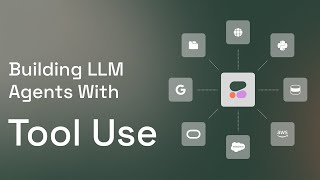
by now a lot of people are used to the nature of large language models as generators of text you know they take a text prompt and they generate a response so you give them a question for example and they give you an answer or you ask them to write you an article about something and they produce that article you've come across maybe the concept of rag which is this ability of a large language model to go and get information from a external data source for example like searching the web or searching uh a specific data set or company database for example tool use just takes this to the next level and instead of just saying that we can only retrieve information from this external Source why not have it do other kinds of things why not use it as a tool and here we'll look at an example um so there are multiple tools so web search is only one of a lot of things but we'll look at an example here of a data analyst agent and so this is this fascinating idea about an llm backed agent so now it's useful to not think of this as just communicating with the language model itself rather uh you're talking with a a software system that is better called an agent that is powered by a language model and that is able to use these external tools like web search like a python interpreter like a calculator like other sort of apis that are that are possible out there and we will look at if you go to Lang chain there are a large number of of apis that you can or or tools that that that you can use so let's look at this example here of this data uh analyst agent and we'll look at the code right after but conceptually it's this piece of software or llm backed agent that takes a user request and then it doesn't directly just goes and answers the the request because these agents are built to solve more complex tasks they start with outputting a plan and then start executing steps uh of that plan and reflecting at each each time and then finally they they go out and and produce the result so let's look at at the example here of this agent and so we'll go through the code in a in a bit but here we can give this command to this uh this agent and say create a plot of the number of full-time employees at the three tech companies with the highest market cap in the United States in 2024 right so this requires a number of steps searching and then plotting and but how can you plot when you're a text generation model well this text generation model is able to write code that is one capability that command R plus brings to the table but then it also can if we give it this tool that is a python interpreter it's able to create graphing code and then give you that plot and this is the final output of of the model so the data sources where it found the the information uh and then this is the plot that it sort of plotted so this is just the input and the output but we'll go through the the uh successive steps of how that is is is generated and so here you can see the final plot this notebook uh starts out with uh installing Lang chain um and then coh here um together and then we go through the setup so you need to put in your API key here uh if you don't have one you can register and sort of sign up and copy it and paste it here now we can Define our tools we said we had these two tools so let's start with the first one so in LLY chain there's this web search Tool uh powered by Tav this API so you need to go on here and get the API key and plug it here for for for tavali um and then this is the name of the tool and then a description of the tool and this is our second tool the python interpreter um also it's imported from from Lang chain experimental utilities uh it's called the name of it is uh we'll name it Python reppel and this is a description of what it does it executes python code and and Returns the result so now we've defined our two tools here we start to um Define and declare our agent and sort of how it works so let's say we run this and so this is a react agent this is the method of uh this is one method of of of agents that are backed by llms this is not to be confused with uh the JavaScript uh framework um after we've declared our agent and and set it up we can now give it the request that we have and here we can start to sort of to see it um thinking and outputting the the results and so first it says I will search for the three tech companies with the highest market cap in the US uh in 2024 then I will search for the number of full-time employees and plot the data using python so this is the plan of the model that it did in the first SP so after it generated this description of its plan now it's starting to execute the plan um and saying okay now let me invoke this tool named internet search uh and give it this query top three tech companies highest market cap and then this is one of the results that it's got and then it's the model is reflecting on the result that it's got so this is the let's say the web page and this is some of its content um and it says I found that the three tech companies with the highest market cap are Microsoft Apple and Nvidia now I will search for the number of full-time employees so this is what's called multihop uh tool use or multihop uh rag where it's not necessarily uh all done in one step of searching or one step of of tool use so the model sort of realizes that it needs more information and so it will call the web uh Search tool again and now it says Okay internet search Microsoft full-time employees and then another search of apple and then another search of Nvidia and so now the model is or the agent uh is doing four successive searches to find the information that you sort of um ask for and then here after it retrieves all of that information it says okay I have the information now this is what it's like now I will write and execute python code to uh plot this data so now it throws it says okay this is code I'm going to send to the python interpreter code and then this is the code that it it wants to um use to sort of create the plot and this is the final output that includes that data and this is the plot that was generated by by Matt plot lib so you can try different kinds of um tools here you can go to Lang chain and there are tons and tons of different tools that you can set your model up um with and have it sort of U experiment with and uh you know build more and more complex uh systems this way notice here that if you for example ask the model a simple question like like how are you it it does not have to uh search for it it says okay I'll just directly answer I don't need to search for this and so this is the answer um I'm doing well thank you for asking uh so here you get to see that now the llm is really able to reason on okay how do I tackle different kinds of problems and this is an absolutely fascinating way of of thinking thinking about the kinds of new applications that you can build with with with language models um I hope you find this useful um try it out let us know what you think
Original Description
Tool use is a method whichs allows developers to connect Cohere's Command models to external tools like search engines, APIs, databases, and other software tools. Just like how Retrieval-Augmented Generation (RAG) allows a model to use an external data source to improve factual generation, tool use is a capability that allows retrieving data from multiple sources. But it goes beyond simply retrieving information and is able to use software tools to execute code, or even create entries in a CRM system.
In this video, we'll see how we can use two tools to create a simple data analyst agent that is able to search the web and run code in a python interpreter. This agent uses Cohere's Command R+ mode and Langchain.
Find the code here at Colab:
https://colab.research.google.com/github/cohere-ai/notebooks/blob/main/notebooks/agents/Data_Analyst_Agent_Cohere_and_Langchain.ipynb
Github: https://github.com/cohere-ai/notebooks/blob/main/notebooks/agents/Data_Analyst_Agent_Cohere_and_Langchain.ipynb
LangChain Tools: https://python.langchain.com/docs/integrations/tools/
Watch on YouTube ↗
(saves to browser)
Sign in to unlock AI tutor explanation · ⚡30
Playlist
Uploads from Jay Alammar · Jay Alammar · 36 of 38
1
 2
2
 3
3
 4
4
 5
5
 6
6
 7
7
![The Unreasonable Effectiveness of RNNs (Article and Visualization Commentary) [2015 article]](https://i.ytimg.com/vi/o9LEWynwr6g/mqdefault.jpg) 8
8
 9
9
![Up and Down the Ladder of Abstraction [interactive article by Bret Victor, 2011]](https://i.ytimg.com/vi/1S6zFOzee78/mqdefault.jpg) 10
10
 11
11
 12
12
 13
13
 14
14
 15
15
 16
16
 17
17
 18
18
 19
19
 20
20
 21
21
 22
22
 23
23
 24
24
 25
25
 26
26
 27
27
 28
28
 29
29
 30
30
 31
31
 32
32
 33
33
 34
34
 35
35
 ▶
▶
 37
37
 38
38
![Learn how ChatGPT and DeepSeek models work: How Transformer LLMs Work [Free Course]](https://img.youtube.com/vi/k1ILy23t89E/mqdefault.jpg)
Jay's Visual Intro to AI
Jay Alammar
Making Money from AI by Predicting Sales - Jay's Intro to AI Part 2
Jay Alammar
How GPT3 Works - Easily Explained with Animations
Jay Alammar
The Narrated Transformer Language Model
Jay Alammar
My Visualization Tools (my Apple Keynote setup for visualizations and animations)
Jay Alammar
Explainable AI Cheat Sheet - Five Key Categories
Jay Alammar
The Unreasonable Effectiveness of RNNs (Article and Visualization Commentary) [2015 article]
Jay Alammar
Neural Activations & Dataset Examples
Jay Alammar
Up and Down the Ladder of Abstraction [interactive article by Bret Victor, 2011]
Jay Alammar
Probing Classifiers: A Gentle Intro (Explainable AI for Deep Learning)
Jay Alammar
Inspecting Neural Networks with CCA - A Gentle Intro (Explainable AI for Deep Learning)
Jay Alammar
Language Processing with BERT: The 3 Minute Intro (Deep learning for NLP)
Jay Alammar
Behavioral Testing of ML Models (Unit tests for machine learning)
Jay Alammar
Favorite AI/ML Books: Intro to ML with Python (Book Review)
Jay Alammar
Favorite Python Books: Effective Python
Jay Alammar
Favorite Stats Books: Seven Pillars of Statistical Wisdom
Jay Alammar
Understanding Animal Languages - Seeing Voices 2
Jay Alammar
How digital assistants like Siri work #shorts
Jay Alammar
Writing Code in Jupyter Notebooks #shorts
Jay Alammar
Experience Grounds Language: Improving language models beyond the world of text
Jay Alammar
pandas for data science in python #shorts
Jay Alammar
The Illustrated Retrieval Transformer
Jay Alammar
AI Image Generation is MIND BLOWING! #shorts
Jay Alammar
A Generalist Agent (Gato) - DeepMind's single model learns 600 tasks
Jay Alammar
The Illustrated Word2vec - A Gentle Intro to Word Embeddings in Machine Learning
Jay Alammar
AI Art Explained: How AI Generates Images (Stable Diffusion, Midjourney, and DALLE)
Jay Alammar
What is Generative AI? 4 Important Things to Know (about ChatGPT, MidJourney, Cohere & future AIs)
Jay Alammar
AI is Eating The World - This is Where YOU Can Use it to Compete (AI Product Moats)
Jay Alammar
What is LangChain? Where does it fit with LLMs like ChatGPT and Cohere? #shorts
Jay Alammar
Are language models with more parameters better? #shorts #chatgpt
Jay Alammar
How to manage LLM prompts with tools like LangChain #languagemodels #chatgpt
Jay Alammar
What is Llama Index? how does it help in building LLM applications? #languagemodels #chatgpt
Jay Alammar
prompt chains are important for building large language model applications
Jay Alammar
ChatGPT has Never Seen a SINGLE Word (Despite Reading Most of The Internet). Meet LLM Tokenizers.
Jay Alammar
What makes LLM tokenizers different from each other? GPT4 vs. FlanT5 Vs. Starcoder Vs. BERT and more
Jay Alammar
Building LLM Agents with Tool Use
Jay Alammar
SWE-Bench authors reflect on the state of LLM agents at Neurips 2024
Jay Alammar
Learn how ChatGPT and DeepSeek models work: How Transformer LLMs Work [Free Course]
Jay Alammar
More on: LLM Engineering
View skill →
![FULLY LOCAL Mistral AI PDF Processing [Hands-on Tutorial]](https://i.ytimg.com/vi/wZDVgy_14PE/mqdefault.jpg)







Related AI Lessons
⚡
⚡
⚡
⚡
How I Passed the Claude Certified Architect Exam (CCA-F)
Medium · AI
Smart Traffic Systems: Understanding and Configuring the Core Logic
Dev.to · Mike Clarke
Your IDE Is Becoming the AI Control Plane
Dev.to AI
Spring AI + MCP Bridge Tutorial — Connect External Tool Servers to ChatClient (2026)
Dev.to AI
🎓
Tutor Explanation

 DeepCamp AI