LangSmith Studio: An IDE for visualizing and debugging agents
Note: LangGraph Platform is now LangSmith Deployment. LangGraph Studio is now LangSmith Studio.
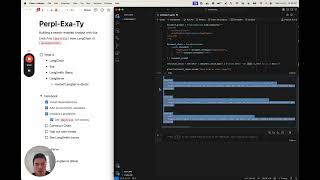
LangSmith consists of several components that work together to support the development, deployment, debugging, and monitoring of LangGraph applications. LangSmith Studio is a central components of this and is a specialized IDE to enable visualization, interaction, and debugging of LangGraph applications. Here, we explain how Studio works and review a few common usage patterns, such as threads, assistants, and debugging with LangSmith.
Docs:
https://langchain-ai.github.io/langgraph/concepts/langgraph_studio/
Video notes:
https://mirror-feeling-d80.notion.site/Tour-of-LangGraph-Studio-1bd808527b17807eb995da7fe824a281?pvs=4
Chapters:
00:00 - Introduction to LangSmith Studio
00:21 - Demo: Local Deep Researcher in Studio
00:56 - Understanding Graph Execution in Real-time
01:17 - LangSmith Deployment Components Overview
02:07 - Memory in LangSmith Deployment
02:35 - Studio's Role in the Platform
03:00 - Application Structure Requirements
03:25 - Configuration File Overview
04:05 - Application Structure Components
04:46 - Running LangSmith Deployment Locally
05:19 - Using uvx for Environment Management
05:55 - Launching the Local Development Server
06:17 - Exploring API Documentation
06:42 - Studio UI Introduction
07:07 - Graph Visualization and Node Mapping
07:55 - Understanding Input and State Management
08:46 - Running a Graph in Studio
09:17 - State Updates During Execution
09:58 - Thread Management and History
10:46 - Memory Button and LangGraph Store
11:14 - LangSmith Integration
11:33 - Thread View in LangSmith
12:10 - Assistant Configurations Management
12:44 - Creating New Assistants
13:27 - Configuration Settings Customization
14:00 - Studio Features Recap
14:48 - Conclusion
Watch on YouTube ↗
(saves to browser)
Sign in to unlock AI tutor explanation · ⚡30
Playlist
Uploads from LangChain · LangChain · 0 of 60
← Previous
Next →
1
 2
2
 3
3
 4
4
 5
5
 6
6
 7
7
 8
8
 9
9
 10
10
 11
11
 12
12
 13
13
 14
14
 15
15
 16
16
 17
17
 18
18
 19
19
 20
20
 21
21
 22
22
 23
23
 24
24
 25
25
 26
26
 27
27
 28
28
 29
29
 30
30
 31
31
 32
32
 33
33
 34
34
 35
35
 36
36
 37
37
 38
38
 39
39
 40
40
 41
41
 42
42
 43
43
 44
44
 45
45
 46
46
 47
47
 48
48
 49
49
 50
50
 51
51
 52
52
 53
53
 54
54
 55
55
 56
56
 57
57
 58
58
 59
59
 60
60

Chat With Your Documents Using LangChain + JavaScript
LangChain
LangChain SQL Webinar
LangChain
LangChain "OpenAI functions" Webinar
LangChain
LangSmith Launch
LangChain
LangChain x Pinecone: Supercharging Llama-2 with RAG
LangChain
LangChain Expression Language
LangChain
Building LLM applications with LangChain with Lance
LangChain
Benchmarking Question/Answering Over CSV Data
LangChain
LangChain "RAG Evaluation" Webinar
LangChain
Fine-tuning in Your Voice Webinar
LangChain
Tabular Data Retrieval
LangChain
Building an LLM Application with Audio by AssemblyAI
LangChain
Superagent Deepdive Webinar
LangChain
Lessons from Deploying LLMs with LangSmith
LangChain
Shortwave Assistant Deepdive Webinar
LangChain
Cognitive Architectures for Language Agents
LangChain
Effectively Building with LLMs in the Browser with Jacob
LangChain
Data Privacy for LLMs
LangChain
"Theory of Mind" Webinar with Plastic Labs
LangChain
LangChain Templates
LangChain
Using Natural Language to Query Postgres with Jacob
LangChain
Building a Research Assistant from Scratch
LangChain
Benchmarking RAG over LangChain Docs
LangChain
Skeleton-of-Thought: Building a New Template from Scratch
LangChain
Benchmarking Methods for Semi-Structured RAG
LangChain
LangSmith Highlights: Getting Started
LangChain
LangSmith Highlights: Debugging
LangChain
LangSmith Highlights: Datasets
LangChain
LangSmith Highlights: Evaluation
LangChain
LangSmith Highlights: Human Annotation
LangChain
LangSmith Highlights: Monitoring
LangChain
LangSmith Highlights: Hub
LangChain
SQL Research Assistant
LangChain
Getting Started with Multi-Modal LLMs
LangChain
Build a Full Stack RAG App With TypeScript
LangChain
Auto-Prompt Builder (with Hosted LangServe)
LangChain
LangChain v0.1.0 Launch: Introduction
LangChain
LangChain v0.1.0 Launch: Observability
LangChain
LangChain v0.1.0 Launch: Integrations
LangChain
LangChain v0.1.0 Launch: Composability
LangChain
LangChain v0.1.0 Launch: Streaming
LangChain
LangChain v0.1.0 Launch: Output Parsing
LangChain
LangChain v0.1.0 Launch: Retrieval
LangChain
LangChain v0.1.0 Launch: Agents
LangChain
Build and Deploy a RAG app with Pinecone Serverless
LangChain
Hosted LangServe + LangChain Templates
LangChain
LangGraph: Intro
LangChain
LangGraph: Agent Executor
LangChain
LangGraph: Chat Agent Executor
LangChain
LangGraph: Human-in-the-Loop
LangChain
LangGraph: Dynamically Returning a Tool Output Directly
LangChain
LangGraph: Respond in a Specific Format
LangChain
LangGraph: Managing Agent Steps
LangChain
LangGraph: Force-Calling a Tool
LangChain
LangGraph: Multi-Agent Workflows
LangChain
Streaming Events: Introducing a new `stream_events` method
LangChain
Building a web RAG chatbot: using LangChain, Exa (prev. Metaphor), LangSmith, and Hosted Langserve
LangChain
OpenGPTs
LangChain
Open Source RAG with Nomic's New Embedding Model (and ChromaDB and Ollama)
LangChain
LangGraph: Persistence
LangChain
More on: Agent Foundations
View skill →








Related AI Lessons
⚡
⚡
⚡
⚡
How 6 AI agents write a single blog post (and why
Dev.to AI
PII Redaction for AI Agents: Why It Can't Be an Afterthought
Dev.to AI
Why I Built a $5/Month Alternative to ChatGPT (After Getting Burned by $20/Month Subscriptions)
Dev.to AI
The Future of Physical AI Isn’t Smarter Robots, It’s Smarter Interfaces
IEEE Spectrum
Chapters (27)
Introduction to LangSmith Studio
0:21
Demo: Local Deep Researcher in Studio
0:56
Understanding Graph Execution in Real-time
1:17
LangSmith Deployment Components Overview
2:07
Memory in LangSmith Deployment
2:35
Studio's Role in the Platform
3:00
Application Structure Requirements
3:25
Configuration File Overview
4:05
Application Structure Components
4:46
Running LangSmith Deployment Locally
5:19
Using uvx for Environment Management
5:55
Launching the Local Development Server
6:17
Exploring API Documentation
6:42
Studio UI Introduction
7:07
Graph Visualization and Node Mapping
7:55
Understanding Input and State Management
8:46
Running a Graph in Studio
9:17
State Updates During Execution
9:58
Thread Management and History
10:46
Memory Button and LangGraph Store
11:14
LangSmith Integration
11:33
Thread View in LangSmith
12:10
Assistant Configurations Management
12:44
Creating New Assistants
13:27
Configuration Settings Customization
14:00
Studio Features Recap
14:48
Conclusion
🎓
Tutor Explanation
 DeepCamp AI