How to Run a Python Docker Image on AWS Lambda
Key Takeaways
The video demonstrates how to run a Python Docker image on AWS Lambda using Lambda container images, covering topics such as creating a CDK project, building a Docker image, and deploying the application to AWS Lambda.
Full Transcript
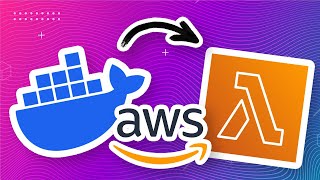
hey everyone in this video I'm going to show you how to run a Docker image on AWS Lambda Docker is a way to put all of your code into a container that way you won't encounter unexpected problems when you run it on a different machine or a different environment AWS Lambda is a cloud compute service we can use this to run our Docker image on demand just like a function and we can make it run whenever a user calls our API endpoint it's completely serverless so we get billed by millisecond of usage but it is extremely cheap Docker and Lambda are amazing together because it means that you can build any type of application you want in any language you want and then run it on the cloud for a really low cost today we're going to learn how to use this by creating a python hello world application that we're going to run as a Docker image on AWS Lambda to follow along effectively with this project you'll need to have a Docker AWS CLI and AWS cdk installed and it'll be good if you have some experience with them as well I'm going to start by creating a cdk project for this app AWS cdk or Cloud development kit is a tool we can use to create our Cloud infrastructure that way we can Define our Cloud infrastructure using Code instead of having to click things in the console or having to do everything in the command line let's make a folder for our cdk project when you're in the folder you can run the cdk init command to create the cdk application and I'm going to use the language typescript for the cdk application this should finish after about a minute and we can open this directory up in our code editor next we have to create our Docker image folder that means we'll have our python app in a folder and a Docker file to turn that app into an image with all of its runtime dependencies so back in our project I'm going to create a folder called image and inside that image folder I'm going to create another folder called source in the image source folder I'm going to create my python application file which I'm going to call main.py and this python file is going to be my Lambda function Handler so this is going to be the code that executes when my Lambda function is called and for this it's just going to be a really basic hello world function it simply returns a status code of 200 which means it was successful and a hello world message in the body but if you only wanted to run a simple python script by itself then AWS actually has a native python runtime so if hello world was all you wanted to do you could just use that you don't need to use Docker where Docker starts to become really useful is if you actually need a lot of packages or dependencies with your python application that's because many popular python packages actually use a lot of platform-specific binaries or code behind the scenes and it can be really difficult to get these binaries installed or working correctly for the Amazon Linux runtime that AWS Lambda uses that's why a lot of people who develop python Lambda functions find that they have an error in their AWS Lambda when the same python code works fine on their machine with Docker though this is really easy to fix everything inside the image will be run as is so to demonstrate that let's also install the numpy package and use that in our code go to our image folder and in here we're going to create a new file and we're going to call it requirements.txt and in here we can use this to list all of the packages or dependencies we need for our project so here I'm going to add numpy and now I've gone back to my python function code and I've included numpy as a dependency and I've also used it to generate a random Matrix so that I can use it as part of my application and I'll print it out here as well so now I have a python hello world application that also uses an external package and I'm ready to build it into a Docker image to turn this app into a Docker image we'll need a Docker file which is basically just a set of instructions on how to build the image so go to your image folder and let's create a new file here we have to call it Docker file and the name here does matter it has to be named dockerfile with the capital D the first line of our Docker file is going to tell us where to base this image on so we're not building the image from scratch we're actually going to use this base image which is a AWS Lambda python 3.11 image and then add our stuff into this image to build our own image and if you want to use a different base image then the AWS documentation has a list of all the different base images they publish so you can click in the link below to go to this page and look at all the different python versions you can choose from or if you don't want to use Python then AWS also provides a bunch of Base images in other languages too such as typescript and Java the next line we need to add to the dockerfile is to copy this requirements text which is here so when we run this Docker file the root directory that it works with is basically wherever the docker file is based so because the docker file is in the same folder as requirements text we can just call it requirements text without having to have an absolute path to the file and we want to copy this into the Lambda task root so this is going to be an environment variable that is available to the docker file when it's building and this is basically where Lambda will consider as the root path for its function next we're going to want to run pip install on the requirements text file which is how we get our numpy dependency installed into the docker image my next command is going to copy all the files in this Source folder so that's going to be my main.py application file and it's also going to put it in the Lambda task root and the last line is going to set the default command of the docker file to this Handler function this is going to be main which is the name of this file and then Handler which is the name of the function so this is what the Lambda function runs when it is used now your Docker file is ready and you can build an image from it but before we upload it to AWS you might want to test it locally so first go back to your terminal and then navigate to the folder where your Docker file is so that's the image folder in this project and then build your Docker file and you can do that using a command like this and once you've built your Docker file you have to run it so you can do that using a command like this and here I'm going to run it on Port 9000. and once the image is running you can go to another terminal and then send an HTTP request to it like this and this will actually run the function inside your Docker file so if I run that you can see that I get my status code 200 and my Hello World message and even my numpy Matrix now let's go ahead and create the AWS infrastructure that will have the Lambda function and the API endpoint that we can use to run this image go to the lib folder in your project and you'll find this AWS stack file here and it should look something like this so we're going to delete all this commented code because we don't need that and at the top we're going to import AWS Lambda and in here let's create our Docker image function I'm going to call this Docker function and it's going to be a Lambda Docker image function and here are the parameters for the code we're going to use Docker image code from asset and this is going to be a directory where we have the docker file when we compile this cdk will go into this folder and it will use this Docker file to create an image and it's going to upload that image and Associate it with this Lambda function so that we can use it for the memory size I'm going to put 124 megabytes and then I'm going to give it a timeout of 10 seconds by default I think Lambda has quite a low timeout maybe it's like two seconds and that might not be enough time for a Docker image to start up and run and for the architecture I'm going to put architecture arm 64. now most of you probably don't need this so this is probably going to be fine to have it like this but because I'm running this on a Mac M1 I need the architecture of the Lambda function to match the architecture that I'm building this image with so when I run it on this machine it's going to be built with arm64 if I don't do this it's going to fail but you can choose arm 64 or the Intel one if you are using a Windows or if you know that you are using an Intel processor or just leave it out completely if you're unsure now to make the Lambda function easily accessible with an API endpoint I'm also going to add a function URL so to do that you can use this add function URL method on your Lambda function to create a URL endpoint that you can just use right away but I'm going to set the arguments here so the auth type is none so that we don't need to be authenticated to use it anyone with a URL will be able to call it and I'm also going to set the course header to allow all HTTP methods and allow all headers and Origins and finally to actually see the value of this function URL we're also going to create an output variable for it so I'm going to do like that so that when we build our cdk application we actually get this function URL in a string so this should be all the infrastructure code we need and because we also have the python application file ready and the docker image file ready we should be ready to deploy this now you're ready to deploy your Docker image to AWS but before you do that please make sure that you have your AWS CLI ready and configured because you will need the permissions from that to interact with your AWS account as a sanity check you can type AWS STS get caller identity and if your AWS CLI is configured properly you should get a response like this now let's go back to our project root directory and set up cdk so in your project root folder type cdk bootstrap and here you can even choose the region you want to bootstrap in or leave it blank if you just want to use your default AWS region bootstrapping will create a bunch of resources in your AWS account that cdk would need but you only need to run it once per account per region and because I've already run it for this account in this region nothing happens and that's fine as well with bootstrapping completed we can now run cdk deploy to deploy our application and the first time you run this you might have to press yes to confirm that you do want to create these resources and you can see here is actually building and Publishing our image to this private repo after a couple of minutes it should finish deploying and you can find the url for the function right here in this function value output that we've created and we can try out the function by just clicking on this URL and here you can see that our function returns hello world from Lambda and it's even returned our numpy Matrix for us if you go to your AWS console you'll see this function created here and if you click into it you'll see that there's a function URL and it's also using this Docker image that we created now if you get up to this point and you can't run the function or it has an error like a runtime invalid entry point then double check what architecture you're using because you could be using the wrong Lambda architecture for the machine that you're built with so in this one I used an arm64 architecture because I'm using an Intel Apple silicon Mac but if you're using an Intel or a Windows computer you might need to use the x86 architecture instead otherwise I hope this worked for you and that you have a working Lambda Docker python function and you can use this as a basis to start developing your app and use whatever packages and dependencies you want now Docker Lambda functions are a little bit slower than native python Lambda functions on the code start the code start is when you first use the function after you haven't used it for 15 minutes because Lambda will have to kind of create the whole runtime again but it is more reliable if you do need to have runtime dependencies because you don't have to worry about having platform specific bugs or errors appear when you move from your development environment to the Lambda Cloud environment this is especially true if you use packages that are heavy on things like math cryptography or basically anything that tends to use platform specific binaries to do the heavy lifting so there is a bit of a trade-off but if you want an easier development experience and you don't mind the slower cold start then I do think that Docker functions are the way to go anyways I hope you enjoyed this video you can check in the comments for the code for this project and thank you for watching
Original Description
Learn how to run a Python Docker image on AWS Lambda using Lambda container images.
Using Docker containers for your Python app on AWS Lambda means you can create a special environment for your app with its own tools and settings, making sure it works everywhere, and also making it easy to include all the things (libraries and packages)your app needs to run correctly.
🛠️ Project Code: https://github.com/pixegami/aws-lambda-docker
🔗 Links
Lambda Base Images: https://docs.aws.amazon.com/lambda/latest/dg/images-create.html#runtimes-images-lp
AWS CLI: https://aws.amazon.com/cli/
AWS CDK: https://docs.aws.amazon.com/cdk/v2/guide/home.html
Docker: https://www.docker.com/
📚 Chapters
00:00 Why run Docker on AWS Lambda?
01:04 Create CDK Project
01:45 Create a Python handler app
04:07 Create Dockerfile for Lambda
06:23 Test the Docker image locally
07:11 Create AWS Docker Lambda with CDK
09:44 Deploying to AWS
11:59 Wrapping up
#pixegami #aws
Watch on YouTube ↗
(saves to browser)
Sign in to unlock AI tutor explanation · ⚡30
Playlist
Uploads from pixegami · pixegami · 47 of 60
1
 2
2
 3
3
 4
4
 5
5
 6
6
 7
7
 8
8
 9
9
 10
10
 11
11
 12
12
 13
13
 14
14
 15
15
 16
16
 17
17
 18
18
 19
19
 20
20
 21
21
 22
22
 23
23
 24
24
 25
25
 26
26
 27
27
 28
28
 29
29
 30
30
 31
31
 32
32
 33
33
 34
34
 35
35
 36
36
 37
37
 38
38
 39
39
 40
40
 41
41
 42
42
 43
43
 44
44
 45
45
 46
46
 ▶
▶
 48
48
 49
49
 50
50
 51
51
 52
52
 53
53
 54
54
 55
55
 56
56
 57
57
 58
58
 59
59
 60
60
How to Build an AWS Lambda Function in Python in Just 7 Minutes!
pixegami
AWS CDK Tutorial: Deploy a Python Lambda Function using AWS
pixegami
I used GPT-3 to Write Poetry • Is AI the Future of Creative Writing?
pixegami
Create NFT Generative Art with Python! (Full Tutorial)
pixegami
Build an AI-driven SaaS Application: FULLSTACK Tutorial with Python, React, and AWS
pixegami
NextJS and TailwindCSS: How to Build a Portfolio Site from Scratch
pixegami
Python Web Scraping Tutorial • Step by Step Beginner's Guide
pixegami
Build Wordle in Python • Word Game Python Project for Beginners
pixegami
How to create 1000+ unique NFT-style images (like Cryptopunk) | Python Tutorial
pixegami
Top 10 Python Modules 2022
pixegami
How to Send SMS Text Messages with Python & Twilio - Quick and Simple!
pixegami
How To Write Unit Tests in Python • Pytest Tutorial
pixegami
How to Style Your React Landing Page with Tailwind CSS
pixegami
FastAPI Python Tutorial - Learn How to Build a REST API
pixegami
How to Deploy FastAPI on AWS EC2: Quick and Easy Steps!
pixegami
PyScript • How to run Python in a browser
pixegami
My Custom Ubuntu Linux Terminal with Themes and Plug-ins 💻
pixegami
Deploy FastAPI on AWS Lambda ⚡ Serverless hosting!
pixegami
NextJS Firebase Auth Tutorial • How to Authenticate Users for Your App
pixegami
AWS Lambda Python functions with a database (DynamoDB)
pixegami
How To Build a CRUD (TO-DO) App on AWS using FastAPI and Python
pixegami
How to Make a Discord Bot with Python
pixegami
How To Use GitHub Copilot (with Python Examples)
pixegami
PyTest • REST API Integration Testing with Python
pixegami
Python Beginner Project: Build a Caesar Cipher Encryption App
pixegami
Decorators in Python: How to Write Your Own Custom Decorators
pixegami
NextJS 13 Tutorial: Create a Static Blog from Markdown Files
pixegami
Exploring ChatGPT for Coding and Business ✨ 8 Real Examples!
pixegami
How I Would Learn Python (if I had to start over) • A Roadmap for 2023
pixegami
Build an AI Pokemon Generator with Python and Midjourney
pixegami
Why You Should Learn Python in 2023 (as your first programming language)
pixegami
ChatGPI API in Python ✨ How to Build a Custom AI Chat App
pixegami
Learn Python • #1 Installation and Setup • Get Started With Python!
pixegami
Learn Python • #2 Variables and Data Types • Python's Building Blocks
pixegami
Learn Python • #3 Operators • Add, Subtract and More...
pixegami
Learn Python • #4 Conditions • If / Else Statements
pixegami
Learn Python • #5 Lists • Storing Collections of Data
pixegami
Learn Python • #6 Loops • How to Repeat Code Execution
pixegami
Learn Python • #7 Dictionaries • The Most Useful Data Structure?
pixegami
Learn Python • #8 Tuples and Sets • More Ways To Store Data!
pixegami
Learn Python • #9 Functions • Python's Most Important Concept?
pixegami
Learn Python • #10 User Input • 4 Ways To Get Input From Your User
pixegami
Learn Python • #11 Classes • Create and Use Classes in Python
pixegami
Learn Python • #12 Final Project • Build an Expense Tracking App!
pixegami
Stripe & Firebase Tutorial • Add Payments To Your NextJS App
pixegami
How To Use GitHub Actions • Automate Your AWS Deployments
pixegami
How to Run a Python Docker Image on AWS Lambda
pixegami
My MacOS Terminal Setup for HIGH Productivity
pixegami
Host a Python Discord Bot on AWS Lambda (Free and Easy)
pixegami
Python FastAPI Tutorial: Build a REST API in 15 Minutes
pixegami
Pydantic Tutorial • Solving Python's Biggest Problem
pixegami
How to Get Started with AWS • Crash Course
pixegami
Python Requests Tutorial: HTTP Requests and Web Scraping
pixegami
Amazon Bedrock Tutorial: Generative AI on AWS
pixegami
How to Publish a Python Package to PyPI (pip)
pixegami
Langchain: The BEST Library For Building AI Apps In Python?
pixegami
RAG + Langchain Python Project: Easy AI/Chat For Your Docs
pixegami
Python Dataclasses: Here's 7 Ways It Will Improve Your Code
pixegami
Build a Custom AI RPG Game with OpenAI GPTs
pixegami
Create a Custom AI Assistant + API in 10 Mins
pixegami
More on: AI Tools for PMs
View skill →







Related AI Lessons
Chapters (8)
Why run Docker on AWS Lambda?
1:04
Create CDK Project
1:45
Create a Python handler app
4:07
Create Dockerfile for Lambda
6:23
Test the Docker image locally
7:11
Create AWS Docker Lambda with CDK
9:44
Deploying to AWS
11:59
Wrapping up
🎓
Tutor Explanation

 DeepCamp AI