Easy Text-to-Video in Python | Python Tutorial with Damo-vilab Model
Key Takeaways
This video tutorial demonstrates how to use the Damo-vilab model in Python to convert text to video, utilizing libraries such as diffusers, Transformers, and accelerate, and walking through the process of setting up a pipeline and generating a video from a text prompt.
Full Transcript
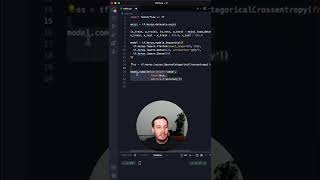
hi everyone this is Smitha from assembly Ai and in this video we're going to be looking at how we can convert text to video in just a few lines of code in Python so let's get started for this tutorial we're going to be making use of the demo B lab model which is created by model scope and this model essentially converts text to video using a diffusion model I'm going to explain how this model works but before that let's actually jump into Google collab and download this model to start running it once you've opened a file in Google collab this is where we'll be writing all our code it's going to be very simple the first thing we want to do is make sure that we are using GPU resources because we need that to run this model so the first thing you want to do is click on runtime and click on change runtime type and just ensure that you have selected GPU and click save once we have done that we can start writing the code to actually download this model and set it up the first thing we're going to be doing is installing three different python libraries that we need the first thing is diffusers Transformers and accelerate so that's what we're going to be doing so pip install diffusers Transformers and once you have written this command let's run this to download all of these models next we want to write some import statements to import different libraries that we need so the first thing is torch and then we want to create a pipeline of how this will all play out so create pipe equals to Fusion pipeline Dot from free trained and we can actually go back here and copy the name of this entire model and we're going to paste it right here so in this code what we're doing is we're importing torch we're importing diffusers refuses as a library which helps to do diffusion and in the context of generative models such as this what diffusion actually helps us with is generating videos from noise so from gaussian noise we are trying to generate some sort of video or output and it works alongside the model as well in order to do this and and we're going to create a pipeline of all of this along with the pre-trained demo vlab model which we have installed and once we've done all of that we can go and hit run if you are downloading this for the first time it's going to take a little bit of time and while you wait for that to download let's actually go back to the model page and let's take a deep dive into exactly how this model works so first off the demo vlab text to diffusion model operates in three separate stages first off we have a text feature extraction model which means that the model takes in the text input that we give it and then extracts its core meaning to understand exactly what we're looking for in the video next is the text feature to video latent space diffusion model and this phase actually Bridges the gap between the text information that we have and also the videos so it actually is creating an abstract definition of what a potential video output can be so in this stage the video has not been created but it's just trying to get an idea of what type of video we can be creating in the final step we have the video latent space to so what this means is that the abstract representation which was created in that second stage actually turns into a real video and this video generation starts from your gaussian noise and essentially that refers to something like white noise if and this final stage actually takes this gaussian noise and turns it into a final video now let's hop back into Google collab and actually give it the prompt to create a video so we're gonna do prompt equals to Spider-Man is surfing so a video of Spider-Man surfing and we have to set some parameters such as the video frames number of inference steps to 25 if you increase the number of inference steps that will increase the compute time as well foreign so in the very first line we give it the prompt and next we're creating something called video frames which is a pipeline which includes our prompt and also redefine the number of inference steps that we want which we set it to 25 we also Define the video pad so where exactly are we planning to export it to and then we we create the video name which which ensures that this video will be created in a folder called TMP which exists right here and we're also printing out the video name so we know what what the name of the video will be the output video and finally what we're doing is we're actually emptying the cache of the torch cudas because we obviously don't want it to be blocked up in case we're running multiple prompts once you've done that let's hit run once it has generated this video you get an output of the name so we can go into folders click on TMP and you should see it right here and you can actually download this into your local machine and this is the video in my local machine and this video only plays with the VLC player so make sure that you have that as well and there we have this video it's a very short video as you can see and it's not super high quality but this is a great starting point for generative Ai and being able to actually create videos directly from text and this is an awesome starting point so feel free to check this out hope you found this tutorial helpful let us know what you guys thought about this in the comment section below and like And subscribe for more amazing AI content
Original Description
In this engaging, hands-on tutorial, we unlock the power of Python to breathe life into text by turning it into dynamic videos! We demystify the intricacies of the state-of-the-art Damo-vilab text-to-video model, breaking it down into easily digestible parts for beginners and experts alike. From delving into the captivating world of diffusion models, extracting key features from text, to transforming abstract spaces into watchable videos, we make this cutting-edge AI technology accessible to all. This Python tutorial not only explores the theoretical workings of the model but dives straight into practical application with real code snippets and clear, step-by-step explanations. If you've been on the hunt for a comprehensive guide to text-to-video generation using Python, your search ends here. So hit that play button, and let's start generating videos from text! Remember to like, share, and subscribe for more content like this.
Damo-vilab model: https://tinyurl.com/mundvt8n
Get you free AssemblyAI API token 👇:
https://www.assemblyai.com/?utm_source=youtube&utm_medium=referral&utm_campaign=yt_smi_6
▬▬▬▬▬▬▬▬▬▬▬▬ CONNECT ▬▬▬▬▬▬▬▬▬▬▬▬
🖥️ Website: https://www.assemblyai.com
🐦 Twitter: https://twitter.com/AssemblyAI
🦾 Discord: https://discord.gg/Cd8MyVJAXd
▶️ Subscribe: https://www.youtube.com/c/AssemblyAI?sub_confirmation=1
🔥 We're hiring! Check our open roles: https://www.assemblyai.com/careers
▬▬▬▬▬▬▬▬▬▬▬▬▬▬▬▬▬▬▬▬▬▬▬▬▬▬▬▬▬▬▬▬▬
#MachineLearning #DeepLearning
Watch on YouTube ↗
(saves to browser)
Sign in to unlock AI tutor explanation · ⚡30
Playlist
Uploads from AssemblyAI · AssemblyAI · 0 of 60
← Previous
Next →
1
 2
2
 3
3
 4
4
 5
5
 6
6
 7
7
 8
8
 9
9
 10
10
 11
11
 12
12
 13
13
 14
14
 15
15
 16
16
 17
17
 18
18
 19
19
 20
20
 21
21
 22
22
 23
23
 24
24
 25
25
 26
26
 27
27
 28
28
 29
29
 30
30
 31
31
 32
32
 33
33
 34
34
 35
35
 36
36
 37
37
 38
38
 39
39
 40
40
 41
41
 42
42
 43
43
 44
44
 45
45
 46
46
 47
47
 48
48
 49
49
 50
50
 51
51
 52
52
 53
53
 54
54
 55
55
 56
56
 57
57
 58
58
 59
59
 60
60

Python Speech Recognition in 5 Minutes
AssemblyAI
Python Click Part 1 of 4
AssemblyAI
Python Click Part 2 of 4
AssemblyAI
Python Click Part 3 of 4
AssemblyAI
Python Click Part 4 of 4
AssemblyAI
Deep learning in 5 minutes | What is deep learning?
AssemblyAI
How to make a web app that transcribes YouTube videos with Streamlit | Part 1
AssemblyAI
How to make a web app that transcribes YouTube videos with Streamlit | Part 2
AssemblyAI
Batch normalization | What it is and how to implement it
AssemblyAI
Real-time Speech Recognition in 15 minutes with AssemblyAI
AssemblyAI
Regularization in a Neural Network | Dealing with overfitting
AssemblyAI
Add speech recognition to your Streamlit apps in 5 minutes
AssemblyAI
Transformers for beginners | What are they and how do they work
AssemblyAI
Automatic Chapter Detection With AssemblyAI | Python Tutorial
AssemblyAI
Deep Learning Series Part 1 - What is Deep Learning?
AssemblyAI
Deep Learning Series part 2 - Why is it called “Deep Learning”?
AssemblyAI
Activation Functions In Neural Networks Explained | Deep Learning Tutorial
AssemblyAI
Deep Learning Series part 3 - Deep Learning vs. Machine Learning
AssemblyAI
Deep Learning Series part 4 - Why is Deep Learning better for NLP?
AssemblyAI
Intro to Batch Normalization Part 1
AssemblyAI
Intro to Batch Normalization Part 2
AssemblyAI
Intro to Batch Normalization Part 3 - What is Normalization?
AssemblyAI
Intro to Batch Normalization Part 4
AssemblyAI
Intro to Batch Normalization Part 5
AssemblyAI
Sentiment Analysis for Earnings Calls with AssemblyAI
AssemblyAI
Summarizing my favorite podcasts with Python
AssemblyAI
Introduction to Regularization
AssemblyAI
How/Why Regularization in Neural Networks?
AssemblyAI
Getting Started With Torchaudio | PyTorch Tutorial
AssemblyAI
Types of Regularization
AssemblyAI
Tuning Alpha in L1 and L2 Regularization
AssemblyAI
Dropout Regularization
AssemblyAI
What is GPT-3 and how does it work? | A Quick Review
AssemblyAI
Backpropagation For Neural Networks Explained | Deep Learning Tutorial
AssemblyAI
Jupyter Notebooks Tutorial | How to use them & tips and tricks!
AssemblyAI
Best Free Speech-To-Text APIs and Open Source Libraries
AssemblyAI
Regularization - Early stopping
AssemblyAI
Regularization - Data Augmentation
AssemblyAI
Bias and Variance for Machine Learning | Deep Learning
AssemblyAI
Recurrent Neural Networks (RNNs) Explained - Deep Learning
AssemblyAI
What is BERT and how does it work? | A Quick Review
AssemblyAI
Introduction to Transformers
AssemblyAI
Transformers | What is attention?
AssemblyAI
Transformers | how attention relates to Transformers
AssemblyAI
Transformers | Basics of Transformers
AssemblyAI
Supervised Machine Learning Explained For Beginners
AssemblyAI
Transformers | Basics of Transformers Encoders
AssemblyAI
Transformers | Basics of Transformers I/O
AssemblyAI
How to evaluate ML models | Evaluation metrics for machine learning
AssemblyAI
Unsupervised Machine Learning Explained For Beginners
AssemblyAI
Weight Initialization for Deep Feedforward Neural Networks
AssemblyAI
Q-Learning Explained - Reinforcement Learning Tutorial
AssemblyAI
Should You Use PyTorch or TensorFlow in 2022?
AssemblyAI
What is Layer Normalization? | Deep Learning Fundamentals
AssemblyAI
I created a Python App to study FASTER
AssemblyAI
How to create your FIRST NEURAL NETWORK with TensorFlow!
AssemblyAI
Neural Networks Summary: All hyperparameters
AssemblyAI
Getting Started with OpenAI API and GPT-3 | Beginner Python Tutorial
AssemblyAI
Convert Speech-To-Text In Python in 60 seconds!
AssemblyAI
Gradient Clipping for Neural Networks | Deep Learning Fundamentals
AssemblyAI
More on: Image Generation Basics
View skill →


![Qwen 2.5 AI: Complete Beginner Tutorial [100% Free and OpenSource]](https://i.ytimg.com/vi/kdSSgMDk_QE/mqdefault.jpg)



Related AI Lessons
⚡
⚡
⚡
⚡
FREE AI Sin City Photo Generator — Turn Any Photo Into High-Contrast Noir Art (2026)
Dev.to AI
Google makes Gemini’s personalized image generation free for all US users
The Next Web AI
Gemini’s personalized AI image generation is now free for U.S. users
TechCrunch AI
WebP's Compression Secret: How a 1MB PNG Becomes a 200KB WebP
Dev.to · swift king
🎓
Tutor Explanation

 DeepCamp AI