Deep Agents JS
Key Takeaways
The video demonstrates how to create a research deep agent in TypeScript using the Deep Agents JS package, which can perform tasks such as web searches and synthesizing information into a cohesive report. The agent is built on top of the React agent structure and utilizes a planning tool, file system, sub-agents, and a detailed system prompt.
Full Transcript
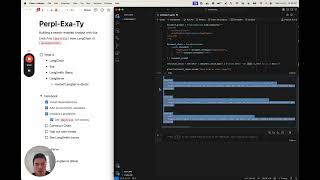
Deep agents are a type of agent that complete tasks over longer time horizons. This is the architecture that agents like Claude Code, Manis, and Deep Research use to complete their task. In this video, we'll be creating a research deep agent in Typescript. One that can go out, do web searches, and synthesize that information in a cohesive report. All done through our new deep research typescript library. And so in this video we will be creating a TypeScriptbased research agent and connect it to this deep agent UI. We will see the agent populate with tools, tasks and different sub aents as well. Before we start jumping into the code, I want to talk about how deep agents are different from the agent structures that you've seen in the past. So deep agents are built on top of the React agent structure that you've probably heard about in the past. In a React agent, an LLM performs an action on an input and uses the observation to reason and act again in a loop. Now this works brilliantly when you have a short execution sessions. But as context and planning gets larger, we need a different framework. Now this is where deep agents come into play. Deep agents are different due to four primary components. The first is that they have a planning tool. They have an overall tool that helps them plan and understand what needs to happen next. The next is that they have access to a file system to offload context and information at an organized manner. It prevents the agent from accumulating too much information in its context window. We saw that earlier in our deep agents UI. And the last two is that the first is that it has access to sub aents. Sub agents are specialized agents that can carry out a specific task. So, as shown earlier, a sub agent could be a research sub agent or a critique sub agent. And the last is that it has a very detailed system prompt that you'll see later in this video. Let's dive into the code. So, we can start by heading over to the deep agents.js repository and cloning it locally. Now that we're in the terminal, we can clone the repository that we've fetched earlier. We can head into it and in the repository we've created an examples folder. In the examples folder we can head into research where we have our langraph.json file which will be used to run our langraph server later on. Now the first thing we want to do is we want to create a environment file. In the environment file we need to add two things for our example. We need to add a Tilli API key which is our web search provider and we need to add the LM provider which is the anthropic API key. Now add your own keys there. And once that's done, exit. And now what you're ready to do is actually install and build. So let's yarn install and yarn build. And you are ready to go. So let's dive into the code. This is the research agent.ts file that I mentioned in the examples research folder earlier. Now everything in this file is built around the create deep agent function. This is what instantiates the deep agent which you can then either invoke or start the langraph server and connect to. Now when you create a deep agent you need to provide it a list of tools, a list of instructions and optionally a list of sub aents. Now the instructions is what I had mentioned earlier about the detailed research instructions that guide all of the agents and sub aents. So in it we obviously have the description. So we are telling it that it's an expert researcher and then we have guidelines about creating that overall research brief and we even have ways to answer questions and list topics. Now above it what we have is we have the list of sub aents. So the research sub aent can be found here and what you need to create any sub aent is a name, a description, a prompt and a list of tools it has access to. So this is a prompt for the researcher sub aent which is a dedicated researcher and has access to the internet search tool to use to villi. Now beneath it we have the subcritique prompt which is the prompt that is given to the sub agent in order to go and critique that final report once it has been created. So now now that you have this structure we're ready to run the langraph server. So we can come over here to our terminal and we can run the command to run our langraph server which is npx langchain langraph cli dev. Now once we run it, the langraph server is running and we are ready to create the deep agents UI. We can head over to the deep agents UI GitHub package and get the link to clone here as well. So back in the terminal, we can start by cloning the repository for the deep agents UI. We can head into the repo here. And the first thing we want to do is we actually want a yard install. So we can install all of the required dependencies. After this what we're going to do is that we are going to create a environment file and in that environment file we need to specify two different things. We need to specify where our langraph server is and we also need to specify the name of the agent that we're creating. So let's create that environment file right there. And let's get go into the environment file and let's do next public deployment URL so our next.js package can use it. For me that was on localhost 2024. And then we can also do next public agent ID which is the name of the agent that we created which is the research agent. Now that we've done that we can do npm rundev and our server will now be running on localhost 3000 ready for us to use. So now we have this running on localhost 3000 and this is the deep agents UI. So we can come and type that message. So, can you compare New York City in San Francisco? And we can send that message. So, now it's communicating to our Langraph server. Um, and what it's doing is it's writing a file. And so, it's using that file system to write what our actual question is. It's writing to-dos to list out the different tasks that needs to accomplish. And then it's creating these sub agents. Now, it's, as you can see, it's spun up that research sub agent that does a set of internal searches that goes out, finds different information and synthesizes that information that will eventually be critiqued by that critique sub agent. And so, yeah, that's it. Just to recap, what you need to do to get this up and running is you need to clone the deep agents JS repo, run the research agent example, clone the deep agents UI, run that UI, connect them together using the environmental variables, and you should be ready to go. Cool. I'll see you later.
Original Description
Deep Agents is now in JavaScript!
Simple tool-calling loops break down on long-horizon or intricate problems.
Deep Agents, like Deep Research, Claude Code & Manus, chain reasoning, adapt plans, and juggle tools to get results. Now you can build your own using our JS package!
https://github.com/langchain-ai/deepagentsjs
Watch on YouTube ↗
(saves to browser)
Sign in to unlock AI tutor explanation · ⚡30
Playlist
Uploads from LangChain · LangChain · 0 of 60
← Previous
Next →
1
 2
2
 3
3
 4
4
 5
5
 6
6
 7
7
 8
8
 9
9
 10
10
 11
11
 12
12
 13
13
 14
14
 15
15
 16
16
 17
17
 18
18
 19
19
 20
20
 21
21
 22
22
 23
23
 24
24
 25
25
 26
26
 27
27
 28
28
 29
29
 30
30
 31
31
 32
32
 33
33
 34
34
 35
35
 36
36
 37
37
 38
38
 39
39
 40
40
 41
41
 42
42
 43
43
 44
44
 45
45
 46
46
 47
47
 48
48
 49
49
 50
50
 51
51
 52
52
 53
53
 54
54
 55
55
 56
56
 57
57
 58
58
 59
59
 60
60

Chat With Your Documents Using LangChain + JavaScript
LangChain
LangChain SQL Webinar
LangChain
LangChain "OpenAI functions" Webinar
LangChain
LangSmith Launch
LangChain
LangChain x Pinecone: Supercharging Llama-2 with RAG
LangChain
LangChain Expression Language
LangChain
Building LLM applications with LangChain with Lance
LangChain
Benchmarking Question/Answering Over CSV Data
LangChain
LangChain "RAG Evaluation" Webinar
LangChain
Fine-tuning in Your Voice Webinar
LangChain
Tabular Data Retrieval
LangChain
Building an LLM Application with Audio by AssemblyAI
LangChain
Superagent Deepdive Webinar
LangChain
Lessons from Deploying LLMs with LangSmith
LangChain
Shortwave Assistant Deepdive Webinar
LangChain
Cognitive Architectures for Language Agents
LangChain
Effectively Building with LLMs in the Browser with Jacob
LangChain
Data Privacy for LLMs
LangChain
"Theory of Mind" Webinar with Plastic Labs
LangChain
LangChain Templates
LangChain
Using Natural Language to Query Postgres with Jacob
LangChain
Building a Research Assistant from Scratch
LangChain
Benchmarking RAG over LangChain Docs
LangChain
Skeleton-of-Thought: Building a New Template from Scratch
LangChain
Benchmarking Methods for Semi-Structured RAG
LangChain
LangSmith Highlights: Getting Started
LangChain
LangSmith Highlights: Debugging
LangChain
LangSmith Highlights: Datasets
LangChain
LangSmith Highlights: Evaluation
LangChain
LangSmith Highlights: Human Annotation
LangChain
LangSmith Highlights: Monitoring
LangChain
LangSmith Highlights: Hub
LangChain
SQL Research Assistant
LangChain
Getting Started with Multi-Modal LLMs
LangChain
Build a Full Stack RAG App With TypeScript
LangChain
Auto-Prompt Builder (with Hosted LangServe)
LangChain
LangChain v0.1.0 Launch: Introduction
LangChain
LangChain v0.1.0 Launch: Observability
LangChain
LangChain v0.1.0 Launch: Integrations
LangChain
LangChain v0.1.0 Launch: Composability
LangChain
LangChain v0.1.0 Launch: Streaming
LangChain
LangChain v0.1.0 Launch: Output Parsing
LangChain
LangChain v0.1.0 Launch: Retrieval
LangChain
LangChain v0.1.0 Launch: Agents
LangChain
Build and Deploy a RAG app with Pinecone Serverless
LangChain
Hosted LangServe + LangChain Templates
LangChain
LangGraph: Intro
LangChain
LangGraph: Agent Executor
LangChain
LangGraph: Chat Agent Executor
LangChain
LangGraph: Human-in-the-Loop
LangChain
LangGraph: Dynamically Returning a Tool Output Directly
LangChain
LangGraph: Respond in a Specific Format
LangChain
LangGraph: Managing Agent Steps
LangChain
LangGraph: Force-Calling a Tool
LangChain
LangGraph: Multi-Agent Workflows
LangChain
Streaming Events: Introducing a new `stream_events` method
LangChain
Building a web RAG chatbot: using LangChain, Exa (prev. Metaphor), LangSmith, and Hosted Langserve
LangChain
OpenGPTs
LangChain
Open Source RAG with Nomic's New Embedding Model (and ChromaDB and Ollama)
LangChain
LangGraph: Persistence
LangChain
More on: LLM Foundations
View skill →






![Run Any AI LOCALLY for FREE Forever! [100% Beginner Tutorial]](https://i.ytimg.com/vi/8GFPZRgtEn8/mqdefault.jpg)

Related AI Lessons
⚡
⚡
⚡
⚡
Building LSTMs with PyTorch and Lightning AI Part 7: Resuming Training with Checkpoints
Dev.to · Rijul Rajesh
How AI Learns with Less Labeled Data
Medium · AI
Comparing Sarvam-30B and Qwen2.5–14B on Spider Text-to-SQL: An Active-Parameter Perspective
Medium · LLM
Debugging Benchmark: DeepSeek V4 Pro vs MiMo V2.5 Pro
Dev.to · Stanislav
🎓
Tutor Explanation

 DeepCamp AI