ONE Word Prompts - 3 INSTANTLY useful Prompt Engineering Techniques
Skills:
Prompting Basics90%
Key Takeaways
Demonstrates three instantly useful prompt engineering techniques for LLMs, including Capitalize Referencing and One Word Prompts
Full Transcript
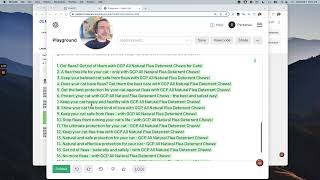
there's a lot of overhype and grifting in the AI YouTube space right now people are hyping up the latest and greatest releases of random GitHub projects like chat Dev dbgbt and meta GPT and tons more you've seen these this is cool some are useful but it's pretty click-baity and it's not Ultra useful and let's face it in five probably three or two years nearly all of these projects will be dead in this video I want to filter through some of that noise and focus on three concrete instant value practical prompt engineering techniques as soon as you finish this video you're gonna have three new techniques available to you instantly let's focus on the underlying technology that's giving us all this value in the first place llms so let's get into it the three techniques are Capper apps one word prompts and context chaining you've likely already used one or two of these techniques without even knowing it cap wraps when you're building out your reusable prompts that require several input variables it can be hard to organize these to get around this I use technique I like to call capitalized referencing or cap refs so here's a chat log I've had with chat gbt and let's just walk through this let's Workshop some titles for a new YouTube video we want high ranking SEO click-worthy titles create 10 highly engaging click worthy titles based on existing titles notice how this is uppercase that combine one or more video elements below again notice how this is capitalized when you generate the title Place elements involved next to the text like this you can see here I have a templated response format that's great and then here's the magic I place the capitalize references in separate sections and then I specify that variable with a list or single item below then I specify the next capitalize reference afterward and specify all of its details so as you can see here I'm building on a prompt that allows me to create high ranking SEO click-worthy YouTube titles if you run a blog or you have a YouTube channel yourself you know that this is a repetitious process and you want to get the ideas going as soon as possible this is how you can use capitalized referencing to reference specific information in your prompts okay so let's move on to another example let's talk about one word prompts there are many scenarios especially when using gpt4 where you just shouldn't overthink it if you have a problem you want fixed that's obviously an issue just toss one word at GPT in the single word can save you a lot of time a lot of typing let's walk through an example so let's type Pi test and I'm going to paste in a python function right I'm not going to format I'm not going to do anything I'm just going to type Pi test shift enter enter and then I'm dumping in Python content so all I'm saying is pi test here and as you can see gpg is just walking through this explaining the code we didn't give it a lot of details but at the beginning I did say Pi test and you can see here on bullet point number four you picked that up since you mentioned Pi test let's write a simple test for this function So eventually it got the whole idea that all I want to do is create a test and as you can see here it is building that test out just drop a single word in paste in your content typically if you're pacing Rich content like code or uh you know content from a blog or something from you know something that has detail Rich information you can just say one word if it's a verb it'll have a higher hit rate but you can basically just paste in a single word and gbt specifically gpt4 will know exactly what you want to do and it'll break it down for you so then we can do other simple things right we can sort of translate at GPT this is a you know simpler example you just say Translate and then you paste in some text and without specifying the languages you can see here it's translating this French and uh you know it translates to I like practical engineering tips from The Prompt which is close this is actually uh I like practical engineering tips for prompt engineering so this is great right and then let's go ahead and look at one more example we can do something like reword and then we can paste in you know purchase this YouTube title then we can paste in for instance like a title or a phrase and just throw that in there and you can see with just a single word gbt gives us back a solid response the great part about one word prompt is that typically gbt responds in a similar manner you can see for both the reword and the translate it just responded in a really like blunt forward way without producing a lot of text right we had a lot more going on here when we dumped in some code and I think that's pretty typical gpt4 especially it tries to walk you through everything and that's really great usually it's nice when you get some of these shorter prompts using the one word technique and it just kind of responds with the information that you're looking for if you guys are enjoying these concise practical tips that you can get value out of immediately like in sub for more on this channel we focus on real tangible in the field AI tools Tech and techniques speaking of techniques let's finish with the final technique I think this one's really cool start with a fresh chat window year so you can know that there's no tricks there's no memory happening here this last technique is called context chaining you know that moving fast is the key to engineering success and just success in general we all have 24 hours in a day but some of us get more out of those 24 hours than others how because they're moving faster they take one swing and they cut two trees context chaining saves you time and lets you communicate the contexts that are relevant to your prompts insanely quickly so for example let's type out a prompt in like a normal fashion right so I'm building a python CLI tool want to publish it to test pipod I'm using poetry management tool how can I publish package so let's see how many characters I have here right just gonna open up the console I'm gonna dump this into string type length on it this is 148 characters okay so we'll remember that 100 create characters for this prompt right here right I'm not going to run this I'm not going to waste your time this runs it works fine it tells you exactly how you can publish it using poetry with context shading you can pack all this information into a much smaller prompt check this out code python poetry publish to test iPod so I'm actually going to go ahead and run this one I'm going to copy it run it and we're gonna look at the length here this is 41 characters I just finished publishing a python package called diff bro check out the previous videos if you're interested in seeing the full process of that but you know looking through this I can confirm that this is exactly how to do this the magic here is that we did this in 41 characters versus 148. how are we able to do this with context changing context chaining allows us to concisely pack in our prompt in a simple compressed way we're in the realm of coding this is python we're operating in poetry and then at the very end we say in a really kind of Brute Force way exactly what we're trying to do publish to test Pi Pi after you give GPT all this context publish to test Pi Pi is not a stretch at all and so I just want to point out here that we cut our prompt size from about 150 to below 50. that is a three times improvement in our prompt link we dropped it down to 41. dropped it by a third actually you're writing 10 prompts a day right 100 prompts a day whatever it might be if you can cut your prompt time down by a third every prompt you're going to get more out of your 24 hours than the engineer sitting next to you so just to refresh we have capitalized references also known as cap refs we have one word prompts and we have context chaining one word prompts essentially will always operate on its own right there's not much more you can do with the one word prompt it either works or it doesn't work if you think a one word prompt will get the job done use a one word prompt just as a final Easter egg let's walk through one more trick you can combine context chaining with cap references to create even more compressed concise prompts so let's walk through one more example let's look at another python example right let's say something like this right we could do uh we could write something like code python combine Funk one and Funk 2 together and then we specify Funk one this function here we're just going to connect to an sqlite database and then the second thing is going to be funk 2. and we're going to give it another python function which is going to insert to some table and I'm just going to hit enter here so what we have done is combined context chaining with capitalized references and then we specify our references here with their respective content gbg just jumped right off and started combining these two functions so it is both doing the connection function and the insertion function and we have just combined two of these prompting techniques to speed up the efficiency of our prompting so just to recap one more time we have capitalize references also known as cap refs this lets you reference input variables in a seamless manner we have one word prompts if you don't need to overthink it don't drop in a single word and dump your text and just let it rip and then lastly we have context chaining you don't need to type as much as you think you need to on a similar mode of one word prompts context chaining is essential actually putting together a bunch of one word prompts to tell the llm the exact context in which you're working in use these three prompting techniques to save a crap ton of time over the long run whether it's gbg3 gbt4 whether using Falcon whether using any of these custom models or a different chat interface it doesn't matter at the end of the day we're all communicating with llms so these techniques are interchangeable and will be relevant now and in the future I think the direction things are going with llms is the better they become the less information we'll need to feed them and it's all going to be about specifying the right context so that they can load the right information they need to predict the very next token utilize capitalize references one word prompts and context chaining to excel your prompt engineering prompt examples in the description thanks for tuning in sub like and I'll see you in the next video
Original Description
Right now, the AI (over) hype is strong but one thing is for sure: Prompt Engineering is going to be around for a while. At first it was a meme, now it's a legitimate career move. In this value oriented video, we focus on 3 time saving prompt engineering techniques to speed up your interactions with Language Learning Models (LLMs).
We utilize 3 techniques: Capitalize Referencing, One Word Prompts, and Context Chaining; each designed to help you convey information with clarity and precision. By using these techniques, you'll reduce the size of your prompts by over a third of their original size. Great prompt engineering is all about compressing and enhancing the communication of information to LLMs. We demonstrate these techniques in real-time using ChatGPT powered by GPT-4, showing you firsthand the efficacy and practicality of these prompt engineering techniques.
With the rapid evolution in the AI space, tools like MetaGPT, ChatDev, DBGPT, and more have taken center stage. But amidst this whirlwind of AI advancements, tools, and programs, understanding prompt engineering remain paramount.
The Capitalized References technique shines in this regard, offering a unique way to refer to specific pieces of information in a prompt and store it for the LLM's recall. Then, there's the ONE WORD PROMPT method, enabling you to communicate to the LLM with a SINGLE WORD and a paste form your clipboard for the LLM to operate upon. Finally, Context Chaining introduces a path-like notation, efficiently guiding the LLM through the intended domain.
Type less, achieve more, and harness the full potential of prompt engineering with these transformative techniques. Subscribe to stay ahead in the ever-evolving world of software engineering and practical, useful AI.
🤖 Let's code AI Powered Peer Reviews: Diffbro
https://youtu.be/5oXh5SvPJ-M
🤖 Learn AIDER and become an AI engineer
https://youtu.be/MPYFPvxfGZs
🖥 Equipment
- Mac Book Pro 16" M2 https://support.apple.com/kb/SP890
Watch on YouTube ↗
(saves to browser)
Sign in to unlock AI tutor explanation · ⚡30
Playlist
Uploads from IndyDevDan · IndyDevDan · 57 of 60
1
 2
2
 3
3
 4
4
 5
5
 6
6
 7
7
 8
8
 9
9
 10
10
 11
11
 12
12
 13
13
 14
14
 15
15
 16
16
 17
17
 18
18
 19
19
 20
20
 21
21
 22
22
 23
23
 24
24
 25
25
 26
26
 27
27
 28
28
 29
29
 30
30
 31
31
 32
32
 33
33
 34
34
 35
35
 36
36
 37
37
 38
38
 39
39
 40
40
 41
41
 42
42
 43
43
 44
44
 45
45
 46
46
 47
47
 48
48
 49
49
 50
50
 51
51
 52
52
 53
53
 54
54
 55
55
 56
56
 ▶
▶
 58
58
 59
59
 60
60

Senior developer codes ENTIRE electron app in 30 days (not for beginners)
IndyDevDan
How I code custom components with vue.js, electron and GitHub Copilot (ASMR)
IndyDevDan
Coding a progress bar using vue.js, progressbar.js, pinia, and electron
IndyDevDan
Vue + Electron settings menu and switch component wrapper (GitHub Copilot FTW)
IndyDevDan
Zen mode, Hot keys, and circle progress bar in vue.js
IndyDevDan
Coding picker components in vue.js for TIMEVA customizability.
IndyDevDan
Coding a micro mode progress bar in vue.js on the balcony like a proper digital nomad.
IndyDevDan
How to use dynamic css variables to create custom color themes for Timeva.
IndyDevDan
Building a minimal account page for my electron + vue.js app
IndyDevDan
This is the final devlog
IndyDevDan
How to build and launch your next app in 30 days
IndyDevDan
Learn Pinia in 10 MINUTES (Vue.js 3)
IndyDevDan
Learn Tailwind CSS by making a Cheatsheet | (30 Key CSS Properties)
IndyDevDan
GitHub Copilot being hella useful when coding Electron + Vue.js app
IndyDevDan
Vue Animations in 3 Lines of Code. (VueUse Motion)
IndyDevDan
How to use VCCode Macros for Insane Developer Productivity (5x, 10x, 25x, 100x gains)
IndyDevDan
Is It Hype? Senior Engineer Learns GraphQL, Rages and Complains About Docs (RAW TAKE - Part 1)
IndyDevDan
Is it Hype? Learn GraphQL by building an Express + GraphQL App (Part 2)
IndyDevDan
So you have an idea for an app. What's next? (3 Actions You Can Take Now)
IndyDevDan
Coding Vue.js Components, Hooks, and Pinia State for Timeva v2
IndyDevDan
Coding Pomodoro Chaining (Vue.js, Electron, Pinia)
IndyDevDan
Programming Pomodoro Chaining PART 2 (Vue 3 Hooks Have Changed Me)
IndyDevDan
Chill Vue.js 3 Coding (Pom Chaining Part 3)
IndyDevDan
Senior Engineer Codes New App Feature With Vue.js, Copilot, Electron and TS.
IndyDevDan
Is It Hype? Github Copilot (The Future of Programming)
IndyDevDan
Achieving Balance as Engineers who want more from life (Raw Discussion)
IndyDevDan
Indie Hackers Most Important Resource: RUNWAY
IndyDevDan
Timeva V2 - Customizable Productivity Timer For The Digital Age
IndyDevDan
Notion API In 5 Minutes: Authentication (Python)
IndyDevDan
Notion API in 5 Minutes: Write (Python)
IndyDevDan
Notion API in 5 Minutes: Read (Python | Copilot)
IndyDevDan
The AI Wave: 3 Years 3 Predictions 3 Actions (ChatGPT will be a Joke)
IndyDevDan
Notion API in 5 Minutes: How to Read Notion Databases in Python
IndyDevDan
Notion API In 5 Minutes - Database Write (Add new rows in Python)
IndyDevDan
Automate Everything: Using The Notion API to automate tweets. Let’s Code
IndyDevDan
Going Serverless: Using Vercel Functions for our Notion Twitter App
IndyDevDan
Serverless Cron Jobs: Automatically Run Your Serverless Functions With QStash And Vercel
IndyDevDan
Let’s Break The Internet: ChatGPT API + Notion Infinite Tweet Generator
IndyDevDan
Survive the AI age: Managing AI generated content with Notion, Python, Vercel, and Cron.
IndyDevDan
The AI Engineer: The Future of Programming
IndyDevDan
Master Disruption: How Top AI Engineers Will Dominate the GPT-X Era
IndyDevDan
FFmpeg, GPT-4 & WhisperX: Convert Horizontal Videos to Vertical (97% AI)
IndyDevDan
Why Use LangChain? A Blunt Overview for Advanced Engineers
IndyDevDan
Nuxt + Vercel KV: Coding an AI Agent Network MVP (flow state devLog)
IndyDevDan
Build VueJS Components While You Sleep: First LLM Agent Network (V2)
IndyDevDan
My Top 6 Modern Vue.js VSCode Snippets
IndyDevDan
useComposable - Vue.js Composable Generator (GCP + Serverless + LLM)
IndyDevDan
Let's Get Fired: Using AI Coding Assistant AIDER to do my Engineering Job
IndyDevDan
Writing code without coding - Browser TTS with AIDER (ASMR DEVLOG)
IndyDevDan
Learn Anything With AI: HTMX - FLASK - AIDER (asmr devlog)
IndyDevDan
Advanced Prompt Engineering Techniques for FRONT-END Engineers
IndyDevDan
I'm DONE writing tests - using AI copilot AIDER to AUTOMATE testing.
IndyDevDan
pip install YOUR-PACKAGE: Building your first python with Poetry, AIDER, and ChatGPT
IndyDevDan
Git + AI = DIFFBRO: AI Coding the future of code reviews (python, aider, gpt-4)
IndyDevDan
AI Devlog: Coding an AI powered, Code Review, CLI tool | Python, Aider, ChatGPT
IndyDevDan
Introducing DIFFBRO - Your AI powered PEER REVIEWS in one command
IndyDevDan
ONE Word Prompts - 3 INSTANTLY useful Prompt Engineering Techniques
IndyDevDan
The Javascript Ecosystem Killer: Using Bun, to Learn Bun (with AIDER)
IndyDevDan
"With this prompt, I learned Pytest in 12 minutes" - Learn ANYTHING with LLMs
IndyDevDan
Prompt Engineering an ENTIRE codebase: Postgres Data Analytics AI Agent
IndyDevDan
More on: Prompting Basics
View skill →







Related Reads
📰
📰
📰
📰
Why We Fine-Tuned a Local LLM for Personalized Language Learning
Medium · AI
Why We Fine-Tuned a Local LLM for Personalized Language Learning
Medium · Machine Learning
GPT-5.6 USA: Global Privacy & Competition Ripple
Dev.to AI
Integrating the OpenAI API the Right Way — Streaming, Rate-Limiting, and Prompt
Dev.to · Ardhansu Das
🎓
Tutor Explanation

 DeepCamp AI