Debugging Tips - Watches and Call Stack
Skills:
Backend Performance50%
Key Takeaways
This video covers debugging tips using watches and call stack in PyCharm, explaining how to use these tools to monitor variable values and understand the program's flow.
Full Transcript
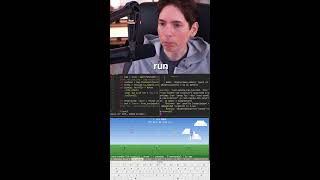
hello friends welcome to core basics coding tutorial and today's debugging tip we are going to talk about watches and call stack I would suggest that you watch my video on what is debugging if you haven't already done so so after that you can continue and watch this tutorial alright now here I have a simple Python program where I have a list of numbers and I have returned a for loop to go or all these numbers and do their sum so in the end I'm printing the total of these numbers pretty simple and straightforward program okay now when I divide this using this bug icon okay I want to set a breakpoint here and I want to kind of understand how this for loop works and at each iteration what happens okay so I use this bug icon to debug it and when I do it py charm will by default open few windows so here I have first window which is frames window the second one is variables and the third one is watches okay now let me when you get this window for the first time it will look like this it will be blank okay now before we talk about watches window let's talk about variables what variable window shows you is all the local variables so here we have numbers total num all these variables it will show here other than that it will show you some system defined built-in functions underscore underscore file etc okay so what what is does is similar to variable window but it allows you to watch a specific variable okay so let me add num here so when I add num it will show me the current value of number okay and then let me add another watch called total so here you have a breakpoint at this point and you are just adding a bunch of keywords that a bunch of variables that you are watching okay now when you say next you will see here that the values are changing so you can monitor the progress of your program by having this watch window now you get the same thing in variable window as well you can see here also the number is changing so these two are essentially same but good thing about watch window is that you can only watch the things that you are interested in versus in variable and it will show you all all the variables basically so there'll be too much noise here on my program is pretty simple in real life your program will be much complex and you will have so many variables here that it becomes hard to watch what you are interested in that's why I personally love this watch window you can just plus minus you can remove these things at any time okay you can also add the expression so for example I want to know what are the built-in functions for num and when I do that it will show me all the building functions for numbers okay so you can add variables you can an expression etc so that was all about watches window next thing we are going to cover is the call stack so kostik is this guy here okay now in this program it's not quite clear so let me just modify it so let's see I have this function called foo which caused another cup function called bar and there is a function called bar which will do nothing and here in my main program I will call function foo okay now the way calling function works is there is a memory area called stack so when I execute this program what will happen is first it will stop here then when I step into it it goes into bar then when I again step into it this is step into or f11 sort keyboard keyboard shortcut then it okay goes into bar function so I was in info from foo call bar and then I now I'm in bar okay now let's say you are debugging a complex program and you are here and sometimes you know you might have a very complex call stack you might be coming from 10 different function in that case this pan call call stack is pretty useful here it will show you the whole stack of your call so it says okay first when you double click on it it will say ok it foo was called then foo call bar and then you are here so call stack shows you where you are at present and it also shows you from where you are coming at ok so again when you are debugging a complex program call stack is extremely useful if the the call stack is called frames in phm code editor but there are other editors such as Microsoft Visual Studio and Eclipse where it is called all stack again this these concepts variables watches call stack frames they are all common concepts they are not specific to py term code editor these concepts apply to other famous code editors as well so once you know these concepts you can pretty much use it with any programming language with any editor ok that is all about watches and call stack thank you for watching
Original Description
I'll show you what is watch and call stack in terms of code debugging. Using sample python code and pycharm code editor I will explain these concepts but remember that the concepts remain same no matter what programming language or code editor you are using.
Topics that are covered in this Video:
0:00 Introduction
0:58 What is Watches window?
3:41 What is Call Stack?
Do you want to learn technology from me? Check https://codebasics.io/ for my affordable video courses.
Website: http://codebasics.io/
Facebook: https://www.facebook.com/codebasicshub
Twitter: https://twitter.com/codebasicshub
Playlist
Uploads from codebasics · codebasics · 41 of 60
1
 2
2
 3
3
 4
4
 5
5
 6
6
 7
7
 8
8
 9
9
 10
10
 11
11
 12
12
 13
13
 14
14
 15
15
 16
16
 17
17
 18
18
 19
19
 20
20
 21
21
 22
22
 23
23
 24
24
 25
25
 26
26
 27
27
 28
28
 29
29
 30
30
 31
31
 32
32
 33
33
 34
34
 35
35
 36
36
 37
37
 38
38
 39
39
 40
40
 ▶
▶
 42
42
 43
43
 44
44
 45
45
 46
46
 47
47
 48
48
 49
49
 50
50
 51
51
 52
52
 53
53
 54
54
 55
55
 56
56
 57
57
 58
58
 59
59
 60
60

Python Tutorial - 1. Install python on windows
codebasics
Python Tutorial - 2. Variables
codebasics
Python Tutorial - 3. Numbers
codebasics
Python Tutorial - 4. Strings
codebasics
Python Tutorial - 5. Lists
codebasics
Python Tutorial - 6. Install PyCharm on Windows
codebasics
PyCharm Tutorial - 7. Debug python code using PyCharm
codebasics
Python Tutorial - 8. If Statement
codebasics
Python Tutorial - 9. For loop
codebasics
Python Tutorial - 10. Functions
codebasics
Python Tutorial - 11. Dictionaries and Tuples
codebasics
Python Tutorial - 12. Modules
codebasics
Python Tutorial - 13. Reading/Writing Files
codebasics
How to install Julia on Windows
codebasics
Python Tutorial - 14. Working With JSON
codebasics
Julia Tutorial - 1. Variables
codebasics
Julia Tutorial - 2. Numbers
codebasics
Python Tutorial - 15. if __name__ == "__main__"
codebasics
Julia Tutorial - Why Should I Learn Julia Programming Language
codebasics
Python Tutorial - 16. Exception Handling
codebasics
Julia Tutorial - 3. Complex and Rational Numbers
codebasics
Julia Tutorial - 4. Strings
codebasics
Python Tutorial - 17. Class and Objects
codebasics
Julia Tutorial - 5. Functions
codebasics
Julia Tutorial - 6. If Statement and Ternary Operator
codebasics
Julia Tutorial - 7. For While Loop
codebasics
Python Tutorial - 18. Inheritance
codebasics
Julia Tutorial - 8. begin and (;) Compound Expressions
codebasics
Python Tutorial - 12.1 - Install Python Module (using pip)
codebasics
Julia Tutorial - 9. Tasks (a.k.a. Generators or Coroutines)
codebasics
Julia Tutorial - 10. Exception Handling
codebasics
Python Tutorial - 19. Multiple Inheritance
codebasics
Python Tutorial - 20. Raise Exception And Finally
codebasics
Python Tutorial - 21. Iterators
codebasics
Python Tutorial - 22. Generators
codebasics
Python Tutorial - 23. List Set Dict Comprehensions
codebasics
Python Tutorial - 24. Sets and Frozen Sets
codebasics
Python Tutorial - 25. Command line argument processing using argparse
codebasics
Debugging Tips - What is bug and debugging?
codebasics
Debugging Tips - Conditional Breakpoint
codebasics
Debugging Tips - Watches and Call Stack
codebasics
Python Tutorial - 26. Multithreading - Introduction
codebasics
Git Tutorial 3: How To Install Git
codebasics
Git Tutorial 1: What is git / What is version control system?
codebasics
Git Tutorial 2 : What is Github? | github tutorial
codebasics
Git Tutorial 4: Basic Commands: add, commit, push
codebasics
Git Tutorial 5: Undoing/Reverting/Resetting code changes
codebasics
Git Tutorial 6: Branches (Create, Merge, Delete a branch)
codebasics
Git Github Tutorial 10: What is Pull Request?
codebasics
Git Tutorial 7: What is HEAD?
codebasics
Git Tutorial 9: Diff and Merge using meld
codebasics
Difference between Multiprocessing and Multithreading
codebasics
Python Tutorial - 27. Multiprocessing Introduction
codebasics
Python Tutorial - 28. Sharing Data Between Processes Using Array and Value
codebasics
Git Tutorial 8 - .gitignore file
codebasics
Python Tutorial - 29. Sharing Data Between Processes Using Multiprocessing Queue
codebasics
Python Tutorial - 30. Multiprocessing Lock
codebasics
Python Tutorial - 31. Multiprocessing Pool (Map Reduce)
codebasics
What is code?
codebasics
Python unit testing - pytest introduction
codebasics
More on: Backend Performance
View skill →





Related Reads
📰
📰
📰
📰
I regret reviewing for AAAI [D]
Reddit r/MachineLearning
GenTrace: Automating Telecom Network Fault Diagnosis from Raw Packet Traces
Medium · Machine Learning
Preparación para Machine Learning: el puente entre la estadística y el aprendizaje automático
Medium · Machine Learning
GPU Rental Guide: H100 vs A100 vs L40S vs RTX4090
Dev.to · YingSuan AI
Chapters (3)
Introduction
0:58
What is Watches window?
3:41
What is Call Stack?
🎓
Tutor Explanation
 DeepCamp AI