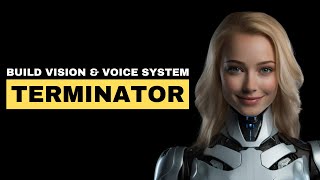
Build a Terminator Vision and Voice System with GPT-4V & ElevenLabs
Skills:
LLM Foundations90%Multimodal LLMs90%Prompt Craft80%Prompt Systems Engineering70%Agent Foundations60%
Key Takeaways
This video demonstrates building a Terminator Vision and Voice System using GPT-4V and ElevenLabs, showcasing multimodal analysis, image recognition, and voice synthesis. The project utilizes OpenAI, Visual Studio Code, and Python, with a focus on practical implementation and deployment on Raspberry Pi.
Full Transcript
last week I Revisited the Terminator movie and it got me thinking as an AI engineer have we finally reached the stage where we can create a visual detection and understanding system akin to what we see in the Terminator this is exactly what we are going to build in the next minutes trust me four males aged mid-20s to mid-50s threat assessment no immediate threat detected situation appears to be a social interaction possibly sports related of a non-threatening nature conclusion continue surveillance minimal risk before we delve in let's discuss multimodal models their strengths and unveil the first GPT Vision secret that most people don't know now some of you may already be familiar with GPT vision's capabilities for analyzing PDFs and images such as photographs from books PDF documents containing charts or even screenshots from websites but did you know that you can use it to create recipes from a simple image of your fridge or have you ever considered snapping a photo of your menu and another of the empty bottles you've consumed allowing GPT to understand the correlation and calculate the resulting price and perhaps most crucially for our video have you considered utilizing the GPT Vision API to recognize Harley Davidson motorcycles or distinguish between attackers and civilians fear not as I'll guide you step by step through utilizing GPT Vision to analyze both local and uploaded images give them to me now let's first talk about how multimodal models work for those unfamiliar here's a brief primer traditional language models thrive on text alone they ingest vast amounts of text Data transforming it into vectors when prompted with new text they predict subsequent words using this Vector space in contrast a multimodal model goes beyond text incorporating images and even videos behind the scenes it works to tokenize various data types merging them into a unified representation this allows it to comprehend text images and videos despite their differing formats as already mentioned if you provide it with an image of your fridge it can identify the items inside and even generate a menu based on them GPT 4V is capable of handling various types of images and let's not forget its Proficiency in recognizing text within images even when the text is distorted or challenging to discern as demonstrated in those examples the part that I found most surprising is you can actually pass the complete Terminator screenplay and the GPT 4V summarized the whole screenplay in one sentence okay it's time to dive into the coding part I'll build a new project from scratch so you can follow along with me all right let's start our AI Adventure at the coolest spot in town AI for devs. comom there's a beginner friendly article waiting for us teaching us how to wield gp4 Vision like pros scrolling down we find the magic code snippet that lets us chat with open AI time to grab that code and get this party started but don't worry I'll explain what's going on in just a sec first things first let's create a brand new project by making a folder and because we like to keep it classy we're using the command line and the super fancy mkd command now let's fire up visual studio code the superhero of text editors next up we'll create a new file app.py this file is going to be our MVP but wait there's more we're creating a special space just for our project called a virtual environment think of it as a VIP lounge for our code once our VIP lounge is ready we'll invite the open AI library to join the party we're ready to paste that magic code into app py and watch the Sparks Fly first we're bringing in the open AI library from Python's vast collection of tools this lets us connect Direct ly to open ai's powerful AI models next we create an instance of the open AI class which is like setting up our direct line to the AI service now we're ready to ask the AI a question we do this by using our client to call a function called chat. completions doc create this function is designed to handle conversational tasks we specify that we're using the gp4 turbo model in our request we describe what we need the AI to do here we're asking what's in this image we also provide the URL of the image we want the AI to analyze this image is hosted online and is accessible to the AI via its URL after sending our request the AI processes it and sends back a response finally we print out the First Choice from the ai's response this Choice contains the ai's answer to our question about what's in the image first things first we need a special key to talk to open AI models so head over to to open.com and log into your account once you're logged in navigate to the API Keys section give your key a memorable name click create and voila you've got your secret key make sure to copy it we'll need it in just a moment next we're going to tell our computer how to remember this key so it knows we have permission to access open AI models before we run our script let's take a quick peek at what we're asking the AI about open your web browser and go to the image URL we have in our code this should show you an image of a man a woman and a dog crossing a zebra Crossing now back to where the action happens let's run the script and see what GPT tells us about the picture the GPT model described the image as showing a joyful young man and woman holding hands and crossing the street at a crosswalk accompanied by a small dog on a leash set against an urban backdrop with parked cars Street lamps and flower planters it's impressive how well the model can interpret and describe scenes from images right all right in our example we've been using an image that's already online but what if we have a picture on our computer that isn't on the internet how do we get GPT to analyze something right from our local files first we need to turn our image into a format the AI understands and we do this with a little magic called base 64 encoding here's a simple function we'll use the encode image function uses the file location you give it to open your image in a special mode for reading files not made of text it then turns the image into a text likee format that our AI can understand using a process called base 64 encoding when we have the image data converted to Bas 64 format we use it to create a URL that the AI can process this tells the AI that the data is an image in jpeg format and encoded in base 64 allowing it to directly read and analyze the image content let's drag in an image with some motorcycles and naturally we'll need to update the image name accordingly let's give it a try and see how it handles our low resolution image of the red motorcycle from the Terminator movie okay that's quite a thorough analysis all right let's simplify the prompt so GPT keeps the response brief for this we can simply tweak the text in our prompt directly we just add the note to the existing prompt keep it short and we'll try it again in just two minutes you'll also learn how to further refine the response using few shot prompts the image shows two people on a Harley-Davidson motorcycle partially blurred against a reddish background actually this doesn't quite capture the Terminator Vibe yet but we'll revisit that soon first I want to show you how to process multiple images at once because this technique will be crucial when we start analyzing videos later on let's streamline the process by duplicating the image URL message and adjusting the image names accordingly for our scenario we aim to include two screenshots from the movie One depicting the iconic red vision of the bikers and another featuring a motorcycle scene after duplicating we need to update the file paths accordingly to ensure proper referencing let's remember we're only adding two images for Simplicity sake but this concept can easily scale up to more complex programs like one's analyzing images from a webcam and we change the prompt what is the connection between the pictures we drag in the second picture a beautiful biker in red we'll give it a try and I'm curious about the connection between these pictures obviously they're from the same movie with poor resolution and feature predominantly red and white colors all right let's ask GPT to keep it short as that's too much for a 10-minute video we run it again and its response is that both pictures feature a stylized red visual overlay often accompanied by technical data and Analysis it thinks the connection is well recognized all right but how can we achieve the distinctive style and tone characteristic of Terminator we can use a method called few shot prompts this technique enables our AI to quickly adapt and learn from a minim amount of data our messages list is structured to have two primary roles the system and the user the system role is designed to process and respond based on predefined examples which guide the AI in understanding and generating the desired output here's how it works We Begin by inputting specific examples into our system each example consists of a prompt and a corresponding AI generated response for instance when presented with an image of an Urban setting the system might analyze and describe potential threats or points of interest based on its training therefore we no longer need the hint in the user prompt let's keep it simple and remove it let's also remove the second image because we don't need it for this example let's try it out great our AI now not only analyzes but also communicates like the real Terminator this achievement isn't just a technical Milestone it's it's incredibly cool the final step in bringing our AI to life involves using 11 Labs a cuttingedge voice synthesis platform 11 Labs specializes in generating highly realistic and expressive voice clones with its advanced technology it's possible to replicate existing voices with remarkable accuracy the pasted code is very similar to the getting started example from 11 laps I just added a speak method so that we can call it from our app.py here we we import the method and then call it with the messages content from GPT Vision keep in mind that this is already the version that sounds like the Terminator all right to close the loop we will use an image from the beginning of the video showing a gang doing some outdoor exercises let's adjust the file name and then give it a try let's listen to the newly created MP three sound file observation confirms the presence of four individuals engaging in what appears to be a friendly interaction in an urban environment with a textured brick wall and metal structure suggesting a setting commonly used for recreational or training purposes no immediate threats detected proceeding with routine surveillance protocols I hope you enjoyed this video you can find more entertaining AI videos at AI for devs. comom
Original Description
💡 Liked this video? This was just the surface.
Get the full code, deep-dive lessons, and premium projects here → https://ai-for-devs.com/youtube
Watch on YouTube ↗
(saves to browser)
Sign in to unlock AI tutor explanation · ⚡30
Playlist
Playlist UUL_DTHlvMUDGnBV0_B7NTyQ · AI FOR DEVS · 2 of 46
1
 ▶
▶
 3
3
 4
4
 5
5
 6
6
 7
7
 8
8
 9
9
 10
10
 11
11
 12
12
 13
13
 14
14
 15
15
 16
16
 17
17
 18
18
 19
19
 20
20
 21
21
 22
22
 23
23
 24
24
 25
25
 26
26
 27
27
 28
28
 29
29
 30
30
 31
31
 32
32
 33
33
 34
34
 35
35
 36
36
 37
37
 38
38
 39
39
 40
40
 41
41
 42
42
 43
43
 44
44
 45
45
 46
46

Build LLama 3 Chatbot on Groq Cloud with INSANE 800 TOKENS per second!
AI FOR DEVS
Build a Terminator Vision and Voice System with GPT-4V & ElevenLabs
AI FOR DEVS
GPT-4o API: Create Your Own Talking and Listening AI Girlfriend
AI FOR DEVS
Vision-based Web Scraping with the New GPT-4o model
AI FOR DEVS
Course Preview: Real-Time AI Mastery: Voice & Smart Assistants
AI FOR DEVS
Course Preview: AI Fundamentals
AI FOR DEVS
GPT-4o API: Create Your Own Talking and Listening AI Girlfriend #gpt4o #ai #chatgpt
AI FOR DEVS
Preview: Build your own YODA with MemGPT & Elevenlabs
AI FOR DEVS
Creating an Illustrated Book with GPT-4o Autogen Studio
AI FOR DEVS
NEW Claude 3.5 Sonnet API: Build a Handwriting Analyzer Web App from Scratch
AI FOR DEVS
Groq API: Real-Time Chatting with All Your Podcasts & MP3s
AI FOR DEVS
NEW Claude 3.5 Sonnet API: Create Your Own AI Book Author & Illustrator App
AI FOR DEVS
Build A Talking AI Agent with Claude 3.5 Sonnet - Python Tutorial
AI FOR DEVS
NEW GPT-4o Mini API - First Impressions: Real-World Use Cases … and Why It Beats GPT-4o
AI FOR DEVS
Building A LinkedIn Outreach AutoGen Workforce
AI FOR DEVS
ClaudeDev: This Mind-Blowing Coding Agent Can Build SaaS Apps in Minutes!
AI FOR DEVS
Watch Me Build an AI Chat Agent Solution for a Real Client
AI FOR DEVS
Build an Insane Realistic Uncensored Image Generator App with Cursor
AI FOR DEVS
3 Cursor Hacks to Boost Your Development Speed
AI FOR DEVS
LLAMA 3.2 Just Dropped! Let's Build a Full-Stack App with Incredible VISION
AI FOR DEVS
Run LLAMA 3.2 Models Locally with Ollama and Open WebUI
AI FOR DEVS
OpenAI Swarm - The New Groundbreaking AI Agent Framework
AI FOR DEVS
Enhancing OpenAI Swarm Agents with Real Business Data and Email Integration
AI FOR DEVS
Building an OpenAI o1 Clone with Nemotron
AI FOR DEVS
Building an OpenAI o1 Clone with Nemotron, RunPod, and Open WebUI
AI FOR DEVS
GROK 2: The Power—and Danger—of Uncensored AI
AI FOR DEVS
Magentic One: Microsoft’s Revolutionary Multi-Agent AI System
AI FOR DEVS
Building and Tracking AI Agents with LangChain and LangSmith
AI FOR DEVS
NEW Model Context Protocol Revolutionizes AI Database Access
AI FOR DEVS
Claude MCP Step-by-Step: AI + Files + Search + Databases = Magic!
AI FOR DEVS
Claude MCP Step-by-Step: AI + Files + Search + Databases = Magic!
AI FOR DEVS
Magentic One: Microsoft’s Revolutionary Multi-Agent AI System
AI FOR DEVS
Turn Claude Into Your Ultimate AI Hub – Connect Anything with Custom MCP Servers!
AI FOR DEVS
Build A Human-Like AI Agent That Feels Shockingly Real with Gemini 2.0 Flash API
AI FOR DEVS
Build Real-World Apps with DeepSeek V3: 98% Cheaper & Better Than GPT
AI FOR DEVS
Build a Talking Smarter-Than-You AI Girlfriend (DeepSeek R1 Tutorial)
AI FOR DEVS
This AI Girlfriend is Smarter Than You (And She’s Not Nice) - DeepSeek R1 Tutorial
AI FOR DEVS
NEW Gemini 2.0 EXP is MIND-BLOWING: Create Children's Stories with YOUR CHARACTERS (API Tutorial)
AI FOR DEVS
Gemini 2.5 Pro + Cursor + Custom MCP Server: The ULTIMATE AI Powerhouse!
AI FOR DEVS
Manus AI: Building a Profitable AI Business from Scratch in 45 Min
AI FOR DEVS
Run LLaMA 4 at Lightning Speed (Almost Free!)
AI FOR DEVS
Coding Showdown: Building A Learning App - GPT-4.1 vs Sonnet 3.7
AI FOR DEVS
Is GPT 4.1 in Cursor the NEW KING? 👑 Coding Challenge vs Claude 3.7 Sonnet
AI FOR DEVS
Build Your Own Video SaaS in Minutes with OpenAI Codex
AI FOR DEVS
Build an AI Skin Improver SaaS with Cursor & MCP
AI FOR DEVS
Einführung in LLMOps - Best Practices für Betrieb von LLMs
AI FOR DEVS
More on: LLM Foundations
View skill →








![Run Any AI LOCALLY for FREE Forever! [100% Beginner Tutorial]](https://i.ytimg.com/vi/8GFPZRgtEn8/mqdefault.jpg)
Related Reads
📰
📰
📰
📰
Building Production-Grade LLM Evaluation Pipelines: From Vibes to Metrics
Dev.to AI
Demystifying LLM Tokenizers: Building a Client-Side Token and API Cost Calculator
Dev.to AI
When the Google Recap and the Juejin Picking Roundup Disagree on What Counts as AI
Dev.to AI
Build, Observe, Fix: A LangChain Agent Walkthrough
Medium · Python
🎓
Tutor Explanation

 DeepCamp AI