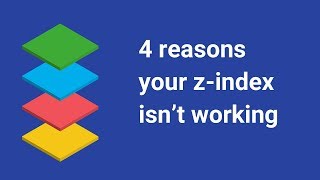
CSS: 4 Reasons Your Z-Index Isn't Working
Key Takeaways
The video discusses common issues with the CSS z-index property and provides solutions to fix them, covering topics such as stacking context, positioning, and overlap.
Full Transcript
if you've worked with Z&X before you know that this CSS property is a little shall we say quirky in theory the index should be pretty simple a higher number means it'll be more on top in the stacking order but in reality there are a few guidelines that you have to follow in order for it all to work and quite frankly they're not very intuitive this quirkiness in working with Z and X trips up a lot of developers so in today's tutorial we'll be going over four reasons the index isn't working and the solutions to each one with real code examples the four reasons are number one elements in the same stacking context will display in order of appearance with ladder elements on top of former elements number two elements need to have their position set to anything other than static in order for Z and X to do anything number three some CSS properties like opacity and transform will put the element in the new oftentimes unexpected stacking context and number four the element's z-index may be unintentionally limited by its parents as the index value let's take a closer look at each of these for Z and X problems and if you'd like to read the blog post version of this tutorial that's showing here it's linked down in the description below [Music] all right so in order to illustrate these znx principles that we'll be going through in this tutorial I've created a couple of code pens and they're also linked down in the description below so you're welcome to open them up and follow along with me or you can just kind of keep watching this video so to start off let's go through the first reason and that is elements in the same stacking context will display an order of appearance with ladder elements on top of former elements so let's figure out what that means if we look at this example that we have here we have a pretty simple layout that includes three main elements so we have this image of a cat on the top then we have this white block that has some text in it and then we have at the bottom another image of the same cat let's look at the HTML markup for that so it's pretty simple everything is in this section tag of class content then we have the cat top up here we have our content block below it and then at the bottom we have the cat bottom now in this layout we ideally want the white block of text to be on top of both of the cats so in order to achieve this let's look at the CSS I'm using the sass s CSS syntax we have added some negative margins to the CSS from both of the cat images to try to make them overlap the white block so on the cat top you can see that we had a negative margin bottom of negative hundred pixels so that's kind of moved it down and it is displaying below that white block the way we want it to and we have tried to do the same thing for the cat bottom element you can see I just added a float right to make it on the right side and then I added a margin top of negative 100 pixels and that's to try to move it you know below that white block but you can see here it's not doing exactly what we want it's displaying on top of that white block so you know what's going on here why is this happening well the reason for this behavior is what we were mentioning before it's the natural stacking order on the web page so these are guidelines that kind of determine which elements are going to be on top and which are going to be on the bottom on the page and even if elements don't have is you get accept and you can see that none of these elements have that set there is a rhyme and reason to which ones are going to be on top in our case because none of the elements have a z-index value so that means that they're kind of all in the same level and they're stacking order is then determined by the order of their appearance in the markup so according to this rule elements that come later in the markup will be on top of elements that come before them so you can see here because the the white block comes after the first cat top the white blocks on top but then because the cat bottom element comes after the white block the bottom cat is then displayed on top of the white block so how do we fix you know the CSS so that we can display this the second cat underneath that white block to look into that we're going to look at the second reason and that is that the element doesn't have its position set to anything other than static so to set position for an element you know you want to add the CSS position property to anything other than static so oftentimes it might be positioned relative position absolute and according to this rule position elements will display on top of unpossessed elements so to fix this problem and putting to put this cat under the white block if we set the if we set the white block to have position:relative that means that it will be the only element that has its position set so the cats will still have their position not set and that will in theory put the white block on top of the cats so let's go back so the white block is class content underscore underscore block so it's over here so if we add position relative to the white block you can see now that the bottom cat is under the white block the way we want to now the next thing we wouldn't like to do ideally is I want just the heads of the cats to kind of stick out from this white block yeah I know this is kind of a silly example but what we want to do next is add the some CSS to the cat bottom element and we're going to use transform and we'll rotate it we want to rotate it 180 degrees so kind of flip it there we go now did you see what happened there adding the transform property then put the cat back on top of the white block that's kind of weird right you know what like what's going on here so you may not run into this issue very often but there's another aspect of this whole stacking order idea and that's that some CSS properties like transform or opacity will put the element into its own new stacking context and this is the the third reason in our problems here so what this means is that adding that transform property to the cat bottom element will make it behave as if it has the index of zero even though it doesn't have its position or Z annex actually set at all this is just how it works you know remember we never added a z-index value to that white block we did only add position relative to put it on top of the unpossessed cats if we want to then put this block back on top of the cat we need to add as the index so we'll save the index let's say maybe two just to make sure it's on top and then you can see that it's back on top of the cat in my opinion if you just make sure to add a position relative or absolute or you know other values anything other than static and the znx value to your element i think that will solve most if not all the more basic zi annex issues if you're having trouble wondering why things aren't layered the way that you want them to so let's move on to the last reason that the Z annex might not be working this happens quite a bit is a bit more complex because it involves parent and child elements and this example here is number four the reason is the element is in a lower second context due to its parents Z index level so we have a different code example here and let's kind of just see how we want things to work so we just have this webpage it has an image it has this sort of send feedback tab but you can see is on top of the regular content and then if you click on this photo of the cat you have this modal window that pops up and it adds this overlay but you might notice that the pink send feedback tab is still on top of the that background and what we want to do is we want it to be under this sort of gray overlay let's look into the reasons why this is happening so if we go down into our let's just check out the markup here again everything is wrapped in this section element that has class content and then we have the link here that opens the modal so this is the image this is that caption here here's the regular text on the page and if we scroll all the way down we have here that modal when it's open and then we have the tab at the very end and the tab is actually outside of that section element so that's going to kind of come into play later on let's kind of see how we've set up everything so the content we have its position set to relative and we also have is the index of one and that is in order for the side tab if we go all the way down to the bottom and the side tab also has position its position fixed because we want it to stay the same whether we're scrolling up or down and has the index of five so that will put the the feedback tab on top of everything in the content then let's go up to the modal which is the other element that we're kind of playing around with here and let's see where'd that go here you so the modal by default it's display:none because obviously you don't want it to show up all the time but its position is fixed also and we have it set to a z-index of 100 and that's you know hundreds pretty high we wanted to be on top of everything else if you're thinking everything has this position sets as something other than static the z-index of the modal is a hundred so why is it not on top of that side tab which has an axis of only five the reason for that is if you remember previously we address some of these factors that go into the stacking context position needs to be set also the order in the markup and z-index obviously but there's another aspect of the stacking context and that is that a child element is limited to the stacking context of its parent and if we go back to the markup the modal scroll up here so the modal is in that section content along with everything else in on the page except that send feedback tab and the section content if we go back in the CSS it has a Z index of 1 so that means that even though the modal has AZ index of a hundred that xaniix of a hundred is only relative to any other element inside the section and outside of the section it is limited to the parents the index value which is the index of one that can be very confusing because you know you might think the modal sets as the index 100 why's that still like not on top of the other elements but that's because if it's limited by its parent z and x value then it doesn't mean that z index of the child doesn't mean anything outside of the parent for other elements that are in the same level as the parent and you can see again if we just kind of collapse this code you have section content inside tab and they are on equal levels in the markup so how do you fix this problem how do we get the modal to be on top of the side tab well because it is limited by the index of the content its parent what we could do is take that modal element and we'll take this let me just make that a bit bigger so if we take the modal markup take it out of that section content and put it out here and so now it's on the same level as the side tab and as the rest of the content so let me just collapse it so you can kind of see more clearly but now everything on the same level so we have the section content with all the content and the photo and the link to open the modal and then we have the modal on the same level and then we have a side tab on the same level so the content is at Z and X 1 the modal is at Z and X 100 and the side tab is at Z and X 5 if we click on the modal now the modal at the Z and X 100 is going to be on top of both the side tab and the rest of the content so that's the best solution and another there's there is an alternative solution if you can't change the mark-up for some reason so let's kind of undo everything down here so we'll put the modal back inside the content so you can see again it's you know behaving as it was at the very beginning where the send feedback tab is still on top but what you could do if you can't change the mark-up and all I can do to try to fix is change the CSS you could get rid of that z-index and the position of the content the parent element because this is what's been limiting it and we already know that because they send feedback tab has its position set and Z&X set it's going to be on top of content anyway so now you can see because the C annex has been removed from the parent element the modal can now kind of float up and have that Z index of 100 actually take effect personally that's not my ideal solution just because I kind of like everything to be explicit you know have everything have its position set and Z and X set but if for some reason this does happen you can't change the mark-up at all and you can only change the CSS then this solution wouldn't work I hope that you found this tutorial helpful and to sum up most issues with Z and X and we solve by following these two guidelines one check out the elements have their position set and the Z and X numbers are in the correct order and to make sure that you don't have any parent elements limiting the Z annex level of their children so that's it for our tutorial on Z index if you like this video please give it a like and leave a comment below and if you want to stay updated with new videos don't forget to subscribe as well as turn on notifications with that bill thanks for watching and I'll see you next time
Original Description
🔥 My course: Responsive Design for Beginners! https://coder-coder.com/responsive/
💻 Become a full-stack web dev with Zero to Mastery: https://academy.zerotomastery.io/a/aff_338z7xnj/external?affcode=441520_ti97uk6b
Z-index is one of those CSS properties that causes a ton of frustration due to some strange rules. This tutorial explains how z-index works and how you can avoid four of the most common pitfalls when using it.
0:00 - Intro
1:19 -- Reason #1: Elements in the same stacking context will display in order of appearance, with latter elements on top of former elements
4:14 -- Reason #2: The element doesn’t have its position set
6:04 -- Reason #3: Setting some CSS properties like opacity or transform will put the element in a new stacking context
7:24 -- Reason #4: The element is in a lower stacking context due to its parent’s z-index level
Link to the Codepen projects mentioned:
https://codepen.io/collection/DQgoEr/#
_____________________________________
SUPPORT THE CHANNEL
⭐ Join channel members and get perks: https://www.youtube.com/channel/UCzNf0liwUzMN6_pixbQlMhQ/join
👏🏽 Hit the THANKS button in any video!
🎨 Get my VS Code theme: https://marketplace.visualstudio.com/items?itemName=CoderCoder.codercoder-dark-theme
WANT TO LEARN WEB DEV?
Check out my courses:
🌟 Responsive Design for Beginners: https://coder-coder.com/responsive/
🌟 Gulp for Beginners: https://coder-coder.com/gulp-course/
RECOMMENDATIONS
⌨ My keyboard-- get 10% off with code THECODERCODER -- https://vissles.com/?ref=mu96kxst5w
💻 Other gear -- https://www.amazon.com/shop/thecodercoder?listId=1LMCKGUTMVYXD
📚 My Favorite Books -- https://coder-coder.com/best-web-development-books/
📺 My Favorite Courses -- https://coder-coder.com/best-web-development-courses/
🔽 FOLLOW CODER CODER
Blog -- https://coder-coder.com/
Twitter -- https://twitter.com/thecodercoder
Instagram -- https://www.instagram.com/thecodercoder
#webdevelopment #coding #programming
Playlist
Uploads from Coder Coder · Coder Coder · 10 of 60
1
![How to Make a Super Simple HTML Website [Tutorial]](https://i.ytimg.com/vi/cnt_rMA1pe0/mqdefault.jpg) 2
2
 3
3
 4
4
 5
5
 6
6
![Build a responsive website with HTML & CSS - Part 1 [Live Coding]](https://i.ytimg.com/vi/cX1nCBVNRqc/mqdefault.jpg) 7
7
 8
8
 9
9
 ▶
▶
 11
11
 12
12
 13
13
 14
14
 15
15
 16
16
 17
17
 18
18
 19
19
 20
20
 21
21
 22
22
 23
23
 24
24
 25
25
 26
26
 27
27
 28
28
 29
29
 30
30
 31
31
 32
32
 33
33
 34
34
 35
35
 36
36
 37
37
 38
38
 39
39
 40
40
 41
41
 42
42
 43
43
 44
44
 45
45
 46
46
 47
47
 48
48
 49
49
![[Typing sound] Comparing mechanical vs regular keyboard](https://i.ytimg.com/vi/vSebG-iGBg4/mqdefault.jpg) 50
50
 51
51
 52
52
 53
53
 54
54
 55
55
 56
56
 57
57
 58
58
 59
59
 60
60

How to Make a Super Simple HTML Website [Tutorial]
Coder Coder
How to make an animated sticky header with CSS and JavaScript!
Coder Coder
How to get coding help by researching online
Coder Coder
IG Live - Advice for beginner web developers
Coder Coder
Quick Start Guide to Parcel JS
Coder Coder
Build a responsive website with HTML & CSS - Part 1 [Live Coding]
Coder Coder
Build a custom Linktree page for Instagram with HTML & CSS
Coder Coder
Gulp 4 Crash Course for Beginners
Coder Coder
How to use CSS position to layout a website
Coder Coder
CSS: 4 Reasons Your Z-Index Isn't Working
Coder Coder
Coding a landing page website with HTML & CSS
Coder Coder
Learn web development as an absolute beginner
Coder Coder
How to write media queries in CSS
Coder Coder
How to build a 2-column layout using flexbox | HTML/CSS
Coder Coder
How to build a simple responsive layout with CSS grid
Coder Coder
Write code faster in VS Code with Emmet shortcuts
Coder Coder
How I setup VS Code for a beginners front-end workflow
Coder Coder
How to make a background-image transparent in CSS
Coder Coder
Build a responsive website from scratch with HTML & CSS | Part 1: Navigation bar
Coder Coder
Animated Hamburger Menu in CSS/JS | Build a responsive website from scratch (Part 2)
Coder Coder
Animated mobile menu with CSS/JS | Build a responsive website from scratch (Part 3)
Coder Coder
How to stay motivated when learning to code?
Coder Coder
Responsive hero | Build a responsive website from scratch (Part 4)
Coder Coder
Responsive 4-column layout with flexbox | Build a responsive website from scratch (Part 5)
Coder Coder
Responsive 4-column layout with CSS Grid | Build a responsive website from scratch (Part 6)
Coder Coder
Building a footer using CSS Grid | Build a responsive website from scratch (Part 7)
Coder Coder
Browsersync + Sass + Gulp in 15 minutes
Coder Coder
Responsive card UI with flexbox and hover effects | HTML/CSS
Coder Coder
CSS grid cards with animated hover effect | HTML/CSS
Coder Coder
How I learned to code and landed a job (no CS degree!)
Coder Coder
Building the website for my course (coding timelapse)
Coder Coder
How to debug your code faster 🔥
Coder Coder
Full timelapse + walkthrough of building my website
Coder Coder
Your questions answered!! ✨100K Q&A✨
Coder Coder
Building a pricing block with HTML & PuRe CSS
Coder Coder
Use the Google Maps API to build a custom map with markers
Coder Coder
Building an accordion with HTML, CSS & JS (Part 1)
Coder Coder
How to make your own VS Code theme!
Coder Coder
How to build an accordion with HTML, CSS, and JavaScript (Part 2)
Coder Coder
Life/channel update
Coder Coder
Building a Light/Dark Dashboard, Part 1
Coder Coder
What is NPM, and why do we need it? | Tutorial for beginners
Coder Coder
Building a Node.js app (as a JavaScript noob) | 🔴 LIVE CODING
Coder Coder
Free website project ideas for your portfolio #shorts
Coder Coder
How to add quickly emojis on Windows #shorts
Coder Coder
Building a Light/Dark Dashboard, Part 2
Coder Coder
Learn to code with these 4 free resources! #shorts
Coder Coder
Learn flexbox with these 4 resources! #shorts
Coder Coder
[Typing sound] Comparing mechanical vs regular keyboard
Coder Coder
Building a Light/Dark Dashboard, Part 3
Coder Coder
what making web development tutorials is really like 😅 #shorts
Coder Coder
Generate website starter files with just one command!
Coder Coder
emojis in code
Coder Coder
Stay motivated when coding: don't compare yourself with others #shorts
Coder Coder
Building a Light/Dark Dashboard, Part 4
Coder Coder
Coding motivation: slow and steady wins the race 🐢🏁
Coder Coder
Sass @import is being replaced with @use and @forward
Coder Coder
Coding motivation tip: keep your goal in mind
Coder Coder
How do websites work?
Coder Coder
Building a Light/Dark Dashboard, Part 5
Coder Coder
More on: HTML & CSS
View skill →




Related Reads
📰
📰
📰
📰
HTML, CSS, and JavaScript Roadmap: Where Every Developer Actually Starts
Medium · JavaScript
Your React App Works. Until the API Doesn’t.
Medium · JavaScript
We Hit the Browser's Scroll Limit at 550K Rows. Here's How We Reached 1 Million.
Dev.to · JANG KIYOUNG
I accidentally reinvented CSS progress() and then I published it anyway.
Dev.to · Petros Papatheodorou
Chapters (5)
Intro
1:19
Reason #1: Elements in the same stacking context will display in order of app
4:14
Reason #2: The element doesn’t have its position set
6:04
Reason #3: Setting some CSS properties like opacity or transform will put the
7:24
Reason #4: The element is in a lower stacking context due to its parent’s z-i
🎓
Tutor Explanation
 DeepCamp AI