Pytorch Data Augmentation using Torchvision
Skills:
CV Basics70%
Key Takeaways
PyTorch data augmentation using Torchvision, including transforms such as ToPILImage, RandomHorizontalFlip, ColorJitter, Resize, RandomCrop, and Normalize
Full Transcript
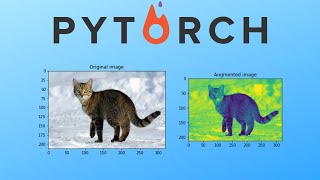
[Music] in this video we want to learn how to use PI torch inbuilt transforms on images so first if you're unfamiliar with data augmentation or wonder why you should use it essentially more data is always better when we train Internet and if we can get more for free by doing some transformations to our images it's almost always a good thing in this case we're loading our data using a custom data set which I've chose showed how to do in a previous video but that's really not really the focus in this video anyway you managed to load the data is fine in this case the data that we're working with is two pictures of cats and we want to apply some transformations to those and we want to see how they look like after we've transformed the transformations and perhaps most importantly we want to see how do we actually apply the transformations so let's see what we do first is we can actually just for image common label in dataset we can do print image dot shape yeah so we get two images which are colored so three channels RGB and 224 by 224 size the first thing I want to show you how to do is we're gonna use transforms dot compose alright let's go back so we're you can see we do one single transformation which is we convert the in this case numpy array to a tensor but let's say we want to do more transformations than this happen here okay so transforms that compose is what we're going to use to combine several different transformations I'll talk a little bit more about that later first of all we want to do is we're just going to use transforms that compose and we're gonna do transforms that to pill image that's the first thing we're gonna do because all the transformations work on this I guess format when we do it to pill image so that's usually what we do first then there are a bunch of this different transformations you can apply to two images we're gonna go through some of them but really there are many configurations of them you might want to read the documentation for those specifics but let's say we want to do transforms that random horizontal flip and we can input a probability here with which is default 0.5 and then in the end we can do transform start to tensor so for example the name is pretty self-explanatory but what it does is it flips the image horizontally so what we can do is we can do we'd be able to visualize this we can do save we can use the torch vision that utils save image that I've imported here so save image image with the name image plus string of image num which we're going to define here then we're gonna do plus PNG format and then we're just gonna do image num plus equals one and let's say we do that for we do that ten times so in total we will have 20 images and we just run that now if we go back to our folder here we have 20 images we can see that yeah so this one is flipped horizontally I believe that one yeah so some of them are flipped horizontally and and and that's kind of like a simple transformation to do one thing we could do as well is we could do transforms that color jitter with brightness 0.5 so what this does is apply some random brightness like change to the color to the image there are more things you can input here as well but yeah really I just want to go through some of the most common ones and you can choose for your specific case which one you think is best another one we can do is transform that resize so we first resize the image to let's say 256 by 256 and then we do some random crop of that image we do the crop to 24 - 24 then let's say we want to apply we could also apply rotation to the image right a rotated image of a cat still a cat so we can do transforms that random rotation and we input degrees with 45 for example um one more thing we could do transforms that random vertical flip but perhaps you know it's more common to see it's quite uncommon to see vertically flipped images of cats so maybe this is a low probability of 0.05 and yeah so those are some examples what we can do actually we can add some more we can do transforms that random gray scale with a probability of let's say twenty percent so this will convert the image to grayscale with a twenty percent probability another thing that is quite important to do which improves the training and quite a bit is a transform start normalized what you do after you have two tensor and for this you input a mean and a standard deviation and essentially what you want to do here is so for each channel in this case we have three channels you want to find the mean for that specific channel across all training examples and for all of the over all of the pixel values you would find that mean value and you would also find the standard deviation for all training examples across all pixel values and you would define those for each channel so there will be three values in this case then you would input them like this and like this now of course I don't know the mean value in the standard deviation for those two two images that I have in this case but you find those values first and then you do that and what it does it takes each value for that channel and then it subtracts it with the mean that you input it and then it divides by the standard deviation so in this case this would actually not do anything right since this would just subtract zero and divide by one perhaps we can write note this does nothing yeah but in practice you would find those values first and then you would use them I just want to add a comment here about transforms that compose that what it does is it applies all the transformations that we wrote inside to the image that we send in and it also does it in the order that we wrote it so it performs to peel image before resize and random crop after resize etc and since we have a lot of random transformations in the transform compose each time we send in an image we will get another image as output so ya know we've done a lot of transforms on our images let's run this I'll see yes we need a comma here anything and yeah another comma here it should be as small as yeah okay so now we've run it and let's see so here we got a rotation and it's also a grayscale grayscale again yeah so essentially you can see that the images still all look like cats except there are variants of that image and this is a bit weird but yeah still a cat so yeah that's an example of how you would use it now this is just we just do the images but really what you would do when training is you would just do a training loader here using the data loader and then you would train a network yeah so if you have any questions leave them in the comment below hopefully this was useful and thank you so much for watching the video
Original Description
In this video we look at an example of how to performs tranformations on images in Pytorch. This idea of expanding your dataset with transformed images is called data augmentation and is a very popular and effective method for achieving better performance.
❤️ Support the channel ❤️
https://www.youtube.com/channel/UCkzW5JSFwvKRjXABI-UTAkQ/join
Paid Courses I recommend for learning (affiliate links, no extra cost for you):
⭐ Machine Learning Specialization https://bit.ly/3hjTBBt
⭐ Deep Learning Specialization https://bit.ly/3YcUkoI
📘 MLOps Specialization http://bit.ly/3wibaWy
📘 GAN Specialization https://bit.ly/3FmnZDl
📘 NLP Specialization http://bit.ly/3GXoQuP
✨ Free Resources that are great:
NLP: https://web.stanford.edu/class/cs224n/
CV: http://cs231n.stanford.edu/
Deployment: https://fullstackdeeplearning.com/
FastAI: https://www.fast.ai/
💻 My Deep Learning Setup and Recording Setup:
https://www.amazon.com/shop/aladdinpersson
GitHub Repository:
https://github.com/aladdinpersson/Machine-Learning-Collection
✅ One-Time Donations:
Paypal: https://bit.ly/3buoRYH
▶️ You Can Connect with me on:
Twitter - https://twitter.com/aladdinpersson
LinkedIn - https://www.linkedin.com/in/aladdin-persson-a95384153/
Github - https://github.com/aladdinpersson
Playlist
Uploads from Aladdin Persson · Aladdin Persson · 38 of 60
1
 2
2
 3
3
 4
4
 5
5
 6
6
 7
7
 8
8
 9
9
 10
10
 11
11
 12
12
 13
13
 14
14
 15
15
 16
16
 17
17
 18
18
 19
19
 20
20
 21
21
 22
22
 23
23
 24
24
 25
25
 26
26
 27
27
 28
28
 29
29
 30
30
 31
31
 32
32
 33
33
 34
34
 35
35
 36
36
 37
37
 ▶
▶
 39
39
 40
40
 41
41
 42
42
 43
43
 44
44
 45
45
 46
46
 47
47
 48
48
 49
49
 50
50
 51
51
 52
52
 53
53
 54
54
 55
55
 56
56
 57
57
 58
58
 59
59
 60
60

computeCost.m Linear Regression Cost Function - Machine Learning
Aladdin Persson
gradientDescent.m Gradient Descent Implementation - Machine Learning
Aladdin Persson
Neural Network from scratch - Part 1 (Standard Notation)
Aladdin Persson
Neural Network from scratch - Part 2 (Forward Propagation)
Aladdin Persson
Neural Network from scratch - Part 3 (Backward Propagation)
Aladdin Persson
Neural Network from scratch - Part 4 (With Python)
Aladdin Persson
sigmoid.m - Programming Assignment 2 Machine Learning
Aladdin Persson
costFunction.m - Programming Assignment 2 Machine Learning
Aladdin Persson
predict.m - Programming Assignment 2 Machine Learning
Aladdin Persson
costFunctionReg.m - Programming Assignment 2 Machine Learning
Aladdin Persson
lrCostFunction.m - Programming Assignment 3 Machine Learning
Aladdin Persson
oneVsAll.m - Programming Assignment 3 Machine Learning
Aladdin Persson
predictOneVsAll.m - Programming Assignment 3 Machine Learning
Aladdin Persson
predict.m - Programming Assignment 3 Machine Learning
Aladdin Persson
Caesar Cipher Encryption and Decryption with example
Aladdin Persson
Cryptography: Caesar Cipher Python
Aladdin Persson
Vigenere Cipher Explained (with Example)
Aladdin Persson
Cryptography: Vigenere Cipher Python
Aladdin Persson
Hill Cipher Explained (with Example)
Aladdin Persson
Cryptography: Hill Cipher Python
Aladdin Persson
Interval Scheduling Greedy Algorithm: Python
Aladdin Persson
Weighted Interval Scheduling Algorithm Explained
Aladdin Persson
Weighted Interval Scheduling Python Code
Aladdin Persson
Sequence Alignment | Needleman Wunsch Algorithm
Aladdin Persson
Sequence Alignment | Needleman Wunsch in Python
Aladdin Persson
Codility BinaryGap Python
Aladdin Persson
Codility CyclicRotation Python
Aladdin Persson
Derivation Linear Regression with Gradient Descent
Aladdin Persson
Linear Regression Gradient Descent From Scratch in Python
Aladdin Persson
Pytorch Neural Network example
Aladdin Persson
Pytorch CNN example (Convolutional Neural Network)
Aladdin Persson
Pytorch LeNet implementation from scratch
Aladdin Persson
Pytorch VGG implementation from scratch
Aladdin Persson
Pytorch GoogLeNet / InceptionNet implementation from scratch
Aladdin Persson
How to save and load models in Pytorch
Aladdin Persson
How to build custom Datasets for Images in Pytorch
Aladdin Persson
Pytorch Transfer Learning and Fine Tuning Tutorial
Aladdin Persson
Pytorch Data Augmentation using Torchvision
Aladdin Persson
Pytorch Quick Tip: Weight Initialization
Aladdin Persson
Pytorch Quick Tip: Using a Learning Rate Scheduler
Aladdin Persson
Pytorch ResNet implementation from Scratch
Aladdin Persson
Pytorch TensorBoard Tutorial
Aladdin Persson
Pytorch DCGAN Tutorial (See description for updated video)
Aladdin Persson
Naive Bayes from Scratch - Machine Learning Python
Aladdin Persson
Spam Classifier using Naive Bayes in Python
Aladdin Persson
K-Nearest Neighbor from scratch - Machine Learning Python
Aladdin Persson
Linear Regression Normal Equation Python
Aladdin Persson
SVM from Scratch - Machine Learning Python (Support Vector Machine)
Aladdin Persson
Neural Network from Scratch - Machine Learning Python
Aladdin Persson
Pytorch RNN example (Recurrent Neural Network)
Aladdin Persson
Pytorch Bidirectional LSTM example
Aladdin Persson
Pytorch Text Generator with character level LSTM
Aladdin Persson
Logistic Regression from Scratch - Machine Learning Python
Aladdin Persson
K-Means Clustering from Scratch - Machine Learning Python
Aladdin Persson
Pytorch Torchtext Tutorial 1: Custom Datasets and loading JSON/CSV/TSV files
Aladdin Persson
Pytorch Torchtext Tutorial 2: Built in Datasets with Example
Aladdin Persson
Pytorch Torchtext Tutorial 3: From Textfiles to Dataset
Aladdin Persson
Paper Review: Sequence to Sequence Learning with Neural Networks
Aladdin Persson
Pytorch Seq2Seq Tutorial for Machine Translation
Aladdin Persson
Pytorch Seq2Seq with Attention for Machine Translation
Aladdin Persson
More on: CV Basics
View skill →




Related Reads
📰
📰
📰
📰
Why Qwen3.8 27B Looked Brilliant in Testing but Failed to Ship My AI Newspaper
Medium · Deep Learning
The 91% Model: What August’s Benchmarks Reveal About the Real Cost of Staying at the Frontier
Medium · Deep Learning
Nemotron 3.5 vs Qwen 3.6 vs Muse: I Thought Qwen Was Done. My Experiments Said Something Else.
Medium · Data Science
Nemotron 3.5 vs Qwen 3.6 vs Muse: I Thought Qwen Was Done. My Experiments Said Something Else.
Medium · Deep Learning
🎓
Tutor Explanation
 DeepCamp AI