Nginx Tutorial - Proxy to Express Application, Load Balancer, Static Cache Files
Key Takeaways
Configuring Nginx as a proxy to an Express application, load balancer, and static cache files
Full Transcript
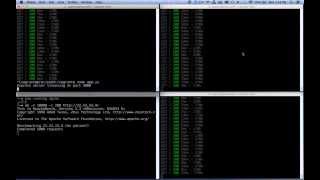
all right in this video we are going to be adding uh engine X as a front end to our node application which is running on Port 3000 and we're going to be setting it up as a load balancer so as our application grows and grows and grows we can add a second third fourth server and it will load balance between the four um and then we're also setting it up to where uh it will cash some static assets to imp increase performance so I've got my application server we'll call this the do two box uh the two box is running on Port 3000 like a normal uh node application would you can see as I load requests they're coming through I'm sshed in over here so you can see it um and here's a four box you can install engine X on the same box if you don't think your application's going to grow but I already know I'm planning on multiple boxes to come so I'm going to install engine X on its own box um you know to better handle the load so the four box currently does nothing this is where the domain will resolve is to this address and I'm sshed into the4 box let's go ahead and uh get engine X set up the first thing you're going to want to do is pseudo apt get update which I've already ran I don't need to do that um so then you're going to go pseudo aptg install engine X which I've already done it says it's at the newest version so now engine X is installed you can go CDC slh not not SL hosts sline X and then you can see here's my my engine X I've got a default engine X configuration file let's take a look at that um let's vim and look at this guy you can see by default it's started four worker processes you're going to want kind of as a rule one worker process per CPU that you're running that's kind of the most efficient way to run engine X um it's running 7 768 uh connections and all this other stuff and as you can see let's scroll down here these are all decent things to look into to get to know what they are um but what it's doing is it's also including any file in the sites enabled directory so that's we're going to add our that's where we're going to add our specific configuration so let's go into the sites enabled folder and then there might be a default file in here if not you're going to want to create it um default let's go ahead and create that I'm going to go over here here's a gist that I've created for you with the code that I'm going to be using so I'm going to copy the Upstream project let's paste that and I'm also going to copy the first portion of the server and I'm going to wrap that out so what I've done here is I've got three nodes I've got my2 node My3 node and my five node um let's go ahead and comment out the other two and save my file um what I'm also going to be doing here's the actual server that's going on is I'm listening to Port 80 which is your default port for your url and then I'm going to be forwarding that on to project which is up here and so any nodes I add will automatically get load Balan let's save this and then let's go pseudo service engine X start there we go starting engine X and now I should be able to refresh and it's automatically forwarding it to the two server you see as I load this then the requests are coming through to the2 server awesome let's say the load has increased um and we should now add some nodes I've got some more nodes going on here um let me drag one over here for now let's go ahead so we're getting a lot of traffic constantly we don't ever want to have to shut down engine X let's go back into our default file Let's uh uncomment these two servers save and quit nothing has changed if you notice I'm loading these it's still all the requests are going through to my2 server it's cuz I have to reload not start reload engine X so I'm going to go pseudo service engine X reload that's going to keep it going it's going to reload the configuration file and now let me go ahead and minimize you bring you over here all my requests are now getting load balanced between all three boxes which is awesome now let's have some fun and do some bench testing shall we um let's go ahead and I'm going to turn those back off turn your you off turn you off save and reload okay let's run some bench testing here let's run an a pachy bench pretty basic I'm going to run 40 concurrent requests going to run a th000 requests and we're going to hit the do four server which is all going to be coming through here right now running 100 200 300,000 requests you can see that took about 5 and a half seconds to complete let's go ahead and go back into defaults add my load balancing here reload my configuration file and let's start seeing this fly I'm going to make you take up a little different space here there we go let's run that exact same benchmarking now you can see the requests are flying through all of them and that's going way faster instead of 5 Seconds that took about 3 seconds to run great let's go ahead and add some static caching now I'm going to edit my default file again and let's cash static assets which is this little piece P of code right here we're basically going to take anything CSS JJs uh PNG any images and we're going to cash them they're not going to they're not going to reload to express for 168 hours so let's go ahead and add this in there we go uh let's reload that service and now let's go ahead and bench test Style sheets I think that's stylesheets style.css I believe that's it uh let's go Ahad and bench test that guy there we go so that flew through as you can see um almost no time whatsoever complete requests uh let's give that a bench actually before I'm kind of static caching that let me edit my default here and let's go ahead and comment this whole thing out I didn't give you a chance to see what it does without it let's save let's reload there we go you can see the stylesheets are all coming through here um our requests are coming in at a rate of 20 milliseconds to 194 milliseconds that took about 1.3 seconds let me edit that again reload boom that took almost no time at all we went down from 20 milliseconds to about 4 milliseconds which the highest is still around 210 but that went down to3 seconds so as you can see static caching your assets with engine X is way faster than serving them up with Express so that's kind of a little bit of fun with engine X um you can cash as I think I gave you some examples of how to cash some different you can cash specific API URLs uh which is nice to cut down the load on your servers have some fun with that and have a great day
Original Description
Nginx ROCKS! In this Nginx Tutorial, we're going to setup Nginx to receive http requests to our domain name (port 80), then proxy to our Express.js Node.js App, which is running on port 3000.
View Nginx Configuration Code here: https://gist.github.com/learncodeacademy/ebba574fc3f438c851ae
We're also going to set it up Nginx load balancing, so the http requests will get evenly distributed between all of our servers.
See full documentation on Load Balancing (upstream) here: http://nginx.org/en/docs/http/ngx_http_upstream_module.html
Lastly, we're going to setup static file caching on Nginx, so our css, js and image files are only served from our Node.js application the first time...this DRASTICALLY improves application performance.
-~-~~-~~~-~~-~-
Also watch: "Responsive Design Tutorial - Tips for making web sites look great on any device"
https://www.youtube.com/watch?v=fgOO9YUFlGI
-~-~~-~~~-~~-~-
Playlist
Uploads from LearnCode.academy · LearnCode.academy · 43 of 60
1
 2
2
 3
3
 4
4
 5
5
 6
6
 7
7
 8
8
 9
9
 10
10
 11
11
 12
12
 13
13
 14
14
 15
15
 16
16
 17
17
 18
18
 19
19
 20
20
 21
21
 22
22
 23
23
 24
24
 25
25
 26
26
 27
27
 28
28
 29
29
 30
30
 31
31
 32
32
 33
33
 34
34
 35
35
 36
36
 37
37
 38
38
 39
39
 40
40
 41
41
 42
42
 ▶
▶
 44
44
 45
45
 46
46
 47
47
 48
48
 49
49
 50
50
 51
51
 52
52
 53
53
 54
54
 55
55
 56
56
 57
57
 58
58
 59
59
 60
60

Web Development Tutorial for Beginners (#1) - How to build webpages with HTML, CSS, Javascript
LearnCode.academy
Web Development Tutorial for Beginners (#2) - Basic CSS - How to build a website with HTML & CSS
LearnCode.academy
How to create CSS Layouts - Web Development Tutorial for Beginners (#3) - with HTML & CSS
LearnCode.academy
Bootstrap Tutorial For Beginners - Responsive Design with Bootstrap 3 - Responsive HTML, CSS
LearnCode.academy
Angularjs Tutorial for Beginners - learn Angular.js using UI-Router
LearnCode.academy
CSS Tutorial - Web Development Tutorial for Beginners (#5)
LearnCode.academy
Node.js tutorial for beginners - an introduction to Node.js with Express.js
LearnCode.academy
Github Tutorial For Beginners - Github Basics for Mac or Windows & Source Control Basics
LearnCode.academy
Javascript Tutorial - Programming Tutorial for Beginners Pt 1
LearnCode.academy
Javascript Tutorial - jQuery Tutorial for Beginners Pt 2
LearnCode.academy
AngularJS Directives Tutorial - Part 1 - Demystifying Angular Directives
LearnCode.academy
WATCH THIS IF YOU WANT TO BECOME A WEB DEVELOPER! - Web Development Career advice
LearnCode.academy
YEOMAN TUTORIAL - Master Front-End Workflow with Yeoman, Grunt and Bower
LearnCode.academy
BOWER! - Streamline Web Workflow with Bower Package Manager
LearnCode.academy
Chrome DevTools for CSS - Better CSS Coding & CSS Debugging with Developer Tools
LearnCode.academy
GITHUB ATOM - Why Atom.io will be your favorite Text Editor!
LearnCode.academy
GITHUB PULL REQUEST, Branching, Merging & Team Workflow
LearnCode.academy
Pimp that Terminal - Add shortcuts and functions to your .bash_profile to simplify routine tasks
LearnCode.academy
jQuery Tutorial #3 - Writing Smarter, Better Code - jQuery Tutorial for Beginners
LearnCode.academy
jQuery Tutorial #2 - Event Binding - jQuery Tutorial for Beginners
LearnCode.academy
jQuery Tutorial #1 - jQuery Tutorial for Beginners
LearnCode.academy
Node.js MongoDB Tutorial using Mongoose
LearnCode.academy
Node.js tutorial for beginners 2014 - an introduction to Node.js with Express.js
LearnCode.academy
WEB DEVELOPMENT - SECRETS TO STARTING A CAREER in the Web Development Industry
LearnCode.academy
jQuery Tutorial #4 - DOM Traversal with jQuery
LearnCode.academy
jQuery Tutorial #5 - Building a jQuery Tab Panel Widget
LearnCode.academy
jQuery Tutorial #6 - Building a jQuery Image Slider
LearnCode.academy
jQuery Ajax Tutorial #1 - Using AJAX & API's (jQuery Tutorial #7)
LearnCode.academy
jQuery Ajax Tutorial #2 - Posting data to backend (jQuery tutorial #8)
LearnCode.academy
jQuery Ajax Tutorial #3 - Delegating Events & Mustache.js Templating (jQuery tutorial #9)
LearnCode.academy
jQuery Ajax Tutorial #4 - "Edit" modes & Better Mustache.js Templating (jQuery tutorial #9)
LearnCode.academy
How to put your website online - how to FTP to a domain & upload files to a webhost
LearnCode.academy
Basic Terminal Usage - Cheat Sheet to make the command line EASY
LearnCode.academy
SSH Tutorial - Basic server administration with SSH
LearnCode.academy
Vagrant Tutorial - Running a VM For Your Local Development Environment
LearnCode.academy
Sublime Text Favorite Packages and Workflow
LearnCode.academy
What Makes Javascript Weird...and AWESOME - Pt 1
LearnCode.academy
Javascript is Event-Driven - What makes Javascript Weird...and Awesome Pt 2
LearnCode.academy
Javascript Closures Tutorial - What makes Javascript Weird...and Awesome Pt 3
LearnCode.academy
FREE REST API - Practice Developing Javascript AJAX Apps with this API
LearnCode.academy
Javascript Scope Tutorial - What Makes Javascript Weird...and Awesome Pt 4
LearnCode.academy
Javascript Context Tutorial - What makes Javascript Weird...and Awesome Pt5
LearnCode.academy
Nginx Tutorial - Proxy to Express Application, Load Balancer, Static Cache Files
LearnCode.academy
Live Reload Sublime, Chrome, Anything - Fast and easy with Live-Server
LearnCode.academy
Are you bad, good, better or best with Async JS? JS Tutorial: Callbacks, Promises, Generators
LearnCode.academy
Javascript Generators - THEY CHANGE EVERYTHING - ES6 Generators Harmony Generators
LearnCode.academy
Web Development Advice - Interview with Dev Tips
LearnCode.academy
How the Internet Works for Developers - Pt 2 - Servers & Scaling
LearnCode.academy
How the Internet Works for Developers - Pt 1 - Overview & Frontend
LearnCode.academy
HAPROXY vs NGINX - 10,000 requests while killing servers
LearnCode.academy
Node.js Cluster - Boost Node App Performance & Stability with Clustering
LearnCode.academy
Web Dev Training with Treehouse
LearnCode.academy
What is Node.js Exactly? - a beginners introduction to Nodejs
LearnCode.academy
How to deploy node.js applications #1 - spin up a server
LearnCode.academy
Deploying node.js applications #2 - provision server & setup flightplan
LearnCode.academy
Deploying Node.js Applications - Deploy Node the right way - as an Upstart Service
LearnCode.academy
Mobile Web Design - Coding Workflow For Mobile Websites
LearnCode.academy
WHY YOU NEED A BUILD SYSTEM LIKE GRUNT, GULP, BRUNCH FOR YOUR WEBSITE
LearnCode.academy
GRUNT TUTORIAL - Grunt makes your web development better!
LearnCode.academy
STOP USING FTP! - How to Deploy with Flightplan over SSH
LearnCode.academy
Related Reads
🎓
Tutor Explanation

 DeepCamp AI