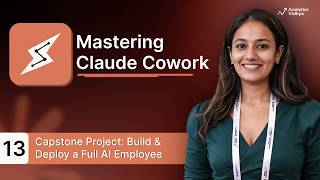
Proactive AI: Building Autonomous Workflows for Your AI Employee
An assistant waits for instructions; an employee follows a routine. In the final session of our AI Employee series, we move from reactive AI to proactive AI. We will build the systems that allow your digital team member to start its workday, react to real-time events, and manage its own task queue without you ever typing a prompt.
Learn how to create a "set-and-forget" digital workforce using schedules, triggers, and advanced autonomy levels.
In this final session, we cover:
- The Proactivity Shift: Moving beyond chat-based interactions to autonomous operations.
- The 3-Layer Automation Model: How to combine Schedules, Triggers, and Actions to build any workflow.
- Scheduled vs. Event-Based Workflows: Setting up daily routines (8 AM inbox triage) vs. reactive triggers (Slack messages or new files).
- Autonomy Levels: When to use "Full Auto" for low-risk tasks and "Draft & Hold" for executive-level decisions.
- Escalation Protocols: The safety rules that tell your AI exactly when to stop and ask for human intervention.
- Workday Simulation: How to test a full autonomous day before going live in production.
Series Conclusion: You have successfully transitioned from writing simple prompts to architecting a complete AI system that works even when you don't.
Watch on YouTube ↗
(saves to browser)
Sign in to unlock AI tutor explanation · ⚡30
More on: Autonomous Workflows
View skill →





Related AI Lessons
⚡
⚡
⚡
⚡
Agentic Context Engineering (ACE) Explained: Why Your AI Agents Need a Playbook, Not a Prompt
Dev.to · Amit Ben-Ari
Scaling AI Pub/Sub for Agent Messaging: Real Patterns That Survived Production
Dev.to · hamza qureshi
I Asked 3 Claude Code Sub-agents to Review the Same PR. They Disagreed on 41% of the Comments.
Dev.to AI
OpenAI Outlines WebRTC Architecture for Low-Latency Voice AI at Scale
InfoQ AI/ML
🎓
Tutor Explanation
 DeepCamp AI