
JavaScript RAG Web Apps with LlamaIndex
Key Takeaways
Guides learners through the process of building a full-stack JavaScript web application using RAG and LlamaIndex
Original Description
Get started building full-stack RAG web applications. This course introduces the basics of Retrieval Augment Generation (RAG), including its practical implementation with JavaScript. You’ll assemble an intelligent agent capable of running its own queries. This course will guide you through the process of building a full-stack JavaScript web application, from the API server to a React component that queries your data. You’ll also learn to develop persistent chat that streams your answers to an interactive front-end in real time.
Learn from Laurie Voss, VP of developer relations at LlamaIndex, web developer and the co-founder of npm, the central registry of JavaScript packages.
In this course:
1. Learn to build a RAG application in JavaScript for querying your own data.
2. Develop tools to interact with multiple data sources using a router query engine that intelligently selects the right tool for your queries.
3. Build a full-stack web application step by step, starting with a backend web app and progressing to an interactive React frontend that calls your API to display query results.
4. Learn about production-ready techniques, including persisting your data, chatting with your data, and streaming responses for multiple queries.
5. Create a user-friendly web app that can chat with data using the create-llama command line tool from LlamaIndex.
Start building RAG web applications in JavaScript that allow you to interact with your data using LlamaIndex.
AI explanation not available for this lesson yet
This lesson is still being prepared for the AI tutor. In the meantime, explore lessons that are ready.
Browse explainer-ready lessons →
More on: RAG Basics
View skill →

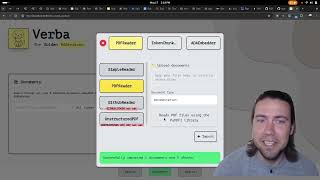
![Build a RAG Agent in n8n | Vector DB Pinecone + WhatsApp + Gmail [2026]](https://i.ytimg.com/vi/4eJsZBgwFJ4/mqdefault.jpg)






Related Reads
📰
📰
📰
📰
Frontend Storage: localStorage, sessionStorage & Cookies
Medium · JavaScript
How to add country icons to a React app
Dev.to · Rushan
Multi-Step Forms in Angular: Building Clean, Scalable, and User-Friendly Form Workflows
Medium · Programming
Why Angular Pages Sometimes Load Instantly… And Sometimes Don’t
Medium · JavaScript
🎓
Tutor Explanation
 DeepCamp AI