How to create free GPU-powered ML apps in Python
Key Takeaways
This video demonstrates how to create free GPU-powered ML apps in Python using Flask, Google Colab, and ngrok, with a concrete example of building a stable diffusion app.
Full Transcript
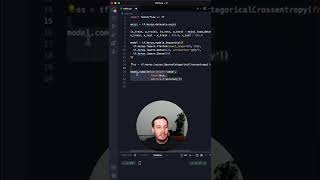
hi this is Patrick from assembly Ai and in this video you will learn how you can build your own machine learning app that is powered with a free GPU by using flask a Google collab and ngrok in the video we built a concrete example with stable diffusion so in the end you have your own stable diffusion app that can generate images from prompts the approach is pretty simple we built a flask app then run it in the Google collab and use engrock to expose our app to the public and get a public URL that we can use so let's get started first let's Implement our flask app and we can do this on our machine so here we implement this main.pi file so let's import all the functions we want from flask and now the new thing is to also use flask ngrok and import run with engrock then we import the functions we need for our model in this case we use pytorch and the diffusers library and then we have some more utilities and now we can start loading our model in this case we set up the stable diffusion pipeline and then we can push this to the Cuda device since we can use the free GPU in the Google collab then let's create our flask app so this is like we normally create our flask app and the only new command we need here is to call run with engrock and pass the app to this function and this is the only new line you will need for your flask app then we have to set up some endpoints so we here we have our home M route where we render a template I already prepared this here so you can find this on GitHub the link is in the description and then we need another endpoint with a post request so here we can submit our image or we submit the prompt and generate the image so here first let's get the prompt then we can call our Pipeline and get an image back then we can save this to a buffer and then we need to convert this to base64 and then we can again display this so we pass this to our template and and this is all that we need so now the last thing is to call app.run and this is the full main.pi file that you need so again the only new command that we need here is this run with engrock and also make sure to run your model on the GPU next I recommend to add all the dependencies to a requirements txt file and here make sure to include pi endrock and flask androck and then you can push everything to a GitHub repository and then you can access this GitHub repository from your Google collab so I already did this here I prepared this repository with the code that I just showed you and all the other files now let's run this code inside a Google collab so let's open a new collab and here I already prepared this these are all the commands that you need so let's go over them very quickly first we say git clone and then clone this repository here that we created so that we can access all the files then we change into this directory then we install all the requirements then make sure to also set your ngrok authentication token you can get this for free at ndrock.com and then the last thing is to call python main.pi then also make sure to set the runtime type to a GPU you can get one for free and then the last thing is to say run all and now we can run everything and now this should work so let's wait until this is done so now all cells are executed and as you can see the last cell is still running because our flask app is running all the time and you should see this output here so our app is running on the localhost but also you should see an additional URL that ends with ngrok.io this is a public URL where we can use our app so let's open this and here you get a quick warning but we can simply continue to visit the site and here we have our app up and running so this is what we implemented here we can pass a command so let's say Iron Man in Hawaii for example and then click on Create and this should take approximately 10 seconds and if we head to the notebook then you see our endpoint was hit and here it says generating an image of Iron Man in Hawaii and now let's wait until this is done and the image was generated so if we switch back we should see this and as you can see that the fusion model worked so here we see the image and yeah this is how we can run a flask app with a free GPU inside a Google collab and then access this from a public URL and that's it I hope you enjoyed this tutorial and then I hope to see you next time bye
Original Description
Learn how to create free GPU-powered ML apps in Python using Flask, Google Colab, and ngrok.
Code: https://github.com/AssemblyAI-Examples/flask-gpu-app
Blog post: https://www.assemblyai.com/blog/build-a-free-stable-diffusion-app-with-a-gpu-backend/
Get your Free Token for AssemblyAI👇
https://www.assemblyai.com/?utm_source=youtube&utm_medium=referral&utm_campaign=yt_pat_69
▬▬▬▬▬▬▬▬▬▬▬▬ CONNECT ▬▬▬▬▬▬▬▬▬▬▬▬
🖥️ Website: https://www.assemblyai.com
🐦 Twitter: https://twitter.com/AssemblyAI
🦾 Discord: https://discord.gg/Cd8MyVJAXd
▶️ Subscribe: https://www.youtube.com/c/AssemblyAI?sub_confirmation=1
🔥 We're hiring! Check our open roles: https://www.assemblyai.com/careers
▬▬▬▬▬▬▬▬▬▬▬▬▬▬▬▬▬▬▬▬▬▬▬▬▬▬▬▬▬▬▬▬▬
#MachineLearning #DeepLearning
Watch on YouTube ↗
(saves to browser)
Sign in to unlock AI tutor explanation · ⚡30
Playlist
Uploads from AssemblyAI · AssemblyAI · 0 of 60
← Previous
Next →
1
 2
2
 3
3
 4
4
 5
5
 6
6
 7
7
 8
8
 9
9
 10
10
 11
11
 12
12
 13
13
 14
14
 15
15
 16
16
 17
17
 18
18
 19
19
 20
20
 21
21
 22
22
 23
23
 24
24
 25
25
 26
26
 27
27
 28
28
 29
29
 30
30
 31
31
 32
32
 33
33
 34
34
 35
35
 36
36
 37
37
 38
38
 39
39
 40
40
 41
41
 42
42
 43
43
 44
44
 45
45
 46
46
 47
47
 48
48
 49
49
 50
50
 51
51
 52
52
 53
53
 54
54
 55
55
 56
56
 57
57
 58
58
 59
59
 60
60

Python Speech Recognition in 5 Minutes
AssemblyAI
Python Click Part 1 of 4
AssemblyAI
Python Click Part 2 of 4
AssemblyAI
Python Click Part 3 of 4
AssemblyAI
Python Click Part 4 of 4
AssemblyAI
Deep learning in 5 minutes | What is deep learning?
AssemblyAI
How to make a web app that transcribes YouTube videos with Streamlit | Part 1
AssemblyAI
How to make a web app that transcribes YouTube videos with Streamlit | Part 2
AssemblyAI
Batch normalization | What it is and how to implement it
AssemblyAI
Real-time Speech Recognition in 15 minutes with AssemblyAI
AssemblyAI
Regularization in a Neural Network | Dealing with overfitting
AssemblyAI
Add speech recognition to your Streamlit apps in 5 minutes
AssemblyAI
Transformers for beginners | What are they and how do they work
AssemblyAI
Automatic Chapter Detection With AssemblyAI | Python Tutorial
AssemblyAI
Deep Learning Series Part 1 - What is Deep Learning?
AssemblyAI
Deep Learning Series part 2 - Why is it called “Deep Learning”?
AssemblyAI
Activation Functions In Neural Networks Explained | Deep Learning Tutorial
AssemblyAI
Deep Learning Series part 3 - Deep Learning vs. Machine Learning
AssemblyAI
Deep Learning Series part 4 - Why is Deep Learning better for NLP?
AssemblyAI
Intro to Batch Normalization Part 1
AssemblyAI
Intro to Batch Normalization Part 2
AssemblyAI
Intro to Batch Normalization Part 3 - What is Normalization?
AssemblyAI
Intro to Batch Normalization Part 4
AssemblyAI
Intro to Batch Normalization Part 5
AssemblyAI
Sentiment Analysis for Earnings Calls with AssemblyAI
AssemblyAI
Summarizing my favorite podcasts with Python
AssemblyAI
Introduction to Regularization
AssemblyAI
How/Why Regularization in Neural Networks?
AssemblyAI
Getting Started With Torchaudio | PyTorch Tutorial
AssemblyAI
Types of Regularization
AssemblyAI
Tuning Alpha in L1 and L2 Regularization
AssemblyAI
Dropout Regularization
AssemblyAI
What is GPT-3 and how does it work? | A Quick Review
AssemblyAI
Backpropagation For Neural Networks Explained | Deep Learning Tutorial
AssemblyAI
Jupyter Notebooks Tutorial | How to use them & tips and tricks!
AssemblyAI
Best Free Speech-To-Text APIs and Open Source Libraries
AssemblyAI
Regularization - Early stopping
AssemblyAI
Regularization - Data Augmentation
AssemblyAI
Bias and Variance for Machine Learning | Deep Learning
AssemblyAI
Recurrent Neural Networks (RNNs) Explained - Deep Learning
AssemblyAI
What is BERT and how does it work? | A Quick Review
AssemblyAI
Introduction to Transformers
AssemblyAI
Transformers | What is attention?
AssemblyAI
Transformers | how attention relates to Transformers
AssemblyAI
Transformers | Basics of Transformers
AssemblyAI
Supervised Machine Learning Explained For Beginners
AssemblyAI
Transformers | Basics of Transformers Encoders
AssemblyAI
Transformers | Basics of Transformers I/O
AssemblyAI
How to evaluate ML models | Evaluation metrics for machine learning
AssemblyAI
Unsupervised Machine Learning Explained For Beginners
AssemblyAI
Weight Initialization for Deep Feedforward Neural Networks
AssemblyAI
Q-Learning Explained - Reinforcement Learning Tutorial
AssemblyAI
Should You Use PyTorch or TensorFlow in 2022?
AssemblyAI
What is Layer Normalization? | Deep Learning Fundamentals
AssemblyAI
I created a Python App to study FASTER
AssemblyAI
How to create your FIRST NEURAL NETWORK with TensorFlow!
AssemblyAI
Neural Networks Summary: All hyperparameters
AssemblyAI
Getting Started with OpenAI API and GPT-3 | Beginner Python Tutorial
AssemblyAI
Convert Speech-To-Text In Python in 60 seconds!
AssemblyAI
Gradient Clipping for Neural Networks | Deep Learning Fundamentals
AssemblyAI
More on: LLM Engineering
View skill →
![FULLY LOCAL Mistral AI PDF Processing [Hands-on Tutorial]](https://i.ytimg.com/vi/wZDVgy_14PE/mqdefault.jpg)







Related AI Lessons
⚡
⚡
⚡
⚡
The Only Git Commands You Actually Need — 47 Patterns for Daily Work
Dev.to · The AI producer
Common Next.js Errors (and How I Solved Them)
Dev.to · gary killen
Applying Scalability in Backend (CodeBuddy)
Medium · LLM
Why Every Backend Developer Should Learn Nginx Before Going to Production
Medium · DevOps
🎓
Tutor Explanation

 DeepCamp AI