Top 5 Project Management Software for 2026
Key Takeaways
Compares 5 project management software platforms for 2026 including Wrike, Asana, and Trello
Full Transcript
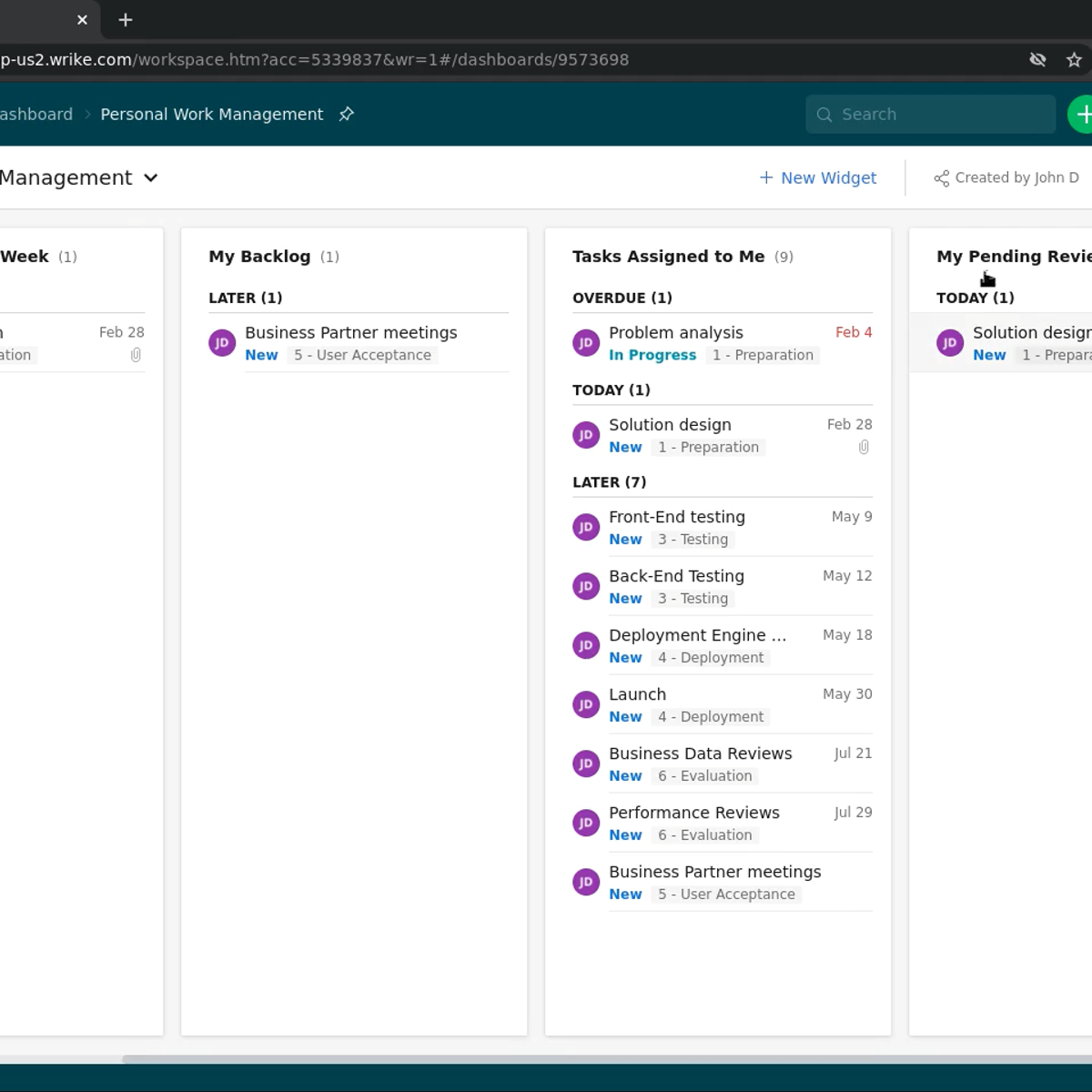
If you're looking for the right project management software in 2026, you've come to the right place. We've rounded up five of the top options on the market today, in no particular order, so you can find the best fit for your team. Let's get into it. First up is Wrike, a comprehensive project management platform built for larger organizations managing complex, multi-team workflows. Wrike's core strength is its ability to handle multiple projects and portfolios simultaneously, while giving leadership real-time visibility across all of them. Custom workflows and automation cut down on manual work, and dynamic Gantt charts update in real-time as tasks and timeline shift. The platform includes resource management, workload balancing, time tracking, and file proofing with approval workflows, making it a practical fit for marketing teams and agencies alongside enterprise operations. Wrike connects with over 400 applications and supports advanced reporting through Power BI and Tableau integrations for teams that need deep analytics. Pricing starts with a free plan for up to five users. Paid plans begin at $10 per user per month, with business and enterprise tiers available for larger teams. Second is Asana, a widely used project management platform known for balancing powerful features with an interface that teams can pick up quickly. Asana supports multiple project views, including list, board, timeline, and calendar, so teams can work in the format that suits them best. Task dependencies, milestones, and custom fields give project managers the structure they need, while a real-time activity feed keeps everyone aligned on progress. Portfolio management lets you track multiple projects from a single view, and automation rules help reduce repetitive administrative work across review and approval processes. Asana integrates with a wide range of tools and includes a strong mobile app, making it practical for teams that need to manage work across different devices and locations. Pricing includes a free basic plan for small teams. Paid plans start at $10.99 per user per month with business at $24.99 and enterprise available on custom pricing. Third is Teamflect, an all-in-one performance management and employee engagement platform built for Microsoft 365. What makes Teamflect distinct in this category is that it runs natively inside Microsoft Teams and Outlook. So, project tasks are managed without leaving the tools your team already uses every day. Tasks can be created directly from chat messages and emails, and there's a bidirectional sync with Microsoft To Do and Outlook tasks. Beyond task management, Teamflect connects project work to goal and OKR tracking, performance reviews, feedback, and recognition, all within the same platform. Organizational data syncs automatically from Entra ID, which simplifies setup considerably. Power BI integration is available for advanced reporting, and an AI-powered assistant helps automate routine workflows. It's a particularly strong fit for organizations that want project management tied to broader team development. Pricing includes a free plan for up to 10 users with full functionality. Paid plans start at $7 per user per month. Fourth is ClickUp, an all-in-one productivity platform that consolidates task management, documentation, goals, whiteboards, and time tracking into a single application. ClickUp organizes work through a hierarchical structure of spaces, folders, lists, and tasks. With over 15 customizable views, including Gantt, board, calendar, and mind map, this flexibility makes it a strong option for teams with varied workflows across departments. ClickUp Docs allows teams to create internal wikis and documentation alongside their project work, while built-in goal tracking ties task completion to measurable objectives. ClickUp AI assists with writing, summarization, and task automation. The platform is regularly updated with new features and offers a generous free plan that includes most core functionality, making it accessible for smaller teams alongside larger organizations. Pricing includes a free plan with unlimited tasks and members. Paid plans start at $7 per user per month, with business at $12 and enterprise available on custom pricing. And fifth is monday.com, a work operating system that goes beyond project management with highly visual, customizable workflow boards and strong automation capability. monday.com's boards can be configured to match almost any team-specific process without requiring coding or technical expertise. Multiple project views, including Kanban, Gantt, and calendar, give teams flexibility in how they visualize and manage their work. Automation handles recurring tasks and status updates, reducing the manual work that typically slows teams down. Advanced dashboards pull data across multiple boards, giving managers a consolidated view of progress across projects and departments. The platform integrates with over 200 applications and is frequently praised for its intuitive interface. Though teams new to highly configurable tools may benefit from allocating time for initial setup. Pricing starts with a free individual plan for up to two seats. Paid plans begin at $9 per user per month, with standard at $12, pro at $19, and enterprise available on custom pricing. Those are five solid project management platforms worth considering in 2026. Each one takes a different approach from enterprise grade workflow management to Microsoft 365 integration to all-in-one productivity. So, the right choice really comes down to your team size, existing tools, and how your projects are structured. For a full breakdown of these tools and more, check out the link in the description. If this was helpful, subscribe for more HR software comparisons, and we'll see you in the next one.
Original Description
In this video, we cover five platforms worth evaluating this year. Wrike for larger organizations managing complex, multi-team workflows that need real-time portfolio visibility and deep analytics. Asana for teams that want a balance of powerful features and fast adoption across list, board, timeline, and calendar views. Teamflect for Microsoft 365 organizations that want project tasks connected to goals, OKRs, and performance reviews without leaving Teams or Outlook. ClickUp for teams that want tasks, docs, goals, and time tracking consolidated into one highly flexible platform. And Monday.com for teams that need visually customizable workflow boards with strong automation and cross-project reporting.
#ProjectManagementSoftware #ProjectManagement #TaskManagement #WorkManagement #ProductivityTools #TeamCollaboration #HRTech #MicrosoftTeams #Teamflect #WorkflowAutomation #PMSoftware #Asana #ClickUp #Mondaycom #Wrike
Watch on YouTube ↗
(saves to browser)
Sign in to unlock AI tutor explanation · ⚡30
More on: PM Basics
View skill →




Related Reads
📰
📰
📰
📰
How Dev Agencies Can Handle Client Revisions Without Burning Out (or Losing Money)
Dev.to · SarasG
Give a Dead Side Project an Exit Report, Not an AI Eulogy
Dev.to · Sam Rivera
How I’d Scope a Project Before Writing a Single Line of Code
Medium · Startup
Where to Start with my Project Idea
Reddit r/learnprogramming
🎓
Tutor Explanation

 DeepCamp AI