NEW Gemini CLI Subagents are INSANE!
Key Takeaways
Demonstrates Gemini CLI Subagents for AI automation
Full Transcript
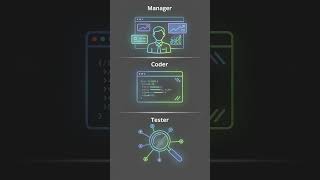
New Gemini CLI subagents are insane. Today, I'm going to show you a brand new feature from Google that just dropped. >> [music] >> It's called Gemini CLI subagents, and it basically turns one AI agent into an entire team of AI specialists working together at the same time inside your terminal, free. This is going to change how you build things with AI forever. Nobody is talking about it yet. So, let me break this down for you real quick. You know how when you use an AI coding tool, you give it one big task and it tries to do everything itself, read all your files, run all the commands, write all the code, fix all the bugs in one tab, window, conversation. What happens? Get slow, gets confused, forgets stuff you told it 5 minutes ago. Context window fills up, and the whole thing falls apart. Hey, if we haven't met already, I'm the digital avatar of Julian Goldie, CEO of SEO agency Goldie Agency. While he's helping clients get more leads and customers, I'm here to help you get the latest AI updates. Google just looked at that problem and said, "What if we gave your AI agent a whole team of specialists it can call on?" That's exactly what Gemini CLI subagents does. Think of it like this. Your main Gemini CLI agent becomes a manager, boss, strategic orchestrator. And instead of doing everything itself, it delegates specific tasks to specialist agents that each have their own brain, their own tools, and their own separate workspace. Each subagent runs in total isolation, gets the job, does the work, might run dozens of tool calls, search through files, run tests, and then it comes back to the main agent with just the final answer, clean summary. That's it. That messy work in the middle never touches your main conversation. Your main window stays fast. Context stays clean, and you can keep working without the clutter. This is massive. Let me explain why. Before subagents, if you asked Gemini CLI to do something complex like analyze your whole code base and then refactor three different files, your context window would get absolutely stuffed with all the intermediate steps. Every file it read, every search it ran, every command output. All of that junk sitting in your conversation history, eating up your tokens, slowing everything down. With subagents, all of that heavy lifting happens in a separate bubble. Main agent only sees the result. It's like having an employee who goes away, does the research, and comes back with a one-page instead of dumping 100 pages on your desk. Here's where it gets really cool. Gemini CLI comes with three built-in subagents right out of the box. If you're loving this and you want to learn how to use tools like Gemini CLI to save time, automate your workflows, and get more done with AI, you need to check out the AI Profit Boardroom. It's the best community for learning how to scale your business and save hundreds of hours with AI automation tools exactly like this one. I'll put the link in the comment and description. The strategies we share in there are the exact same ones I use to stay ahead of every AI update that drops. The first one is called the Generalist. This is basically a copy of the main Gemini CLI agent but running in its own isolated window. You use this for big heavy tasks that need lots of steps, refactoring code across multiple files, running commands that produce massive amounts of output. Instead of all that noise polluting your main session, the Generalist handles it in the background and sends back just the clean result. Second one is the CLI Help agent. This one is an expert on Gemini CLI itself. So, if you ever forget a command or you want to know how to configure something, you just ask it. It has direct access to all the Gemini CLI documentation. Think of it as your personal Gemini CLI tutor living inside the tool. Third one is the Codebase Investigator. This one is my favorite. This is a specialized agent built for exploring codebases, mapping out architecture, doing root cause analysis on bugs, and understanding how different parts of your system connect to each other. So, imagine you've got a big project. You want to understand how the authentication system works across all your files. Instead of you manually reading through everything, you just say, "Hey, Codebase Investigator, map out the authentication flow." And it goes away, does all the digging, and comes back with a clean answer. Here's the part that blew my mind. You can create your own custom subagents. Custom subagents are defined using simple markdown files with a little bit of setup info at the top. That's it. Complicated code, frameworks, heavy setup, just a simple text file. Let me walk you through what that looks like. You create a markdown file. At the top, you put the agent's name, a short description of what it does, and the specific tools it's allowed to use. Below that, you write the agent's instructions, its personality, its job description, what it's supposed to do and how it's supposed to do it. Example, let's say you're running an online community like the AI Profit Boardroom, and you want a subagent that specifically reviews your landing pages for conversion optimization. You'd create a file called something like conversion specialist.md. You'd give it a name like conversion specialist. You describe it as an expert in landing page copy, calls to action, and conversion rate optimization. You'd give it access to tools like reading files and searching the web. And then in the instructions, you tell it to act like a senior conversion rate optimization expert who reviews landing pages and gives specific suggestions to improve sign-ups. Every time you ask Gemini CLI to review your landing page, it can automatically route that task to your conversion specialist subagent. You can call it directly using the at symbol. Just type at conversion specialist and then your request. You can save these custom agents in your project folder so your whole team can use them. You can put them in your personal folder so they follow you across all your projects. This is where it gets practical for business owners. Say you're running an agency. You could build a subagent for SEO audits, for content review, for client report generation, for analyzing competitor websites. Each one tuned to your exact standards and processes, and all of them available inside your terminal, ready to go whenever you need them. For the AI Profit Boardroom, I could set up a content review subagent that checks every piece of copy against our brand voice and conversion principles. Research subagent that pulls the latest AI news and formats it for our community updates. Technical subagent that reviews automation workflows before we share them with members. Possibilities here are honestly endless. Let me tell you about the feature that takes this from cool to absolutely insane, parallel subagents. Gemini CLI can run multiple subagents at the same time, parallel, simultaneously. Let's say you need to research five different AI tools for a comparison. Instead of doing them one at a time, you can spin up five subagents, one for each tool, and they all go do their research at the same time. When they're all done, the results come back to your main agent, and you've got everything you need in a fraction of the time. Let's say you need to refactor several different components in your codebase that don't touch each other. to each one. They'll all work in parallel, and you get the whole job done way faster. There is one important thing to know about parallel subagents. You want to be careful when multiple agents are editing the same files at the same time. That can lead to conflicts where they override each other's work. For parallel work, it's best to use it for tasks that don't overlap, search tasks, analysis tasks, reading tasks. They're perfect for parallel execution. Right now, if you're watching this and thinking, "Okay, Julian, this sounds amazing, but how do I actually set this up?" It's stupid simple. Gemini CLI is completely free and open source. You get 60 requests per minute and 1,000 requests per day with just a personal Google account, credit card, subscription, thing. To install it, you just need Node.js on your computer, and then you run one command. That's it. You're in. Once you're in, the subagents are already there. Three built-in ones are ready to go. You can type {slash} agents inside Gemini CLI to see all your available subagents. And to create a custom one, you literally just create a markdown file in the right folder. I know what you're thinking. How does the main agent know which subagent to use? Gemini CLI automatically routes tasks to the right subagent based on the description you gave it. If you described your front-end specialist as an expert in building web applications with modern frameworks, and someone asks about improving a React component, Gemini CLI is smart enough to route that to the front-end specialist automatically. But you also have full control. You can use the at symbol to force a specific subagent. Just type at, then the agent name, then your request. One other thing I love about this, each subagent can have its own specific set of tools. So, you can lock down what each agent is allowed to do. Your security auditor can read files but not write them. Your documentation writer can write files but not run shell commands. You're in total control of what each specialist can and can't do. This is huge for safety and reliability. You don't want a research agent accidentally deleting files. With subagents, you set the boundaries up front, and the agent stays in its lane. Let me also talk about something called tool isolation because this is a really smart design choice. Agents move Gemini CLI away from having one big pool of tools that every agent shares. Instead, each subagent gets its own isolated set of tools. This means no accidental side effects, state contamination, no agent stepping on another agent's toes. You can even set up MCP servers, which are basically custom tool connections directly inside a specific subagent. So, only that agent has access to that tool, nobody else. For example, you could connect a Google Drive MCP server to just your documentation subagent. So, it can pull templates and save files to your drive, but your security auditor doesn't need drive access, so it doesn't get it. This level of control is really what separates this from just having one big AI agent trying to do everything. Here's one more thing that makes this even better. You can set a maximum number of turns and a time limit for each subagent. So, if you don't want a subagent running for 30 minutes eating up resources, you can cap it at 5 minutes or 10 turns. The agent does what it can within that window and sends back whatever it's got. This is perfect for keeping things efficient when you're working on tight deadlines. Let me give you the big picture of why this matters. The future of AI is not one giant super brain trying to do everything. It's teams of specialized agents each doing what they're best at, coordinated by a smart manager. That's exactly what Gemini CLI subagents gives you right now, for free, in your terminal. This is the same pattern that the biggest tech companies are using internally, multi-agent systems where specialists collaborate on complex tasks. And now you have access to that same architecture in a free, open source tool. Whether you're a developer, a business owner, an agency operator, or just someone who wants to get more done with AI, this is a tool you need to try. Setup takes 5 minutes. Built-in agents are ready immediately. Creating custom agents is as easy as writing a simple text file. Julian Goldie reads every single comment, so drop a comment below and let us know what kind of custom subagents you'd build for your business. Love to hear your ideas. If you want the full process, SOPs, and over 100 AI use cases like this one, join the AI Profit Boardroom. Learn how to automate your workflows with tools like Gemini CLI, personal intelligence, and scale your business with AI automation. Link is in the comments and description. And if you want free access to all the video notes, prompts, and a community of 68,000 members who are crushing it with AI, join the AI Success Lab. It's completely free. Link is in the comments and description. You'll get everything from this video plus way more in there.
Original Description
Want to make money and save time with AI? Get AI Coaching, Support & Courses 👉 https://www.skool.com/ai-profit-lab-7462/about
Get the video notes + links to the tools → https://www.skool.com/ai-profit-lab-7462/about
Get a FREE AI Course + 1000 NEW AI Agents 👉 https://www.skool.com/ai-seo-with-julian-goldie-1553/about
Want to know how I make videos like these? Join the AI Profit Boardroom → https://www.skool.com/ai-profit-lab-7462/about
Get a FREE AI SEO Strategy Session: https://go.juliangoldie.com/strategy-session?utm=julian
Google's New Gemini CLI Sub Agents: Build Your AI Team for FREE
Discover how Google's brand-new Gemini CLI sub agents feature turns a single AI into a coordinated team of specialists directly in your terminal. Learn how to manage context windows, run parallel tasks, and create custom agents with simple markdown to revolutionize your workflow.
00:00 - Intro: Gemini CLI Sub Agents
00:52 - How Sub Agents Work
02:02 - 3 Built-in Specialist Agents
03:33 - Create Custom Sub Agents
05:23 - Running Agents in Parallel
06:14 - Free Pricing & Setup Guide
07:42 - Tool Isolation & Security
08:38 - The Future of Multi-Agent Systems
Watch on YouTube ↗
(saves to browser)
Sign in to unlock AI tutor explanation · ⚡30
More on: AI Workflow Automation
View skill →









Related Reads
📰
📰
📰
📰
Building Vendor-Neutral AI Agents in .NET: A Complete Enterprise Architecture Guide
Medium · Programming
The envelope everyone is building for AI agents — and why I'm not shipping it
Dev.to AI
How We Built a Self-Hosted AI Interviewer with Next.js, Supabase, and WebSockets
Dev.to AI
Stack Overflow Is Dying. The AI That Killed It Could Be Next.
Dev.to AI
Chapters (8)
Intro: Gemini CLI Sub Agents
0:52
How Sub Agents Work
2:02
3 Built-in Specialist Agents
3:33
Create Custom Sub Agents
5:23
Running Agents in Parallel
6:14
Free Pricing & Setup Guide
7:42
Tool Isolation & Security
8:38
The Future of Multi-Agent Systems
🎓
Tutor Explanation
 DeepCamp AI