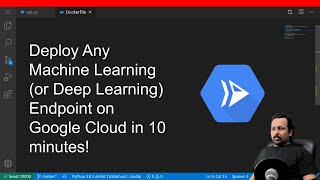
Let's deploy a custom AI model container as an autoscaling API on your private cloud in 10 minutes
Skills:
Model Deployment90%
I show how to deploy a container already built and published to any container registry as an autoscaling API for AI models. The server can scale to zero (serverless) when idle (ie: zero $) and scale up on demand as requests come in.
00:30 - Find the Deploy API button
00:43 - find your private or public container.
00:52 - authenticate the container
01:11 - configure autoscaling (serverless, scale to zero)
01:30 - configure autoscaling to handle high traffic
01:45 - advanced settings (for kubernetes experts)
01:57 - choose the cloud account
02:30 - add container commands
02:48 - add a health check (optional)
03:00 - configure autoscaling rules (optional)
03:20 - deploy the model
03:40 - how to share (and collaborate)
04:00 - how to monitor requests, uptime, latency
04:05 - analyze cold start
05:00 - view audit events
05:20 - release a new container version
05:50 - view replica telemetry
06:22 - build a request to test the server
07:20 - summary, get a free account with pay as you go
Watch on YouTube ↗
(saves to browser)
Sign in to unlock AI tutor explanation · ⚡30
More on: Model Deployment
View skill →





Related AI Lessons
Chapters (19)
0:30
Find the Deploy API button
0:43
find your private or public container.
0:52
authenticate the container
1:11
configure autoscaling (serverless, scale to zero)
1:30
configure autoscaling to handle high traffic
1:45
advanced settings (for kubernetes experts)
1:57
choose the cloud account
2:30
add container commands
2:48
add a health check (optional)
3:00
configure autoscaling rules (optional)
3:20
deploy the model
3:40
how to share (and collaborate)
4:00
how to monitor requests, uptime, latency
4:05
analyze cold start
5:00
view audit events
5:20
release a new container version
5:50
view replica telemetry
6:22
build a request to test the server
7:20
summary, get a free account with pay as you go
🎓
Tutor Explanation
 DeepCamp AI