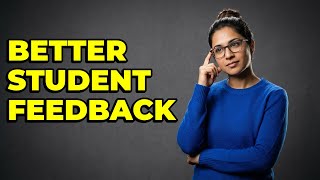
How To Manage Digital Feedback With Google Docs Comments?
Key Takeaways
Demonstrates how to manage digital feedback with Google Docs comments and suggestions
Original Description
Transform your feedback process into a dynamic, collaborative conversation with this guide on leveraging Google Docs comments and suggestions. Learn how to provide structured, real-time feedback that fosters student engagement and streamlines revisions.
In this video, you'll discover:
► How to use Google Docs comments for targeted, organized feedback directly alongside student work.
► The power of 'Suggesting Mode' to make revision clear and easy for students to accept or reject changes.
► How to assign specific tasks to students within comments, ensuring accountability and clear action items.
► The benefits of continuous engagement through Google Docs' comment notification system, keeping the feedback loop active.
► How systematic use of these tools cultivates a collaborative learning environment and greater student ownership.
#GoogleDocsFeedback, #TeacherTech, #DigitalLearning, #Education
Watch on YouTube ↗
(saves to browser)
Sign in to unlock AI tutor explanation · ⚡30
More on: AI Tools for Educators
View skill →







Related Reads
📰
📰
📰
📰
EdTech Blogs vs. Vlogs: Which Helps People Learn Better?
Medium · Deep Learning
The Mission Behind Anitha Rises: Empowering Students, Women, and Lifelong Learners
Dev.to · Anitha
Why Marks Alone Are a Terrible Measure of Progress
Dev.to · jahnavi sharma
2–2–1: On Student Accountability and Punctuality.
Medium · Deep Learning
🎓
Tutor Explanation

 DeepCamp AI