Gemini CLI Essentials – Full Course
Key Takeaways
Uses Gemini CLI for agentic coding with Gemini Models
Full Transcript
Hey, it's Andrew Brown, your favorite tech instructor, bringing you another AI certification. And this time it is the Gemini CLI Essentials. And the way we are going to get certified is, as always, we're going to do the lectures, do the hands-on labs, and I'm going to provide you a free practice exam. So, you can go and ace that exam, put on your resume or LinkedIn, and show that you have AI coding knowledge specifically with Gemini. If you love the courses that I'm putting out here, the best way to support that content is to purchase the additional paid materials. I really do need your support to keep making uh this free content. Um you know, so please try to support it if you can and that's going to get you access to additional materials. Um and also if you want to sit the exam, you got to pay to go sit it if that matters to you. Uh if you do not know me, I've created a lot of courses here. uh Google, ads, Azure, GCP, Terraform, Kubernetes, Codeex, uh Claude, you name it, I've taught it. Um but enough of that. Let's go and jump into the course. [music] Hey, this is Andrew and we're at the start of our journey asking the most important question for us, which is what is the Gemini CLI Essentials course? So, this is a certification course that walks you through the features of Gemini CLI, has a strong focus on practical hands-on knowledge, and we do not shy away from what doesn't work. And you're going to find right off the bat, I'm going to run into some challenges. We do work our way through Gemini CLI and find out that it does work all right, but you know, there are some caveats to it. Um, the exam code here is EXP Gemini CLI01. If this changes, pay attention to that because that means there is a new certification course out. Consider taking this course if you want to explore all features of Gemini CLI in the shortest amount of time possible. Uh you need practical knowledge over sales knowledge. You're preparing for our boot camp. I have the claude code camp, but um I think I'll let you use any provider you want, but generally claude code is what is most popular. And so we'll probably leave with that name or have a a secondary generalized name. Anyway, so here is the expanded row map and I just want to uh show what makes sense here. So the idea is that um you know if you are coming in just doing the Gemini CLI one you can absolutely do that but um the order that I've created this in is cloud code then codeex and then Gemini CLI there's a lot of overlap but there's differences between these services um and so if you're going through this you're going to maximize um your speed through this stuff the cloud the cloud certified architect um has claude in the name is not focused on necessarily fully on cloud code and uh stuff like that. It has a lot of good orchestration and prompting uh techniques that can be applied to uh codeex models to Gemini models. So any of the three major providers um if you have yet to do so you might want to also do the Geni essentials as that will give you a great foundation in general knowledge of Genai as I'm not going to cover these in the lower ones otherwise I'd be just stuffing these courses and we're trying to keep these courses isolate. If you cannot handle the Gemini CLI or any content in the fundamentals then I am working on a cloud code from zero course. Um technically you know you can think of it as um codeex from zero or gemini CLI from zero. Um but again for marketing marketing purposes I'm doing claude code from zero as it's the most popular popular provider and this is for people that have zero tech background. So if you have never touched code whatsoever, you're not a developer then this is the stuff that you might want to look at. Um, the reason we're doing all these things is to do a project, a boot camp. And so that will be the Claude code camp, which right now is at claude.cloud projectbootcamp.com. Um, and this is where we're going to be able to apply our knowledge. Uh, there is also this enterprise architect. This is not really for you. It's for enterprises that if they want to uh purchase um, and have me come in and do training or or they need to train for enterprise stuff, that is completely separate offering. But I have it on the road map here. If you are an organization, you're like, "Hey, I want Andrew Brown to come in and help us with uh this tooling here." I think for the most part, I've covered a lot of what I wanted to cover in JAI. The only thing that um I'm missing for coding tools is open source models. So, uh they're always changing what we might want to utilize. So, um I suspect I will make a very small course on open source models um and just see how they stack up as some folks need to consider those options. But anyway, now with that out of the way, let's continue on. So, how long is it going to take? And I have Codeex here, but it's Gemini. So, I'm just going to go ahead and cross that out. And this is Gemini, folks. Gemini. But they're very similar in length. So, the time is going to be the same. 12 hours if you're beginner. If you're experienced, it'll be four hours. Um maybe even two hours if you're watching it on two times speed. Uh so, you know, maybe 10 hours across the board if you're just coming here with Gemini CLI. If you've taken um my codec CLI, my cloud code CLI, you're going to whiz through this stuff really, really quick and just help keep yourself um uh flexible for all providers. So, what's the trick here? Watch the video lectures, do the hands-on labs in your own accounts, um do the paid practice exams. We have a free one at expge gemini cli0is1 onexampro.co. Um and so you can get them over there. The screenshot there is just an example screenshot. So that's not the actual amount of time and questions, but we will cover that um in a moment. So where do you take this exam? On the exam pro platform, we are the uh issuers of this exam. So you can go sit that at your own convenience anytime you like. Um the are three domains here. So we have core concepts and foundations, Gemini services, and features and advanced capabilities. I would say out of the three, Gemini probably has the least amount of feature set, but pretty much the same as codeex, but I would say Codex has a more mature um ecosystem for development. Uh if you want to create your own coding harnesses um but uh you know it's just it came out to be basically the same length as the codeex course. The cloud code course obviously is the longest and has an additional domain as it has very very complex functionality. Um these domains are have their own waiting. So the distribution of questions are going to vary. The passing grade is 70%. Um there are 50 questions. You can get 15 wrong. There's no penalties. It's multiple choice folks. Uh you get 1 hour. So that's 1.2 minutes per question which an exam time 60 minutes. 90 minutes seat time. So seat time is the time you need to allocate for the exam such as uh reading the instructions, showing the online procedure workspace, reading, accepting the NDA, and completing the exam, providing feedback at the end of the exam. uh this exam is valid for 24 months and we say two years but I mean really this stuff moves really quickly so you know the way you're going to know is if we release a new version of this course and you want to take it uh some real talk about certifications these certifications are just here to help you uh measure your own progress they might not teach you programming scripting SQL IT networking Linux Windows servers project management developer tools application development skills compile algorithms and more so to fill those gaps. Free Code Camp has lots lots lots of free content. I also have lots of lots of content for my subscribers um and helps us to support this stuff. I'm pretty good at just throwing a lot of the stuff in here. So, I'm pretty comprehensive, but I do know that some people uh you know don't want to sit sit a 100 hour course, so you know I have to break it up and put them into individualized courses. Um so, just consider that. But now that we have that out of the way, let's jump into the course. Okay, cha chia. Hey, this is Andrew. We are taking a look at Gemini CLI. So, it is an agentic coding tool or you could say a coding harness and it reads your codebase, edits files, uh runs commands, integrates with your development tools. You can find it over at geminici.com. This is what the main thing we're using uh for this course. Um and it's available probably in multiple formats. I'm just using the CLI format as I don't find the Google ecosystem the best. Um but technically they have things that kind of work with Gemini CLI but they like to specialize all their tools. So they have anti-gravity jewels uh things like that whereas something like claude code and codeex kind of work across multiple services. But anyway, um the use cases here would be automating uh any kind of uh development work, fixing bugs, developing features, working with um your Git repositories, connecting with MCP tools, um and a variety of other things. And so there is what it looks like when you're running Gemini CLI. Not the prettiest, but uh it definitely does work. Um the main way you're going to power this uh um tool is via probably a Google AI subscription. So there's Google one which is uh a subscription that gives you storage and device management and within it there's another subscription which is the Google AI subscription and so you have different tiers here like plus pro and ultra. I try to aim for like the $30 plan as I find that's going to give you the most robust uh usage here. And so you're going to get more than just um the Gemini CLI are going to get more functionality but that's what you're going to utilize. I found it that I wasn't able to hook this up to my business account with a Google Workspace. So, I ended up using my personal account. Maybe there's a different way to buy for business, but I wanted to make it uh easy for you to figure out. So, I literally had to make a new Google account uh and sign up for it. And actually, when I signed up for it, I got a a month free. So, they they're really encouraging you to uh use this, at least at the time that I'm using it. Uh but hopefully you find it interesting. But let's continue on. Okay. Okay, so with Gemini, you have different models of Gem Gemini that you can utilize, which we can find out over here on the documentation. Uh, and so the main ones we're going to see is Pro Flash and Flash Light. Uh, there's of course more models that Google has, but these are the ones that are going to be used for um powering the coding tool. Okay. And if we look into any of these model cards, we can find out information like its token, uh, limits for its inputs and outputs, which is very important to know. Um, over here, uh, once we are in Gemini CLI, we'll be able to switch between different models. And you can see here that we have Pro Flash, Flash Light, and we have two different versions here. Um so these things are always constantly changing but uh generally you know you'll have the last generation the current generation last generation providing stability whereas the new one provides better features or better performance or better intelligence but um they might not be super stable and even within these ones there could be multiple versions within like let's say 3.1 but you might never actually see that uh as they might be releasing minor updates and tweaks to it over time but there you go. Okay, in this video, let's take a look at um the models that are available to us. So, I just typed in, you know, Gemini models, and here they are. So, there's obviously a lot of models that are here, but um there's only some that are going to show up in uh Gemini. And so, we have the 3.1 Pro and the Gemini 3 Flash. The thing that's kind of interesting is like when you look at something like Clawude, they always have their three models, technically four if you count mythos and um opening kind of follows the same thing where they have a mini and then their normal size one. Uh and then generally what what might change would be like this the reasoning size or um the amount of tokens you can use. But if I go into 5.4, it will show us like it has a context window of a million with a max output of 128,000. If we go over to uh let's say opus here, notice that it has a context window of a million with 128,000 token. But what's not clear here is that when you're actually using them in the CLI, it won't necessarily default to a million. And in fact, having a million uh token context does not perform well. At least today, it has not been performing very well. Um and then there's also like a hard limit on the output, and that's probably to control it from doing really weird stuff. Um, so yeah, you know, I I don't know what Gemini is using because it's not very clear, but like the other providers, they'll like um Anthropic will say when you're using um Cloud Code, it's limited to 200,000 and I believe with Codeex, it's like 400,000, but you do not want that to be large, otherwise you're going to get weird results. Um, but here you can see that it has one of the smallest um token limits, and I'm not sure why it's so darn small, but that's what they have chosen to do. Okay. And we can go over to here to flash. And yeah, same similar size, but it's going to have different levels of intelligence. Okay. Um, and then there is the flashlight. When we were doing the video, I was confused what flashlight was as I had never heard of it, but it's clear because it's definitely new. And so maybe that's supposed to be like the haiku of of the Gemini models. But anyway, there's the models. So there you go. Okay, so another way that we can authenticate with um Gemini CLI is the API key. So obviously we've already done the subscription, but let's talk about the API key method. Um and the reason you would use this is for production use cases. So maybe you're running this on GitHub actions, maybe you're running it on production server. Many reasons as to why you'd use an API key. Maybe you just um want reliable spend. Maybe like in the subscription one they have quantized quantitized the model to make it more cost effective and so you there might actually be intelligence difference between the API key version and the subscription one um and so it's very simple you generate a key you throw it in there you authenticate if you did the codeex or cloud code course it's the same process um to track token usage everything is under the AI studio I don't spend too much time in there but um yeah you can track usage what models all things like that um one thing that I think you should absolutely do. I didn't really have to do this for other providers, but for Google, they have a spend control and so you can set a cap here. I was really confused because when I came in here, I already had credits and I had never loaded up any credits, but I think it comes with $10 um with the middle plan for Google Cloud, but for whatever reason, um I have no idea how you load up credits and I'm not sure where the the consume came from. Um, but the reason why I strongly recommend sending a spend cap, I mean obviously we should spend it do this for all of them, but Google and specifically Gemini, there was a person that received like a crazy crazy bill from uh Google. It might have been from Google Cloud Vert.Ex AI for Gemini. But the point was is that uh they had a safety guard in place and then the spend just went wild and uh like I don't know I think they might have they're like talking about going bankrupt or stuff like that. So, um, Google is notorious for being the least helpful when there's a problem. Okay? So, um, do that extra effort and send that limit. Okay? There are tier limits. So, again, if you've taken my other courses, um, then you'll like for other providers, you'll know this as well that there are different tier limits for API usage. What's interesting here is like we didn't do anything. We're already in the paid two tier or second tier. Um, which is strange because I'm not sure how we got qualified for that. maybe from our Google account, but we I wasn't really using Gemini. But the idea here is that the more you use, the more you get um put up in the tiers. And the idea here is that that's how much you can use. So right now, if you know there was an exploit, someone could uh give me a $2,000 bill. But again, we put that spend limit on there. We make sure we are protective of our key. We shouldn't have that issue here. Uh there are unknowns like how do you add credits? How do you track subscription usage? And I literally reached out and said, "Hey, I have no idea how I can uh track my subscription usage." And the answer was most people said you can't you simply can't. Um so um it's kind of frustrating as you you want to understand when you're coming close to your usage at least with codecs like you can't exactly see it but they still have um uh the the rolling windows of five hours and weekly and they'll show it down below here but there's no transparency with uh Gemini. I I didn't hit any limits but I'm not using this as my daily driver. There's somewhere to add credits for the API key. I have no idea where it is. I maybe it's tied to your Google account because when you use it, you attach your billing account from Google. So, it's a little bit fuzzy. Uh makes me uncomfortable, but that's just how theirs goes. And you know, it is what it is. Okay. The context window is the total working memory a model can hold at once and includes both its inputs and outputs measured in tokens. So, if we're looking at Gemini 3.1 Pro, we'll see that it has a maximum token input of uh 1 million and a maximum output tokens of 65,000. The lowest of all the frontier models across uh providers for American American models. Um 65,000 is really really low. Um I think that the more uh output you have, the more things get kind of wild. And I believe that there's like a sweet spot of a a max of 125,000 tokens. And uh if you have a 200,000 250,000 contact window, that's where you're going to get the best results. But you know, people having million uh million token contacts seem everyone seems to want it, but they don't realize that um you don't get the best results. But anyway, all the models are kind of going this way anyway where the numbers are huge input tokens, smaller output tokens. Um but the way we can manage our context window is with two commands. We have clear and compress. Other providers call it compact. But the idea here is that um as your uh uh your working memory, your context windows grow, your token usage grows, you can compress it, which will summarize the current conversation so you can continue on. And you have the clear command, which just basically clears out the entire context window starting basically from a new conversation or whatever you want to call it. Gemini does uh manage context, so they will compact it over time for you. But if you want to proactively do this, you can. I'm in the habit of always doing clear after most tasks. So, uh that's a good habit for you to have. But that is context window size. To get Gemini CLI installed, we're going to use MPM. Uh and we have a package here. So, I'm going to recommend that you install it globally here as that's going to be uh probably the best way to work with it. Um, in terms of loading Gemini, all you're going to do is type the word Gemini once it's installed. It will launch up uh this environment that we can work within. Um, to authenticate, there are three options. We use the for/ command. Uh, they don't use login for whatever reason, but they call theirs O, and it will give you something that looks very similar to codeex or cloud code. Um, but the options are a little bit different. We have sign with Google, uh, use uh, Gemini API key or Vertex AI. Uh I did have um a bit of a struggle with WSL 2. Um but you know I did work around that and there was like a double authentication that we had to do where we authenticated it once and we had to authenticate it twice but only initially that first time. Um and there was a bit of a hack that we had to work through. I had to copy a link in a certain area to get it to work. So pay close attention to that. Uh to tell whether we're logged in, we'll use the stats command. The stats command provides a lot of additional information. Um, but the key thing here is like how are we signed in. So here it's telling us how we're signed in, what account that we have. Um, what would be interesting to see would be like um our usage windows, but for whatever reason, Gemini does not make that stuff transparent. I'll talk about that later on. Um, but I found it like out of all the providers hard to really understand our usage. I didn't hit any limits, but um, if I did, I wouldn't know why I hit those limits if that makes sense. Um, but yeah, there you go. Hey, this is Andrew and we are going to go ahead and install the Gemini CLI. So, what I've done is I've gone to Google, typed in Gemini CLI and we are looking for its installation instructions. So, if we go over to GitHub and we go down below, there are a few options. So, we have MPX, MPM, uh, Brew, Macports. I generally will avoid using any kind of installs um especially for cloud services or cloud tied services um packages as they can sometimes be out ofd and most of the providers will always recommend you to compile from source. So the closest source is going to be the mpm one. We want this globally installed. There's no reason that you only want to do it oneoff um unless maybe you're using it for automation systems. So this is the command that we want to run. You need to have node installed. You do not have node installed. You got to learn how to do that. I got other materials on the Xampro platform for that. So, I've made a new folder called Gemini CLI examples. I'm gonna have a repo on my GitHub. That's where we're going to be doing everything in. Let's go ahead and install it. Now, I've already installed it here. So, it's going to tell me that's already installed. But there it is. Let's start working with it. So, we're going to type Gemini. That's going to launch up Gemini here. If I'm logged in, I'm going to log out. So, I think I'm already logged in. And so, I'm just going to log out. So you get a similar experience of what I have. So I just want to [laughter] log out. I don't know if they actually have a log out command, but like they will bring you over to the O. So if it's the first time you're spinning it up, you're going to end up with this interface. And then we have three options. Sign with Google, use a Gemini API key or Vertex AI. I'm going to be using um Google. And so I have my uh Gemini personal account. You can get it with business um somehow, but I just made a new email just for using Gemini CLI. So, it's completely isolate um you know, we just look up Gemini uh one because that's what it is. It's Gemini 1, right? I'm going to go over to here and it's really really confusing, but um the idea is through Gemini uh Google one is where you'll get your plan. So, I got the uh pro plan as I I try to go around that $30 mark as that's really where I think the good spot is. I don't think it's worth your time to go lower than um that amount. So, if you're paying $ 20 to $30, that's the right amount. And when I signed up, it actually gave me a free month, which uh shows that Google's really wants you to utilize it. But, I'm going to go ahead and sign with Google. And it's going to open it up. What's interesting here is this one actually opens up in my browser. And I'm going to go choose my Google account offscreen. I'm going to go ahead and sign in. Okay. And now I am signed in. What's a little bit unusual is you have to restart this the the console, which I don't know don't know why, but we'll go ahead and hit escape. And I'll just hit control C to get out of here. I'll type in clear and we'll start it up. So, where it's a little bit different from other providers, it's like where's the the log out command? Where is the check my status off command? can't find that stuff very very easily. And they don't even have like a status command. It's just stats. So I can go here and I get some information, but it does show us our off method. So that is useful for us and we can see what tier that we're using. So that's going to be the only way we can track it. I couldn't find any barebones CLI commands, but that is pretty straightforward. So um now that we have that um installed, I suppose we could just go ahead and make a simple test. I'd like to do a hello world test as my starter. And this should initialize within the repository we're in. So right now, this is our workspace directory. And I'm going to just back out here. Maybe there's a better way to manage this stuff because it seems like Gemini has more um directory management where other ones don't necessarily do that. Um by meaning like change your working directory of where you actually are while you're in the CLI. And so I'm going to go reopen Gemini. And it might ask if we need to trust this folder. That's what I'm expecting it to do. H. That's fine. It didn't do that. But we're now over here. Okay. And they have something here which I'm not really exactly aware of what what they're saying here. Um I like how they're like I'm already pro and they're like upgrade upgrade more. Um but anyway, so now that we're in here, I like to do like a little hello world. So, I'm going to go ahead and I'm going to say, can you create me a uh hello worldrb file that uh prints hello world in this folder? And we'll go ahead and and let it go off to the races. Um, I should already be authenticated, but we'll go ahead and verify our account. And now try to open that in that silly silly uh Google window here. I really hate when they do this. Like that's by WSL 2 that's doing that. I can't verify that way. And that's just a a deficit of um Wiz L2. So, I guess we'll sign in again even though I was already signed in. And um this isn't opening my browser. So, I'm going to copy the link, paste it in here, and then my browser is hanging. There we go. We'll try this again. I'll say sign in. I'm now signed in. Press R to restart. R. There it is. R. R. R. There we go. It restarted. Okay. So, now what I'll do is say uh, you know, I'll actually hit up on my keyboard and try this again. Can further actions required to use a service. What are you talking about? I am logged in. [laughter] So, this is a bit frustrating. Let me just hit escape. I'm already I'm already logged in. What do What else do you want here? So, I'm going to go ahead and do stats. I scroll up and it says I am logged in. So, Gemini Code Assist in Google OneI Pro. So, this is a challenge where we're stuck with WSL 2, but it's not giving us that authentication method. So, I'm going to go ahead and hit enter again. I'm going to maybe change authentication. No. And give me a second here to figure it out. All right. And so some suggestions here. Um, and it's actually Gemini suggesting it. Not saying Gemini is going to give us good advice here, but it's saying to run the debug command. So what I'm going to do is kill out here. And we've already ran into problems. This is not unusual Google products. They build them for them, not for us. Okay. Um, it is what it is. But anyway, so now we are in debug mode. Down below we can see the debug flag. And um we're signed in. Sign in with Google O. I mean, I should already be signed in, right? It's saying what my plan currently is. Okay. So, I'm going to go ahead and hit up on the keyboard. Oh my goodness. This is terrible. Further actions required to use the service. Okay. And so, we cannot see any information here, but I'll try verify your account. And so, we have this link here. Maybe I can just copy this link out. and then paste it in my browser. Oh, there we go. Look at that. Okay, so I never I never thought about that before, but I guess that will work. Um, so I'm going to go ahead and maybe scan a QR code. Okay, so I have a QR code. I'm just not showing it on my screen here, folks. The only annoying part here is that if I'm on my phone, I guess it's not really annoying, but I'm going to go ahead and scan this. There we go. So, we got a little little scan here. We're going. Okay. And I would say yes, continue on my phone. It says return to the other device. Now, it is unlocking access. Maybe because it's the first time I'm doing this. I'm not sure. And so, now I should be in. Okay. And so, we did that, but there's no thing happening here, right? Right. So, I'm just going to hit control + C and I'm going to go back into here. Run in debug mode. Not that that's happening hap help happen helping much. Okay. And I'm going to go ahead and we'll try this again. Please don't ask me to authenticate again. I don't know how many times I can authenticate. But maybe we just had to do that that one time as it's the first time I'm using Gemini uh CLI and I'm trying to capture any of these problems as you know. This is what happens. So, it is thinking. So it must be working now. Okay. And so that workound must have worked even though we didn't get that uh response. I think the reason why is that again we're in WSL and so it's running a headless Chrome inside of it. Now if you're on a Mac, you're not going to have this problem. If you're on a native Linux machine, probably not. Um but if you're using WSL, which most people that's what they're going to have, or Windows machines, you're going to have pain here. And let's get over that pain. But it is thinking. Why it's thinking so hard, I do not know. It's the simplest, easiest files, but we will pause here and come back and see if it ever decides to complete. Okay, after a long wait here, it's asking if it can write to that file. We'll say allow for this session. And so now it should be able to write it. I'm noticing the model is Gemini 3 down below set to auto, meaning probably it can for the most part auto approve, even though it didn't necessarily do that. And we are still waiting. Again, one of the smallest files you could ever make in the world and absolutely taking forever and the files already done. I'm not sure what it's thinking about. So, but we will switch the model as Gemini uh Gemini does have much much faster models. Um but for whatever reason, this one whatever it's Gemini 3 is we're we're not having a good time with it. But we will hang out here until it decides to finish. And check out the time. It's still almost almost two minutes and it's the hello world's already been written. What is it doing, right? This is what I don't understand. Okay. Well, anyway, we'll hang out till it's done. Oh, there we go. Okay. Like, if I was using a local model on my CPU, maybe I can make sense of that. But I I really don't understand why it's going that slow. It's still not done. Oh. Oh boy. I cannot wait to change the model here and see if it makes a difference. We are still not done here. So here it's saying move hello world. Remove the directory. Run. What What does it want to do? I'll move the file to the current directory and clean it up. It's already where it needs to be, but sure. I just want to see where it's going with this. Come back here in just a moment. All right, there we go. And so we have our hello world. Again, I cannot make sense of why that was just that experience. Let's go take a look at the models we have available to us. Um, so we have Gemini 3, Gemini 2.5. Okay. So, I'm going to choose three. Well, how do I switch to flash? Oh, is it doing all the routing for me? I don't get to choose. Let Gemini decide. No, no, no. I want manual. There we go. Okay. And so here we have Gemini 3 1 Pro preview. Um, okay. Is that why this is not performing well? Because we're on a preview version and there is flash and then flashlight. Okay. I guess we'll go with flash here for a second. I'm gonna delete this. I'm gonna delete this and I'm going to ask it to do the same thing. I'm gonna first I'm going to clear the conversation. Okay, so it's from a a clear conversation. Um, so can you create me a hello rb that prints hello world in this folder? We'll go ahead and hit enter. I'm hoping with flash it'll go a lot faster. There we go. We'll say allow and boom, it's done. Okay, so for whatever reason Oh, where is it? There we go. For whatever reason, the other one was really, really long. And so, obviously, choosing your models and knowing what you're using is important. I'm going to just test this one more time. I usually wouldn't be this thorough with a um an installation video, but it's just it it caught me off guard how weird that was. So, I'm going to go back over to manual and we'll switch it back to pro, even though pro is overkill. We will type clear to clear our conversation. We'll hit up. We'll try this one more time. And I want to just see how long it takes, okay? Okay, because if it's going to take a really really long time for the most basic thing, we are going to stick with flash manual. Obviously, um it had the routing, but the routing didn't even seem to route to the um uh to the flash. So, it didn't even make a good choice in terms of what model should be used, but already it's really really slow. But we will hang out here and just measure this one more time. Okay. All right. And still waiting an incredibly long time. I couldn't even tell you uh how long that was. just I don't know few minutes like three four minutes just for it to get authorization to write that file. Um and it's created it. So a little bit better but like in terms of productivity and it made a folder inside of a folder. Wow. [laughter] Wow. It is uh it's not doing a good job. So I think what we'll do is either not be using preview or we will be switching back over to flash. Um, but you know, that's just an example of like when you're using these tools, you got to fiddle with them as you know, they're moving fast here, folks, and some things just don't work as expected. Okay. Um, but anyway, and did we get our hello world? We did. Um, I don't need to test that. I know that is correct, but we now have um Gemini CLI installed. Okay. Okay. So now that we were able to create our hello world thing, um the next thing we want to do is connect or authenticate using the API as that is a very common use case. Um so um I'm just trying to think about this because I have a personal account, right? And so that is one way that we can authenticate, but I think it really depends on where we are going to get that token from as there is vert.ex AI within Google stu uh Google uh cloud. But I would think that um the API key would come from Google's Studio AI. So what I'm going to do I'm going to look for it here. Google Studio AI. Let's see if that's what it is. Um and I'm thinking yeah because it says API key that this is where it's probably coming from. Okay. So if I go over to here uh yeah it's fine. Um, and so what I'm looking for here is API key. Okay. And so I'm going to go ahead and create an API key. And so I'm just creating a Gemini API key here. Apparently I need to create a project. Create project. Hopefully our credit cards attached to this. That'll make my life a lot easier. Uh, I'm still trying to create that key. I'm trying to do it off screen in case there's something I don't want to show you. There we go. And so it literally has a project ID. And so now we have a key. I'm going to go ahead and see if this works. So we'll go ahead and type in Gemini. And we'll give it a moment here to connect and we will type in off as that is going to be one method and yeah. Okay. Okay, so it does come from Google AI Studio. So I'm in the right place. We'll go ahead and hit enter. And so now we should be operating with a key. So I'm going to go ahead and type in stats. And so now it says Gemini API key, right? So what I'm going to do is uh change I don't want to be on auto as we've learned auto is not helping us the today. So I'm going to go ahead and switch this to manual and go into flash. Um, and I'm just going to say, can you add a second print statement to the hello world at sign hello worldrb? Okay. So, that's going to go ahead and write um that single extra line. It shouldn't take too long, but the idea is that we're consuming the API uh token. The only thing that I'm I'm confused about is like what's my usage? Because normally you'd have to like attach a credit card, load it up. Um, but maybe Google AI Studio has some free use and so that's why we're seeing that. Okay. Um, and so if I just back out here for a second. Yeah, there's free tier. That's actually cool. So I guess we could load up credits. I'm sure that's not confusing. I do not feel like doing that here today. Um, as I think we'll be mostly using the subscription. If we do, I will load that up and and record those videos. Um, but you know, it's nice to see uh that did there. All right. So, it added a second print line. Okay. We'll close that. Reopen it. Okay. Where where's the change? So, I'm going to go ahead shift tab to accept edits. Okay. Shift tab. Uhhuh. I'll add a second print statement. I will add the print statement to the hello world. And Uhhuh. Okay. Okay. Well, did did you actually update the file? Because I don't see it updated. I have updated the file. Here is the current contents. And so, sometimes this could be like an issue with um uh VS Code. So, I'm going just cancel this out here. I'm going to cat out the file. Yeah. Okay. Okay, so that wasn't Gemini's fault, but for some reason it's not it's not showing me the latest up-to-date one. It could be because I'm mounted and this is not in my um native directory. So, what I'm going to do here, I'm just going to move this. I'm going to go back directory here and a back directory. I'm just going to move my Gemini into my sites directory here. And I'm just going to CD here. I just want to see if that resolves our issue. Okay, this is only going to be a problem if you're on WSL 2. I'll go here. Now they're both there. So, I think that was probably my problem and maybe my caching issues, but anyway, you saw that we're able to use the API key. Very straightforward. Um, I imagine Vertex AI is going to be the same process. I'm going to go ahead and get rid of this key because I do not want to use it. Actually, before we move forward, I think we should also just test um uh the Gemini like Gemini API key environment variable because I I like to always do that as well. And so here it's saying what how do we use it? Gemini API key. Okay, great. So what I'm going to do here is I'm going to type in export Gemini. The only problem is like it's already using the key and so I feel like it's being stored somewhere. There's no like log out action. Let's just try this here. Gemini uh log out. Will that work? Off. Log out. No, it didn't do that. Okay. Um but anyway, I guess we'll just set it um even though we don't have the same clarity in terms of what's going on. And so I'm going to go ahead and do export. And we'll give it a double equals here. And can we get that key again? Oh, normally you can't get keys more than once. Nope. They let you do it. Okay, sure. Why not? And we'll set that. We'll type in Gemini. Again, I can't tell if it's actually picking it up, though. Trust this folder status or stats. And same with the Gemini API key. H. Okay. So, I mean, well, actually, no, it probably wouldn't have. No, it might have had it from before, but anyway, we're going to assume that that's how it's supposed to work. But now, we test with API key. We're not going to do Vertex AI. It's going to be the same thing. Just log into your Google account and go to Vertex AI, generate a key. But there you go. Okay. One other thing we're going to have to pay attention to when using Gemini is managing our memory. This is not something that we have to really do in other providers, um, which it wouldn't hurt if they did do that, but the idea here is that memory just tells you what files were loaded in memory. So, you saw in that last slide where it said Gemini had four files loaded. Well, if there was other files that were being loaded, we could use the memory command to list out what files it's seeing. We can add files. We can look at the current uh actually memory content. So literally what it actually read out of those files or reload them. The last one or the top one here is super super uh important when you're using Gemini CLI. I found sometimes that it had old stuff or wrong stuff and so being able to go in here and fiddle with it uh was very very useful. Though you kind of wish that it just kind of worked as expected. Uh but again I would say that it wouldn't hurt if the other providers had this but they don't. Um, and you will see me use this uh functionality when we do the Gemini markdown stuff because I will have to use it. So, it'll be part of that lab. Okay. So, for Gemini, it has a Gemini markdown file. All providers have their own. Claw has claw. MD. Codeex has agents. Um, but anyway, theirs is called Gemini Markdown file. And you can place this in your um global scope at your home directory or at a project scope. They really don't have as many scopes as the other ones, but it's totally fine. Uh they have this concept of just in time cont uh context files, which actually is progressive disclosure, which is the term that claude code uses, and then I think cloudex just uses normal language. But the idea here is that if there are other Gemini files, um they will get loaded as the um as the CLI is going through your codebase. Okay, it's not going to load all of them, just what it needs. And um I found that Gemini was very aggressive in terms of loading Gemini files, even ones I wasn't expecting it to load. Uh but at least it shows you that so you have an idea of it. Uh so that was kind of interesting. Um it has an init command just like all the other providers to generate one out for you. Um you really should write your own code, but if you do not know what to write and you already have an existing repo, you can do that as a starting point. Um something I really like that Gemini does is you can change the name of the context file. So here we can rename it to claude MD. So now it's claude MD over here. And it also has imports which um uh cloud code has. Codeex doesn't exactly have it. You have to tell it to literally uh crawl through that. But it's nice that it has those imports. Um but yeah, there you go. Hey, this is Andrew and in this video we are going to look at the Gemini markdown file and also memory. So, what we're going to do is make a uh new folder here. And um I'm going to go ahead and call this simple to-do app. Okay. And I'm just going to cd out of this. And we will go back a directory. We'll say simple to-do app. And so what I'm thinking here is like I obviously want to create um a Gemini markdown file, but we don't have any code. So like it depends. Do we want to have it code something and then drive it from there? But I really want to show you that initialization step. So what I'm going to do is I'm going to go ahead say Gemini here. I'm going to be very prescriptive in terms of it building a simple application and then we'll reverse engineer our um Gem or Gemini markdown file from it. So it's set to auto which is fine. I'm going to just say uh in this repo I want you to or sorry create a a simple to-do app uh using Myithiljs and u mythiljs backed by with a minimal Golang app using SQL call light three. Um, and the other part of it, I'm going to put this into plan mode. So, I'm going to hit shift tab. So, now we're absolutely in plan mode. So, create a simple to-do app with M.JS with a minimal Golang Golang app es uh SQLite 3. The app is uh is an internal tool for a team and we just need a straight to-do list. No projects or assignments. Okay. And so those are my requirements. I'm going to let it go ahead and maybe it will ask me some questions. And then once we have that generated out, what we're going to do is we're going to um then initialize because I assume there must be initialize function as they normally have them. Um and then we will play around and and refactor some stuff. I want to show you imports. Imports is very very useful. So here we have a proposed strategy. Um so we have a simple go uh go app over here, the static website over here with some endpoints. Um very simple endpoints here. Yes. Um execute. Okay. And so we'll let it go off to the races here and uh generate that out and just accept any changes it needs. It wants to simply accept whether it can edit. We'll say automatic. So go ahead and do that and we will hang tight. here wants to be able to go to the GoSQLite site. Okay. Oh, to install it. Okay, that's fine. Yeah. Um, and I'm hoping that, you know, if it's a Google product and they like go, it'll be really good at uh writing Go code. Go apps are awesome. Um, they perform extremely extremely well. I am using WSL, so I probably have Ubuntu with it installed. If it's not, it will complain. Um, but you might have to do extra steps. This is not a programming course. I have separate courses for that. So hopefully you do not run into any issues, but we'll continue on here. Okay, another option here. So we'll say allow for the session. It continues to build and it's just testing it. It's just being very thorough and it's and it's check here. Again, it's just doing a very thorough job um to complete these tasks. Okay. And again, just thorough it's thoroughly testing. It seems like it's probably working. And so I'm thinking what's happening here with the models is that when it's using the larger model, it's a lot better at larger tasks. Whereas if we're doing really small things, we're going to really want to go in there and change it to I keep forgetting the name of the small model, the uh whatever the small model is called for um Gemini. So that's kind of interesting as we're working through it. Flash, the flash model, right? Um, but yeah, it doesn't seem like it's bad on these larger tasks for sure because just the way it's approaching its testing and its sanity for it is really really good despite it being very very slow. Um, but I don't think it's slow because it's not working hard. I think it's just because it's doing so much behind the scenes. Um, and so maybe that was our false reason for that hello world. Okay, but we will continue to wait here and it is it is taking quite a long time. Um, but at the end of the day, it's like what is the results? If the results really good, then I'm fine with it. But again, that's not why we're doing this video. We're doing this video to test the um Gemini markdown file. But uh you know, we got to learn as much as we can while we work through this. Okay. So, just chilling out. Oh, there we go. So, still going. I've I've completed the implementation. I'll now remove the binary to keep the direct uh directory clean. Okay, cool. So, it's more or less done. I mean, I wouldn't have mind if they kept the binary around as I probably do need it, but we will wait. But it seems like we're almost ready to do what we wanted to do in this video. Okay. Okay. So, now that our uh code is ready, I mean, we can check if it works. I'm not that concerned about it at this moment. Uh it might be for might be for fun. We'll go try it. So, I'm going to go ahead and run the Go app. And is this ALS? Oh, yeah. It serves the the the app as well. There we go. We got a nice to-do list. It works. Okay. So, not bad. does what it's supposed to do on the tin. So that is fine. And so now what we can do is go back into this and the command should be init. So init will generate out um the project and that will generate us a Gemini uh Gemini file. So we'll give that a moment there to generate out. Folks, I got to go to a birthday party for kids. So I'm going to stop the video. We'll start it again and it'll just be a part two uh part of it. But we've have the app generated out and so we'll continue on here. Look at the initialize uh function. Um use the imports, look at memory, uh change the context name and be back in, you know, well for you it'll be instantly. So I'm breaking this up into two videos. Okay. Okay. So we are back in part two here and um I think it's just confirming a couple things. Yeah, it's just writing the file here. So, we'll go ahead and allow it to write the file. And so, we're just waiting for the completion of this Gemini file. Okay, it is now done. Let's go take a look at the quality of the file. So, hopefully it was worth the wait. And so, here we have technologies, architecture, building and running, um, API endpoints, development, uh, conventions. So, very minimal for how long it took uh, to analyze, but it's totally fine. I feel like if we had fed it a template of like what a good Gemini um or you know main agents file should be uh we could probably get better results. Codex actually has a good list um of stuff but you know we're just trying to work with what we have here. And so we obviously have this. The thing that I would like to do is split it up into separate files. Um and so I'm going to go ahead and ask to do that. So I'm just going to check the docs exactly where that is. But I'm pretty sure it's just the import statement. Um, but what I want to do is just make sure um that works as expected. Okay, just because it's so darn slow, right? And so if you look here, we have at sign doc components, etc. And so I'd like to make a new folder called docs. I like to store things in my docs. All right. And then in here we have a different section. So, I'm going to go ahead and say, can you uh break up my uh Gemini MD into separate uh markdown files in the docs directory, naming the file snake case uh that is descriptive of their um of their uh contents. Uh so for the most part mostly everything should be imports. Okay, imports use the at sign syntax. The at sign syntax. Okay. And so hopefully it's going to understand that. I would have just put the at sign there, but it would autocompleted. I don't want to confuse it. And so we're going to wait for it to refactor that out into our docs directory. And we will just give that a moment. However long it decides to take to do. Probably should have made that um I keep forgetting the name of the small models, but uh flash would might have been a better idea. But anyway, here we'll just say allow for the session or it's going to keep asking us allow for the session. And it is now stuck. I'm not sure as to why it is absolutely stuck. I've never seen it get stuck before. So, we'll go ahead and we will go back into Gemini. And I'm going to go over here and type in resume. And we're going to go here. Um I didn't mean to cancel the request. Uh you froze up. Try again. Okay. So, we're going to go ahead and see if it can break up the request that I had there. So there we go. Say allow for the session. And I notice it just keeps freezing up. Oh, never. There we go. Was freezing up. Sometimes I have to click on and off. Maybe it is working. I just got to wait. Nope. Sometimes it's just unreactive. I'm hitting enter twice. Very strange behavior. Um, so and here I mean the directory already exists. The suggest changes. Hit escape. The directory already exists. Okay. I almost feel like I'd have to say like insert into the already existing directory. It just seems to be it's being very aggressive to make sure that things do exist. Um, and maybe this is just how their models work. I'm hitting enter enter enter. Come on. And notice that it is not taking it. Would have hit accept up here. Okay, maybe we just hit the accept up here. So, I'm not sure why that is happening, but we'll go ahead and just accept it. I'm not really sure what's triggering that though. Oh, it says Gemini CLI. Okay. And so, um, even though we have them down there, we'll have to pay attention to those check marks. I did not know that that would be a concern. And we'll just go ahead and keep saying yes. See if I go down here. I don't want to have to do this for every single one. But it is being silly and we have not covered permissions or policies. But writing markdown files should be within the existing repo should not be something we should get prompted constantly about. That's kind of annoying, but we'll have to learn as we go here. Okay, it's still it's still going again. Probably fast next time because it's such a simple cutup job and these complex models seem to be really confusing, but we were getting good results for larger tasks. So, we just got to remember to switch them out and the fact that it does not remember to do that. So, it says I successfully refactored the documentation by creating separate markdown files. There they are. It's not using snake case, but that's fine. No one seems to understand what snake case is. cases with hyphens, not underscore lowercase, but I like underscore lowercase. It's fine. And so we have all of our import statements. And so the idea here is that it should be able to contextualize that information. But the way it works is like this. Okay. So it got it wrong for some reason. Uh but that's fine. I'm going to go ahead here and we will just change it. Whoops. And uh for some reason my Vim commands are not working. There we go. And so this is I'll call this uh project documentation or project knowledge base. Okay. And so now we have a bunch of rules to make sure that this is working. We're going to um want to do a test. So here we have API endpoints, architecture, development conventions. I'm going to make a new one called communication communication standards. Uh when talking to the developer, uh talk in Japanese. Okay, so that's a pretty clear one that should uh be very obvious assuming that Gemini uh has has no trouble working with Japanese. So, okay, if you don't understand it, but I'm studying Japanese, so I should be able to understand some of it. I'm going to go over here and switch our model. Well, before I do, I'm just going to quit out just make sure we clear out our session. I guess I'm going to type clear. I'm just not in the habit of typing clear for some reason. And uh we're going to switch out our model. And I want to go to manual. And I want to go to flash preview. And I'm going to just ask it uh can you create a or sorry like um what programming language program lang does this stack for this app you for this backend app use? Okay. And so I want to see if it's going to read that stuff. The question is like does it show us when it's reading it? And so we're watching carefully. Okay, it didn't look like the Gemini file got picked up. So, uh, talk to me in Japanese. So, I'm going to go ahead and put it here and we will try that again. Another issue that might be the problem is that I didn't put forward slash here. Okay. Shouldn't have to do that, but we will do that. Um, but again, I'm matching based on what they have here, right? So, I'm going to go just take this out one more time. And I would expect it to read. So, sorry, what uh what what JavaScript framework does it use? We'll go ahead and ask it that. Giving it a moment here. It's thinking, thinking, thinking, thinking. We are on flash preview. It should be fast. Not a fast thing, eh? It would help to just say like go look over here. I didn't do that, but um being very specific would save us time and energy. And it's still talking in English. So, we'll go ahead here and so talk in Japanese. communication rule. I just want to see that it's loading the Gemini file here, right? And we'll say uh sorry. So, um where is the go the main.go file again trying to get it to communicate in Japanese. So, it's not taking that. But notice here it says Gemini file.mmd. So it has definitely read it. Um, so I'm going to go ahead here and talk like a caveman. Maybe just can't do Japanese. Where is the go some file? Okay. Okay. So, uh, in my Gemini file, I specified for you to talk in Japanese. Why aren't you doing it? So, now it's doing it. But that's not really helpful if we have to tell it to to read it, right? Um, so this is the part where it's like, okay, what's the problem here, right? Is it Let's take a look here. Uh, Gemini Gemini where the local one is just in time. Let's check the memory commands here. Memory. And the idea here is that we should be able to show the current memory contents. Oh, hey, at least we're seeing import failures. So, that's good. I don't know if that's old information, though. So, what I'm going to do here is I'm going to type in clear. Can we go back to memory? Show. And so, the memory is not doing what we want it to do. Reload. Okay. And now, let's take a look at memory. Show Okay. The only thing is like we can't see all of it. We just see uh update to-do status development conventions. And so I'm just going to cancel out here for a second. Clear. And I just want to do a a a very simple test. So simple Gemini markdown test or we'll just say com test rename and I'm going to grab this here. We'll make a new Gemini Gemini markdown file. I'm going to paste it right in here. Talk in Japanese. So that's that's our rule here. And I'm going to CD back com. And we're going to go ahead and try Gemini. Okay. And we're going to go ahead here and so like and I'm going to just switch the model so that it goes to three model uh three flash. Try two flash because that's obviously older. Maybe it'll just work. So create a a hello world.rb file with a puts command. Okay. And so what I'm expecting to do so it's read it definitely read the Gemini file. There we go. Right away it's it's talking in Japanese. Okay. So maybe there's something wrong with our memory before. Okay. And so here we can see that it's loading it. I want to go back to our simple to-do app. And we will open up Gemini. At least you can at least see what it's it's looking at, but um it almost feels feels like that feature is there because something's wrong. So, show the current memory. Add content to the memory. List the path of Gemini files in use. So, here there is this. Mhm. Okay, that's fine. And so then we will go ahead and we'll go back to memory and we will say show the contents. So end imports API endpoint. So it seems like it would be importing all that. Oh, we can scroll up. I was like how do we see it all? I didn't even think of scrolling up. And so here it definitely is loading in talking Japanese. Okay. So we'll just say uh you know uh where is the main.go file. We'll go ahead and try that again. There we go. So, we're able to see what fua it's saying where it is project. Okay. So, it says where it is. Cool. Um, anyway, so there we go. So, we did everything I wanted to do, which was to look at memory, which was to look at the Gemini file. There's one last thing I'd like to do. Um, and this is not obviously a hard thing, but we will go change the settings.json. So, let's just make sure we're putting the settings JSON in the correct location. Just a moment. I think it goes in the um just make settings JSON location. In the slides, it'll show that I already know where it is, but I can't remember. I'm working with so many things here. I just I can't remember anything. So, I'm just going to quickly look it up. Where does our settings go? It goes in Yeah, Gemini folder or Okay, great. Yes, Gemini folder. And the reason I'm confused is because u when I'm using codecs, they use docex and then codeex and then sometimes they don't even have it's confusing. And so, I just want to make sure definitively I know where this needs to go. Um, we're going to go ahead and make a new folder here called Gemini. And we'll make a new file here called settings.json. I don't mind that it's a JSON file. I think that's nice. It's convenient. Um, and we'll go over here and we'll just copy this over like this. Paste. And so it's just saying what context to load. And so like let's say we wanted to work with Claude MD. We could go ahead and do that, right? And so now I can go here and change this to Claude. Okay. And I'm going to just stop this. Clear it out. Start it up again. And so now it should have loaded it in. See it loaded it in. So we can go over to our memory. We'll say list. And so it's loading it there because we've added it as such. Um, so pretty straightforward. I mean, in theory, these features are good, but you can see that like, you know, things a little bit janky. Um, but uh, hey, at least we can debug these and work through these things. Okay, cha chia. All right, folks. Um, in this video, what I want to do is I want to show you how to do clear and compact as or clear and uh whatever they call it. They don't call it compact. They decided to use a different name. Um, compress. Okay, because the idea here is that um you want to be able to uh compress a conversation if it gets really large over time. Okay. Um, but the thing is is that um, it's going to automatically do that for you, but sometimes you might want to do that yourself. The question is, can we see anywhere? Can we see anywhere the current context size? So, we go over to here. We have wall time agent active. No, that's not telling me anything there. Is there anywhere else we could see it? That's about version. Is there a command for context? No. And so, it might be a little bit hard for us to determine the size. One other thing that we might want to check is in the footer as that could tell us. I'm also just checking any other settings. We'll go to settings here. Vim mode, default mode, plan mode because I'm trying to find the size of our context window if that's possible anywhere, which I don't think it is. It is not. Okay. I got Microsoft Foundries in there. We're We're using We're using Gemini, right? Yeah. It's weird because it says Foundry and I'm not expecting to see Foundry in there. Um Okay. So, let's take a look at the footer first. I'm going just hit enter because the footer can add additional information. The way uh this seems to be working just how um codeex works where it shows you what information ah context use look at that perfect so context use is very useful memory usage is very useful session ID not so much really nice bar though information okay I guess that's just an example down below code changes no token counts so I would say this they probably have the best footer um out of all of But anyway, now we have our context. I don't know how we're 85% used when we haven't done anything. Uh, but anyway, what we'll do is we'll go ahead and type in clear. Oh, so now our context is zero. So maybe it was continuing on the conversation was from before. We can resume prior conversations if we type in resume. And here you can see we only have one. We have the off logout, which is not what we're going to do here. Um, so we need to do something a little bit larger. So, I'm going to just CD out of this directory for a second. I'm going to go ahead and make a new folder. I need something that's going to be computationally expensive, but not super super big. Um, and so I'm just trying to think of something that we can build that is really really simple. Um, there's some kind of game where you like merge numbers together. Just give me a second. It used to be very popular on the internet. Let me go find it. The game is called 2048. So, I'm going to go ahead and we'll say uh 2048 clone. I don't know if you can have numbers at the start of folder. So, we'll go clone clone 2408. And we'll go ahead and launch up Gemini. And my only goal here is to just consume a lot of uh use. And so, we're back on auto Gemini 3. I don't know if it resets it every time we restart it. I'm going to just check that really quick here. So, if I go to manual and we go to flash, we're on flash. If I quit out, does it stay like that? Yick, it does. So, we have to repay close attention to that. But anyway, we're in the clone 204 directory. We have no context to use. And we'll say create a JavaScript um clone game of 2048. Of 2048. Okay. So, we'll go ahead and see what it does here. I like how this is in real time, so we can see what's going on exactly in real time. So, that is quite nice. And we can see our token usage right off the bat. That is really, really nice. I can't see how much we are using up of our subscription. So that's one thing that's kind of frustrating. Says I will enter plan mode for the clone. And so it's just prompted us to say, hey, maybe you want to do plan mode. And already it's like usage limit reach for all pro models. How? I haven't done anything yet. I haven't I've done nothing. I've absolutely done nothing. Um unless we are still using our API key. So let's go back here for a second. That would probably explain a lot. Okay. So we'll go here, type in stats. stats and we are using the uh the API key. So I'm going to go ahead and just say unset Gemini API key. Gem ani API key. And uh the other thing here that I want to do is I want to relog back in. So we'll go here and we'll type in off and we'll go this way. We'll say yes. And this is opening offscreen. And I'm confirming that account. And I'm signing in. I'm hoping we don't have that double verification thing again because that really sucked. Um, but maybe again we only had to do that once. Hit R apparently to restart. I've pressed R once. There we go. It restarted. And so now we are in that same folder. I'm going to get go ahead and hit up on my keyboard. And we will hit enter. I actually kind of like that it tried to enter um plan mode. So it is thinking about these things a little bit better than the other ones. the most people like to deliberately choose those modes. Um but again the goal here is to uh gobble up the context here so we can use um compress and also I think they called it compress compress and clear. So we'll hang out here and let it think real hard. Maybe we'll enter plan mode again. We'll see. Okay. And so it's prompting uh prompting prompting to enter plan mode which to me is logical. That makes sense. Um, notice that only 1% of our context is used. I cannot tell you how large that context is. Is it a million? Is it 200,000? I don't know. We're getting some options very similar to codeex whereas um cloud code at least the last time I I was using it wasn't showing us that there. Let's go with raw HTML and CSS. And again, I'm trying to use up that context, but if I again if I don't know how large that context is, it's not going to help us um to know. And also we can't even tell what model is being routed to right now. Um but uh we'll just hang tight here and see what happens. Okay. Okay. And so we'll go down below. And so here it says the objective is to create a fully functional browserbased clone for popular puzzle game. Um the lightweight approach ensures high performance without the overhead of the build tools. And we will go ahead and say yes and automatically accept uh that information. And it's going to go ahead and try to implement it. and we're trying to consume that context. Um, and I again I have no way of checking what the current size is. While this is running the background, I'm going to see if I can find any information on that. Okay. Okay. And we came back with it asking to be able to make a directory. We'll say allow for this session. And so the discourse on Reddit is like, you know, AI studio, which because there's the AI student and then there's the um the other studio, but they're basically saying, yeah, it's very hard to tell. So, it's advertised as 1 million, but uh you can't really tell. And everyone's always saying, "I'm fed up with X. I'm fed up with Y." But honestly, everyone's fed up with every provider. So, you know, take that with a grain of salt. Um, but here it says 1 million is a big fat lie. It is closer to 32 kil uh kilobytes or whatever it is. 32,000, sorry, that's what the K stands for. Um, but anyway, it says 1%. And I mean, if it is a million, that it feels like a million right now. Um but again, you know, that stuff is a little bit hard for us to tell. Um with Claude, it's Cloud Code is very clear. With Codeex, we have no idea. Um and with, you know, Gemini here. Still, I don't have any way of really really knowing. Okay, but notice the token count here is 42,000. 45,000 so far. But anyway, we'll continue on. I guess if it's 45,000 and there's a million, then it kind of makes sense that it's 1%. though you'd think that 1% would be something else. Maybe not. Anyway, we'll continue on here. Okay, but yeah, just coming over here for a second. If if we were [snorts] going based on token count and so here it's suggesting that it would be 4.52 52%. So, I'm not sure how accurate this context number is. Um, but you know, the way context window is, it's output input. And so, when you see that number, that's what you would generally think. We are 2 minutes and 32 minutes into our wait. We will chill out here. Okay, we are now starting to get some code back and we will scroll up. Um, did it finish making it? Nope, it's not done yet. And again, we're just making this so we can test the um keep saying compact, whatever the other one's called, but we will chill out. Now we're at 70,000 tokens. Context hasn't changed. I'm really confused by this. And then we obviously have memory usage as well which I don't understand how this factors into it. Um you know normally memory is something that is abstracted away um from other providers. So you know that's something we'll have to try to understand what they're talking about. Also you're just talking about local memory usage. After long wait here uh we have some information. Our context is only 2% with 138,000 token usage. I don't understand this code uh uh context count, but I'm curious about how the game performs for fun. [laughter] It's not really that important, but I'm gonna go reveal this in explorer and hopefully it'll just work. Sometimes we have to run HTTP server uh for these things. And wow, does that look good. Uh okay, new game. Join the numbers. Oh, do we just Yeah, we hit uh I mean there's no slide animation and I'm I'm a little bit confused in terms of what's happening, but it is working. Okay, we'll we'll say that's correct. I don't know. Tile slide and merge with fluid animations. No, it doesn't. But anyway, the point is is that the context was used uh up and we're going to go ahead and type in compress. Okay. And so now it's compressing that chat history. Now, I would assume that when you're compressing, it's not just the the long conversation you've been having with it, but I would assume that all of it all of its output um and stuff should be there. That's actually something I never thought about just till now. So, but anyway, the point is if you've been having a very long conversation, you might want to run compress. So, yeah, here you can see that was some uh it was it was shrunk. We can go ahead here and also what's the other thing we want to do? We want to uh clear and so we can go ahead and clear it. It cleared it. Yeah. And so, it starts a new conversation. I wonder if we can also just do new if we want a new conversation. Nope. Some some providers have that. Um, but there you go. Okay. In terms of managing the conversation or sessions, whatever word you want to use, there is a chat command and only uh Gemini has this concept. Um, I mean there's other ones that implement it which is with forking, but theirs is really strange because the idea here is that when you're in a current conversation, you use the chat command. you can uh save a current conversation checkpoint and give it a name. Um, but it's not like forking. So, if you go and you and you revert back to an older checkpoint, it's not like you created a fork. It's just literally saving different points points in the history and it overrides the current conversation. The other thing is that when you close the session, you lose all this checkpoint information. So, I'm not sure what they wanted to do with this, but it doesn't really work well. Uh, so I do show you how to use it, but again, I wouldn't use it. It's not very useful. I wish they did just did fork four fork sessions like the other providers. Uh there's also a rewind command which in theory sounds really good. The idea is that you can pick a point in time in the conversation, jump back to it, but it will also revert the changes back to that point because a lot of times reverting the conversation is not going to revert the changes, right? But in practice, this thing never worked. Um so we have two ways of managing our chat. I'm going to show them to you. They're going to suck. It's just what they are. What they should have done is probably um allowed you to have forks like the other providers and also fork them in separate git work trees so that you could completely isolate uh the separate work. But that's not what they did and you know they're probably not going to fix it but I just want to cover this so that you know well that's all they do. Okay. Okay. Let's take a look at some chat management. Other um providers will have things like fork and some other options. Uh but for whatever reason, Gemini decided to be a little bit more robust. I'm waiting for my terminal just to react here. I'm not sure why it is hanging. Sometimes that happens. Sometimes it cries. Come on. Wake up. Wake up. Wake up. Wake up. Wake up. It happens. I can't even tell you why it does that. And so we'll go ahead and we'll type in Gemini. And so we have this command called for/ chat. We go to chat here. There's no fork command. If you're from other providers, you'd expect like fork, you'd expect new things like that. We don't have that. But if we go here, we can see our chat history. But um I'm going to hit escape here. But if we type in for/ chat, you'll notice we have some options. So we can uh resume. We do have forward/resoom, but we can resume from here. List, save, delete, share. So if we wanted to fork a conversation, we'd have to save a copy of it. So let's go ahead and have a list here. And there's no conversations um at this time, which is unusual because I remember Oh, I'm in the wrong folder. That's why there's no no history. We'll go ahead here again. We'll try this again. Chat list. And there's no [laughter] there's no conversation. So, what I'm going to do is I'm just going to make a little bit of history. And I'm going to go choose a model. I'm going to choose flashlight. I want the tiniest model because I want this to be really quick. And I'm just going to say um you know I'm actually going to do this in a new directory and we'll call this chat management. Okay. And we'll cd into here. And then we'll do Gemini again. And I'm going to go here and choose our model. And we will switch over to manual. And we'll go to flashlight 2.5. Whatever we can get the smallest stablest one here. I'll just say create an empty readme file. Okay. And what I'm trying to do here is just have a conversation. Call it readme.md. It's fine. I mean, it's kind of dumb. Where would you like in the current directory? It's really interesting that it's asking me literally everything, but that's fine because it is helping drive this conversation despite it not being very intelligent. We'll say allow for the session. Great. Okay. We'll just say add headers to the read me to the uh headers read me file. I should be in chat management though, right? So what I'm confused about was it was autocompleting the top level here. Oh, did it create it over here? It did. But I'm in that folder. That's strange. So, we'll go back and we'll resume that conversation. And I would have thought that it would be in here. I'm going to just drag it. No, no, maybe it isn't here. One second here. So, com test. I'm in chat management. Okay. So, I'll put it over here. We are using a pretty dumb model. So that's probably why. Go back to manual. We'll go with flash, not flashlight. And I'll just go back and type in read me. And so here it's just like add three headings. Um, uh, moon, star, space, That flashlight model is not useful for anything. And so we are just hanging out here. Remember we have the accept over here which sometimes gives us better results. And so now we have that there. Um write a single uh haiku. Write a haiku for each heading in our readme. Okay. So, we're just asking to do some nonsense here. Just so we can test the chat feature, right? Good. So, let's say allow for the session. Accept up here. Except up here. Good. Good. Good. Good. Good. Okay. And so, uh we have ridden uh our three haikus. So, now let's go use the chat. So we go to chat list. We can see no save conversation checkpoints found. Ah okay. So basically what we'll do here we'll go here and we'll say save. So we're going to save a current checkpoint here. Save. And then we're going to give it a tag. So we'll just say first haiku. Okay. So now we have a checkpoint. I'll just say, can you rewrite my haikus to be in Japanese in the readme.md? So, it's going to rewrite those in Japanese. I'm not going to say it's going to do a good job, but it's going to do that job as I'm not sure the capabilities of flash for um communication like that. And so I'm just going to accept the changes. As you know, it's buggy the CLI here for me. So I have to accept it this way. And so now they've rewritten those uh haikus. Okay. Um and so the next thing uh we want to do is just we'll go here. We'll say chat. And so if we want to we can go back and resume from a checkpoint. So not notice we can do for/resoom or chat resume tag. Um like we could also do a list here. So it shows that conversation history. Okay. And so I'm just going to go ahead and just add a little bit more here. Um, can you add three more or or another? Can you add one more uh header and haiku? Uh, just pick something. So, we're just trying to throw something here at it. We'll go ahead and accept that. So say chat save ocean change. Okay. And we'll say blast to do that again. Now it's added mountain. Good. It's not adding them in Japanese. Oh, it's doing both. This is trying. Okay. And so now we will go back to chat. Um, save mountain change, right? And so we can go here and say chat list. And so now we can see that we can resume any of those. So we say chat. We can share the markdown file. I don't really need to do that. We'll say chat resume um ocean change. And so now we can go and start working from that position. I can go here and just add another one. I'm just curious if it'll fork it. It probably won't. Probably just show it in a list. It's interesting that it's going to add Oh, there it's adding force. Okay, good. I think initially Oh, it says it already it's already in the header. So, I don't know if it's like deterministic and so that's what it would have done next. But let's go ahead. We'll say chat resume or chat list. Well, I'll say the save forest. Say chat list. And so it's not like it's showing forking. So it's just things are saved. And we can't really see that history. I think um Claude has probably the best um chat history in terms of the way it works. And you know, you can you can resume at any given point. Codeex being the simplest. Um, you know, it's nice that um, Gemini has some management here, but it's not as good as the other ones. But there you go. That is chat management commands. Okay. Hey, this is Andrew. In this video, I want to show you the rewind command as it's supposed to be very powerful that it can take you back in history to a conversation, but also it should be able to um, change uh, make the changes go back to where it used to be. And so there was a repo we were working with where we were fiddling with the um history. I think it was chat management. Let's go over to chat management and see if we can load up that conversation. If it doesn't work, that is fine. And we'll just have to start a new a new thing. But I'm going to go into here. I'm going to see if I can continue a previous conversation. I mean, we have that. Let's go to the chat history. Okay. And we'll say list. And so that's completely gone. Okay. Okay. Despite us having all this stuff, which is kind of annoying. Like chat management is not how I would expect it to work. What I'm going to do here is I'm going to switch my model over to um uh we'll just say 2.5 flash. You can do three preview if you want. I'm just doing whatever works here. I like how we have double. I can't get rid of that. That's really annoying. So, I'm going to quit out of this. I'm going to go and um instead of doing chat management, we can do folder here. Rewind test. And we'll go ahead and make ourselves a new readme file. And um I'm going to make a new Gemini f file in here. And we'll say settings.json. as I'm just getting really tired of um having to change my model. So, I'm going to go ahead and grab this here, paste it in, and I will keep my VIN mode, and I'll get rid of these two options here. Um, and we will go CD back here, rewind, and we'll start up Gemini. And so, I want to just have a simple conversation. So, and yeah, press preview. So we'll say create a heading eg moon and create a haiku under the heading in Japanese inside our readme MD. Okay. So we'll go ahead and hit enter and we'll let it do that. And I'm going to do this four times over. Okay. All right. So, I'm gonna go back here. And so, we have ourselves a 575 Japanese haiku for fun. Cool. And we're going to continue on here. And I'm just going to go ahead and hit up. And I want it to do another one. So, I'm hoping it will add another one. Not override it, but add. There we go. I'm going to accept that change. That one's done. I'm going to do another one. and we'll go ahead and accept it. And then we'll do one more. Okay. And we will accept that. And so now we have multiples. Let's go ahead and try the rewind. So rewind. There it is. Jump back to a specific message. We'll hit enter. State the current position. Use enter to select a message. Right, left. Right, left. Okay, rewind. Jump back to a specific message and restart the conversation. Well, I'm trying. Okay, not helpful. So, I'm going to go ahead and try this again. Say hello allow. This is our conversation. Even if it's the same thing over and over again. We'll go rewind. See, I'm I'm hitting back and forth. Doesn't do anything. Left, right does not do anything. Does not collapse. Does not work. Let's go over to the docs. So, let you go back to previous state in the conversation. Optionally reverting information. Select the interaction. Up and down. Up and down. Left and right. Docks don't match the instructions here. Rewind destructive actions. So there you go. Does not work, but at least we explored it. Just so that you're not crazy. It would have been nice if it worked. The other thing we found out was chat management doesn't seem to remember chat history. So these features are not the best as maybe they they work as how they expect them to work, but they don't work intuitively for a user. So that's kind of an issue, but we will stop it there. Okay. Hey, this is Andrew. I just want to go and explicitly uh show the plan mode, which we've already seen before indirectly, but I want to explicitly show it. So I'm going to make a new directory here, and this will just be Flappy Bird uh Flappy Bird clone. Okay. Okay. And we'll go into Flappy Bird and we can do Gemini. And I believe I'm looking in the docs here. There should be a uh mode saying like approval mode plan, which is good, but I don't really need that. I'm just going to go hit enter because the way we're going to toggle between it is just like how um Claude and Codeex works is you're going to hit shift tab. See where it says shift tab here on the screen? So, I'm going to go here till I get to plan mode, and I'm going to say create me a plan for well, I don't even need to write create me a plan. So, create a Flappy Bird clone that is self-contained within within a single JavaScript file or HTML file. Okay. And so, here it's going to create a plan. It might ask us questions, which is something that uh the codeex editor does. Um, so that might be interesting to see to help drive that information. We'll give this just a moment. And so here we have some questions. Simple shapes, emojis. Um, yeah, emojis sound like fun. And so we, it only asked me one question, but of course, if you had something a lot more complex, like building a Wolfenstein game, which I've done in other ones, but we're not doing it here. That's too much work. Um, but if if it was to build a Wolfenstein game, probably ask us a lot more questions, especially if we were very vague. Um but if you can write more then it's going to be a lot better. Okay. So we are just hanging out and waiting to see what happens here. Okay. All right. So now we have our plan and we'll now draft a plan. So ready to implement objective. I'm not sure where the plan is. Sometimes like if you use claw it will save plans in a specific location. And so I'm just going to take a look here. What I'm just trying to see is like is there any plan information? Flappy bird clone. So nothing in here. Okay. Um yeah, I'll just say yes. So I'm not exactly sure what the plan looks like. I guess it's over here. Oh, it's over here. And so while that's doing that, I'm just going to cat out the file. Okay. So here's the plan. Okay. Okay. Create the file, do the stuff, straightforward. We'll go back over to here. And so now it's thinking. We will wait for it to complete. Okay. All right. And so, um, obviously you could see how the plan works. And then it goes ahead and executes it. I guess we can go check out our game and see what it looks like. Um, is I'm just going to reveal that in our file explorer. Just do this off screen. And I'm going to get a new window here. I'm just going to drag this file into here like that. Boom. And I'm gonna hit tap restart. Whoops. [laughter] It's crazy how easy this game is to build. And um it it made so much money when it first came out as phones were so darn simple. Okay, nothing super exciting here, but fun stuff, eh? Okay. Sorry. And I'm just wasting time now. But anyway, um there we go. That's plan mode. Nothing confusing there. Um but yeah, saves in the temporary directory. They really should save it in a plans folder, but it's just what they do. All right. Chow chow. So for Gemini, we have a settings.json file and it allows you to configure Gemini CLI. There are uh four possible locations that it will uh be set in. So we have the systems default JSON. Then we have the user file settings. So this is in your home directory across all your projects. This would be across the entire system. Uh this one here is specifically for a project. That's the one that we're going to be focused on. And then we have a top level system one. So, we have one on the bottom, one on the top. I'm not sure why they decided to do that, but that's what it does. Uh, probably the key thing is just setting what the default model is here. Um, but you know, you can set UI, context, NPC servers, security, sandbox, stuff like that. There's no point in walking through all the features. I did walk through all them in cloud code as it made sense to do so and somewhat in codeex, but for Gemini, we're not going to do that. There's just no point. Um, but anyway, we will learn how to set the settings file. um their documentation is not the greatest for examples. Um so you really have to read the settings file to figure it out. But anyway, we'll continue on here. Okay. Hey folks, this is Andrew. In this video, we want to explore uh the settings.json. And so this is something that uh we already have one in our um settings file over here. So maybe what we can just do is explore a few additional options. So, I'm just going to CD back here and we're going to go into our simple to-do application and I have the Gemini documentation over here and we can just pick some things out. So, one thing might be fun is changing the output. Um, so we have to kind of carefully pay attention to where these settings are. I I would say that this is not the best uh way provided as they really should show um example references, but that's Google for you. They're not the best at their documentation. In fact, they're the worst. [laughter] you know, if they could just get their documentation um uh together and just, you know, some quality life fixes, they'd be a really good provider, but you know, they're just never going to do it. So, we'll go ahead here and we'll try to do this. And so, I'm hoping that this is correct. I just cannot tell based on this nesting because there could be a level above this, but I don't think so because if we have context here, I just search for context. Wherever this one is, context context context. This might help us determine it was like context file name. Let's try this context file name. Yeah. And so that one is top level. And so that kind of makes sense. Um, one thing I'd like to do is change the default model. Is that's something that's kind of driving me crazy here. So let's take Well, before we do that, let's set Vim mode. You don't have to do this, but I use Vim. So if you do not use Vim commands, do not use this. This is just for Andrew. And so I want to set Vim mode here. Vim mode as true. But the thing that's driving me crazy is the default model. So we'll search for model in here. So automatically switch between pro and flash based on this. No, I do not like um based on plan mode status. I mean that's for plans. I just want to know what the general model setting could be. So there must be somewhere here a model setting. We have model maybe it's just model model. So here we have an example. Okay. And I'll go here and we will set this as model and that'll be name. And so unless we know the exact name of it, it's going to be a bit tricky. So I'm going to go over to here. They have like Gemini 1.5 Pro. Shows how much they keep their stuff up to date. Not at all. Okay. So, we'll go over to here because I can't see what I'm doing without without doing that. And I just want to go ahead and type in model here. And we'll go to manual. And so here I can set this as Gemini um 3.1 um 3 point I mean 3.1 or three flash is what I want because that one seems to be sane right and has low use uh in terms of what we need it for and so that's what I would rather have here. Okay so I'm going to type in clear. While we're here I'm just going to check if there's anything else that's really interesting. We can set up our MCP server, which is fine. Where to look for tools. I don't care about UI. Um, you know, I think we pretty much hit mostly what we want here. So, we'll go back over to here. And I just want to go ahead and start this up. And I want to see that starts with this model, the flash preview one. And so, here it has flash preview, which is good. Um, I'm going to see if my Vim commands work. So, I'm going to do um J. No, sorry. Escape. Oh, yeah. It's switching modes. See that? Normal insert. Normal insert. So, it's definitely working in VIM mode, which is great. Um, and the last thing was the JSON output. So, I'm going to go here and just say um how many uh Go files does this folder have? And we've set the output to be JSON. So, I'm wondering what this would interpret. I mean, this output makes sense if we're running in headless mode, but I'm just trying to test it here for fun and it's not outputting JSON right now. So, I'm thinking that this is more for headless mode and not necessarily for uh what we're running in the terminal here. Um, and so that will be something we will test out later. Assuming that I didn't get that wrong, I'm going to just search again output format. Nope, that's correct. And so, again, that's probably not for this mode here. Um but yeah, there we go. Okay, so the way you manage um permissions or we'll say policies within Gemini CLI is the policy engine. Um and the idea is you create these policy files and they're globally applied to all projects. This looks very similar to Google Cloud's um firewall where you basically have a bunch of allow denies and you can give them different priorities here. Um, but generally you're doing this args and you're matching an args pattern and choosing what tool it is. We got write tool, read, read file, replace list directory. They have a page on the website of all the tools that you can set them as. Um, but you create these TOML files and they have to go within uh the home directory of Gemini policies. Um, I spent a long time trying to see if this would work within a project. Um, but it doesn't seem like uh they have it uh for project specific policies, which is kind of frustrating. Um, the docs don't say that they don't have them, but the AI models say that they do have them. Uh, but anyway, that's fine. We threw them over there. And so this was my custom one, allow markdown toml. That was the most annoying one where it's like just every time I wanted to edit a markdown file was bugging bugging the heck out of me. And so we said, okay, for the write file, um, if it has a markdown file, you're allowed to write to it. Okay, the only thing I'm missing here is the priority, which I'm not sure why it never set it. So whatever it did, it set it as the highest priority in the list. probably lower number is higher. That's usually how Google works, I think. Um, but anyway, it's pretty straightforward. Okay. Hey, this is Andrew and in this video I want to take a look at policies. So, policies are a way that we can individually uh say whether something's allowed to run or needs approval um like ask the user or deny. And so, I'm going to go back here and we're just going to call this um policy playground. We're not going to do anything too complicated in here. All I want to do is I want to um prevent it from having us constantly having to accept those markdown files. Remember when we were doing the markdown files and it was just constantly bugging bugging us. So what we'll do is we'll make a new folder here which will be Gemini. And then I believe we need to make another folder called policies. I'm just scrolling through the documentation here. Yep, that's what we need to do. And so I'll make another new folder called policies. And I'm going to go ahead and make a new one here. And this is a TOML file, which is strange because like the settings JSON, I mean, it's a JSON file, but this is a TOML file. It's weird because codeex is like backwards where they use toml file for configurations. And I don't know, but anyway. So here just like um allow uh you know markdown editing, allow markdown MD or sorry, toml. Okay. And so in here they are saying that there is uh a tool name, command prefix, decision, priority. And so what we need to do is figure out um what those settings are. And it's interesting because you always define the rule at the top here with two square braces here. Whoops. We'll say rule. And so there's going to be different tool names. So let's figure out what tools are available. Uh, I mean they have run shell command. So it' be nice to know what possible tools go over our tool reference. We might be able to find out here. Yeah. So here are available tools and so execute arbitrary shell commands. Sure. But I want to be able to change the edit. So we have file system. So I'm assuming there's like an edit perform precise text replacement write file. So I think write file is going to be it for part of that. So I'm going to go here tool name and yeah of course we could use AI to generate it but because Gemini is so darn slow that's why I'm kind of tempted to just write this by hand whereas when I did the codeex course I let it write it because it was fast enough. Um and so we have that which is this one. So tool name um we don't need a command prefix prefix because that probably just for run shell command. We're going to say decision allow. Okay priority 100. Uh Google loves their priority numbers. They do this a lot. The thing that I need to figure out is the conditions. Let's go over to conditions. Um, so we have tool name argu args pattern. So this is not super helpful for us knowing exactly what it is. What I'm going to do is I'm going to go to Gemini um Google Gemini here. I'm going to make sure I'm in my account that actually I'm paying for that uh gives me the pros. Okay. And um because I figured I should start using this more. And I'll just say like I am trying to write a rule for Gemini code Gemini CLI that allows it to edit um markdown files for approval um via their based on their policy engine but I'm not how to set the conditions. Okay, so here we have this. Paste that in. Whoops. I want the whole thing. I wasn't going to use AI to do this, but it's just too hard to read the docs. It'll take too long. So, we'll go ahead. Maybe not. Maybe it'll be faster for us to actually read the docs. But here it was lickety split. I say still upgrade, but I'm already upgraded. So, like how much more upgrading do I have to do here? Um, and so yeah, we have obviously other options here. fast thinking and pro AI ultra. So we'll go down below here and we have recommended rule configuration. So here we have write file allow 100. So this is what I'm looking for. I don't know if that's actually how it works. Let's go take a look. So we're going to go to our conditions here. What I'm looking for is an example. They really do not like providing us examples now, do they? So rule. Where's our example? No, that's no good. And so I want to want to go back over here. How do you know like here it says restricted markdown file? So, if you want to be extra safe, I I just don't know where like how where did you find this, right? Like, and this is the biggest problem is like being able just to find these basic things. Um, and Google does have a lot of stuff behind their own paid wall, which makes no sense, but the official syntax is the policy engine. That's a fair catch. I was using short hand logic based on the policy engine parse rules object but in the current Gemini CLI implementations syntax is actually flatter than a nested rule set. Okay, so Gemini CLI policy engine you filter uh tool arguments. Okay, and then use a regular expression arg pattern. Here's how you'd actually write the rule you're looking for. So the CLI evaluates everything in the rule block. Um, okay. So that's not the best the best confidence here. I I like I like how this is more explicit, but I mean I suppose we could just do this here. Really don't like how that went. And so here now it should have approval to write those policy files. Well, before it was asking us a ton. So I'm going to go ahead here and just say, you know, create me a I'm just going to quit out here. Make sure that policy engine is being loaded. And let's just make sure that it actually can see that policy. I'm going to assume the way that we can see that is by typing for slash policies. And we can list them out. And so here we can see there's a bunch of default ones in here. There's tons and tons. So, what I'm looking for is the one that we created. And notice that like there is a priority of these. So, like priority one, whatever, whatever. I would have thought that it would been uh way different than this, but like how do I know that mine's in here? I guess it depends on where it's coming from. So, it says writetoml plan.toml. So, I'm going to go ahead and copy or just going to search allow markdown. And so I'm looking for that here. And I don't see it in in this gemmini. Did I spell Gemini wrong? That's all I can think of. Gemmini. Gemmini for/policies. So to me that looks correct. Um, but you know, we got to be really careful here with uh Google Docs because again, they do not do a good job keeping their stuff up to date. They do not care. Um, so we go all the way to the top here. Let's take a look here. Oh, but this one is in the global folder. Okay, so maybe maybe we cannot apply this to the project level. Go over here. Does uh does Gemini allow policy level permissions? uh project level. Maybe they're only done globally. So here we have over here and then there. Uhhuh. But it's not loading it. Okay. I'm going to go ahead here and just maybe give it a lowerase allow markdown. And I'm going to go back to policies here. We'll quit. We'll reload this up because we want to see that policy actually appear. I want to make sure that we are in the right location. Sometimes it helps to um reveal the the file in explorer and make sure that structure is correct. So over here we have policy playground. Gemini policies. There's the file. So it clearly should be working. And also, I don't know why, but now it's hanging. There we go. That took a little bit of time. We'll go ahead and we'll type in policies list. And so I'm carefully looking for that file. I'm going to just scan it with my eyes here. Plan readonly tracker. Right. Right. YOLO. Plan plan. um you know and so again it's not loading this policy you know I notice you aren't loading my allow markdown policy why not it says here must be located in the Gemini policy directory at the root of your workspace to be automatically discovered so you would have here however If your current directory is sites Gemini CLI working directory, the CLI might not be transversing that information. I'll I'll check by the current configuration. So let it do that. We'll say allow. I mean our workspace directory is over here. But it's missing the policy table which is required for general CLI policy table. So we'll give this a go and see what happens here. All right. So it is working through and maybe it can help us debug it. But like we have in the right directory. So you know is the LM line to us. This is the challenge again with Gemini is we cannot trust Google documentation. Um so go back up to here. So let's take a look. The policy is valid but is missing the policy table which is required for Gemini CLI. Um the CLI help sub agent states the policy section is not required. So your tommo file should be valid as written. We never wrote policy anywhere in there. I'll check the current status of the policies and see if there are any u messages or clues. I'll run the command shell awaiting input. What's it awaiting? Um I'll check the current status. Okay. Hit tab, I guess. Sorry. Did Did you And now it's nonresponsive, of course. Oh, there we go. It's thinking now. So, we'll see what happens. Tab again. Focus, I guess. Oh, okay. I just hit enter um in space there. I have no idea what it's doing. That is so strange. We have a box within a box. It's like it launched up Gemini CLI within it. I think that's what it did. I think it launched Gemini within Gemini. Um okay. [laughter] Okay. So, I'm going to stop this here as this is obviously not doing what we wanted to do. And I'm going to move this policy to um well, first of all, we're going to make sure we have this directory, which is the Gemini directory. We do. Okay. Um and so I'm going to go ahead and now move um the Gemini policies directory to the home directory, Gemini policies. Well, Gemini like this. And so now what I'll do, I'll type and clear. So now we have nothing in this directory. I'll go ahead and just make a new readme file in here. Or we'll just say um uh Gemini, sorry, Gemini. Gemini MD. And we'll type in Gemini again. And so what I want it to do is see if it actually loaded in list. And so we will take a look here. And so now it shows up. So I'm not sure as to why it does not load in here. The the documentation does not make it clear if it can even load it in, but like obviously the CLI thinks that it can. Um and again, this is just a lack of documentation. As you can see here, it's not telling us um about the policy engine. It only shows it from this one location. So maybe that's the only place that it can exist. But now let's go ahead because now that it works, we'll say uh you know write uh write in my uh gemini.md a standard um project uh a standard project for project documentation for creating a Wolfenstein JavaScript 3D clone using WebGL. So we'll go ahead and hit enter there. >> [snorts] >> I let it go off to the races there and fill that in. It might start asking me questions if it goes into plan mode. It does not appear to be in plan mode. So, we are possibly find. And so, it's drafted that nice and quickly. So, now it's becoming very very snappy and working as expected, which is nice. What's strange is we're well, what's not strange, but we're in auto mode. Uh, it looks like it did probably switch over to Haiku, but I guess in our settings file, it's not like a global file, so that's why it is doing what it's doing. Um, but now I'm going to go ahead here and just say, can you um create can you break up the Gemini MD file uh into multiple uh markdown files in a docs directory for this folder for this workspace. and import them using the at sign syntax. Remember, it's not important. So, there's no way to do it's not at sign to import it. Check Gemini um MD uh reference docs. So you get the import statements correct. Okay. And so we'll go ahead and let it do that there. And we'll give it a moment here. Okay. All right. And it generated it really quickly there. So now we're getting uh much better results. And just even having that single policy file is super super uh awesome. Um so yeah, obviously there are some tweaks we can do to make this a little bit easier. So you're talking about the ray casting engine which is the original way that it works. um the development life cycle, mandates, project standards. It's an okay start for some stuff. Not the best information, but the point was is that it did what we wanted. The policy engine worked really, really fast. Let's go take a look here and see if there's any way for us to muck with it. I don't think we can muck with the policies. It's just showing to uh us what is loaded. I would think that if this is um Google that some there's probably like uh some take precedence over others because they tend to make those things really complicated. Um and so yeah, I'm not sure we'll touch permissions right now, but anyway, the point is is that um uh we we've got the policy engine working. I wish we could have done in the folder. I can't figure it out, but hey, at least we have it there. And it kind of makes sense. Like if I was Google, if I like if I know how Google works, they like to have everything centrally managed. And so it kind of makes sense if they were to just only have that level. But I feel like we're supposed to be able to be able to do in the folder. But the docs can't tell us and Gemini CLI can't figure it out um and Gemini can't figure it out. Well, then, you know, we did our best. Okay. All right. So one thing you can do with Gemini CLI is you can override its main prompt. And the way we do that is we are going to place a system. MD file in our Gemini directory. Um and the other thing is you need to set an environment variable to tell it um to utilize your override overridden system MD. Um I think initially I had issues getting this to work, but then when I followed the template prompt where it had these injections in here, then it started working as expected. Um why would you want to change this? It's the same reason with clawed code. Um Codex doesn't let you change their system prompt. At least I don't think they do. But you know if you want to effectively change the nature or behavior of it so that you can utilize it for different use cases um you know for your projects. But um mucking with the system prompt is going to give you really weird results and can break a lot of stuff. So really you don't want to touch this unless you really need to. Okay. So one thing we can do is we can override the system prompt which is pretty powerful. Um and so that would be interesting to give a try. I believe we can do this in cloud not necessarily codeex. Um and there's probably very specific use cases for this. I cannot think of them right off the top of my head. Um but it could basically break the entire flow because we don't know what's in that system prompt. And so what I'm going to do is I'm going to go I'm in my uh Flappy Bird folder here. I'm going to make a new folder called Gemini because it seems like you can place this at the project level and um we're going to go ahead and make av file as they're saying that it will load av file here and we are going to set the uh it says use the default path. Uh so here you can set environment temporarily in your shell or persist it here. Use the project's default path. Project's default path. Yes. So here here we have Gemini system true. And this will read here. I'm not sure why it's a little bit different like that. And so we can do this. And so now we should supposedly be able to change out the system ID here. So we'll go here and change this to system MD. And so you are a coding agent but you only communicate using the language tokip pona which is a artificially constructed language. So we'll go ahead and I'm going just stop this here and we're going to oops clear that out. Let's see if it actually loads it in. Okay. And right away it's erroring out, which is fine because we've really mucked mucked with the system prompt. Knows that it's just erroring out. And I was kind of expecting that to be honest. Um, try that again because like I don't I don't understand how this would work if you if you monk with the system prompt because that's like lowlevel. But we'll go ahead here. I'm just going to delete permally this one here. Let's just see if that brings us back changes. I just want to make sure that's not something else that we're seeing like authentication errors. It's not. And so I'm not sure how we're going to demonstrate this to be honest. Um, let's go take a look here and see what examples we have. oneoff sessions using the project file. So, we could also set it that way. Okay. Well, we did do that. We'll try this one more time, but I don't I just don't have much uh much faith in this working. So, I'm going to go ahead here and just say Gemini and we'll make a system MD system MD. We'll say you're a helpful agent. Okay, I'm going to just give it the full prompt that they have as their example. Uh, communication talk to the user using tokip pona. Okay. And so here instead of changing that environment variable, what I'm going to do is just set it like this. Here we can also set the custom path which gives us a guarantee that it is loading it. Okay, but this should work good enough. And so we'll just say what uh does the index html file code do. And so what I'm hoping is that it's going to utilize that. Maybe it the d.env ENV file that it was messing up on. I'm not sure. Or maybe we needed a full example prompt. And it's not uh what does your system prompt look like? Okay, maybe not that. So, that didn't work. I'm going to go ahead and grab this here and I'm going to help it know exactly what it needs to load here. So, we're in Flappy Bird. And this will bemini slashsystemmd because I just want to guarantee that's going to work like that it's going to load in that correct location. If it still doesn't work that's fine. What is in the index html file? Talk to me tokypona. It's not doing that. So uh why aren't you talking in tokyp pona? Isn't that Isn't that in your system MD file? System prompt. Let's see if we can help it out there. It's going to probably talk to me like that right now. And so, you know, if that doesn't work, that's fine. But at least we explored it. There's really no trick to this. Right. Says, "Hey, this is how you should be able to load it. Yeah, I it's really confused." So, I'm going to stop it here. And this one's a bus, but at least we know that it's supposed to be possible. But that's all I can do for you folks here. Okay. So the Gemini ignore file works just like a git ignore file, but it's specifically for what Gemini will ignore. So here's an example of things you can ignore. You might think, okay, well, I'll exclude my API keys. Um, and the thing is is that uh you can tell Gemini to ignore it, but it can still find ways to read files that you've told it to ignore. So if you think this is effective measure for security, it's not. It's more just about not having Gemini consume things in its context and uh wasting your tokens. U what's interesting though is that if there's something that's very clearly a key uh in name. So if like you had a file called API keys.txt, Gemini will say, "Hey, this is something sensitive. I don't want to touch it." So at the very least it's honest in that way. Um but you know if you just name it something generic, it will still read it. So not sure what to tell you there. But anyway, uh that's the Gemini ignore file. Okay. Hey, this is Andrew. In this video, I want to take a look at the Gemini ignore file. The idea here is to ignore files that it should never be looking at. I would think that this would be really useful for ignoring sensitive files. Uh, so if we go over to here, here it's ignoring packages. So maybe there's stuff that's just too much going on there or there's specific API keys. We're going to go ahead and use that example. So, I'm going to go uh back a directory here. And it doesn't matter. We'll do the Flappy Bird. We don't have to constantly be making new uh new folders for no reason. I'm going to go and make a new file, which will be our API keys. .txt. And I'm just going to say super secret uh key. Um go Fox Go. Okay. And I'm going to enter this in here. say, "Can you read me? Can you read me the super secret key in the API key text?" Okay. And so my expectation here is that it will read it out or it might say, "Hey, I'm not supposed to read this out. I cannot print or show this stuff even if they are stored in the codebase." Very nice. So I'm going to change this out to something more generic. I'll just say like um information and I'm going to call this data point. I'll say can you read me the um information data point oh underscore point from information.txt. I don't know why I can't find it right there because I just renamed it, but I'm sure it will find it. And so my expectation is that it's going to try to read that because it doesn't know that's a secret. So there we go. Goof fox go. Imagine that was a password. We're going to go ahead and make a new file here. Drop this in here. And we're going to ignore information.txt. Okay. So now we're ignoring that. And I'm going to just kill it and whoops. Clear it. We'll go back in here and I'm going to try to have it read it again. and we'll see if it ignores it. Okay, we'll give it a moment here. It's being excluded. Is it going to try to find a a workound? Okay. And so even though we told it ignore, it just bypassed it. [laughter] Not great for security, but hey, at least we know that's how it'll work. Okay, there we go. All right, let's talk about the permissions command and trusted folders. So the idea here is when you type the word Gemini um in other providers they define that making a new project but the idea here is that you're creating a new trust folder relationship and you're basically saying hey is it okay to use the contents that is within this folder and you're going to say yes or no and that's going to determine whether it's a trust folder or a do not trust folder. All that data is stored in the trusted folders.json file. All the permissions command does is allows you to add other directories or maybe change these values. You can obviously just open this JSON file and adjust it how you want. Uh when we did test to make sure uh it could not read a do not trust folder, it will definitely not let you read that stuff. So maybe, you know, as a permissions method, you might want to set folders um as do not trust if you really don't want them to look at them or maybe even just limit it from looking around exist uh repos around it. That might be a good strategy. But yeah, there we go. Hey, this is Andrew. In this video, I want to explore the permissions feature. As we say, manage folder trust from settings. So that means what folders are allowed to have permission or not. Uh so if we go over here to um the documentation here, I think the the more normal way is to turn on the settings. So it's defa it's it's turned off by default, but we can turn it on and then we are explicitly saying what folders are trusted. Um you'll notice that sometimes when we launch up Gemini, especially when it's a new folder, it's saying like which ones are allowed and which ones are not. Um so here trust folder grants full trust to the current folder or we have trust parent folder so allow the parents or don't trust so mark the folder as untrusted. So we have a few options here and then it looks like uh they are saved in our trusted folders directory. So what I'm curious about is if we go over to our Gemini directory does that already exist because we have been probably allowing certain things and we do. So here we can see which folders are allowed. Um, and then all this is doing here is just saying that this particular folder is trusted explicitly. So if you had, let's say, a repository and it pulled down the settings file, then you wouldn't have to ask it to accept. And maybe this would be important if you um are running this in in an environment where you don't want to have that prompt that that would happen. And so that's all I can think about that there. Um, but let's go ahead and see if this permission command does anything of importance because I don't think it really does anything, but we'll take a look here and see what it can do. The docs don't really explain it, but we will um try this feature out and see if we can find out. So, we have permissions. So, manage folder trust settings and other permissions. So, we'll hit enter. It says, oh, trust. And so, basically, it's very simple. It's just like we're going to trust a directory. So what I'll do is I'll go back a directory and I will uh make another one. This will be like uh new trust folder. Okay. And then over here I'll make a file called code like main.rb like print puts code. Okay. And so what I'll do is I'll CD into another directory like hello world. Uh maybe not hello world. We'll do com test. It doesn't matter. Maybe just not hello world as it might have stronger permissions on there. And we'll go back and enter Gemini. And I'm going to go ahead and use that permissions command. We'll say trust. And I'm just going to go up a directory into uh new trust folder. New trust folder. And so it's showing the full path. Do we trust it? Trust this folder. Trust its parent folder or don't trust it. And so I'm going to say don't trust that folder. And so now what I want to do, I don't know why we it doubled up there. We want to go back and uh cat out Gemini um trusted folders here. And so now notice that it's not trusted. So, I'm going to go into that directory, the um the new one there, the new trust folder, and we'll try Gemini here and see what happens. So, it says this is untrusted. Um and so will not be applied for this. Use the permission skipping project agents due to untrusted folder to enable. Uh do this workspace trust has changed due to the ID connection. Press R to restart Gemini. Apply changes. I'll hit R. Okay. And so we simply cannot use it. Okay. And that's all I really wanted to demonstrate. Um, and that might be useful if like you really want to lock it down to a very partic particular folder. Um, the question here is like can we just trust everything by default and so it stops prompting us and asking us for stuff because that would be really nice, but I'm not sure we really see that here. So yeah, it is what it is. But hey, at least we know how that works. Okay. Chowo chiao. All right. So, a sandbox is a security mechanism for separating running programs using your OS. And a sandbox provides tightly controlled set of resources for guest programs to run in storage and memory uh limited network access, the ability to inspect the host system and uh disallowing or heavily restricting reading from input devices. So Gemini relies on OS level sandboxing libraries to provide its environment where it's a little bit different than other providers is that for Linux and WSL 2 it's using G Visor um but which is apparently just run SC. It's made by Google so it makes sense why they're using that. Uh and then also the LCX and LXD uh libraries. I think that's like Linux container which is not exactly containers but it's like a lightweight um I don't know how to describe it but I have videos on it somewhere. And then they also emphasize containerbased um sandboxes. I would say that setting this up was very confusing compared to other ones. And also just trying to figure out what's running in the sandbox and and what has to go outside of it wasn't clear either. Um to set sandbox mode, you you have to use a flag. Other providers let you turn it on while you're on the interior and they make it really clear when sandbox is being used and not. uh when you uh have it launched up, you can update your footer so that it will show you what sandbox you are utilizing. But again, I don't feel like we best utilize the sandbox mode, but the point is we did turn it on. So, at the very least, we figured that out. The docs were really, really confusing. Okay. Hey, this is Andrew. Let's take a look at using sandboxing with Gemini CLI. And so it looks like it wants to use a G Visor. Uh which is slightly different as the other ones aren't using this. Um they're using bubble wrap I believe. Um so this is where um it takes a little bit of a detour uh from the other providers. Still using seat belt for I believe Mac OS. Um and then we also have X uh LXC LXD. So I guess we'll have to see what we want to implement. Um but let's take a look here. How do we get this going? Is it's a lot easier on the other ones. We literally just type for/ sandbox. It tells us what to do, but here it's over here. Um, so let's go over and take a look. We're in Flappy Bird right now. I don't think it really matters. Gemini. Gemini. We'll go over to Gemini. And what I'm going to do here is wait just a moment and let's see if we have sandbox. So notice there is no sandbox option like we would normally expect. And so we will have to configure it. Um, and there's a few different ways. Okay, so I'm just trying to decide how we do it. Oh, there is a there is a command this way. So, we can do true docker podman run sc maybe do run sc because I don't really want to have to um run things in a docker container, but I'm not really familiar with these ones. I'm familiar with bubble wrap is that's what everyone else is using. Why they've chosen to do something? Oh, of of course it's a Google product. That's why. Uh, G Visor is a strong layer isolation. Uh-huh. Unlike Linux, it's written for memory safe information. Okay. And then it literally is called run security. All right. So, what's the easiest way for us to get this installed? I don't want to goof around here all day. Uh so let's go back and install the runsec binary. So if there's a binary here, it might be over here on the right hand side. Sometimes there are releases like this. We don't have it that way. They sure don't want to make this easy for us. I'm going to try this. I'm going to try pseudo app get install. pseudo app get install um run CS. Is that what it's called? run sc run run security. I'm trying not to run things in a container. We can do that. I just don't want to do that. I'm going to type my password. Invalid operation. So, so p sudo app install. Try this. And yeah, so now it's installed. Okay, that was my best guess. And so now I want to run this in sandbox mode. And so it seems like we can set a setting, but we can also launch this a command like that. When you do this, Gemini CLA runs Docker run. So we still might need Docker installed and running. Um, so I I should have Docker on here. Yep. Um, I'm not going to show you how to install Docker. I've shown people so many times how to install Docker. It's not going to be in this video. Okay, so we have that and then we need to configure sandbox. Probably the easiest way is going to be with the settings mode. So I'm just looking for that settings option for the sandbox and terrible terrible options. So what we'll do is go to settings JSON Gemini CLI and in here we will just look for sandbox information tool sandbox sandboxing down here. So here it says using the sandbox command. I'd rather really just set it in my settings. Can't do that. Fine. Then we'll just give it a hyphen flag. Um, so we'll say what are we typing? Uh, Gemini. Gemini hyphen S for sandbox. Do we have to specify what sandbox? As there's many modes. How is it going to know to do run SC? I I don't know. How are we going to know that we're in sandbox mode? So many questions. It's taking a long time to start up. So, I mean, that's at least feels like a good indicator that this might be working. Okay. I would expect this would take a parameter. It doesn't say. By default, it uses the Gemini CLI sandbox Docker image. It could be downloading the image. Okay, so it's started up. How do we know we're in sandbox mode? Let's go over to Flooter. Maybe Footer will let us know. Oh, right there. Oh, so we are in a sandbox. Cool. Okay. So, the idea of a sandbox is that if there are dangerous actions and it it has to work outside the sandbox, it should prompt us for something. So, in here, um, I'm just going to ask it, you know, can you go can you go to the internet and find code to make our Flappy Bird a 3D game using WebGL. Okay. I'm just trying to give it something complicated. Um I don't really have like a dangerous action. I don't like to perform dangerous actions if possible. Um because this is not an isolate machine. Um but uh technically we're in WSL so it is a virtual environment but I haven't been been good at staging security examples. So okay but it is running in the sandbox and it seems like it's able to go out and do certain things. Um, so again, it might be hard for me to like it's easier in the other providers, but I'm just not sure as the policies are very complicated to write here. Um, and so we might not be able to get a good demonstration of sandboxes here for Gemini. Okay. But there's nothing here that's saying like, hey, prompt for permission and ask for that. But at the very least, we know we're running sandbox mode. So, I guess that's nice. Um, so I will I will say that this is fine. We turned on sandbox mode. Am I able to really show you um exactly how to uh trigger sandbox here for Gemini? No, I just don't want to spend the time with it. But we were able to turn it on and that's that's a big big win. And I will see you in the next one. Okay, ciao. So yolo mode is um the name that Gemini gives their dangerously script permissions thing. So if you've used um cloud code or codeex, you know what I'm talking about. But the idea is by using this command, it will never ask any permissions, it will go ahead and execute it. Obviously, this is very dangerous. Um, so if you run into a sandbox, a virtual machine, um, that would make sense and you exactly know what it has access to and, uh, what damage it can do, then totally fine to do that. Great, greatly useful in uh, autonomous, totally autonomous, uh, agent systems. But yeah, that is the yolo command. Okay, so Gemini has a non-interactive mode or also known as a headless mode that allows you to execute requests without entering the interactive terminal. This is really really useful if you are using it in a automation pipeline uh or you want to get back uh something like JSON and pipe it to another program. Um and it's pretty darn straightforward. So you know that's what it is. Okay. Hey, this is Andrew. In this video, we're going to take a look at headless mode. So, headless mode allows us to um prompt it in non-interactive mode. So, here we have our simple to-do app. I'm going to go ahead and type in Gemini. We'll give it a prompt. I'm just going to say, tell me uh what uh kind of project is in this folder. Okay. And so we'll go ahead and do that. There's tons of flags that we could provide to headless mode. Probably the most useful will be JSON out, but we are just going to run uh this mode here and hopefully the my subscription will work with it. And so we get back information. So uh okay, I was actually kind of expecting it to [laughter] give me something back useful and surprisingly that is not very useful. So it says headless provides structured text or JSON which makes sense out here. And maybe it's defaulting to the format of JSON, which I mean is fine, but I was expecting text back first. Let's go ahead and make sure that we specify text. Um, oh, sorry, it's output. So we'll say output text. And so maybe this will give us something a little bit more natural. Oh my goodness, it's output format. Who the heck came up with that? And so we will run that as as that. I'd imagine we can continue on a session, do other stuff. And so what's interesting is that it's loading um the contents of our I mean obviously you can't read that, but it's loading the contents of our Gemini file and the subsequent files. And so here it's doing a summary, but that's really all there is to it is that prompt mode, but I think by default it's it's outputting to JSON, which is actually probably your preferred method. Okay. And so we'll go ahead and run this again and we'll get Jason back, right? So, you know, not the best explanation, but technically that makes sense of what it's asking us for here. Um, oh, that's why it didn't make any sense because we didn't scroll up. [laughter] So, we scroll up. Now, we can see that information. Okay. And so, we could probably pipe that over to JQ. And if we wanted to, we could select exactly what we want. So we could say dot uh where's the actual information response. Okay. So go dot response. I think that's all we have to do to get that back. I don't remember all my jQ commands. So that's probably what it is. So we will give that. Yeah, there we go. And so we got that information back. Pretty straightforward. Um yeah, there's lots of lots of flags probably, but that's good enough for us. Okay. Let us take a look here at extensions marketplace. This is a place where you can download um various extensions. Other providers call them plugins. Um but the idea here is that they can be bundled with MCP skills, commands, context files, hooks. Um so pretty straightforward. Uh there's actually a very popular one at least right now called caveman which we give a go where it makes um the CLI talk like a caveman to save token usage. Um but yeah it's pretty straightforward. We'll jump right into it. Hey, this is Andrew. In this video we're going to take a look at agent skills. So agent skills is a feature that is a available in codeex and claude and it is a open standard. And so the idea here is that we should be able to um have a way of defining um a skill that we can carry over into other places. Each provider works a little bit differently. So we're going to have to figure out the slight difference for Gemini. But let's first take a look if it comes with any pre-built skills. um as it might. I'm in my Flappy Bird clone, but we might change the directory here in just a moment. And so I'm going to type in for/skills and we will say list. And so we have a bunch of default ones, mostly Microsoft Foundry. I don't understand why so many skills for Microsoft Foundry, but maybe we might want to go ahead and install some. So maybe there's a marketplace marketplace extensions. And here we could say explore. Okay. And so now it's opening the browser. And so this is actually a cool way to find extensions. And so extensions is just like a packaging of skills and other things, right? Um but I think what I want to do here is find something. Oh, the ultra compressed communication mode. Caveman. That's funny that it's over here. Um and what is is this a skill? Yes, it's skill. So, let's grab the uh caveman [laughter] as that one is um that one's going to be funny. And so, we'll go ahead and install the caveman one. Makes us talk like a caveman. It's created by third party. Yes, we'll accept it. The question is where do they put these skills? I'm going to guess it's going to go in the Gemini directory. Let's take a look here. And let's go into extensions. And there's the caveman, right? And here we can see uh the stuff. And so, I'm going to go ahead and just open it up. I'm just curious what an extension package looks like. Nope. Not what I wanted. I didn't want everything. Let's try this one more time. Just want the caveman directory. Oh, no. It's really that much stuff in here. Wow, that's crazy. Maybe because it's generic and so it's applying for all them. See, you have agents, claw, gemini, and then a lot of stuff. So, all these files that are coming in here because they're allowing it to work for any of them. We go over to caveman uh skills. This is the skill and this is a skill file. It's explaining how it should talk. Let's go back over to here and uh let's go and um yeah, we'll do this in Flappy Bird. It's fine. So, we will just give that a moment. And I'm going to go ahead and type in skills list. And so, in here, we should now see caveman. So, we have a bunch of caveman ones. Caveman type for/caveman. So now we'll just say caveman. Caveman help review. That's great. Caveman uh what does the code in the index html file do? Okay. So we're going to run that and see what comes back. And I will read to fully understand it. emoji flappy bird c uh ca canvas API space click make bird jump hit pipe or edge next step user want change play gameplay or look it's really pretty good for what it is um can you make me a plan to turn it 3D using a using webgl okay and this is more and more interesting just to see the caveman speak um but hey we learned extensions while also So learning uh about the skills extensions can also install probably MCP servers and stuff like that. So, which tool to use? Raw WebGL, I think, is a good idea. 3GS is fine as well, but for what we're building, we can keep it nice and simple, right? So, we'll give it a moment there to generate out. Um, oh, the other thing that we didn't do is we didn't tell it to use caveman logic. Oh, that's not gonna work because we can't have like plan end caveman, can we? No, we can't. So, that's a shame. What if we do caveman and say, uh, caveman, make me uh a plan to turn our uh Flappy Bird game using uh into a 3D game with WebGL. Um, okay. We'll try that again. And so now I'm explicitly making sure it's there. So it might still enter. It's in plan mode with for/caveman. So I just want to see need shaders. Keep 2D logic. Render 3D cubes for pipes. Sounds good. I draft plan. Yes. Good. [laughter] It also kind of encourages you to talk like a caveman, which is kind of funny. Um, so we'll just wait a moment here. Okay. Um, and so convert the file over to this. Keep the game play. Yes. Automatically accept edits. I want to see the um I don't really need to recode it, but I just wanted to see is this going to Oops. Is this going to be in that weird language? I'm just trying to copy that without exiting this down below. cat. Okay. And so it's refusing to do this. I'm just going to go Whoops. Cat. Paste us in here and see if we can autocomplete the plan. Plans. Uh, sure. Plan. I just want to see anything here. I don't know if that's the correct one. That doesn't really look like keep core gameplay render game objects as primitives. I'm not sure that's the right one. We'll go over and we'll check that again. WebGL Flappy Bird. No, it is. So, I don't know if it actually wrote the plan as Caveman. Okay. So, that's a bit of a shame. But, I mean, there's only so much you can I suppose. Well, now that we converted a game over, I might we might as well go take a look at it for fun. Uh, where's the file? Oh, it's right here. So, reveal and explorer. I'm hoping that it just still works as expected. Just dragging this in onto here. I mean, it doesn't look 3D. The graphics are definitely different. So, like that doesn't mean that it's not using WebGL. It's just still from a 2D perspective. Um, okay. I just say, yeah, it the game looks 2D. Couldn't Couldn't you rotate it so it looks 3D? Yeah, cuz like come on. All that work and I I can't see the 3D the 3D fun here. So, we'll just give it a moment here. Again, totally do not need to do this, but uh anyway, we've shown you how to use skills, right? There's lots of skills in there, and so, you know, whatever you want. There's like all sorts of stuff. Um, we don't have the extension folder up here anymore, but uh so here I'm just going to try this again. And now we can't see anything. Yeah. So, that's total junk. Okay. Um, which is fine. If you're watching this, you're like, "Why does the Flappy Bird game not work?" Well, you know why. Now, we we'll worry about that later. Okay. But I'm going to just save those changes. And so, we've covered extensions and at least loading a skill, but we'll look at how to create a skill. Okay. Agent skills are a lightweight open format for extending AI agents. This is an open format uh that was created. I said we created yes I created with Anthropic but it was created by Anthropic um in 2025. Okay. So this is the directory structure that you're going to see. You're going to name of the skill right here. It's going to have a skill MD. It may have scripts. It may have references and it may have assets. So skills use progressive disclosure to manage context efficiently. If you ask me what that means, this word I forget and it shows up many times in marketing. So it's some kind of marketing jargon um that Claude likes to or anthropic likes to say a lot. Um I think it means like progressive disclosure it means like only load when you need it, right? So you know when you use claude m uh claude MD files and then we had file other files in other locations um it would only load it when it needed to be and doesn't need to know everything. We also see this term progressive disclosure when we talk about MCP as well. But anyway, that's a side note. Um, so um anyway, back to this. There's three things. We got discovery. So at startup, agents load only the name and description of each skill available. Just enough so you uh might know when it will be relevant. So what I just said, activation, when a task matches a skill description, the agent reads the full skill MD instructions into context. execution. The agent follows instructions optionally loading reference files or executing bundled code as needed. So yeah, just what I said. Let's take a look at the anatomy of a skills MD. So you have your front matter and you have to have a name and description. That's all you need to have the skill, but um you probably want to have actual instructions because it'll be a lot better. And then the only thing you need to have is that skill MD. Everything else, the scripts and stuff are optional. Um, something that you might also want to specify is allowed tools that is in that script. So, here we have a lot more information. You can see we have license, compatibility, metadata, but allowed tools I think is one we're going to car care about. Okay. Um, but yeah, that is the most basic information about an agent skill. Hey, this is Andrew. In this video, I want us to go ahead and create ourselves a custom skill. Um, and so these shouldn't be too hard to build. Um, as I built one for Claude and Codeex and other things here. Um, and it follows the agents um, the agents uh, skills framework. Okay. And so probably there is some way to have uh we have the SQL, we have our simple to-do database which is backed by SQL. I don't know we tested this. I think we did test it, right? What I'm going to do is go over to my simple to-do app. I think this would be a good example to create a skill in. And so skills um there might be a command already for us to have a skill builder since they all seem to have skill builders now. So, I'm just going go ahead and type in skill skill enabled. There's like there's no skill builder skill. Skill builder skill creator. Really? Okay. If it doesn't have that, let's go to extension store and I'm going to say explore. We'll reopen the browser because there should be a skill creator. Skill creator. creator, agent creator, Gemini CLI, skill creator, extensions creator. So, probably this one here. Um, let's view it on GitHub and see what we have. Enables project specific skill development. Create skill. So, this is what I want. It's strange that it doesn't automatically come with this installed. I guess with uh Cloud Code, we ended up copying it over. Codex was the only one that actually had it built in. I'm going to go ahead and uh install this skill. Okay, just copied that there. And so we'll say yes, it's okay for it to be in there. And now I'll go over here and say Gemini. And we'll say skill. Create skill. create a new skill that allows us to manage our SQL light SQLite to-dos database to add, delete, or list to-dos. uh use uh the the skill should use a script and so it it should force the reason I'm saying that is like a skill can just be like a markdown file and then it can just edit the JSON direct directory but we want to have predictable edit so create a new skill that allows to manage our SQL database tool to add delete or list to-dos the skill should use a script um instead of directly calling um escolite commands to create a consistent auditable auditable experience. Okay. And so we'll go ahead and hit enter. Hopefully this build just works. And I'm hoping that it will create the folder that it needs to be in. It'll probably be in Gemini. So here it's in the skills folder. It's a little bit different. Skill create. No, no. Where's it going? I like it's wring in Japanese. I forgot that it writes in Japanese. Well, whatever. Who cares? We'll let it write in Japanese. As long as it works. Why does it matter? I mean, I guess it matters if you have to write in Japanese to it. So, that might be a mistake, but I kind of forgot that it was doing that. Okay. And so, it made a skills directory here. No, it's in it's in normal English. Okay, but we can take a look here and I don't know why there's to-dos in here. I guess that's how it works. It'll write to-dos and then go iterate on it. But in here, it should have a script, a manage to-do script, right? And so this way, it will call those direct directly. We have a reference, which I don't think we really need. Uh we don't need an assets. These are just placeholders. I'm just say allow for the session. And so the idea is that it should be powered by that script uh workspace scope. Yeah. So because there it could move to like the top level. We don't want that. So say allow. Okay. shell awaiting input. Okay, so I I hit shift like there to go there and it's writing and so now it is done. Okay, do I need any more help? No, I do not. Yeah. Yeah, my Japanese sounds terrible, but I know what it's trying to say. So, we'll go over here and our skill is called to-do manager. So, we're going to just stop this, clear it, start it back up again, and we'll go over to our skills skills list. I just want to make sure that it's there. So, there's our to-do manager, and so we can explicitly um call it. Now, the thing is like it will understand that we're calling it if we uh match the description, but right now, I'll just say list the skills, list the to-dos. Okay? And so here we're just paying attention if it's invoking it. And so now it's trying to use that script. So we'll say allow once. And so it's listed them out. And it errored out. I'm not sure why it errored out, which is a silly reason why, but it could be something to do with SQL. I didn't the request, but something obviously happened here that made it mess up. I'll also say add a um add the uh add lang internationalization language support to my to-do list. And so I'm trying to see if it'll invoke the skill and it is. See, it's trying to invoke it. Activate the skill. So we'll say allow. Still might error out here as I don't know why. And we'll add that. And so now it's added that skill. And so there you go. And the the great thing about skills is that you can bring them over between the three major providers and it's probably the best best thing for your um your workflow. But there you go. Hey, this is Andrew. In this video, I want to show you uh how to work with MPC servers. So, we're going to need to go get an MCP server um to connect to. We could try to make our own local one. I've done that explicitly in the cloud code course, but for codeex and these other ones, I don't want to go to a crazy length here as I just want to get an MCP server working. Um, and so what I'm looking for is just an example of one that we can connect to. Um, these are ones that are configured if we're connecting to other ones like you have like a local MCP server you want to connect to. But I was just trying to find something that we could uh get. So what I'm going to do is I'm going to go and type an extension or sorry, we're going to go to Gemini. I go to a different folder like maybe hello world. Here we go. And we'll say Gemini and we'll open up the extension site. We'll try to see if we can find some kind of MCP. Uh so we'll say extensions here and we'll say explore. That will open up this URL. And so what I'm looking for is MCP stuff. Is there a way that we could filter for MCP? Not sure. Not sure. But uh maybe I mean I've used Tvago in the past but like maybe weather a real time forecast and this says hooks. I want MCPS question. Can we get MCP on here? And so I just want to make sure that there's any Yeah, there are MCP servers here but I'm just trying to think of like a case of an MCP server. In another one, I I used Roblox and maybe I'll do that here again just because I want one that works. MCP Roblox. I I use this in the Codeex course. So, you'll have to have uh Roblox Studio already installed. You just go and make an account. You can just watch for purposes here, but if you've taken my other courses, you already know what this is going to be. So, I'm going to go ahead and we're going to cancel this out. Let's just see what kind of problems we're going to run into. So, I don't think it really matters where we're running this. So, we'll go ahead and install it here. And so, here it's trying to parse it and it's errored out. So, it's saying that it's added to the project settings in our hello world. Um, and so I think maybe I don't want to add it to this one. So, I'm going to go ahead and delete it out. And I'm going to go back here. We'll just say Roblox world. And I'm going to go ahead and paste that in again as I didn't know it was going to add a file, but I guess that's how it works for this one. So, here we have the Roblox Studio. I'm going to open up Roblox Studio here. In order to use this, there's a couple other steps you need. So, you need to Whoops. You need to um install the Studio plugin, allow HTP requests with security and connect AI. So, I've already installed the plugin, but we're going to go ahead and make a new experience here. And to install this plugin, you need to go over to here and download this file. So we would download this right here. Okay. And so then there is a folder for plugins. So we go to plugins. Here you can see we already have it. Again, I'm just going through the process of um showing you how to get it again. So I'm trying to think about where this shows up. Uh, so somewhere there is a plugins directory. So maybe it'll tell us here. How to install Roblox Studio plugins because there's a folder. I just drag it over to a folder. View home tab tool box button. uh plugins. What I'm going to do is I'm going to go over to plug-in folder. There it is. Ah, and then it just opens the folder. And so all I did was drop it in here. And then now it just appears there, right? In order for this world to be interactive, like so that we can use Roblox to populate this world, I have to publish it, which is so backwards. So I'm going to go here and I'm just going to publish it as an untitled experience. And we'll give it a moment here. It is now successfully published. And so they're connected to the server. We can go over to our experience settings. And in here, I want to set uh security. I'm going to I'm going to enable this. Oh, sorry, allow HTTP. So, this allows it to communicate here. Then I'm going to go over to plugin. I'm gonna click this plugin here. And over here we have this connection, right? Whoops. And I'm gonna go ahead and connect. And so now this will start an MCP server that we can connect to. Give it a moment here. I'm waiting for it to go all green. It seems to be failing to connect for some reason as it could have been running before. So it's trying it again. And we'll disconnect it. We'll connect it again. And so what we're looking for is this all to go green. But maybe also we need to start this up over here. So I'm not sure. We'll go ahead and type in Gemini. And maybe that's maybe it's one has to connect to the other. I'm not sure. Um I'm going to reconnect this. Okay. Yeah. So, it was just the order of operations. And so, now what I should be able to do? That's cool. Uh, can you create a sphere in Roblox Studio using MCP? Well, actually, before we do that, let's just see if we can see our MCP. So, we type in MCP here. We'll say list. And here we can see all of our Roblox actions. And it is ready to go. I'm going to see if there's any other options here. We have description schema off enable workspace. Nothing interesting. Okay. So, I'm going to say using the Roblox Studio MCP. Uh create a sphere in the world at uh 100 100. U make it blue and make it really large. maybe uh you know 40 by 40 units. Okay. And so we'll see if it can communicate over MCP. Notice it shows one MCP server here. And so generating the Roblox object and so I'm hoping that it's going to do that. And so if it does, it'll drop it down here into our workspace. And so I'm just monitoring this to see it's calling the MCP action. So it's trying to connect Okay. And so we're carefully watching this to see if it's going to Great. It's very, very slow. But I think this is more about Gemini being slow than it is the MCP communication. Um, and so I got this to work in Roblox. Will it work over here in or sorry, Codeex? Will it work over here? So it says it timed out. ensure Roblox Studio and the gem sale is open. It is. So, I'm going to take a screenshot here. Uh, there's no way we're going to be able to paste that in, can we? What if I do control uh Yeah, I'm not sure about that. So, um, can you try again? The, uh, maybe we need to see where the server is running. the uh the MCP uh plugin says it's connected in Roblox. It runs on this. Okay. And so I'm just trying to give it some contextual information to help it out. We'll see if that helps at all. Okay. So, so obviously the the the MCP server is running here and Roblox is connected, but I remember it's starting on port 30002 over here. So maybe that's what we'll do. We'll switch this over one second. I think it's going to be dumb here. So, what I'm going to do here, because maybe the port's already taken, but this is a guess. I'm going to go ahead here and see if I can switch out this value. Add no. What if I do this connect? Okay, so that one's connected on there. And I'm going to try this again. try to make the sphere again. And so now maybe because we looked at that port, we know exactly where it's running. We do see down here 58741, which is the other one, right? They're both Roblox because maybe there was one started up from before and that's not even related to this. Maybe it's just from something else. Mhm. It's thinking. Yeah. I'm not sure what our communication issue. This is the biggest the biggest obstacle with MCP is just like connectivity and debugging it. Um but yeah, Gemini is so darn slow to respond. It does make it very hard to debug things here. It's attempting to debug that information. I don't know why we got doubled up here. That's kind of annoying. Not much I can do about that. So now it's connected here. Okay, good. Only client two is t connected. I have two clients running. So I'm just one of them's going to work right [laughter] again. Maybe I'm running one from codeex before. I need to restart my computer or somewhere it is running. I just don't know where. Um but you know I'm just trying to get one to work and this kind of debugging stuff happens. There we go. And so Oh, did it make did it make it? Come on. You can do it. Please, please, please, please, please. It seems like it's analyzing the connections. Uh-huh. Okay. So, it says it created the sphere. And so, if I go back over to here, there's definitely something weird over there. What's that? Oh, there it is. There's our sphere. And so, you know, you know, if you have a very snappy editor, it's using MCP, then you could generate your world. Uh, they obviously have an AI agent in here, but it's not very good. Um, and so, you know, the MCP server is going to be a really good way if you want to build stuff out. I do feel like you'd need more than just um MCP to help uh build out your world. But, uh, yeah, there you go. Okay. Hey, this is Andrew. In this video, I want to explore um ways that we can interact with uh Gemini. And so there should be a direct Gemini API that we can utilize. So I'm going to make a new folder here and we'll just call it Gemini API or Gemini SDK. And I'm going to go and take a look and see if we can find the Gemini SDK as there should be something. Um they try to tie things up in Vertex AI, but I think that they probably have this in isolate. Um so we'll go here. And so what I'm looking for is the library. And so the nice thing is they have more than one library which is really really nice as it's kind of frustrating when you only have a single one. Um but I think we will go with Python. Go is obviously a really good option. And so what I'm going to do is go back over to here and I'm going to go uh cd back here and we're going to try to use we're going to try to use um Gemini to you know create uh create our stuff here. Okay. So like an example but we'll see if that goes well. So I can say I want to use the Gemini SDK to interact with uh to have an example of using Nano Banana as that is their image editing one. So we'll go ahead and run that and I want to see if it'll Oh, I didn't say what language. So I guess we'll see what we get. But hopefully it chooses Python. I was too quick on the draw there. I can work with Go, Python, TypeScript. Doesn't matter, but some are going to be easier than others. What's interesting, if we go over to here, it says, "When building the Gemini API, we recommend using the Google Gen SDK. These are official production libraries. If you're using our legacy libraries, oh, okay. So, does that mean Well, this says Google Geni down here. So, let's just make sure that that is what it's using. It is. Okay. And so, despite it saying Gemini, uh, it's it's the Google Genai one. It's using TypeScript, I think, or JavaScript. So, that's fine. We'll go ahead with that. I'm totally okay with that. Um, I don't like node packages. So, I'm going to go ahead here and just add that get ignore in right away because I do not want to see all those files. It drives me crazy. And I'll say allow. And I'm just going to close all these tabs here so I can see what I'm looking at. And here we have MJS. I haven't really seen MJS files until Codeex recently. Um, again, I don't live in the JavaScript space, so maybe this is a normal convention for you, but for me, it looks bizarre. Um, but I'm getting used to it. Like the JavaScript looks all the same. It's just the M. The M is throwing me off here. Um, but anyway, so here we're going to initialize Google Genai. We're going to ask Nano Banana. It's going to use Gemini 2.5 Flash. Uh, we'll say allow. Just allowing stuff across the board here. giving it a moment to say tell me a short funny story about Nano Banana. I mean I want to generate an image with it. While it's doing that, let's go look at the Google libraries that are possible. I expect it not to work because I don't have an API key. Google models, but maybe it'll just pick it up from our subscription. And so we go over to here. And so we have nano banana powerful high image generation. 3.1, right? So maybe 2.5 does exist. But wouldn't we want that one nanobana? Going to zoom out here so I can see the models. I mean, this one's saying 3.1. Yeah. So it wants the API key, which is fine. I'm going to go ahead and grab this here, paste it in, and I'm going to have to go to my um Google AI Studio over here. This is where the API keys are generated. And I'm going to have to add a little bit of spend on here. So, Beo, the spend is coming. There is a free tier here. I don't think that's going to work for me. So, I'm going to go ahead and delete this key. And I'm going to go ahead and add a bit of money. And if there's anything to show you here, I will show you. Just a moment. Okay. Apparently, we actually have some spend on here with $10. I don't remember putting $10 on here, but we have a credit card attached. I didn't do anything. Um, which is interesting. So, I'm going to go ahead and get the API key. But this is my main account, so maybe that's the reason why, but I don't remember putting any money on here. So, go ahead. We'll just say Gemini API key. We'll create it. Um, and we'll see what tier it's in. So, that is our key. But we're not in one second. We're not in there. I want to click that setup billing. On here, we're able to actually connect our billing account. Interesting. But feels very dangerous with Google. I feel like because you've heard the news where it's like your spend went out out of control. That this is the one I'm most concerned about. But anyway, we'll continue on. And so here like um your Google Cloud and Gemini are now act connected. Gemini API pay tier activation access higher rate limits. I don't want that. Um, the only thing I'm concerned about is like it going over usage, but apparently we get some uh free cloud usage here. And so now we are on post pay with tier 2. I don't even know why I have a tier two, but that's fine. I'm going to go ahead and copy my key. And here we need to export it. Um, so I'm just trying to decide. I'm just going to paste it off screen here. And I'm going to copy this part here. Whoops. Cancel. Can cancel. And I'm just going to go ahead and set this key. Okay. And then it said up here, I think it was Well, it's node modules. It must just be mpm start, right? Oh, they don't even give us Okay, sure. Fine. We'll do M. It doesn't say anything, but we'll just go give it a go. npm start. Yeah, I don't know what it's thinking here because normally you'd have a a script in here and then it was just saying to run it direct directly. So, I'm going to go back into Gemini here. I don't want to use my API key here. I want to use my subscription. So, this is the only annoying thing. I go stats. Um, so it's using that and not the API key, which is good. I'm going to go back to the last conversation, resume. So, here it says go to here and then just run it. I'm going to go ahead and just give it a start script like that. I don't know why it didn't do that. And so, Nano Banana is supposed to generate an image and that prompt isn't very good. It did tell me a story. So, I'm going to go back over to here and let's look up the CLI for this because I'm confused as to why it did that. Let's go over to here. And so, here we have generate content. That one's generate content. And so, create an image. So, I'm going to go ahead and grab this prompt. That's the only thing that's different. It seems like everything else is the same, but it saves out the image. Okay. And so, I'm going to go ahead and just swap out some of this code. And here, this is in Python. So, I'm going to go to JavaScript. I'm just going to go ahead and grab all this code. It looks pretty much the same. We'll go ahead and paste that in. If they have a working example, that'd be perfect for me. Okay. And we will just kill that. And I'm going to go back up to here. We'll do npm start. And we're giving it just a moment here to generate that image. I believe it's generating up that image as it's going slow. So that means it must be thinking hard. Okay, it has saved that image. Let's take a look here. There we go. Gemini Nano Banana, a a twin treat of flavor. Sure. What was the prompt? In a fancy restaurant with a Gemini theme. Sure. Okay, Google. Whatever. Okay. And so there we go. That was pretty darn straightforward. We'll just say Gemini or C. Yeah, Google Gen AI example. Um, we could also use the rest API directly. I don't think it's that important to do that. Um, but we will move on to ADK as that is going to be the closest equivalent for building agents. Okay. Hey folks, it's Andrew. In this video, I want to take a look at ADK. So ADK, agent development framework will be the way that we can go ahead and implement uh agents, right? And so I'm not sure if this would be like for coding harnesses particular, but it's just for building out agents. Um, and it's basically uh the tooling that um what do you call it uses uh D Google, but also I believe it has integrations into the Vertex AI system. So like there's a way for it to host the runtimes in some kind of compute environment that's isolated. Um that's not what I'm interested in. I just want to set up a basic agent with a loop. Notice we can do an agent team in here. So we could set up an agent team or have multi-tool agents. Uh agent team sounds interesting where we might be using the coordinator pattern. I'm not sure. But I'm going to go back here and we are going to go and say uh MKDR uh agent uh ADK SDK and we are going to CD into ADK uh make make directory here. Sorry. ADK SDK and we'll type in Gemini. Okay. So, we'll say create an agent an agent that has tool use for um checking the weather using there's like URL. So, check weather using curl command. There's a very specific one that keeps getting used with Yeah, here it is. Uh using ADK which is agent development kit. The prompt should be or Toronto weather. Okay. So, we'll go ahead and we will um have that go and we will see what it uses. I'm not sure what language it will use. Again, I'm very indifferent whether it's Python, Go, JavaScript. I'm not sure why it's going out and looking around like that. Maybe doesn't know what the agent development kit is. And so I might just help it out here. Oh, it's expanding its search. I kind of want to interrupt it. Sorry. Uh ADK is over here. So we'll go ahead and do that to help it out. Okay. And we'll just give it a moment there. So allow so using web fetch to process information here and find an example. So far I haven't uh hit my usage limit but I have no way of tracking usage limit with Gemini. Um while that's going I might just go over to the Gemini uh yeah actually have no idea how to track it [laughter] now I'm thinking about it. Uh I mean we haven't been running into any problems so that's fine. But while that is going here, I'm going to see if I can find out my usage. I have no idea how to check. How would I even know where's the usage? I don't even know. That's a good question. Well, I'm going to come back here when it has more information. Here it wants to implement it with TypeScript. Sure, go ahead. It's using the ADK, so I know that's correct. And here we have some code. Uh, not exactly sure what we're looking at. We'll go ahead and prove it for now. Uh, I mean, I do already have one set in this directory, so it should be fine. And so it found that key from earlier. Allow I think it's trying to execute it now already just right off the bat and test it. And so now it literally is trying to execute it. It's going like full circle here. And we will take a look at the code. I will run the agent script. It ran it. So it seems like it there's some errors it's running into. So it is working really hard to get it to work, which is good. But here it's defining a tool which is pretty clear. Um yeah that's the tool to code. It defines a new LLM agent with its instructions which is your system prompt. It's choosing Gemini flash to use it. It's passing the tool use. And here we have generate content and then it loops it. So the syntax is a little bit different. I guess we we are not using OpenAI syntax anymore here folks. We have all these custom frameworks on top of it, but we are hanging out here waiting for this to come back and try to fix our our tool use. All right, I've been waiting five minutes here and I don't know why I'm still waiting. So, this is kind of really really annoying. And so, what I want to do is go ahead and see if I can just run this manually myself. Um, do we have a start script? Why is there no start script? Okay, it's like, okay, um, can you give me a start script to test this myself? Like, you don't have the start script. I don't know. Why won't you write our trips? Uhhuh. Oh, there you go. Okay, thank you. I don't need you to put that in there, but I suppose that would work. I don't need you to run it either, but I just need you to give me the start script. Uh, it's always doing like a thousand things. I just shut up. Like what are you doing? Stop talking. Just give me the script. Okay. M npm start. I want to see where it errors out. Okay. So here um experimental loader may be removed in future. Instead use register because I just don't want to wait around here forever. This is a very simple uh codebase. So I'm going to go ahead and this will load here today. My browser I don't know like Chrome is just getting worse. Like look I'm clicking here. No responses. It's annoying. It's probably one of my extensions. Come on. Let me use my browser. Come on. Any day now. One second. Okay. Years later, I'm able to do this now. We'll go to TypeScript. And so, what I'm looking for here is an example. Here's a simple one where it's defining current time. Very, very simple. So, I'm just going to go and crawl through this manually. Um, so this one says, "Let's Google Jennai." No, that's the wrong code. It must be Yeah, here. Okay. So, this one says function tool, says define tool. This one's completely different. So, go here. Sometimes it just helps to like give it working code. I'll put that here like this. And it is a new function. So I'm going to go ahead and do that like that. Um we have input schema. This one's called parameters. So there's some naming changes here. Again, I'm going to assume the doc should be right. Right. Otherwise, why do they have that there? is not assignable type to undefined. Uhhuh. Okay. Well, I don't know just yet. And then here they have run. They called it execute now. So we'll go ahead and change that to execute. Literally just name changes for no reason. There we go. And so that is now changed. We'll go down to here. This says LLM agent. That's what it's called here. LLM agent name, model, description, instruction, tools. Name, model, instructions, tools. We go down here. Um, sure. How do we actually call the agent? Because it says generate content does not exist. What if what if it's underscore content like this? Does that exist? No. How do we use our agent? Great docs. I like how they can't figure it out themselves. So, we go here. Root agent. How does the agent call itself? Llm agents. I like how I have to red docs to get this to work. We have capital agent. Fine. Sure. How do we use it? How do we use it? I'm like looking here. How do you use it? How do you call it? I like how they're not consistent. So, I can't even search across here. How do you freaking use the agent? I cannot believe how bad the docs are. How do I use it? Does this one show us? Oh my goodness. Literally does not show us. Maybe it's under streaming agent. Nope. How do you How do you How do you use it? Why would you make docs that are incomplete? That's insane to me. Okay, we're going to go back over to here. And so, it's so dumb. Gemini, I'm just gonna ignore it for a second and just try to run it even though it shouldn't work. may be removed in the future. Import path to file user not found. Trace warnings run main. There's not even 100 lines. I I don't know. Uhhuh. say uh it says Gemini generate content does not exist for LML agent or weather agents. Just goes to show like Google really doesn't care about helping customers. They really really don't care. I mean, if you had business support, but I bet I bet the business support now is all AI agents. So, you know, that's no good either. Just forget trying to help anybody here. What's the point? Um, and so we are just still going through the motions here trying to see if it'll help update the code. I'm going to pause here. See if it comes back with anything that works. There we go. It just came back. Maybe it can actually make it work now. Say allow inmemory runner. What the freak is it doing? Well, at least at least it's going over here. And so it's passing to an inmemory runner with a user with information. Uh, sure. Okay. Absolutely convoluted. Absolutely ridiculous that if if if Google wants people use the ADK, which they clearly don't don't, they would just provide a complete example. Okay. Okay, so I've updated the the agent. It crack it now fetches the stuff. Okay, so we're going to stop this. We'll go ahead and take a look here. And does it work? There we go. So extremely convoluted. It's added the node modules there. I don't know why they just will not create us a git ignore ever. Okay. And so I need to now selectively add the git ignore file. There we go. So now there's only five files. Um oops Asian SDK or ADK if they will if they like that. Um but yeah, we got it to work. There you go. Hey, this is Andrew. In this video, I want to go ahead and build us a custom agent. So I'm going to go ahead and make a new thing called custom agents. Custom agents. technically custom sub aents if you if you will and uh we'll see make tr custom agents here. We'll try that again. CD custom agents and we'll start up Gemini. I'm thinking there's probably an extension that can build this out for us so that we don't have to write it by hand. And so I'm going to go ahead over to extensions and we'll go to explore and see if we can find on here for agents because skills and agents they seem very similar but uh agents they usually run in their own um thread or isolate environment and also they can coordinate usually with other agents. So I'm going to say uh sub aent creator interactive TUI for creating CLI sub aents. Um, I mean, if it does it for us, why not, you know? So, we don't have to do all that work ourselves. It's not like it's that complicated. Like, if we go over to here, it's just Gemini agents and then you create that file. Um, so I don't feel like it's complicated. It has like this part up here. So, we can say what kind it is, what tools, what model it should use. I don't know. Maybe we should just create it by hand. I don't think it's that complicated. Um, so we'll go over to here into our custom custom agents. And I will make a new folder here called Gemini. And I will make a new folder here called agents. And I'm studying for the JPT. So I'm going to make a JPT one. So I'll say JPT uh N5 um grammar questions. We'll say uh questions question uh question genen. Okay, long name but that's exactly what it describes. And so here we have an example. So I'm just going to grab some of this like this. Boom. And we'll paste it in here. I'll go all the way to the top and this will be JPT N5 question generator question gen. I'm going to give it the full name here. Specialized in generating practice exam questions. this description is not very good. Um, normally this is the thing that's going to invoke it. And so they're trying to say like think about like when a user requests something. Um, and so here I would probably try to change it. I'm just trying to think of how I can change the wording here. Um, I don't know. I guess I'll just leave it alone. I just can't think of anything right now, but it's a bit silly. We have read file, GP files. Uh, we want probably like write files. Sure. Max turns 10. Uh, you know, you you generate out practice exam questions for the JPT and for specifically uh the section where you present a sentence. I'm going to go ahead over to Gemini uh and I'm just going to ask it to generate an example question. So, we'll go here and say whoops. Make sure we are in my pay Gemini account. Can you generate out me a practice exam question for the JBT N5 um for vocab? We are giving it a second here to think. You can do it. Come on, Gemini. And I just wanted to mark down. It's cool. It's making this list for me, but that's not what I wanted. Uh no, stop. I don't I don't want an interactive quiz. I just I want the uh markdown the examples so I can provide it to my uh custom sub agent. Consider that the kanji consider that um in a real exam they wouldn't use lots of in the question. Uhhuh. It's on fast so it's obviously not smart. Sure. We'll grab this one here. Okay. And so example It would probably need a few examples to be honest to do a good job. Okay. And so here we have an example of one. And so there there's our agent, right? And so we can read write files um generate questions out. So just say examples, considerations. I'm going to go to a smarter model here pro say you know uh what does my agent uh my sub agent need to know to generate good questions create me a uh uh markdown information. Okay. And we'll then we'll just review it here. It's nice that we have a little quiz in there. But if it doesn't if we don't define a good agent, we're not going to get good results. So, we'll just hang out here for a second as it generates out. Okay, so we have some things back here. Let's take a look here and what we have. Uh, and my window is not scrolling. Just a second here. Here we go. Okay, I can scroll now. So, goal. Oh my goodness. This is not sure. I'll I'll copy it. It's fine. I'm going to go ahead and paste it in as such. Go ahead here. Um, okay. And so Save each question in its own uh text file in a folder called questions. Okay. And so there we have it. I'm going to just stop here for a second and go back in here and we'll see if now we can use our sub agent. So there's probably a command that we could use to search for agents. And so here right away notice is that there's one acknowledge and enable. And so I'm going to go over to agents and whoops agents. Sometimes we have to give it a space here. We say list. And so here we can see our specialized agents. say, "Can you generate me out uh five practice uh practice questions for um JPTn5 N5 vocab um for kanji?" Okay. And so I'll go ahead and hit enter here. And so what I'm hoping for is that we'll get something good here. So, we're just giving it a second. Oops. That's Roblox there. And so, here is generating out a question. Did it generate out in a good location for us? Custom custom custom custom agents. Uh, yeah. I'm not sure where this file is, but we'll go ahead and just hit enter here. There it is. Okay. I was wondering if it's going to drop it in here. Some agents will drop it relatively where it's supposed to be. It's not always useful. And it is working. Notice that it is running the agent. So, it is powered by that agent. Okay. One thing that's kind of annoying is having to accept that constantly. I'd probably make a policy. It'd be nice if we could make the policy part of our repo here, but we will see what we have here in just a moment. I think we just had five questions, right? I don't need them to display the five questions, but it's going fine. Cool. Okay, let's take a look here. So, question one, Mayi Mizu Nom. So, Mizu would be this one. The correct answer is B. Excellent. The kanji water is read as mizu. That makes sense. And then explains the other options. Um kinotokim. So eki it would never they probably wouldn't do this. I don't think usually it's individualized kanji. It wouldn't usually test you on a single character like that. I don't think I've ever seen that before. Or it would show the whole word. Um that is chi-chi. And then we have here uh nine QGI QG. So it's this. It could also be Coogi. So well, I don't know. Let me take a look at this one. This one's a bit tricky. So I'm going to go back here. Come on. Come on. Wake up, buddy. Oh my goodness. Is B the answer? Uh, isn't there? Oh, the reading for becomes Q resulting in QG. Uh, QG is a common mistake as learners uh are usually reading nine. Okay. Well, hold on. Let's just make sure that's true. Did I get it wrong? Um, uh, counting hours in time in Japanese. So, I'm just looking up any site uh that has it. Tofu Tofugo. This one would probably be good. And so, we're looking for nine. A cooji. Okay. So, I got it wrong. You're like, why aren't you passing that exam, Andrew? Because I apparently don't know what I'm doing. But anyway, so that was actually pretty good. Um, it's only a single agent, so nothing super fancy. We'll save it and say created a single agent. It wasn't too bad. Um, okay. But that's it. I will see you in the next one. Okay. Chowo chia. Hey, this is Andrew. In this video, I want to see if we can integrate uh GitHub actions with Gemini as this is a very common thing uh that we'd probably want to do. And so, what I'm looking for here is um the action runner for Gemini. So, they apparently have one and it's officially by GitHub actions. So this one will be legit. Um and so I just need like an example. Okay, this is for run Gemini CLI. Uh GitHub action CLI just perform GitHub pull request. So basically try it out. So open a request triage. Is this GitHub actions? Let me go to the top here. So is a GitHub action that integrates Gemini into your development workflow. use it to perform GitHub pull request triage questions and do other stuff um directly inside your GitHub repositories. Okay. So, what I'm going to do is grab this here. We're going to try to have it write it itself, but I'm going to go up a directory. I say Gemini. I know this that thing was blocking it. And I'm going to ask it to write a workflow. So, I want to have an example of using Gemini CLI using GitHub actions. uh with a GitHub workflow. Can you come up with a simple GitHub action? Maybe something we can invoke manually via dispatch that summarizes uh the repo. Okay, so we'll go ahead and see if that works. That was something we had in codeex. Um, obviously this is a little bit more advanced where you can also uh work with Gemini CLI directly. Um, probably like asking questions and things like that, but I'm just going to keep it nice and simple. If you really want a good clear example of it, we would take across the Why is it still talking in Japanese? It shouldn't be talking in Japanese anymore. Um, okay. So, I'm going to go up here one second. Okay. Well, go implement it. Or did it already do it and I wasn't paying attention? Nope. Okay. No, please go implement it. Notice it's loading four Gemini files. So, normally like it's only it's supposed to only load it when it needs it. So, I'm not sure why it's loading four of them. Um, so maybe it's a little bit haphazard or we'd have to go clear the memory. We'll go ahead and accept this. Let's take a look here. And so work workflow dispatch is exactly what we want here. We take the Gemini API key. It is running. It says version zero. Is that the version that's out? Going to go all the way up to the top here and we'll check the tags. This says version 0121. But I guess technically there is no version then. Uhuh. Yeah. What what version is it? I I usually don't see that. I usually see version zero. So that's probably what it is. So now that we have it, what I'm going to do is I'm going to go over my GitHub for this specific repo. And this is obviously a public repo. So I'm going to go over to Exampro Co. I'm doing this off screen, by the way. And this is Gemini CLI examples. So it's over here. Okay. and we're going to go ahead and commit this code. Well, before we do, we need to go ahead and add to our repo a key. So, if I go down to secrets into our actions, I'm going to add a repository secret. So, that is going to be my API key. I should have one right here. So, I'm just going to go um env um Gemini. And so we have a key right here. Good. And go ahead and paste that in. We'll say Gemini CLI key. Oh, this name probably matters. We can't just name it like that. So, uh, let's go back to, uh, wherever the docs were here. Expects it to be this Gemini API key. Like that. Boom. We're going to add that key. That key is now added. Let's go ahead and push this code. Obviously, you can see I'm really good at commit messages, folks. I just don't care for these repos. I don't it don't matter if this is a project boot camp. You're going to see me be super professional. And this was pushed with my Exampro de Dev account, which is interesting. It's pushing for with that. But anyway, I'm going to go over to our actions. And we have summarize repository. And now we should have run workflow button. We'll go ahead and press that. While that runs, let's take a look here. And so it says Gemini summarize the repository, etc., etc. Um, it's interesting like it has command in here as opposed to just saying like prompt. I'm not sure why they do it that way. If it works, that's great. If it doesn't, that's going to be a bummer. We'll click into this. And it seems to be working fine so far. Please provide the Gemini API key, which I assume is what we're doing here. unexpected input API key commands not found. So I don't think this worked. Okay. So whatever it thinks it is wrong. So go over to here and it's loading for these files. I'm going to go ahead to memory reload. Shouldn't be loading four Gemini files. I don't know why it's doing that. That's frustrating because it's picking up everything in this repo and I don't want it to. So anyway, um I'm gonna go ahead and do that. So th this will be for our uh summarize. Okay, because it's clearly wrong. Um, but again, this is this has to do with not the Gemini the model, but how bad Google is with documenting their stuff. Okay, let's hope that's the right one now. Go ahead and sync it. We'll push it. We'll go back over to our repo here. If it doesn't work, we'll have to check the code, right? So, we're going to give this a hard refresh here. Actions. Whoops. over here. Summarize repository. Run the workflow. Run it. Please work. Please, please work. Mhm. Installing the CLI. Good. That's just part of the action, right? Yeah, it just it just installs it into there. Okay. Okay. So now what's our problem? Please pass a valid API key. What do you mean? Oh my goodness. Okay. So what we'll do is we'll go back all the way up to here. Settings. I'm going to go into secrets actions. I'm going to go ahead and edit this. There's no value in here. Oh, great. It's probably just gone. I'm going to copy the key from here. Paste it in. Update it. Boy. Okay. One second. Let me get out my GitHub on my phone. You can't see this. It's fine. We'll type in GitHub. Oh, nope. Wrong app. Did not launch the app I wanted. GitHub. Dismiss. use GitHub mobile 50 approve. Close. And now that is generated out. That is excellent. Um, we're going to go back over to here. I'm just going to hope that it works now because I've definitely copied the correct key, right? Um, because I could have made a mistake while I was working on that, right? But I don't think so. Go over to here. We'll run it again. We'll run it again. And we will wait a moment. It failed again. Of course, it failed again. Why would it work? It's probably gonna be the key. So, come on. Let me scroll. Oh, now. Now, what's the problem? So, fail to generate the content. Why? Why? Why can't we generate it? The API key is expired. What are you talking about? We'll give this a page a refresh. How could it be expired? How could it be expired? We We just got from there. I'm going to go ahead and delete my key. I'm going to make a new key. Create a new key. Not expired key. Okay, that's what I'm calling it off screen here, folks. And there's my key. I'm going to It's already on my billing account. I'm going to go copy that key. And for the 11th time, we're going to go ahead and paste in that key. If I can't get this to work, I'm going to give up. But like the actions here are always the same, but it's just frustrating. I'm trying to get this stuff to work. Always the same problem. Make sure there's nothing in the front, nothing in the back. Good, good, good. We'll go over to our actions. We will attempt to summarize this repo again. Run it. We will hang out here. Okay, there we go. So, our new key and it actually worked. What was wrong with our key that many times? I have no idea. But here we have our summary and it's giving us back um obviously Japanese because I told it to talk in Japanese. But we'll go ahead and we'll do the key. One thing I'd probably would like to do I'm not it's not that interesting but because it's overloading so many Gemini files. I'd probably want to go through the settings and try to find where we could tell it to like you know not be so aggressive with loading all the Gemini files. But the point was is that we got our workflow working. We showed how to do that integration and we are done here. Chowo chiao. Let's take a look here at themes. So, themes uh is very straightforward. You can change your theme and only reason I made a video of this because there were so many cool themes and I thought you should know how to do it. So, that's all there is to it. We'll take a look at how to set themes. Okay, this is a complete vanity video, but I just want to try out the themes as they happen to have a lot of themes. uh for Gemini. Uh and I'm just kind of curious. So, I just want to go here. The other ones are usually really simple. Oh, look at that. So, you can make it really cool. There's a lighter ones down here below. And so, we'll go here in Tokyo. And yeah, I mean, it's nice. Um more options than other providers. So, you know, if you're trying to make nice looking content, which I don't care if my content looks that nice, we can do that. Okay, that's it. We are taking a look at the footer command which lets you change the status line that appears under your prompt to reference important information quickly. So it is this thing down below here. All of the providers called the status line. For whatever reason uh Google decided to call it footer and then they had to then say oh it's also the status line to make sense. I wish they would just stick with the name that everyone else is going with but they actually do have the best one as you can go here and check box things off. Now you can do that with codeex but codeexes is limited where uh Google really took the time to make sure that you can see the information you need to see. Um cloud code is the most customizable uh which is good except um you know you can't again you still can't fit all the stuff that you want to see into it. So I'd say Google's leading the pack here with the best one exactly with the information that we need. Um but you know you need more than a good footer to make it your daily driver. Okay. Hey, this is Andrew. In this video, we'll take a look at the um footer. Now, we've already looked at it before, but just in case you're watching this out of order, I just want to make sure that you explicitly know how to do that. So, I'm just launching up Gemini and I'm typing for slashfooter. And so, here we have a bunch of options of things that we can set. Um, and so there's pretty good stuff in here. Uh, but I would say you might want to just decide to limit some of this information or you can reset it. Um, but I have it on what I have it on. So, nothing super exciting here, but yeah, that's the footer. You should already know it. Okay.
Original Description
Learn how to use the Gemini CLI for agentic coding.
Created by @ExamProChannel
Course info: https://www.exampro.co/exp-gemini-cli-01
❤️ Support for this channel comes from our friends at Scrimba – the coding platform that's reinvented interactive learning: https://scrimba.com/freecodecampGemini Fundamentals
⭐️ Contents ⭐️
00:01:09 Introduction
00:07:56 Gemini CLI
00:10:04 Gemini Models
00:11:17 Gemini Models Follow Along
00:13:36 Gemini API Key
00:17:03 Context Window Size
Setup and Authentication
00:18:47 Install and Auth Gemini CLI
00:20:24 Gemini CLI Install
00:34:39 API Key Follow Along
Context, Sessions, and Execution
00:41:16 Memory Management
00:42:25 GEMINI Markdown File
00:43:58 Gemini Markdown File and Memory Part 1
00:50:29 Gemini Markdown File and Memory Part 2
01:07:20 Compress and Clear Follow Along
01:18:55 Chat Management and Rewind Command
01:20:33 Chat Management Commands Follow Along
01:29:39 Rewind Command Follow Along
01:34:41 Plan Mode Follow Along
01:38:39 Settings File
01:39:46 Settings File Follow Along
01:44:30 Policy Files
01:46:01 Policy Follow Along
02:03:34 System Prompt Overrides
02:04:34 System Prompt Override Follow Along
02:10:16 Gemini Ignore Files
02:11:14 Gemini Ignore Follow Along
02:14:08 Permissions and Trusted Folders
02:15:15 Permissions and Trusted Folders Follow Along
02:19:30 Sandboxes
02:21:03 Sandbox Mode Follow Along
02:27:57 Yolo Command
02:28:39 Headless Mode
02:29:08 Headless Mode Follow Along
Integration, Skills, and Automation
02:31:58 Extensions Marketplace
02:32:36 Extensions Marketplace and Using a Skill
02:41:00 Agent Skills
02:43:18 Agent Skills Follow Along
02:49:50 MCP Follow Along
03:02:02 Google GenAI SDK Follow Along
03:11:33 ADK Follow Along
03:24:47 Custom Subagent
03:36:22 GitHub Actions Follow Along
UI & Misc
03:47:02 Themes
03:47:21 Themes Follow Along
03:48:00 Footer
03:48:58 Footer Follow Along
More on: Agentic Coding
View skill →




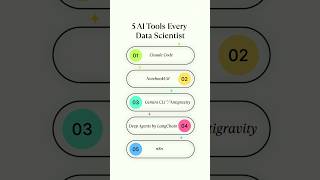



Related Reads
📰
📰
📰
📰
How to Parse TOML in the Browser Without a Backend
Dev.to · ggwork
I Negotiated 6 Backend Engineering Offers in 2026. Here Is the Data Nobody Publishes.
Medium · Programming
I Interviewed 60 Backend Engineers This Year as the Hiring Manager.
Medium · Programming
What is XML Schema (XSD)? Explained with Examples
Medium · Programming
Chapters (46)
1:09
Introduction
7:56
Gemini CLI
10:04
Gemini Models
11:17
Gemini Models Follow Along
13:36
Gemini API Key
17:03
Context Window Size
18:47
Install and Auth Gemini CLI
20:24
Gemini CLI Install
34:39
API Key Follow Along
41:16
Memory Management
42:25
GEMINI Markdown File
43:58
Gemini Markdown File and Memory Part 1
50:29
Gemini Markdown File and Memory Part 2
1:07:20
Compress and Clear Follow Along
1:18:55
Chat Management and Rewind Command
1:20:33
Chat Management Commands Follow Along
1:29:39
Rewind Command Follow Along
1:34:41
Plan Mode Follow Along
1:38:39
Settings File
1:39:46
Settings File Follow Along
1:44:30
Policy Files
1:46:01
Policy Follow Along
2:03:34
System Prompt Overrides
2:04:34
System Prompt Override Follow Along
2:10:16
Gemini Ignore Files
2:11:14
Gemini Ignore Follow Along
2:14:08
Permissions and Trusted Folders
2:15:15
Permissions and Trusted Folders Follow Along
2:19:30
Sandboxes
2:21:03
Sandbox Mode Follow Along
2:27:57
Yolo Command
2:28:39
Headless Mode
2:29:08
Headless Mode Follow Along
2:31:58
Extensions Marketplace
2:32:36
Extensions Marketplace and Using a Skill
2:41:00
Agent Skills
2:43:18
Agent Skills Follow Along
2:49:50
MCP Follow Along
3:02:02
Google GenAI SDK Follow Along
3:11:33
ADK Follow Along
3:24:47
Custom Subagent
3:36:22
GitHub Actions Follow Along
3:47:02
Themes
3:47:21
Themes Follow Along
3:48:00
Footer
3:48:58
Footer Follow Along
🎓
Tutor Explanation
 DeepCamp AI