Design Thinking
Skills:
UX Research90%
Key Takeaways
Introduces Design Thinking as a problem-solving approach, emphasizing user understanding and innovative solutions
Original Description
UNLOCKING CREATIVITY Journey into the Depth of
Lets learn about Design Thinking
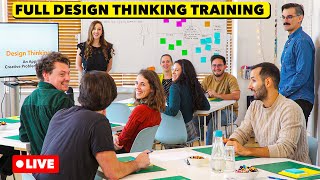
Design Thinking is a cantered problem-solving approach that emphasizes understanding users, and their needs, and delivering innovative solutions. It follows a five-step process: Empathize, Define, Ideate, Prototype, and Test.
Design Thinking encourages collaboration, iteration, and an open mindset, enabling teams to tackle complex challenges effectively. By incorporating user feedback, fostering creativity, and promoting empathy, Design Thinking drives the development of user-centric products and experiences across various domains, including software development.
Join this channel to get access to perks:
https://www.youtube.com/channel/UCZSE8e3uN3ikaQVukcvrJUg/join
For Quick Collaboration Join our Telegram Group
https://t.me/joinchat/HiYGb0_1bSS4ChkyFlMdWw
Facebook Page
https://www.facebook.com/agiledigest/
You tube channel
https://www.youtube.com/c/agiledigest
LinkedIn
https://www.linkedin.com/company/agiledigest/
Article Repository : https://agiledigest.com
Watch on YouTube ↗
(saves to browser)
Sign in to unlock AI tutor explanation · ⚡30
More on: UX Research
View skill →




![Brutally Honest UI/UX Reviews [LIVE]](https://i.ytimg.com/vi/-Rr2J16orfA/mqdefault.jpg)

![Refactoring YOUR Designs [LIVE]](https://i.ytimg.com/vi/NG_NgSDCOi8/mqdefault.jpg)
Related Reads
📰
📰
📰
📰
AI can accelerate every stage of design. It cannot own the handoffs.
Medium · UX Design
Why Most Problem-Solving Fails: The Power of "Understanding First"
Medium · UX Design
The Invisible Architect: Why Human-Centered Design is the Difference Between Friction and Flow
Medium · UX Design
# 🎥 Mastering the Camera System — Part 2: The Fake Camera and When NOT to Sync
Dev.to · Kehinde Owolabi
🎓
Tutor Explanation

 DeepCamp AI