Claude Code + NotebookLM + Obsidian: The Research Stack Nobody's Using
Key Takeaways
This video teaches how to use Claude Code, NotebookLM, and Obsidian to build a research stack
Full Transcript
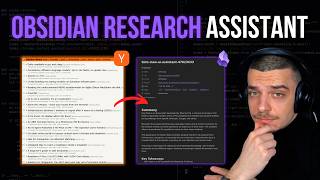
Clo can't read 300 files at once. The context you know is just not big enough. So I put it inside notebook where it reads everything sites every source and cloud code controls it from a terminal. Let me show you how it works. Here is the example of research which I did with notebook lamb where you had 20 sources and here is a question which I asked about emerging themes across those 20 sources and here is actual response from notebook lm imported to our obsidian vault where we have um exact citations from the videos. Here is example of the citation. I can click on that and it guides me to exact passage from the video transcript. Now our answers are grounded and here are the all the citations from this video now. And here I have a sources referenced by the frequency of the citations. And here is a quick diagram to explain what's going on. We had a cloud code which connects to nodem. it it uploads those uh 20 videos there and then you can ask the questions about it literally anything and then you get a response from notebookm with the cited answers and we import those into our obsidian. Now in this video what we're going to go through is um a research workflow from cloud code integrated with obsidian how to get sources and citations coming to Obsidian. how to do audio overview and podcast generation from the cloud code and other use cases. So let's get started. First, what is notebook? Uh notebookm is a Google uh research tool where you can upload a bunch of sources and you have those notebooks with sources and here is example. You have all of the uh sources which you can upload. You can add them, you can chat with them, and you can generate artifacts such as audio overview, uh, mind maps, video overview. And the key here is that we get those exact citations from the videos or from any sources which we are uploading. So our answers are grounded. And this partially solves this issue where LLMs hallucinate the answers and making the uh research with uh cloud code more reliable. Now here I integrated cloud code into this picture and cloud code can interact with nuclem through a common line interface and here is a GitHub project which enables this uh interaction of the clot code. We have a various commands which cloud code can do based on our um notebook lm notebooks and and and we going to go through them. Uh what what's possible here is a diagram that cloud code can call this notebook LM CLI to interact with um actual notebook LM to ask questions to get the responses. It can also upload the sources such as YouTube links, URLs, blog posts, all like even your obsidian nodes. And the advantage here is of using uh it with a cloud code through CLI is that you can actually integrate it with your Obsidian. You can actually get those responses back to your Obsidian and work there. So it becomes much much more convenient rather than using their uh web UI. You can actually save responses, you can ask questions and you can um use those knowledge graph uh to display um connections between different sources. All right, so let's try something. We're going to go and try to do a research topic. I'm starting a cloud code inside of my Obsidian world and I have this notebook LM skill which enables this programmatic interaction. So CL can actually learn how to use uh this tool which we introduced. I'll just execute this skill and um so let's say I want to research about um uh clo and obsidian integration and I want to use my YouTube skill to gather the links for the YouTube videos. And then I want to pick let's say like 10 videos to process. And then we're going to create uh the sources. And then we can try to ask what are the gaps in those videos. What are the opportunities for um exploring different ideas and the workflow here is this custom skill called YouTube search. It loads the skill and now it searches uh different videos uh from the YouTube. Here are all of the responses, all of the videos. We just search a bunch of these. Uh what's very very cool and then and then actually we're going to create a new notebook. So once we are ready, let's actually go back to notebook and confirm with cloth. So what's going on? Okay. Um, here are some unique relevant videos. Okay, I already lo that. Cool. Okay, here are the pool of the results. Created list of the most relevant videos. Nice. Nice. Sorted by relevance and diversity perspective. We got 20 videos. 20 videos. Okay. Um, that's actually sounds very cool. Let's um try to add those like create a new notebook LM notebook and then add 20 of those videos uh into there and ask the question about emerging ideas or the gaps which are exist in the space. Okay, great. Um and here we have the skill which um imports uh the sources. So it teaches how to use this notebook lm command line interface clo is going to create a notebook right now and that's a new notebook codex obsidian research. Now let's see uh it adds the sources in parallel. Okay we have added the source that's very cool and you can see already that they're appearing right here. I don't know there are six videos. Nice. There you go. More videos are coming. That's cool. And I really love this process because I can actually pick the videos and it's much better than using this f like web search or fast search because I have like much more granular control over the sources and this way you can increase the signal to noise ratio to a high high value rather rather than relying on this generic web web search for the adding a new sources. Okay. So that's very cool. And um right now Cloud Code creates for us a dashboard. So we can actually look and see all of this information in our Obsidian vault. And that's the most exciting part because I can actually interact with all these sources within my Obsidian. I can see them. I can see connections between them and I can actually ask questions here from a from a terminal and cloud code will be able to export those answers with cited sources into our obsidian. Now let's wait um let's wait a bit. It's importing those sources and this skill is available uh so you can just grab a link in the description. Okay, we have imported 20 sources and we want to create a dashboard right now where we can clearly see and track all of these sources because it it's very very hard um to navigate this and here is our dashboard where we have all of these 20 videos and we can see like their summary uh from the no blue colm and right now here we have Q&A log where we can log the questions which you're asking and we're going to log the response here as well. Yeah, here we don't really need this. All right, so it takes a bit of time because um the model is thinking. Um it's not that clock code is slow. It's just um the Gemini model is um takes some time to execute and actually the response should appear here in the chat after it runs. Oh, cool. I think it's done. Okay, so we got the answer. And um all right so here is the actual um response from the notebook alm it's in our obsidian vault and meanwhile I am um asking clo to analyze if the citations make sense but uh we can just actually like go through them and see what's going on. So here we are saying that clo can automatically add YAML front matter generate tax move files into the folders and it references this video. So let's actually see what's going on under the hood here and we see that uh okay we can mention it mentioned that we have like this nicely formatted files. Um good. Um now there is another passage. Yes, you can also do the tags. Okay, it kind of makes sense. We can also see here tagging as well. Um, overall it's it's quite good. Yes, the sources make sense. Let's try to do something else. Here is um to-do list generator. Um, okay. The code can to scan a wall to build a today to-do list or daily briefing. Here is a video and oh, okay. So that's um from the video from tresa taurus that we are saying we are using this today command and clo goes going to trell and um getting the information from there okay and generates to-do list okay great that makes sense now let's try to see about something under exposed uh AI agents can edit override or per permanently delete your files uh here we're mentioning the crowd operation or the vault makes sense. Uh so then there is what is this? G version control solid AI edit every AIA distract. So let's see what there um okay so here yes we have mentioning of g that every action of cloud is automatically logged. Great. So overall no the references make sense. So like our actual response is grounded with the real data from the real videos. Here is the response from clot. Oh, nice, nice, nice, nice. Uh, I also run this uh citation accuracy audit and here is rating like strong match like around 60%, partial match is 31% and weak match is like let's say 10 to 15%. Now overall it's quite quite good quite quite good and it's quite strong grounding. And now you can see this on a graph as well. Here all your sources sited. You can go to each of them. It has a file itself. And you can actually integrate this with obsidian bases because uh each um each source is a file. We can ask lot I want to build obsidian base for my uh notebook sources. So I can display those and add relevant fields for this view. Can you also check how we do those obsidian bases um and add this to our dashboard also we extract topics uh from from the notebook alm source and those are generated by notebook alm and we can actually see the emerging topics right here. Um, okay. And meanwhile, Claude have just created uh for us for us this uh dashboard with all of our uh sources and um nice. I wonder if you can add uh more properties displayed in all sources view and here are whole database of the sources which we have. You have topics, you have type YouTube, you have a status for those and you can see where is this uh source was cited in which question. Now another opportunity is to look at the graph view to see the connections here. Here is my research file which I put and I'm filtering by by this file and I can see all of the different uh connections across different sources. Here is um my main dashboard note and you can see it connects to to this source about project corn kernels and this project kernels is connected to to other topics. Now where it gets interesting when there are like multiple uh like where there are similar topics for example for this video we have a cloth code and it connects to this uh node called cloud code and you can explore there what's going on and here it connects to other six videos where we mentioning cloud code. Now you can explore this graph and bring insights and new ideas and find the gaps. Now this whole setup of uh of CLI skill and wil weekly resolution I build all of this in my lab. Uh and every week we pick a workflow and build it from scratch and I share it. And if you want to set up it on your vault or build um something that tailors your needs, here is the link. Uh I'm also running this workshop this week zero to obsidian CLI pro in 90 minutes. If you're interested in how to use Obsidian CLI and CL code together, feel free to join. Okay. And let's take a step back about what have just happened with all of these uh citations and and and not essentially what we did is okay so we got results from YouTube. We got five videos added to our like actually like 20 videos added to our notebook and then we asked um from the terminal it's actually cloud code asked a question for us about the gaps and we got response back with a citations which makes sense into our obsidian. Now there's no need to copy paste, no need to open like 20 tabs, 20 20 you know videos. Cloud code can search it for us and um add them to notebook communicate and get results back to our Absidia. That's truly truly exciting. Now and this scales uh beyond just YouTube videos, you can think about your vault notes, blog posts, PDF like everything can live inside of one notebook. We can just have example. Okay. So I want you to add article um about clo um and notebook about clo code and obsidian uh search online and add three articles and um add some markdown file from our obsidian base which is related to to this. Now let's go back to notebook and u in the sources we should see those appearing. Right now we have like those videos and cloth is finding a new new sources for us. So those one web search and those one we're trying to find the relevant uh files in our obsision vault. Okay, I'll just tell okay just use grab. Okay, that's much faster. Okay, we found the three articles from the web and we added my setup guide. All right. And we are right now adding in real time a new sources which you found in the web and those are real sources. Um those are actually real sources. You can go there and go to this website and it's real and exactly using cloud code with obsidian. Nice. That's what we want. Let me go back here. We also added cloud.md right uh and added cloud code obsidian course outline. Now you can ask about uh like those those questions about like new sources and that's truly exciting. So you can actually upload everything PDFs, papers, blog posts all into notebook and actually ask questions about them. And notebook is very very flexible. It supports up to 300 sources. And today I just uploaded uh my daily notes uh 300 um daily notes and here are all of them and you can chat with them and just incredible. You can expect different patterns. That's just one of the use cases you can think about. Additionally, you can also configure persona on how not can respond. Um I want to configure a persona which should be just delivering um concise responses and I want you to test it just here in the chat just ask some question to test this first set persona. Okay, cool. And right now we are setting the persona and like deliver concise direct responses, no filler, no preamble. And we are asking four like three questions in parallel. We just set a context for this chat for this notebook. And I believe that okay. So let me get back to our previous uh notebook. So that's the one. Um uh and here in the configured chat we see that it's appearing and it said response links to shorter. That's nice. Um and you can actually see the answer is is very very uh concise. I love that. That's very cool. Very very cool. Now we want to add these questions back to our obsidian. I just want to import them and I want to see them in Q&A log. Okay. Okay, so here we need to actually use uh flag JSON to get references with uh citation resolution. We just like do it once again and we're going to get uh it here in our obsidian wall synced. Okay, we are now extracting the citations from all of the questions. We are resolving the citations and right now we are seeing that they're appearing in our obsidian all of those four questions. And here is a concise answer. It's very very nice. And uh this this question was about TZ context management and it makes sense that it pick up everything from her video. Nice. So the answer is keep global instruction short. Uh-huh. I do agree with that. And here is advice from her to keep it short because it goes into the context every single time you chat with CL. Makes sense. So it works perfectly. Now moving on. So for the citations um just a diagram right here is that we have those um answers and uh they are appearing in notebook lm as here. Those are the chunks and we can click here. You can actually click here like 39 for example and we can go to this chunk and it shows as this video and exact citation from the chunk and we just imported this into our obsidian. So we can work there and we use those vic links with mapping to the headers to site exact passage. So we can easily trace the claims which clo which notebook claim makes and get back to the source all the time. And here is the difference. Now previously we need to open the browser like drag files or create 20 tabs go to YouTube find maybe the articles that's just not scalable and not reliable and just so tiring. you just end up duck with all of this uh 100 tabs which you never process and then you just like close everything and you just forget about it. So you lose citations. Now with that approach you programmatically add the sources. You have a curated list of sources and you can ask cloud to dig deeper maybe find like a different one. And now we are not using this black box uh from notebook lm where we like add sources using this uh fast research or deep research. We're actually have more control over the prompts over the sources which we adding to our obsidian. And then uh we import this into our obsidian and then we use wik links in our vault to back up our citations. Now another exciting part is audio overview. You can actually get the overview of uh of the topic. You can actually do a deep research about something and then ask clot to grab this uh audio uh from the notebook alarm. Here is the audio overview button, but you don't have to click it. Um, CL can actually add it to our obsidian vault. I want you to use I want you to use um I want to generate the audio overview over the notebook which we working with and focus on the gaps. Okay, that's very nice. and then add it to my Obsidian World um as a embedded audio file inside of the notebook. Okay, right now notebook um Claude just went about generating the audio to and he added the prompt about uh focusing on the gaps and specifying format being deep dive. Now it takes a bit a long time. Uh we could see that um if I refresh our notebook lm. Oh yes it right here. So right now it's generating the audio overview and once it's done clo going to get it and put it into our obsidian vault. Well I've already done that and actually here um here is a podcast which was generated. Um, I can actually uh go on my phone and because I use Obsidian Sync, I can listen it from my phone. All right. So, here is the exact same uh podcast right here. I can just play it on my phone. >> Summarizes progress. That's the intent. >> Intent. That word keeps coming up. How is that different from just like a to-do list? >> So, I can listen podcast on the go which uh you can generate um and have customized podcasts. I mean here is also like other stuff which I played with. Um you can go much much like beyond that. So one thing which I played is Absian canvas. You can actually generate uh a mind maps from the notebook and that's exact mind map which we which we got from there. That's another use case. You can also do flashc cards like essentially what you have here like you can do it exactly the same and ex import it into your obsidian. So let's just uh go there um into here. Here is example of the flash cards. There's 58 flash cards. Um it's a silly topic. Um but you can just uh let's say okay um what is the primary goal of project memory? You can just click there and it's going to be resuming, right? It's going to show the answer. You can generate custom flash cards and imported your Obsidian to study. That's the audio overview that's working. You can also create a slide decks. Um, which I'm not a big fan of here. It doesn't look cool to me. Um, because I can't edit this. But that's also opportunity if you if you like that that's a diagram for for podcasts. You can just take your notes and generate audio MP3 file which you put into your Obsidian world and then on the phone you can access it. You can do it through Obsidian desktop or you can do it through mobile. And here are some other cool use cases if you're academic. I think that's a huge opportunity because you can tell CL okay let me open a new tab u okay so what's new on archive regarding quantum computing with ritberase so now clo can actually search uh specific articles about the topic of your research and you can actually feed back those into notebook on them and get a grounded citations I know that it's very important for academics so that responses are not made up and you have full control for full full observability over what's going on. And here is the actual link to archive paper. I can click there and clone just found this article and I can provide specific directions you know maybe the articles are from you know from uh 2010 if I'm interested in more uh you know uh foundational research about grim race all of that you can just import into notebook you can also like do market research uh for like feeding uh competitors blog posts YouTube videos you can actually like this is is a killer one. I think you can just set up your uh company knowledge base in notebook. I think it's a huge opportunity because you don't need like this complex rug infrastructure for that. You can just put everything into notebook and handles everything for you. You can imagine that okay you have like this on boarding procedure and people have naturally questions and you can put the docs for your company into notebook this way and then when a new employee comes in they have a bunch of questions then they can just actually ask those questions like from cloc from nolm for the basic one right and then you don't have to spend time and attention of other people who need to um let's say like answer those basic questions. That's one of the opportunity a shared Vicki for for your company. Another idea. Okay. So, you have this like podcast, right? Like Lex Freedman episodes like four four hours. You can get a bunch of this I don't know and maybe you know research about what's going on in the field of AI recently if you're interested in that. here are all of the just use cases and it's all just scratching the surface of what's what's possible right now with this system now and this kind of closes this loop where like your nodes your sources go into a notebook and then a knowledge graphs come back to you which you can explore in your obsidian and I believe that's highest leverage where you have all the sources all the citations connected and previously the nom outputs were just trapped in the browser right we need to copy paste into somewhere into like Google Keep into like maybe Absidian whatever system you use and it's all scattered and there is no consistency how you capture that now you can actually have like consistent dashboard for research topics you want to like know deliver and then what's even more exciting because it's all your data now it's all sits in your computer as a just a modern file and you can tell CL Okay. Uh let's say I just like want to like engage more, ask more about like all of the sources which we have here. Like it's all here. It's all like saved right here. And I can go back to this video. I can like ask more questions about this. It's truly amazing what's possible right now. And here is a full loop. And here uh how it works for me how I I think in terms of dashboards I have this like note called dashboard like this clo x obsidian research it's a type of a dashboard and I just put there all the information so I can clearly see what's going on what are the sources what are the Q&A and clo can actually read this dashboard as well using a recently introduced um obsidian cla Right. Here's a demonstration. Uh let's say just want to and um let's let's start a new conversation to demonstrate this. I want to read this dashboard. Um I just want to get the front monitor. Yeah, cool. And present results as a table. Oh, presents results as a table. Okay. Right now it's going to go and and get to resolve those queries. And so right now the results would come back to us. There you go. Here we have like all of the like all of the our Q&A and we can ask questions about this. So the basis return empty. I think it doesn't work with basis. So I just I can just translate this into data view and it's going to work. So this was a dashboard and we have those related source files which I just showed and then we have those Q&A notes which can be just seen all at once and then those source files they have those topics as the wiki links like such as cloud code second brain cast and that's the graph view which I showed here those are actually the dashboards which we see here and those are all of your videos we can add a new group here um called notebook lm source um uh and right now it's in red so we can clearly see and like and understand what's happening here. We can also add uh new Yeah, we can also color the topics in in a different color. I think it doesn't work that well, but I'm sure that's possible to do. Now, you have this like nice color graph whereas the red points is your notebook LM sources. Those are videos and you can imagine you can have like articles, you know, different type of sources and those are your topics. They are not colored right now, but you can make them colored. Cool. That's kind of the whole system and that's a beautiful graph. Um yeah, I think we're coming to the end and that's um like notebook uh LM PI project and the cloud code skill. So I built um so you can just grab a link and in the description and start today. Yeah. And uh if you want to go deeper, I'm running the workshop this Wednesday where I build this in your vault. Yeah. And that's been um integration of clo code and obsidian and notm. And I also build the clo code skill. You can just go grab there in description. And if you want to go deeper, I'm running a workshop where we explore the Obsidian CLI and clot code integration. And here is a program you can join for free. Yeah. And uh if it was useful, yeah, subscribe. Um, I'm shipping uh one of these every week, so you can just grab uh tips, tricks, and adapted to your workflow. There you go. and I'll see you in the next
Original Description
📚 Obsidian x Claude Code Lab: https://lab.artemzhutov.com → Build your own AI memory system, vault architecture, and agent skills - live, with me
💬 Discord: https://discord.gg/g5Z4Wk2fDk
Claude Code can't read 300 files at once. Context window isn't big enough. So I put it inside NotebookLM - it reads everything, cites every source, and Claude Code controls it from the terminal. I show the full workflow: YouTube search to sources, cited answers with passage-level deep links back to Obsidian, audio overviews you can listen to on your phone, and the full loop where notes go in and a knowledge graph comes back.
🎁 Free: Claude Code Skill for NotebookLM
→ The exact skill I used in this video - sources, citations, audio, import
→ Download link in welcome email
https://artemxtech.substack.com
Follow me:
Substack: https://artemxtech.substack.com/
X: https://x.com/ArtemXTech
GitHub: https://github.com/ArtemXTech
Timestamps:
0:00 - 300 Files Don't Fit in Your Context Window
1:36 - What Is NotebookLM
2:30 - Claude Code + notebooklm-py CLI
3:07 - How It All Connects (Architecture Diagram)
3:58 - Live Demo: Researching a Topic from Terminal
5:00 - YouTube Search (20 Videos Found)
5:57 - Creating a Notebook + Adding Sources
6:32 - Sources Loading in Real Time
7:14 - Dashboard with 20 Sources in Obsidian
7:56 - Importing Sources as Vault Files
8:55 - First Q&A: Gaps and Opportunities Across 20 Videos
9:16 - Verifying Citations Against Source Videos
11:17 - Citation Accuracy Audit (60% Strong Match)
11:45 - Graph View: Connections Between Sources
12:04 - Building an Obsidian Base for NotebookLM Sources
13:06 - Topics Extracted as Wikilinks
14:12 - Obsidian x Claude Code Lab
15:31 - Obsidian CLI Workshop
16:34 - Adding More Sources (Articles, PDFs, Vault Notes)
18:23 - NotebookLM Supports Up to 300 Sources
18:50 - Custom Persona per Notebook
19:54 - Q&A with Citation Resolution in Obsidian
21:03 - Passage-Level Deep Links (Click to Exact Chunk)
21:54 - Before vs After: 20 Tab
Watch on YouTube ↗
(saves to browser)
Sign in to unlock AI tutor explanation · ⚡30
More on: Reading ML Papers
View skill →






Related Reads
📰
📰
📰
📰
A lightweight workflow for keeping up with AI conference papers
Dev.to · Daniel
Why CitedEvidence Believes Great Researchers Read Less Than You Think
Medium · AI
How to Write a Literature Review That Actually Argues Something
Medium · Machine Learning
I Built a Personal Paper Engine to Stop Losing Research Papers
Dev.to · Ethan
Chapters (24)
300 Files Don't Fit in Your Context Window
1:36
What Is NotebookLM
2:30
Claude Code + notebooklm-py CLI
3:07
How It All Connects (Architecture Diagram)
3:58
Live Demo: Researching a Topic from Terminal
5:00
YouTube Search (20 Videos Found)
5:57
Creating a Notebook + Adding Sources
6:32
Sources Loading in Real Time
7:14
Dashboard with 20 Sources in Obsidian
7:56
Importing Sources as Vault Files
8:55
First Q&A: Gaps and Opportunities Across 20 Videos
9:16
Verifying Citations Against Source Videos
11:17
Citation Accuracy Audit (60% Strong Match)
11:45
Graph View: Connections Between Sources
12:04
Building an Obsidian Base for NotebookLM Sources
13:06
Topics Extracted as Wikilinks
14:12
Obsidian x Claude Code Lab
15:31
Obsidian CLI Workshop
16:34
Adding More Sources (Articles, PDFs, Vault Notes)
18:23
NotebookLM Supports Up to 300 Sources
18:50
Custom Persona per Notebook
19:54
Q&A with Citation Resolution in Obsidian
21:03
Passage-Level Deep Links (Click to Exact Chunk)
21:54
Before vs After: 20 Tab
🎓
Tutor Explanation

 DeepCamp AI