Anthropic’s Claude has evolved into a powerful family of tools, each designed for a very specific type of workflow. In this video, we break down the "three siblings" of the Claude ecosystem: Chat, Code, and Cowork, so you can stop guessing and start building. We explore how these tools differ in interface, capability, and autonomy—from the conversational web-based Chat to the agentic, terminal-driven power of Claude Code. What you’ll learn in this 8-minute comparison: Claude Chat: The best uses for the familiar web interface, from brainstorming to general research. Claude Code: A deep dive into the terminal-based agent that actually writes, tests, and executes code directly in your environment. Claude Cowork: How non-developers can use desktop automation to manage files and orchestrate multi-step projects. Feature Comparison: A side-by-side look at pricing, platform availability, and unique strengths. The Future of Work: Insights into the Model Context Protocol (MCP) and how these tools are converging into a unified agentic experience. Whether you are a software engineer looking for a coding partner or a knowledge worker wanting to automate repetitive tasks, this guide helps you choose the perfect Claude for the job. Resources: Find links to installation guides, documentation, and the API console in the description below! #ClaudeAI #Anthropic #ClaudeCode #ClaudeCowork #ArtificialIntelligence #AITools #Automation #SoftwareEngineering #AIAcademy
Full Transcript
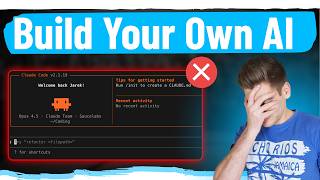
Hey everyone, welcome back to the channel. Today, we're diving deep into the Claude ecosystem to compare three powerful tools: Claude Cowork, Claude Chat, and Claude Code. By the end of this video, you'll know exactly which tool to use for your specific needs. Let's get started. Before we dive into the comparison, let's understand what we're dealing with. Claude, developed by Anthropic, comes in three distinct flavors, each designed for different workflows. Think of them as siblings in the same family, but each with their own unique personality and strengths. Here's the quick overview. Claude Chat is your web-based conversational AI, perfect for general tasks and brainstorming. Claude Code is a terminal-based coding agent that lives in your command line. And Claude Cowork is a desktop automation tool for non-developers who need to manage files and automate workflows. Let's break each one down. First up, Claude Chat. This is probably the one you're most familiar with. It's the web and mobile interface where you can have conversations with Claude about literally anything. Claude Chat shines in versatility. You get web search integration, image analysis, document uploads, and artifact creation. It's like having a brilliant assistant who can help you write code, analyze data, generate reports, and even create interactive visualizations. The projects feature lets you build a knowledge base with custom instructions and documents. When should you use Claude Chat? It's perfect for brainstorming sessions, content creation, quick code prototypes, research and analysis, learning new concepts, and document editing. Basically, if you need a flexible AI assistant for conversational work, this is your go-to. Here's a real example. Let's say I ask Claude Chat to create a React component for a to-do list. Watch how it generates the complete component with state management, styling, and even explains the code. Now, let's talk about Claude Code, the developer's dream tool. This is a command-line interface that lets Claude directly interact with your code base, make multi-file edits, run commands, execute tests, and integrate with MLCP service for extended functionality. Unlike Chat, Code can actually execute changes in your local environment and see the results. Getting started is simple. Just install it via NPM and you're ready to go. It requires Node.js version 18 or higher. When should you use Claude Code? It's ideal for refactoring large code bases, implementing new features across multiple files, debugging complex issues, setting up project configurations, and running automated tests. If you're a developer working on real projects, this tool is a game-changer. Let me show you a practical example. Imagine you need to add error handling to all API calls in your project. With Claude Code, you can ask it to scan your project, identify all API calls, and add proper try-catch blocks with logging. Here's what the actual code transformation looks like. On the left, you see the original API call. On the right, Claude Code has added comprehensive error handling, logging, and user-friendly messages. Finally, let's explore Claude Co-work, the newest member of the family. This is a desktop application designed specifically for non-developers who need AI-powered automation for file management and task workflows. Co-work is all about automation without code. It can organize files, rename batches of documents, extract data from PDFs, create reports, manage spreadsheets, and automate repetitive tasks. Think of it as your personal AI assistant for desktop productivity. Who benefits most from Cowork? Project managers organizing deliverables, content creators managing media files, business analysts processing data reports, administrative professionals handling documents, and anyone drowning in file management tasks. No coding required. Here's a real-world scenario. Imagine you have hundreds of project files scattered everywhere with inconsistent naming. You can ask Cowork to organize them by type, rename them with a consistent pattern, and create a summary report of what was changed. Now, let's put them all side by side. Claude Chat is browser-based and conversational. Claude Code is terminal-based for developers. Cowork is desktop-based for non-technical users. Each has its own environment, target audience, and strengths. Let's talk accessibility. Claude Chat is available on free and paid tiers. Claude Code requires a Claude API key, so there's a usage cost based on tokens. Cowork is currently in beta and availability varies. Check the Anthropic website for the latest pricing and access information. Here's [snorts] the cool part. These tools can work together. You might brainstorm in Claude Chat, implement the solution in Claude Code, and then use Cowork to organize your project deliverables. They're designed to complement each other, not compete. Still not sure which to use? Follow this simple flowchart. Are you coding? Use Claude Code. Do you need file automation without coding? Use Cowork. Need general AI assistance or exploration? Use Claude chat. It's that simple. Let me give you three real-world scenarios. Scenario one, you're building a web app. Start with Claude chat to prototype the UI, move to Claude code to implement it in your codebase, then use Cowork to organize your assets and documentation. That's the full Claude workflow in action. Here are my top tips for getting the most out of these tools. One, be specific in your prompts. Two, use projects in chat for context. Three, let Claude code run tests before committing. Four, create templates in Cowork for reoccurring tasks. And five, don't be afraid to switch between tools based on the task at hand. Watch out for these common mistakes. Don't use chat when you need actual code execution. That's what code is for. Don't use code for simple questions. Chat is faster. And don't use Cowork for programming tasks. It's not designed for that. Use the right tool for the job. What's next for the Claude ecosystem? Anthropic is continuously improving these tools. We can expect better integration between them, more automation capabilities, and expanded MCP server support. The future of AI-assisted work is here, and it's evolving fast. That's it for today's comparison. If you found this helpful, smash that like button and subscribe for more AI tool breakdowns. Drop a comment below telling me which Claude tool you're most excited to try. Are you team chat, team code, or team Cowork? Thanks for watching, and I will see you in the next video.
Original Description
Anthropic’s Claude has evolved into a powerful family of tools, each designed for a very specific type of workflow. In this video, we break down the "three siblings" of the Claude ecosystem: Chat, Code, and Cowork, so you can stop guessing and start building.
We explore how these tools differ in interface, capability, and autonomy—from the conversational web-based Chat to the agentic, terminal-driven power of Claude Code.
What you’ll learn in this 8-minute comparison:
Claude Chat: The best uses for the familiar web interface, from brainstorming to general research.
Claude Code: A deep dive into the terminal-based agent that actually writes, tests, and executes code directly in your environment.
Claude Cowork: How non-developers can use desktop automation to manage files and orchestrate multi-step projects.
Feature Comparison: A side-by-side look at pricing, platform availability, and unique strengths.
The Future of Work: Insights into the Model Context Protocol (MCP) and how these tools are converging into a unified agentic experience.
Whether you are a software engineer looking for a coding partner or a knowledge worker wanting to automate repetitive tasks, this guide helps you choose the perfect Claude for the job.
Resources: Find links to installation guides, documentation, and the API console in the description below!
#ClaudeAI #Anthropic #ClaudeCode #ClaudeCowork #ArtificialIntelligence #AITools #Automation #SoftwareEngineering #AIAcademy








![Run Any AI LOCALLY for FREE Forever! [100% Beginner Tutorial]](https://i.ytimg.com/vi/8GFPZRgtEn8/mqdefault.jpg)

 DeepCamp AI