
Boost Your Productivity with GitHub Copilot
Skills:
AI Pair Programming85%
Key Takeaways
Installs and configures GitHub Copilot in Visual Studio Code for code suggestions
Original Description
This module is designed to equip you with the essential skills to set up and optimize your environment for using GitHub Copilot effectively. You will gain practical knowledge on installing and configuring Visual Studio Code (VS Code) across different operating systems, including Mac, PC, and Linux. This course covers the basics of generating code suggestions with GitHub Copilot, from setting up the extension to exploring its chat capabilities. Additionally, you will refine your prompt crafting skills, applying techniques like zero-shot, one-shot, and few-shot learning to enhance the quality of Copilot’s suggestions. The course also delves into advanced features and best practices, guiding you through creating practical projects, such as a Todo application in Python and customizing Copilot to fit your development needs. Through hands-on activities, quizzes, and comprehensive lessons, you will be well-prepared to harness the full potential of GitHub Copilot in your software development workflows.
Required Course Materials: A Copilot license is required to complete this course. If you don’t have a Microsoft 365 Personal or Family license, you can start a free 30-day trial using the link provided in the course.
AI explanation not available for this lesson yet
This lesson is still being prepared for the AI tutor. In the meantime, explore lessons that are ready.
Browse explainer-ready lessons →
More on: AI Pair Programming
View skill →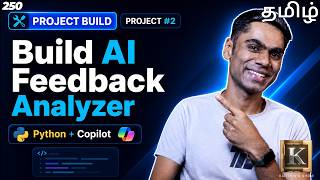






Related Reads
📰
📰
📰
📰
Prompt Engineering in 2026: The Skill Is No Longer Writing the Perfect Prompt
Medium · UX Design
Your Prompts Are a Personal Brand You Didn’t Know You Were Building
Medium · AI
I shipped a prompt library. Not because it's sexy. Because people were staring at a blank input box.
Dev.to · Daniel Dong
Understanding Prompt Engineering
Medium · ChatGPT
🎓
Tutor Explanation
 DeepCamp AI