Azure: Create a Virtual Machine and Deploy a Web Server
Key Takeaways
Deploys a web server on a Virtual Machine in Azure
Original Description
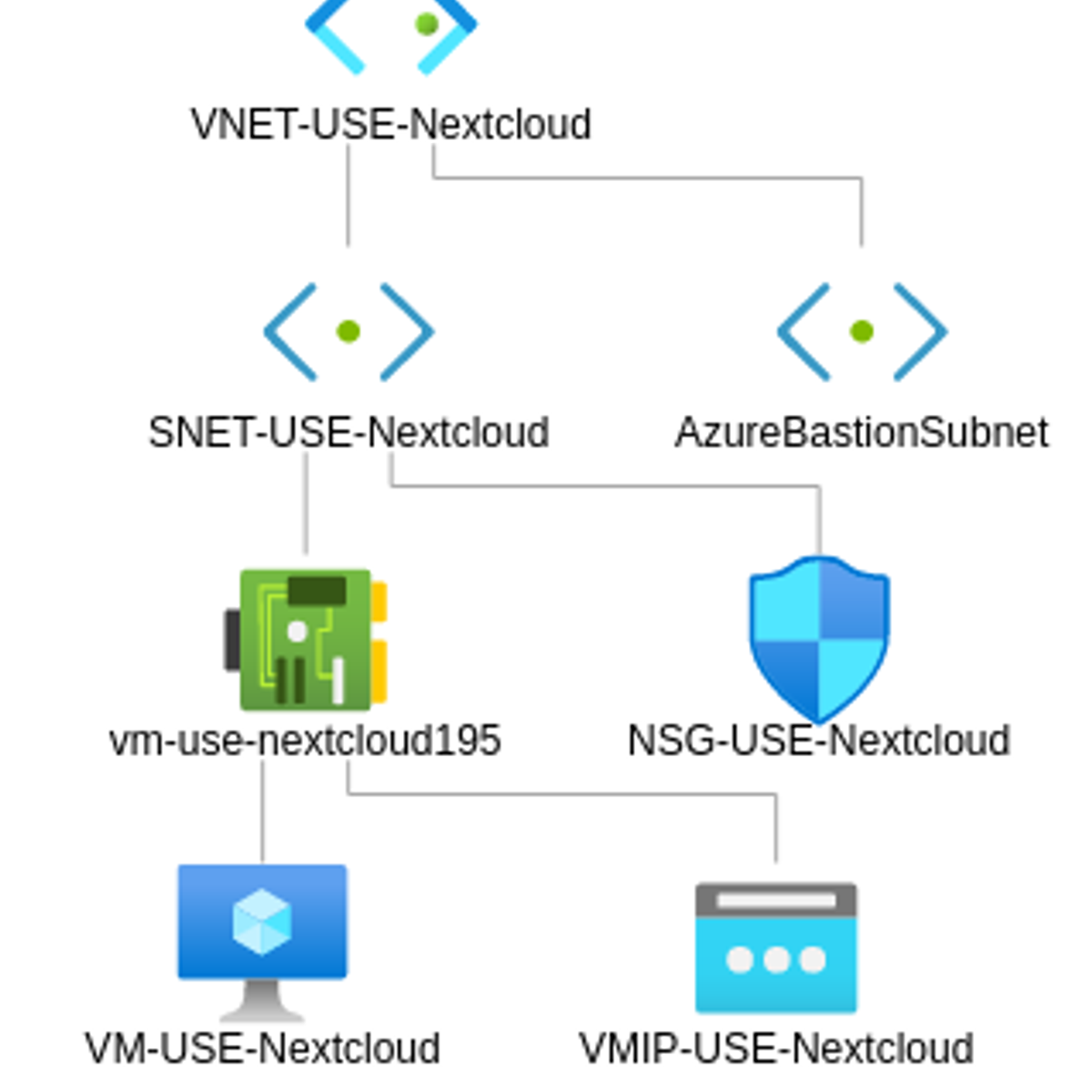
In this Guided Project, you will create a Virtual Machine in Azure to deploy a web server, specifically a Nextcloud server. Instead of using just the presets, you will explore how the basic architecture of Azure works, by creating a Virtual Machine, connecting it to a subnet, protected by inbound and outbound rules thanks to Network Security Groups, in a Virtual Network. You'll also learn how to use Bastion to connect to the machine via SSH, without exposing an external port to the Internet, and then installing a simple Nextcloud server and make the Virtual Machine available to you by opening a public IP and a DNS label.
Note: before taking this Guided Project, if you don't have an Azure subscription yet, please create an Azure Free Trial beforehand at https://portal.azure.com
Watch on External: Coursera ↗
(saves to browser)
Sign in to unlock AI tutor explanation · ⚡30
More on: Cloud Fundamentals
View skill →









Related Reads
📰
📰
📰
📰
What Is an MCP Registry? (And the NxM Problem It Solves)
Dev.to · Sahajmeet Kaur
Built a suite of client-side dev tools to fix the "production data" privacy gap
Dev.to · Rayan Ahmad
5 Best BrowserStack Alternatives to Optimize Your Testing Infrastructure
Medium · DevOps
️ The Lifecycle Symphony: A Senior SRE’s Deep Dive into Init and Sidecar Containers
Medium · DevOps
🎓
Tutor Explanation

 DeepCamp AI