AWS DevOps in Action — Real Skills, Real Deployments
Key Takeaways
This video covers AWS DevOps skills, including Cloud Computing basics, AWS Lambda, and Blue/Green deployments, with step-by-step practical examples and real-world cloud deployments.
Full Transcript
be waiting for me. Actually, I was in another session and then the switch, you know, it took a little bit of time. I thought it were going to be end, you know, very soon. That's why I just mentioned five to six minute, but that switch, you know. Um, okay, let me share my screen and then we can move forward. So I hope my screen is visible and in this uh week which is all about week three and uh in week three we have AWS. In past weeks we have learned about the git the version control system and the scripting the Linux fundamentals previously. in this particular week is all about cloud computing to be on uh to be precisely AWS. Okay. So we're going to cover the fundamentals and then the different or you can say the core services of AWS like AM as I can see Lambda EC2. Okay. So these are the core services which we're going to cover one by one. Okay. So over here this is the week three devops course overview. So yeah this is overall uh view uh in day 15 about the cloud computing fundamental. In day 16 about AWS fundamental then in day 17 we got AM. So this is one of the important services. Okay because if you see AWS you're going to find so many services out there like more than 200 plus services. So it's not import it's not possible to know all those 200 services. Let me tell you honestly I also don't know all the services and even company also not looking for knowing all the services okay the the way you're going to do the job what you have to look into is the core services which are important and the second thing which you have to look into the project the project requirement so whatever projects you're going to deploy on top of cloud if they need some AI based services so you can use those services if they need you know some other kind kind of services another kind of features like you know like for example cloudfront or any there's so many services are there for you know handling different situation so it's totally depend upon your project requirement and accordingly you can learn different services of AWS okay now over here uh we got AM and then we got S3 we got EC2 very very important okay and then you got VPC and you got different kinds of deployment strategies. AWS Lambda is also another important service for serverless uh configuration and then in day 20 you got security essentials where you're going to where you will going to learn about the share responsibility model the security services encryptions access logs and compliances and then at last how you can deploy a simple project on AWS okay so that's the whole thing okay now let's go over here the very first thing over here comes in the cloud computing so what's What's this term means cloud computing? So let's start from very basic okay like let's think before the era of cloud computing. Okay. So when you you you got the idea okay very uh groundbreaking idea and you want to actually build the application because application is a is a connector between you and your customer. Okay it's interface which connects you with your customer. So you build the application for that idea and then but you build the application and this it doesn't mean after building the application you you start getting interaction with the your customer. No, it needs to be deployed somewhere. Okay. And it needs to be deployed in such a way that any other customer any other end user can access it actually and it should be secure. If competitors seem like you are actually giving them a good competition and they don't want to be you know uh to become you market leader or whatever then this is going to do same things like attacks on your system or whatever it can be any other user you know making a problem to your uh place where your application is running. So what I'm saying is like once you build the application things as an end you have to deploy it somewhere so that it can be accessible by other people and also it needs to be secure not only secure if there's a your idea is groundbreaking as I said so many customers want to access the application then your system is sort of down okay you you heard you I think you have seen this message somewhere in your life like server are down unavailable server something like that so why that thing happened okay so which means your the place where application can be accessible it is not there anymore or there's some problem there there's some kind of disaster is there so what I mean like when whenever there's a high traffic comes in you should know how to scale up okay so AWS offers so many services to deal with this situation for security for scalability for you know deployments and you got so many things to got to get more control on uh infrastructure level to got to get control at application level so this is what you uh this cloud services provide. Okay. So uh over here think about the cloud computing as I said over there you need a place where you want to deploy. So instead of going with any cloud computing you any cloud computing platform what you did you bought a server okay which is online okay the server which is online and then you just deploy your application over there okay now your your idea is great enough so now traffic comes in and that server that little box is not sufficient. Okay, you need more boxes. Okay, you need more services servers to take care of the traffic. So you actually buy more and then the size of your server increases. But again there's a problem. It should be running all the time like 24 into 7. Okay, electricity should be available. Not only that, a proper temperature should be maintained. Okay, which I which I like to say what what I'm saying that like you have to put a money a lot in order to actually run anything you know by in self-hosted servers okay so it's a very you know uh ted tedious job okay like you have to buy the servers then you to have new switches new connectivity and you know you have to do a lot of things so just to tackle this we we got the cloud comput solution that's what it is if we're going to provide you the infrastructure. It will going to give you on demand access very quickly. You can scale up, you can down, scale down very easily without investing any additional amount of money in the physical hardware. Okay. So this is what uh you know AWS or any other cloud service provider are meant for. They save a lot of cost. They help you to scale up and down no matter what way you go. Reliability it will going to make sure that your application is available online all the time. Accessibility. So if we're going to help you to reduce the capex the capital expenditure and improves overall efficiencies. Okay. So that's the idea behind cloud computing and this is the the you know architecture how it looks like the client infrastructure then you got the internet and the back end the back end is your server where everything is running where your application is running and application needs the runtime it needs the storage it needs other things as well. So this is what back end looks like. Okay. And this is where the client infrastructure from where uh your user can access your application. So through internet it basically uh you know accessing this whole back end right way. Okay. So over here you can see very clearly what are things require in order to uh you know uh build such basic application. Let me just open the whiteboard and talk about how you can identify the core services. So the example which I said you know that user uh you build some application you got some idea and then you just want to deploy it on your self-hosted server or on cloud whatever it goes. So over here few things are required. Okay, you can say ingredients or whatever you say. So few things are required. So first thing like this is the server and this is where your application is running. Okay, greenler looks better the combination. Okay, so this is where your application is running app. Okay, and uh other things are also stored like the runtime. Okay, and uh other things. Okay, there's so many runtime libraries you can say whatever. Okay, let me just remove it. I'm just going to make you confused. Okay, so you all the things are installed into this server. Okay, and uh this is your user. Okay, this is your user and uh user is able to access your application uh with some domain or with whatever app you have given them to install. So for example you let's talk about any a domain. So there's some domain like ww.example.com something like that. Okay. So over here this is something which user we're going to type in and then access your application. Now in order to access everything this particular domain you can do it with the help of combination of different services which as offer. First thing first the app where it is running the server. Okay that server is a part of compute. Okay. So the very first thing the very first category which you have to look into is the compute. Okay. Where that application is running the whole server. Okay. This is what this is a virtual machine in AWS you can say EC2. Okay. Elastic compute cloud. So this is a virtual machine the EC2. So this is a part of compute. Okay. Compute category is there. Okay. Now this application will actually you know going to store whatever this end user we're going to put in. Okay, for example, you build some e-commerce website. Okay, so this user will going to add some items. Okay, some uh thing into their uh cart. So all those thing we're going to be install uh put on some database. Okay, so this is the database outside and whatever you know this I'm going to make it double arrow by the way. Over here also double arrow we're going to apply. Okay, request goes in then if we're going to process it and then give you the response. Okay, so both side arrow and then over here in app and uh DB there's some new insert will going to be happen and then some fetch will going to be happen. So that's why both way arrows are there. So over here this user added some items it goes into the the cart and then this is card database where everything is getting stored. Okay. So this is what I'm showing you like over here we we talk about the compute category there's another category comes in which is the database and over here you can say this is RDS for example the relational database system okay the service so this is what you can have it now in order to have that connectivity between you uh between your user and your application and application and your DB you know very very important thing is required which is the networking component okay so that that thing is required the networking component from here to there. So this is way way important. Okay. So for uh your customer to your app for app to your database you know networking component is required. Now the place where this is thing is running this applications their application code or whatever. So all things are being stored in this you know another component and I just going to name it as EBS. Okay. or you can say another company which is storage. Okay. And here we're using EBS which is attached to our EC2 instances. Okay. So whatever I do uh like whatever my applications are running are basically inside this. So what it mean like this particular uh thing contains my application code. Let me just write app code. Okay. And all the libraries and etc. Everything is being stored over here. Okay. in this tiny box which is integrated which is actually connected to your EC2 instances. So here what are the things which you can look into it is the compute okay which is important okay then the database which is again important okay uh okay database and then the storage comes in okay and then networking comes in so these are different things actually are involved over here compute networking storage RDS. Now in order uh to actually access the DB from the application you need the permission okay it's not like that anybody can access whatever services you have no no whatever request you do in AWS it should be authenticated okay so it should be authenticated means if this application wants to access my database or uh the database manager okay wants to access this database. So they all need the permission. Okay, this is what idea is behind the security reason. So if if if the team wants to access the database or even the application wants to access the database, all of them need the permission. Okay, what they need? They need the permission. So that permissions comes from IM services. Okay, we can say permission or just a sec. what exactly happened? Okay. Uh you can say a permission or you can say I don't know why this box is not moving. Okay. Let me just give it try once again. Uh send to back. Okay. So over here you need to give that permission and that permission comes from AM and other things stuff. Okay. Over here also over here also. Okay. The permission thing. Now in order to make this application secure you need the security component. Okay. So this is how different component comes in. Okay. So if you're going to open the AWS there are so many components comes in like so many categories comes in like compute then comes database storage security networking whatever from here you decide what services you should know. So this is a very basic example I've shown you like if you pl some application what are the components that require now in order to make it scalable or whatever that things comes in the networking also in the computer also just a there's a uh some mer is there some categories are there and if you want to make it this application available uh and anywhere around the world with less latency with low latency so you have to use AWS cloudfront okay to make that thing happen so over here what I'm saying like I'm saying that like there are many categories of services in the AWS out there. Okay. So you have to focus on those which are important other than that you got the categories like satellite. So you're not working with any satellite to know. Okay. Then there are some other services. Let me show you directly the the different categories comes in. Okay. So just open this AWS and I have to actually put the multiffactor code for that thing to be accessed. So just a second. So the modif 3 367 it's very much important because I'm actually using my root account. So it need to be get protected by MFAS. Okay. So over here if you go over here you got so many categories like analytics. Now you want to use the services of AWS for analyzing something. So you can put the things you can just load the data to Athena and then you can actually uh you know uh analyze whatever data you have loaded like you can run the the SQL like queries in Athena to look into it. So it's a part of analytics service. Then you got there's so many services out there. It's not like that you should know all of them. Okay. For me for example Athena I know about it. Then EMR I know about it. And then you got glue. Glue is very much important in data uh science and data machine learning. Why? Because this is a kind of connector. Okay. Like there's something which you know about which is ETL extract transform load. So that's the job of glue. Okay. and glue data brew make it visually you know appealing like you got a dashboard and from there you can do the things easily. So you got the visual GUI over here the glue the glue data brew then kinesis is for taking the data from any IoT devices or it can be from raspberry OS or it can be from adreno whatever the the informations are from the sensors informations are getting into the through kinesis and then put it into the any storage services of AWS. You if you see there are so many services out there okay like quicksite word shift these are the different stuffs are there which you can use it the sage maker is for machine learning like you can create the jupy notebook over there and then uh start uh building your your model start testing them start training them okay and check out the accuracy whatever so these are things are part of the analytics okay then application integration comes in then blockchain comes in if you if your project is all about blockchain so there there might be reason to actually know about this service. Then business application the cloud financial. Yeah. Now this is again very much important services. So whatever things are running of course they're going to charge you. Okay. So over here from you can check what are the new payments are there and uh how are different services being charged okay and how much they have charged. Okay. So this will going to give you all overall information. Then compute is the important category. And you can see I just make the uh uh star those services which are important like EC2B stock is very much alo popular then lambda is also very much important and light sale outpost these are some additional services but not being used okay these are the different services are offered by AWS but that they are not that much popular okay is like EC2 elastic beanto lambda okay there's one uh one thing which you should know in AWS which is fully managed services self-managed services. Okay, these two things are there which you should be knowing about it. I think that that might be the part of your the notes but if it not you should be knowing about it. The the fully managed and self-managed there's a one one scale you should remember. Okay, there's one scale which you should remember which you can call it as a control and convenience scale. Okay. So over here what happens if you go in this direction if you go in this direction you are going to get more control of that thing but less convenient okay you have to do a lot of things by yourself okay and if you go in this direction then you are losing the control but they are easy to implement easy to create so now you can understand what I'm talking which service comes in which side so if you need more control we go with the selfmanaged services. If you need more convenience we go over here fully managed services. So in this in the control part you are actually controlling the infrastructure taking care of different libraries you got to control it okay on it and you can work with that easily and they're not convenient because you have to do all those stuff and fully managed services you know you don't have to infrastructure part you don't have to manage or configure anything AWS were going to take care of it and that's why they were going to charge for it okay so in fully managed services what happens is like you can start working on your idea. Okay, you don't have to worry about the infrastructure. You don't have to worry about the configuration. Just work on your idea, build the project, build the application and then upload it. For example, so um if you talk about one self-manage services like EC2 okay so over here you got a virtual machine and then you deploy applications at the EC2 and you can install as many as leverage if you want to and then do whatever else. Okay, other hand you got the app runner. Okay, appunner you got or you got elastic bean stock. Okay, so these services are fully managed. You don't have to worry about the EC2 if you're using a storage or IM and XYZ services AWS will going to do it for you. That's why it's called it as full manage fully managed services over here it is known as self manage services. So that's the thing. So EC2 is something which you where you you can get more control of it. And then appunner okay appunner or light sale. This is something which you don't have to worry about. Okay. AWS will going to take care of it. Then you got the AWS outpost is like to run the AWS services on promise. Okay. If you see AWS outpost uh documentation maybe you can get some diagrams. No diagrams are there. Maybe over here we can get some diagrams. The thing is like you're running everything uh locally okay sorry on your onromise okay and you want to still want to use a services so this outpost will going to help you out okay so AWS will going to deliver uh some devices through which you can actually use all the stuff okay so this is the how you can actually use AWS this is how you can see the AWS output servers looks like they were going to get delivered to your uh your place and then you can connect with your onremise server with this AWS outpost uh snow cone or I just forget the name snow some snow family it is and then uh you can actually work with that okay so that's the reason that's the thing now there are containers out there so these days we are migrating towards container world so instead of deploying application directly on the virtual machine we take the help of containers which is more easy to control u which is more easy to scale up they're lightweight okay So containers are also getting lot of attention these days and u this is becoming a new industry standard. So if you're working with a container system container world then these services are being used. Okay. Then customer enabled you know then database is there which I said okay and there are so many database out there. Now if you want to work with the relational database then you got RDS okay and the Aurora if you want to work with document based then you got the document DB like it's a fully managed MongoDB thing. Then Dynamob for NoSQL where you don't have to worry about the the tables uh in that the way which we need in the structure way. Then you got uh Neptune the graph based database. Then you got the ledger based database and the time based database. There's so many different type of database are there. So whatever database you need you can choose accordingly sorry. So over here you got some developer tools. So if you are planning you care around DevOps so these tools are very much important like code build, code commit, code pipeline. Okay. Then code deploy also and there's one more service code artifact where it is yeah over here. So this all the services are actually very much important. Okay why they are important because it will going to help you to build the CI/CD solution on top of AWS. Code commit is alternative to get GitHub. Um code build is alternative to Jenkins or GitHub action. Then code deploy uh is where you will going to deploy okay like on Kubernetes on any other cluster on EC2 whatever and the code pipeline just make it all things together. So this is how you can use these services to create the CI/CD solution on top of AWS if you're working on that purpose. So these services are being used then end user computing like it's just alternative to you know your Google uh drives like workspaces you know just like a Google drive you got works and u workspaces like a desktop in the cloud okay and uh you can stream the applications you can do so this is what you can have okay other tools they're not part of application directly just additional thing it is then in the front end web and uh mobile you got some more categories like amplify ampsync these different things like device form is used for testing the Android application different platforms. So this is what you can uh work with. Then you got the app sync for realtime data sync with your app. Okay, like you got some push notifications something like that. Then you got the amplify which will going to help you to deploy the application very easily very quickly. And again it is a fully managed services. So you don't have to worry about the infrastructure part. They're going to take care of it. AWS by the way this is for game development, the internet of things. Okay. There's the different categories are there. Okay. Then there's one cool categories are there like satellite. Okay. I don't know like whether they're going to provide some satellite to communicate with or some communication medium to connect with any satellite if you have any. Okay. And then you got the robotics something like that. Okay. So these are services which we don't use very much. Okay. Other than that you got the machine learning services. So motion services are fully managed. They already have trained their model. Okay. So you don't have to worry about that part. For example, uh let's take the example of comprehend. You upload some kind of document. They're going to extract the piece of information from there and then put it into a very organized way. Or for example, you can take example of uh I also don't know all the services. I I know a few services like Lex you can use. I hope everybody heard about Alexa. So this is a lex which is a hard behind the Alexa which will which is a a kind of service which will going to help you to build the assistant. So whatever you say uh it will going get convert into the text and then it goes to the lex and it work on it whatever task you have given and then give you the response. So actually the Alexa is a combination of multiple services like Lex is one of them thing. Then the you got the u transcribe. So whatever you say okay it's just going to transcribe it and then there's one poly services there which will going to convert text into the voice. So these are the combination of services which we use in general to get Alexa select thing. Okay. Then you got the recognition. So whatever image you upload any kind they will going to detect the people they will going to detect the text they're going to detect there's so many things out there okay uh they can detect the personalities celebrities okay they're going to detect some duplicates or face identification something like that so those services are being used then management governance so autoscaling platform so these are the services as per your need you need them okay so as I said there are so many services out there it's not like that you have to know all the services you have to just focus on the services which your project needs but still you have to focus on the core services okay that's the main idea behind it so this is what you can see the client infrastructure and then internet and this is what you got the infrastructure part so front end is the user interaction enhancement where user we're going to use it the browser the the app and then it goes to the through internet to your actual thing the thing which is actually deployed on AWS Okay. So you got different kinds of cloud computing services like is pass SAS fast. So if you are getting infrastructure as a service which means you don't have to worry about you know uh router you know servers and all you got something uh virtual machine where you can start working on it. Okay for example in IAS the example you can say think of uh the EC2. Okay, elastic cloud compute. This is a is service which means you don't have to worry about the infrastructure part. Okay, if you see uh share response model of AWS over here in ISPAS AWS we're going to take care of the hardware. Okay. And the compute, storage, database, networking. Okay. So this is what you can think of as a is thing. Okay. Where they're providing the infrastructure to you. You don't have to worry about that part. Okay. So this is what is is okay. It gives you people access to tools like what's your computer storage network through internet. You don't have to buy or manage the physical hardwares. Okay. This is what is platform and services is like you got uh you know a platform where things are running for you. Okay. For example, elastic beanto. So elastic beanto is using the elastic cloud compute behind the scene but you're not actually using it directly. You are just using elastic beanto a kind of platform where you can uh upload your application test it and you know deploy it. So this is what they are more focused on your code okay like just focus on code and leave about anything else. So this is what platform as service is. So where third party so you got the option to actually work on the application only focus on building the application without worrying about the infrastructure. So you don't have to even create the virtual machines which you are doing in the infrastructure service. Okay this that's the difference between them. Then software services. Oh, this is something you can think of the Google drive. It's a software, but you don't need to install it on your system locally. So, this is what SAS is. Is a way of using software over internet without installing it on computer. Okay. Then functional service is like you uh this you write a code and it going to run on some particular events. Okay. So for this you got the lambda the perfect example where somebody uploads some image and then some something happened some event happened and then it will going to run something like whatever images you uploaded it we're going to compress it and put it in somewhere so this is what fast works okay then you got private cloud and is used in order to get more protection and you can customize it by your ways and public cloud like pay as you like just like we got AWS Azure Google cloud and you got the hybrid where you you use the combination of both private and public and these are the leading companies. Okay. Then here comes the cloud security which uh you should be aware of like data encryptions is very much important. No matter where that data is whether it is stored on some device some hardware or it is in transit okay from one server to another server if they are moving at that time also it needs to be get secure it needs to be get encrypted. If it is not encrypted, man-in-the-middle attack can be happen. Somebody got access can actually uh do some misuse of your data. Okay. So, it needs to be encrypted so that nobody can actually understand what exactly thing is is is in compute. Okay. So, data encryption is very much important. Then access control who can access what okay and uh this is something which we do with the help of AM and we're going to cover that part in detail. Okay. And then you got MFAS to provide additional extra layer which I did that like when I provided my username and the password although the password was correct but still password can be compromised but the MFAs they are generated every 60 seconds every minute. So that is unique and which means you are the right person who knows the MFAS from the authenticated device and then you put it on and then you access to that account. So these are the use cases you can scale up the application up or down whatever you don't have to worry about that money efficient application development streamline the software access database so this is what the use cases of cloud computing okay now what is virtualization in cloud computing which is something which you should be knowing so what is virtualization I think what is virtual by the way we heard virtual with virtual reality something which is not in real this is what virtual reality is so the virtual means something which is not in real. Okay. In short, so what is virtualization? Think of virtualization as a um like there are multiple kind of virtual things are there like you got virtual compute, you got virtual network, you got virtual you know storage, you got so many virtual thing why this virtualization is required you have to understand that part. So this is example which they have given you over here. Now in this example if you see let me just copy this one over here and then put it over here this virtualization over here what you are seeing actually you are seeing you got some application and they are running on different machines. So okay this is VM one. This is virtual machine 2. This is virtual machine 3. Okay this is one virtual machine. I know I'm drawing a very bad rectangles but I know you can understand it from here. So these are three virtual machine boxes where this application the whatever libraries your application needs to run all those things are being there. Okay. And they are running on top of guest operating system. Okay. This is common in all the virtual machine and uh the best part of using virtualization is for example you bought a server okay I'm giving very basic example so that you can build that concept very clearly so this is your server by the way okay and this server this the size is around 64 GB RAM or let's keep it simple size so that we can do that calculation much easy it's like 16 GB RAM it is okay now uh you So you are actually running your application over there. Okay, you're running some application over there. Now this application doesn't need that 16 GB of RAM. Okay, it can be work with okay like it can be uh like 4 GB RAM is sufficient. Okay, for this application I'm just g example. Okay, so this application can be actually uh can work very easily with the 4 GB RAM as well. But you running on top of 16 GB of RAM. So the another problem is now if you want to you know uh scale up okay or you or what I can say you got 16 GB RAM and 4GB is being used 12 GB is underutilized so you're actually wasting your money it's not fully utilized so what happens at that very beginning when virtualization was not the concept at that time you know what was happening like people doesn't know about how much resource their application needs so they always buy a big server everything big in size and uh a dedicated server for different application like this is for application server this is for database and this is for that so they were not knowing how much requirement so just they just buy a bigger one so they're actually wasting the money okay so they thought let's do something with the remaining one okay so that we can use it for different things okay so what they did like is it possible to break this complete machine the physical hardware into multiple virtual hardware. Okay. So what they introduced they have introduced the the concept of virtualization. So in this what was happening like you in this uh box you can create let me just write in this way. Okay. So three virtual machine in this particular one and in this this is like 4 GB for example this is 8 GB and then this is again 4 GB okay so what it mean like 4 + 8 12 16 so 16 GB giving a complete one application you created you know three virtual machines okay you got three virtual machine v_sub_1 v_sub_2 v_ub3 and now inside this virtual machine. You can run your application over there. Okay. And run another application into another virtual machine. Okay. And run another into another virtual machine. So in this way this whole thing can you know fully utilize okay like the whole hardware machine can fully utilize. Okay. Instead of going in this way like one application is for this big server you can distribute it into three and then run the application according to their requirement. So that's the idea between like how this virtualization comes in reality. So let's read out the definition what it says virtualization is a way to use one computer as if it were many. So which means this virtual machine which is there it does it doesn't know about this one and it doesn't know about this one also and this one doesn't know about this one and this doesn't know about this one and this doesn't know about this one and this doesn't know about this one. So they are running on same single machine but they don't know about each other. So this is what virtual virtualization is. So this application think they are running on 4 GB RAM. They do not think like they're running the 16 GB RAM. So that's what the idea of virtualization. So before virtualization most computer were only doing one job at a time and lot of their power was wasted. Virtualization let you run several virtual computer on one real computer. So you can use it fully full power and do more task at once. This is straightforward definition of virtualization. So before the cloud computation was there earlier and then EC2 the very first services of AWS what they offer okay which is the virtual compute. Okay. So over here in cloud computing this idea is taken further. Cloud comput provider uses the virtualization to split one big server into many smaller virtual ones to businesses can use what they want without buying extra hardware without putting more money over there. So that's the whole idea how that thing goes. Okay. So this is what the virtualization is and this is how you can understand with there some real example. Suppose there's a company that requires servers for four different purposes. store the customer data securely, host an online shopping websites, process employee payroll system and run social media campaign software for marketing. Now all of them are different nature and you don't want like they should know about each other. So what you can do in a single machine you can create four virtual machine and run this four different things in those four virtual machines. So this is what you can do. So and for example one needs what your a window machine other needs the Linux operating system and other needs of operating system of of different version okay so different software needs different versions different requirement it is so this 4GB can run Windows this can run Linux and this can run Mac OS so that kind of control you got in a single real computer you can actually run three different kinds of platforms so that's the idea okay for individual physical server you can just go with virtual ization putting all those four application into one or two physical servers okay that's what it is okay virtualization and how that thing has been done okay with the help of something known as hypervisor that's the thing that's the main thing which which did that part the hypervisor hypervisor actually create this virtual machine 1 2 3 okay so hypervisor is the component which does that thing you can see this is I do have hypervisor manager u hypervisor hy okay hyperv manager And what it does is it just help me to manage my virtual machines and with the help of this this component I can actually create virtual machine over there. Okay. Right now I don't have any but I can do that. Okay. So the hypervisor does that thing part. Okay. And uh there are two types of hypervisors are there. Type one and type two. Okay. So over here you can get the complete definition of it. Type one and type two. So type one is basically known as full virtualization and this one is known as partial virtualization. Okay, partial virtualization. So this is full virtualization and this is partial the T2 one. So right now the example which I have shown you that hypervisor over here or uh there's another few examples which I like to name which is uh VMware workstation. Okay. And then you got uh another one which is is installed into my system which is O or virtual machine virtual box. I hope you have heard about this thing beforehand. And this are this supports type two virtualization. What it mean type two? This is a diagram actually. This is a kind this is actually type two example where you got some uh host operating system between hardware and the hypervisor. Okay, between hardware and the hypervisor you got one host of your system which means this is a type two. If this is not there then it becomes type one. Okay, that's the difference. That's why we call it full and half okay or partial. So that's the that's the thing. So the hypervisor is installed directly on your computer hardware without needing system sitting in between and it runs over installed operating system. So that's the difference between them. Now you got different types of virtualization if you want to you know for example I have shown you for uh for the RAM okay for the memory. Okay for the memory I did that. Okay. Now for the storage also you can do that for uh network you can do that for compute you can do that there's so many things which you can do that okay so application network desktop storage server data so you got different kinds of virtualization okay and this is how that thing works in okay and you got different examples which you can look into it and learn about it okay like this is a internet and this is what different virtual machines these are different users okay this is how the things were going to look like in general so this is what virtual position is and one more thing which I like to tell you I know it's not part of but just to tell you uh which is container okay let me just draw one thing like I'm just going to use this same example this particular uh diagram which you are seeing right now over here um this one I'm going to make a minor change okay this is the architecture diagram of virtual machine okay now what about the containers containers are cool and uh I'm not saying like containers are better than virtual machines they are just a you know companion to each other. Okay. Sometimes we use virtual machines, sometimes we use containers, sometimes we use container inside the virtual machine, sometimes we use virtual machines inside a container. So both all the ways are possible. So what what is this container? How that container looks like? So they also have the app they also have the binaries libraries all the things are there but one thing which is missing which is guest operate system. This extra layer is very much important. Why the containers doesn't need the guest operate system? because they they use the docker or any other container technology which uh gives them access to the hardware with the help of this docker. Okay. So here the hypervisor doing that part okay uh to create different virtual machines which means 16 GB got divided into four eight or four or the virtual network or whatever they're they're actually deciding how much to give and and uh what to give and how much it to give. Okay, hypervisor is you know deciding over here. Docker is deciding at the end both are actually accessing the real hardware. Okay, they're using the real hardware. Whatever you got the hardware they're using that real hardware over here also they're using the real hardware. Okay, now this docker gives you direct you know access to this hardware with the help of concept of C groupoups name spaces. Okay, this is completely different thing and containers is much more detailed way and I think we will going to discuss about in detail but just to show you why uh virtual machines and uh containers are important and how they are different to each other. So in containers we don't have this block which means they need the less uh resource utilization which means you can create another app on top of it. Okay, like previously over here just running three application, you can run you know six application over there instead of having just three you can have six application in the same configuration because guest operating systems also needs lot of resources like 16 GB RAM is there so guest operating system is also utilizing I think two or three or 4 GB of RAM to just run okay so that's the point that's why they got additional things additional resources So which can help them to create a few more application instances. That's the difference between virtual machine and the docker or the container and that's why it is more fast. Okay, they are most fast, lightweight and easy to implement, easy to scale. You know that's the reason why containers are getting popular these days. Okay. So this is about the virtualization. Now there comes another thing which is AWS. So we already know what exactly it does. There are the cloud service provider which provides different services for different purposes. You got compute service, you got you know analytic services, storage, database, whatever. You don't have to buy the actual server. You just have to pay whatever you use and that's that's the deal. So no upfront cost, instance scalability, faster deployment, global reach, built-in disaster recovery mechanism. This is what AWS is. And before it you have to buy the server and for scaling up you have to buy more server and just to set up you going to take more time to get deployed. Global reach for was very much difficult and complex disaster recovery for example flood happened. Okay. So where you going to take the servers okay so this is what AWS provides or any other cloud service provider provides. So over here a have 200 plus services offers the storage services databases and many okay and over here one thing which you have to know which over here we understand it says complex disaster recovery okay or you can say global reach was difficult. So why why these two terms important to understand these three things. So what happens like for example your user are located in US. Okay. Okay. Let me just draw a simple you know uh I know I'm not that much good but I know a little bit uh uh something like this something okay I know I'm not that much good enough but I over here we do have some just some additional you know and then there something like this and then you got this and then okay something and then you got something over here Okay, here chili perig you know all this thing and then you got a big Africa. Okay, you got African nose. Okay, and then you Oh, it's very big I have created over here. It is by the way. Uh okay, something like this. Okay, and uh over here you got uh you know Indonesia over here and then Antarctica over here something like this. Okay, you got the the whole map. Okay, and over here you got Australia and Oceanician countries. So over here what I'm saying like your user is over here. Okay, your application is over here. Sorry your user what I did just create the Australia, New Zealand, New Zealand somewhere over here. So uh your user is over here. Okay, your user is over here and uh your server is actually located over here. Okay, your server is over here. Okay. Now in order to uh no application is running over here by the way. Now if if the request coming from here so this is how you know it takes a little bit longer time. If if the service located over there it will going to take less time. Okay. Service is there user is there quick you know service is there service there user is there it takes time. Okay. Okay. So that's the thing which I'm telling you and other than that uh not only about the latency thing it's also about um the disaster recovery. So for example you can have the server over here another server in the same spot another server in another spot. So this is how you can have multiple server located into different location. Okay. And this is how it will be highly available and durable. If something went wrong in any other server although it's not possible but some something wrong happened over here. still you got others to take copy from there. So that this is what I'm saying okay this is what I'm saying the what the the the thing which it provides okay the AWS provides or any other cloud service provides they have a big uh you know uh coverage area okay so regions are basically multiple geographical regions worldwide where they have their own data centers so if you look into AWS global infrastructure you're going to know about how many uh regions or every zone they have and I think 23 was I just forget. Oh, they changed the complete infra. Oh, previously they used to have flat map but I believe now they understand the universe is not flat enough. It's globe is a a round in shape. So you got this whole round in shape earth. Now over here you got two reasons. One in Hyderabad and one is in Mumbai the oldest one. And then you got in Thailand and then you got in some Singapore, Malaysia, Indonesia. Okay. the capital city Jakarta and then you got in Australia, Sydney and you know Melbourne. Okay. And then over here you got in Japan and then you Hong Kong. Yeah. So over here different locations are there, different regions are there and then there are I think uh 37 geographic regions are there. Okay. The number which I'm saying I think is way older. So 37 geographical regions are there and in each region you got multiple ability zones and uh different other things. So what is all those thing all about? So what it is like you know uh there's something known as data data centers. Okay, there's something known as data centers and uh inside the data centers you're going to have multi multiple servers. I hope you know how the data center looks like. You know it looks like like this um you know a a broom with so many servers kind of stuff. So uh you got one data center in Mumbai for example another in Pune or and another in uh Nasi something like that. So what you can do is like you can connect all this thing with each other the high throughput and low latency network with high speeded internet. Okay. So whatever things are there can be accessed from here from here and there. So this is what a data centers is how they are connected where the things are running and this this group of data center is basically known as ability zone. Okay. This whole thing is known as what? Availability zone. Okay. Now these zones are basically are just make a another copy over here. So these are two zones are there. One is this and one is this. Okay. And let's create another one as well over here. So this is another average zone over here. Three zones are there by the way. Okay. Mostly three, six. This is the numbers which you can find. And this this group is basically known as a reason. Okay. So this thing over here is a reason. So let me just make it different colors like this is green in color. This is blue in color or uh let make it orange. and then orange and then this orange. So this is the ability zones and this is the region. Okay. So this is you got 37 regions and each region you got multiple ability zones like six or three number and then in each region you got many data centers not many but there's number okay it differs. So this is what things looks like. This is how they they do the things. Now let's talk about the same thing like there's there can be another reason as well. Okay. So they're not connected to each other by the way. They don't they are isolated in nature. It's not like that they are connected. You have to make that connection. Okay. They don't connected by default. You have to do it by yourself. Okay. And but these are having connectivity. Okay. And just like the connectivity this is what it is. Okay. Okay, the early zone and other things out there. So now you can understand the definition of it. Uh reasons are it operating in multiple geographical reason worldwide. It consists of one or more data centers and designed to provide low latency. Okay. Each reason includes multiple aity zone which has limited data centers. The these zones are provided high ability and fall tolerance and this is a global network connected with high speed fiber connection and this is the reason why to use AWS on demand resources pay as you go global infrastructure reliable one platform for all cloud services you don't have to worry about server maintainers you don't have to worry about the security patching you don't have to worry about the scaling highability and this that's the reason why different companies uses this you know uh AWS or any other cloud platforms provider. Okay. And this is the global infrastructure. Now uh over here three things I mentioned but uh I will going to add four points. Okay. Oh I think they forgot to add that point but let me just add it over here. So these are the important points by the way this like how to choose the reason. Okay how to choose regions. So there are three points over here mentioned. Let me just add one more point which is availability of services. Okay. Now what it mean um as I said your users are in US and you are deploying the applications India. So you know where to put your servers. So servers near your customer base reducing the cost. Yes. Sometime what happens in Mumbai you got cheaper services where compared to the other reasons okay so this is what you can understand then government regulation if they say the data should be there in their location should not go outside so you have to make sure in that way then aility of services now whatever services I have shown you it's not like that they are available to all the reasons let me tell you very clearly some services are only available on few reasons only. So you have to look into it and that's why I choose US East one the default um reasons. Okay. So if you go over here to my console where it is over here from here you can choose whatever reasons you want to go with and uh these are different reasons are there. Okay. Okay. So this is the whole thing and there's comes the free tier I already told you about. Then a pricing calculator. This is a very good website which you can look into it which helps you to make the estimate. Okay. For example, you you want to work with um EC2. Okay. And then you go and over here you can just choose. Okay. And the reason is like US is the default one. And then uh you want to use the share instance which means uh a rack where multiple you know virtual machines are running just like this. I've shown you the in diagram. Okay. If you see this one uh over here, there's a one server where multiple virtual machines are running. So if that's the case, then it will be cheaper. But if you're going to buy a dedicated host for yourself, dedicated instances, they're going to charge you a big amount of money. Okay? So let let it be shared. Okay? I'm not that much super rich. And the number of instances is one. And whatever family you would like to choose, for example, if you wanted to look into like how much is the maximum value. So for example, you go with this one. So they're going to charge you like 15,36167 monthly US dollar which is huge amount of money. Okay. But if you go and see the discounts, you're going to see like there will be big discount comes in. For example, oh it's already discounted by the way. I can see if it is if you're using the compute saving. But if you go to the on demand, oh the price jumps to 40,000. Obviously it is around uh 15. So you can see it's just double of it or more than double of it. Okay, which is on demand. So whenever you create the service like EC2 and delete it this is on demand. Okay, whenever you want it you got it and once the job is done you can delete it. But over here in compute saving easy to saving plan all those saving plans you have to buy you have to run that instance or or you have to book that per instances for a longer period of time. They just a loyal customer thing like if you go to some cafe all the time this is going to make you a loyal customer and give you some card you're just going to use that card you got the 20% discount for regular users you know you have to pay more you will be less preferable okay so that's the case so this is the different payment option comes in and this is how you can visualize the different charges comes in from here you can choose different other how much EBS storage you needed and then they're going to make you the complete uh the calculation. Okay, this is how you can do so and this is how you can decide the budget. Okay. Then feature your account setup as I told you how to do. So it's not that much difficult and even you got the whole thing how to do so. The management console I've shown you how you can login and how you can put the MFAS. This is the console. I've told you how you can choose the reasons. Okay. Everything I've told you it's not that much. Other than that if you want to run the uh the AW AWS command online then you can use AWS cloud shell. Okay. You don't have to install AWS CLA over there. Okay. These are different how you can select the services. This is a console home. And here comes the another thing which is very much important to know which is AM. What is AM? Let's understand this thing. So AM means identity and access management. Now with this term we're going to think two things. Okay. This this actually have two components. Okay. This actually have two components. One is identity and another one is access. So for example this is a office building. Okay this is office building and this is a entrance to that building. So what you do in general you show some card okay some ID card and then with that ID card you can enter. It's not like that any you know hawker or any any anybody can go to that uh you know building you got the ID card uh you know some something which they understand something which they uh knows and then with the help of the ID card you entered okay now you are fresher and you are entering into some server room it is not allowed you are in some senior position then only you can access particular rooms particular area of your you know of your office. So what it mean like this card actually identify who are you and the permission actually gives you what you can access. Okay. Who and what this IMH actually tells you the story of who and what means who can access and what they can access. repeat who can access and what they can access. Okay. So for example right now I'm logged in with my AWS you know root account. So root account means they got everything they're admin. So I can create any services I can delete any services. This is what I am. Um and access as I said I prove my identity by providing the email address the MFAS. Okay, this is my identity card and access uh is like what permission I hold. Now, as I'm an admin, so I can access anything. But why this thing is being used? Okay, for example, um if you have a EC2, okay, this is your virtual machine EC2. Okay, so and where your applications are running. Okay, this is where your applications are running. So, it's uh everybody can access your application. Okay. But this application needs the database. Okay. They needs the database. Uh they cannot access it. Okay. They cannot access it. So over here uh this is can be handled with the help of IM. Okay. This is what IM is all about. IM means identity and access. Okay. Management. Who and what. Okay. Now uh let me show you different things which comes over here. Let's read the definition first. So it's a security service in in Amazon web service that enables you to securely control access to AWS resources. With IM you can create and manage users, groups, roles and permission showing that that only authorized identities can perform specific action in your AWS environment. So over here AWS IM have two things identities and the permission. Okay, identities like who request permission means what they can request. So these are different kind of identities are there like users, groups, rows, okay and then you got the policies okay where you can make some statements of the different permissions okay so this is how everything will going to look like. So if you go to this AWS console and go to uh AM and over here you're going to have all those access okay like you can create the users from here okay and you can create the groups from there and rules from here and policies from there okay and you can also set up the identity provider if any like your organization have some identity provider you can use your organization password and username to actually access the AWS services. So you got this different things. So what is user by the way? User for example you you are working on some uh application okay and this is EC2 instances where your application is running okay and some database is there where which the application is using okay and this whole thing is running some uh watch cloud. Okay. And uh it's also using some S3 also another storage service. Okay. It also using the cloudatch the monitoring service also using the uh uh what is why I written W I forget. So for example, you're using CloudFront for uh distributed uh application everywhere and these are different things which are this application is using and what I'm like to say like in order to access this thing from here and then this thing from here and then this thing you need a permission okay it's not like that EC2 is part of your AWS and database is also part of AWS they can access no they cannot access they need a permission to access so whatever request you make from a service to service or from user to service. All this thing needs a permission. All this thing needs a permission. Without permission, they cannot access it. So whether a user like us, they want to access AWS services, they need a permission. If any other services want to access the other AWS services, they need a permission. This can be done with the help of user and this can be done with the help of role. And if you have multiple users like working in the same team, you can you know uh put them into one group. This is what identities are. User group and role. So this is what we learn about. This is different users are there. These are different user groups are there. Okay. Like for example the prangel team two users are there. A batch user and you know pranel and users are these are different users which I have created so far and these are as many roles like 85 roles I have created so far and some rules called created automatically as well. So these are different roles which I have created so that they can access different services. Now this user and the groups are basically give you a a long-term credential. Okay, like you got the password as well. You got some access key id. So this is for long-term credentials and this one this rules are basically gives you a short-term credentials like at that time at the time of request you can access it. Okay, so this is what you know roles and user different to each other. Although they they do the same thing but they're different to each other. Okay. So groups are group of users, roles for the service to service communication or accessibility and user to AWS you need a user. Okay. So this is what it is. If you see that the definition you're going to know about it. IM allows you to create individual users like developer, admin and organize them into groups like dev team, admin. You can assign specific permission. Now this is the you know group A and you can have a group B as well. This group B having different users. Now this one we're going to have different permission and this we're going to have a different permission this group. Okay. So both can have different permissions. Okay. And they cannot have even same or different permission. Okay. So this is what it is like de another kind of permission and admin team need another kind of permission. Now why we need the group by the way? So for example, another user adds over here for this group team uh dev team for example. So this user also needs the same permission which these two guys have. So if you're going to add manually one by one, it will going to take a time. So you can just make them into part of this particular group. And if if this user got promoted and this is admin team. So over there you can just ch change the group name and then they can get the permission of group B and the group A permission going to get removed. This is the idea. This is the idea behind how you can manage the permission at scale with the help of you know uh groups. Okay. Always remember we we always apply the list privilege permission. Okay. previous access LPP. So what LPP is is like it's not like that this particular uh user they are the right one and you're going to give all the permission to them everybody are admin okay there will be a problem of uh security problem okay because it can be harmful I'm not saying uh the things goes perfectly fine it can be go perfectly fine but this is not best practice okay so or for example this EC2 is a part of your AWS and the database is also part of data uh your AWS but still we need the permission why because if some malicious hacker have access to this EC2 they can access many other things so I don't want that thing to be happen okay so that's why we we we actually use the concept of list previous access which means whatever they need just provide those thing not more than not less than if somebody is in uh fresher level or somebody's in the senior level so you can give the permission accordingly. Okay. So that you're going to have less risk of uh you know misconfiguration or less risk of any kind of compro any kind of data compromise. So that's the that's the main reason why why this thing is important. So I intern in the DevOps team is only allowed to start and stop instances but cannot terminate them ensuring critical infrastructure remains protected. Okay. So that kind of stuff you can decide. Okay. And this is MFA for the extra security. This is how you can get the thing. So what if you see in my this I am user if you go over here any roles as well for example if you can see for bash 35 this one. So these are the permission which I have attached okay like I have attached easy to read only custom policy and then I am user change pass. So these are the different thing different permission I have added. Other than that they don't have that permission to do so. Okay. So this is what you can understand. If this user want to access S3 or any other services they could not do so even they cannot access the IM service as well because they don't they are not allowed to do so. So this that kind of control you got okay this is what least privilege means for so this is how uh you can use the rules so that EC2 can access the S3 even you can use the IM role over there but it is not advised for service to service complication we take the help of roles over there so this is how different things are there you can just look into it it's not that much difficult how to create one it's very much easy and rules you know if you find difficulty how to create something you can just ask in the doubt session. Okay, right now just uh covering you the concepts. So, IM roles are uh you know as I said you before it will going not going to give you a permanent credential short-term credentials they provide that temporary conditions they provide okay and the reason to use rules is like it eliminate the uh the need of hardcore access keys or secret keys with your application instant if you're going to uh use some pro entities and then you know things happen and then once it is not required they're not going to give you another permissions okay so this is what you can do Okay. And very much easy to create you know if you if let me show you if you want to create a user let me just show you a very quick thing. Uh you can just give any name like national scaleup GFG user something like that. Okay. And then next and then if you want to make that user part of any group automatically all those permission inherited by those user. So if you're going to make it part of batch uh 3 or you can just make it part of 35 group for example and then uh you can move forward. So all those permission got added automatically to that user. So if you go over here if you go over here your user you can see this permissions. Okay maybe no permissions are added over there maybe. Um I just forgive the name. Yeah. NS user maybe uh whatever group I have added doesn't have any permission. Yeah, it doesn't have any permission. That's why it's not showing. Well, what permission I have chosen? It doesn't have anything. Okay, no worries. EC2 and EC2 full access. For example, if I want to give it a policies. Now if you go to the users, I have added that policy to that group. Automatically this user will going to have that permission. Okay, you can see it's loading policies right now and then that policy comes in from this group. Okay, this is how the policies comes in here. The policies means permission. You have give giving that permission to access this EC2. This is how the permission looks like. Okay, now I I won't I won't say like you have to write it in this way. There's other way to write it down. We can just go over here and visual select the service whatever service you want to have like you want to have um S3 and you can decide what access you want to have you can decide all okay whatever you can just got the whole control you just want to I think list the bucket that's it okay and then you can go here click on next and give the policy name S3 read only custom policy which you have created although By the way, they will going to write that thing. So this is what I written a new policy being added over here directly to this user. So this is how you can add the permission directly and this is how you can inherit the permission from the group. Okay, this is how you can create the permission and how you can create the users and how you can make that user part of any group. Creating the group is also much easy. Just go over here and create the group, add the user and then choose a permission. That's it. And the rules are again the same thing. Create the role of for which type of roles you want to create. AWS services one the most popular one or for other thing. For example, you want other uh AWS user can access your AWS account. So for that purpose we can't can't give a long-term credentials. For that thing we can only give a temporary credentials. So for that purpose also we can use the rules for web identity for SML federation like from your corporate directory to this AWS account. You can do that thing in that case. Okay. Web identity is like you can choose like Amazon cognto Facebook Google like signing with Google sang with Facebook something like that and then they're going to have some uh roles and then they can access the accordingly. So this is how you can create the roles. For example, AWS services you want to go choose for EC2 and then you can just add whatever permission you want to add like you want to give S3 full access. Okay. And then go over here and just write it down S3 full access. And this is how you quickly created the role and this is a permission which is got added and they're consuming right now over here that's why shows assuming the role. Now this will going to give you a temporary credentials. Okay, this is how uh you can create a role and attach whatever services you want to attach with. So this is how super easy to create the roles, users, groups, the policies. Okay, this is what it is all about. Okay, now let's go to other thing important services. I've already told you about EC2, uh Lambda and ECKS forget. Now these are all important compute services are there which I've already told you about beforehand. the database services RDS, Dynamo DB, Aurora and then S3, EBS, EFS, FSX and then you know this is for networking VPC, D53, last load balancer and this is for monitoring. So these are different categories which I told you these are the thing which you can consider okay for different purposes and this is that list okay you can just look I over there now next thing which comes over here which is important to know about which is EC2 we talk about IM and you know we have created a few things like that users rows groups permissions so let's also talk about the EC2 as well how to create the EC2 instances it's super easy to do so so you can just go to the EC2 and over Here you got few things to choose. Okay. Like you can just go over here launch instance. Now first of all you have to decide what uh which operating system you want to use. Okay. So there there is something known as AMI. It's just like IO file. If you ever work with um ever work with you know that uh virtual machine like virtual box or workstation VMware. So over there we used ISO file to actually create the virtual machine of that operating system. Okay. So this image is kind of same thing where uh you can use any image like Amazon Linux there uh inhouse operating system then you got Mac OS you got Ubuntu you got Windows you got so many okay so I will go with the Ubuntu one okay and this is free tier so I won't be charged that much now other than that we you got the architecture like you wanted to go with x86 which is the 90% or I don't know the number but max mostly architecture uses this x86 and Mac devices and the IoT devices uses this ARM1 so you can choose accordingly and then you can choose the instance type now choosing instance type is very very much important because uh what kind of application you going to run so this that thing is very much important okay for example if you want to run uh CPU intensive application or memory intensive application or storage in intensive application networking. You can decide the instance style accordingly. For example, you need one CPU, 4 GB RAM, you know, this is for the general purpose. M8G, then M7G. These are different, you know, uh, you know, instances are there. Oh, it doesn't look like in that way that it should be looking like. Uh, I need that table now. I think they have changed the whole interface. Oh, so bad. So over here it says type uh the general purpose. I used to have you know different tabs but now they have changed the complete thing. Oh no I I still got it. So over here this is uh for different kinds of instance type. This is for general purpose one. General purpose are having the balance of compute, memory and the networking proper balance. There's nothing high configuration will going to be there. Whereas in the high performing computing, all the values are super high like they have the large compute, large storage, large networking. And for compute, if you only want a high processors, okay, then you can go with the comput optimized instances. For high RAM, you can go for the memory optimized. For high storage you can go with the storage optimized not for high storage basically uh where lot of input output is happening. Okay. So over there we use the storage optimized one for graphic uh you know uses you can use the accelerated computing. So these are different types are there and then you can choose accordingly. For general purpose it is like M series and the T series. Okay. And for compute it's like C series only. Okay. Anything start with C which means compute. For memory, this is going to start with R because memory is basically your RAM. So this is R series and then you got the storage. So you got D I you know you know all those series. Then for extra computing because this comes with the graphic user interface sorry the graphical process. So over there you got something with G and DF combination and then high performing you know starts with HPC's. Okay. So they they are very much expensive very much expensive we cannot think of because it's expensive but yeah this is different types of you know things are there you can decide for me I will go with the T3 micro the general purpose instance sty with three sorry two CPUs with 1 GB memory and that is more than sufficient for me right now because I'm don't have a free tier one so it is eligible for the free tier but I don't have the free tier account so I have going to charge with this amount like 0.0139 0139 US per hour. Now from here you have to choose the key pair. So I've already shown you how you can generally create the key pair and uh I hope you remember or not maybe we for but it's super easy and uh this is where we have created this keep pair to connect with that. So the name of that keep pair which we have created which is NS something. Okay. Let me just write it down. Choose over there. Okay. And the networking setting you can choose accordingly. Uh right now we go with the default one but after that we will going to create our own one as say. So this is what it is. And uh select existing security group. And uh now security group is very much important. Why it is important? Because uh this this is how you decide who can enters your EC2 instances. Like this is your EC2 instances where your application is running. This is where your application is running and this application is running on port number 80 80. Okay. Now your end user want to access this application. So this port should be open so that you can access this application. So who can go inside and and uh what and what can go outside like which traffic can inside go inside and which traffic can go outside from which port this everything will going to be done by this firewall rules with the help of security group. So you can decide like you can uh for example you can go over here and create a new security group. Okay, like you can just write uh NSGFG security group something like this. Okay, and then you can add a new rule and in new rule you can just write which port you want to open like I want to open port number 8080 and uh it will be from anywhere. Okay, and then this is for HTTP. Okay. So this is how you can create a rule which decides from which port I can go inside my EC2 instances and uh you can decide for the outgoing as well. Okay for by default for outgoing it is for all traffic. Okay but you if you want to change you can change it as well. From here you can choose how much storage you needed. Now in advanced there's so many things comes in but what you have to look into is this IM instance profile. So over here you can just go and search for S3 uh policy which we have created. I just forget which the name was we had chosen. So let me just go with any of them like S3 full access. This is the IM role which we have created and uh this allow this instance to you know access the S3. Okay let me just search for 35 like maybe I have created any recent EC2 S3. Okay, this one now. Oh, now from here we can choose how to recover your instances, shut down, how to shut down. Whenever you click the shutdown, what means? Stop or terminate? Terminates the shutdown. Stop means hibernate. Okay. Here's also you got the hibernate option enable or whatever termination protection. If you're going to make it enable. So by mist by mistakally you have turned it off, it won't allow to do so. And it also protects your uh you know uh by accidental shutdowns. Start protection, cloud watch monitoring. You know these are different option comes in which you can choose accordingly. So that's something which is very much important. Other thing which is very much important is the user data. So this will going to run as soon as your computer is up and running. This virtual machine is up and running. So what you can do? So uh there's one repository which you can look after which is AWS1 something like that and uh it is flask basically. Now over here uh I have shared that data which you can put in. So I'm just copying this thing and uh I going to put it over there. So which will going to run my flask application over there. Okay. And launch the instance. Now this will going to take some time and then it will going to deploy my applications as well. This is how you can create the EC2 instances and this is how you can actually deploy the application as well on EC2 instances. Okay. Now it going to take some time. and we we have to wait for for a moment because right now is initializing our script. So we can wait for a moment and then we can directly access our application. Okay. So right now this is the the public IP and then you can just hit this public IP and then it going to get open. Okay. So if you go inside this instances you're going to see all the information whatever you have filled up like the uh the whatever instance type you're using whatever IM role you're using you know and uh whatever AMI you have chosen okay ami ID Ubuntu okay and then different option which you have chosen all those things comes over here then status and alarms comes over here if there's any problem they will going to showing over here then monitoring how much is the CP utilization how network goes in goes out packets you know all the information comes over here the security we have set up the I'm role also and the security group also and security groups we have opened these two ports from where we can enter the EC2 instances and outbound is like for outgoing traffic it's for all traffic there's no limitation and then networking we're using the default one the 8 GB storage is there again the tag any name if you want to give it so this is what we have did so are. So right now I can see it is still initializing. Let's wait for couple of minutes more. Meanwhile, we can access what it says. So elastic EC2 stands for elastic comput cloud. It's a service from AW services on demand computing services also known as instances. It let you to rent virtual computer to run your application. You pay only for what you use. This is what EC2 instance is all about. This is how you do. You choose the memory. You choose the storage and CPU and then EC2 going to offers you secure reliable high performance thing. Deploy the application without maning managing the physical hardwares. Okay, you can set the VPC subnet security group by yourself in order to secure instances. If if you want to scale up then you can use autoscaling. This is how the things going to look like. You got uh uh you know internet and with private key you can access your EC2. Okay, this is the reason. Then inside the reason you got the every zone. Inside the aility zone you got uh your own VPC the the network the custom network where you can keep whatever you want to keep in. So these are the different features of E2 which you can look into and this is how you can create the EC2 instances. I have shown you how you can do so very easily, very quickly. And then here comes the virtual private cloud. We're going to cover this thing just a second and the lambda comes in the deployment and that's it. So over here if you see the last project the last day 2021 project over here they showing you how you can deploy the node express server in EC2 instances. So over there also they they have log to the EC2 instances and then run all those thing command. But what we did we used the you know we have used the user data to do so. Okay let's see what what it does. Um now everything checks pass. So now I can go over here whatever IP it is and uh go here and choose the port number 880 from where I can access my application. So hello everyone. in this application is served from this particular IP address and there's another folder with a name upload. So over here this one you know uh we're going to upload the file in S3 another kind of storage services which AWS offer. So just because of it we have added the role. So now my EC2 can access the S3. So this is the power of role but if you're going to remove it is going to throw an error. Okay. So this is what it is now. Um okay so this is how you can deploy the application on EC2. Now there's another thing which we left it which is the VPC. Before going over there uh I got some messages. So okay no problem. Okay. So over here uh 21 is completed. Okay, then deployment st is not that much big time and the lambda doesn't take that much of time. Now VPC is something which is very much important to know how to work with that. So what I will going to do? So I will going to create a VPC also to show you how that thing work. So let me just open another tab where we can open the VPC. Now over here the VPC is what? Let's read out the definition first and then we're going to talk about it. So it's like a private data center inside the AWS cloud. What it mean like if you see this diagram very well uh where we have the reasons and then you got the data centers and then you got so many things they're connected to each other. So what VPC is basically inside one of the data center it going to create uh you know a data uh a private cloud okay which is private to you. Nobody else over here can access your thing. they cannot access. So this is data center where you created a custom uh network where whatever you are running only you can access it. No, nobody else can access it. Okay. So this is what a VPC is meant for. Okay. It's a something which is private and that's why we call it private. It's a private cloud. A private place where whatever you want to you can just run it and nobody have the authority to access it. So this is where you can launch your instances. You can launch your database instances. You can create the machine learning model or whatever everything you can do it. You got everything fully controlled. Okay, you got isolated and secure network. So over there you can create the subnets, you can create the security groups, the neckl, IP addresses, route tables, internet gateway. Now these are different things are there. Let's understand with some simple example. Okay, what is internet gateway? What is what? So for example this is um this is your uh let's take with simple real world analogy okay for example this is your society okay uh I just going to give a name uh not Google society okay so over here I'm just going to give a name AWS society okay any society something like that and this society there are multiple apartments are Okay, there are multiple apartments are there. Apartment one and then apartment two and then apartment three. Okay, you can have multiple but I have only space for three. Okay, so you got three apartments and uh in each apartment you got multiple floors and multiple flats. Okay. So you got this one, you got this one, you got this one. Okay. So different flats are there. Same thing you can proceed further. Okay. Now other than that um you got so many other things as well but uh escape simple you got internet gateway also okay and this is your garden this is your parking this is your swimming area something like that okay whatever the the common area okay so uh this is a user any or a guest it's the guest this is your flat okay this is your flat where you live in okay this is the entrance for different apartments A B C whatever we blocks we have so uh this this is your guest and this is your security guard and you are over here okay you are over here okay it is over here watching TV okay whatever so this guest your friend wants to meet you so security guard we're going to ask it like to whom you want to meet so this guest we're going to name it like I want to meet this guy okay now the security guard. We're going to look uh the name, put the that name, make the entry, something like that. And then uh we're going to let you know like he lives in block A in this particular floor or something like this. Okay. So what happens like uh this user goes over here and then goes over there. Okay. Now there's another user if they want to go another blocks they can go accordingly. So you got the security group. Uh you got the security guard which is telling you like who you which is telling you where you live to your guest. Okay that's the thing. So this is society you got different blocks and this is your guest here you lives this is your flat and security guard is helping your friend to reach you. Okay so this is a whole process. Okay. Now uh let's understand with the AWS analogy. Now you got a VPC or you can say this is uh first of all let's understand with AWS reason it is this AWS reason. Now in AWS reason you got multiple aility zone. Okay, multiple a zone is there and uh these are different VPCs which you can create in one or other. It's up to you where you want to create one. So these are different VPCs. Okay. These are different VPCs are there which you can have. These are different VPCs which you can have. Okay. Now over here there's some entrances there. This entrance is basically your internet gateway. Okay. Okay, this is what internet gateway gateway. Okay, so this is internet gateway and this guest is your customer which is coming from any through internet. Okay. So over here through this gate F. So over here I don't know why this is getting selected. Okay. So over here uh the somebody any end user want to access sorry any any customer want to access your application running somewhere. Okay. So this end user goes through internet gateway and then there's a security guard is there. That security guard is basically your route table. Okay. This is your route table. You got the internet gateway. You got the route table which is your security guard. And then you got tells you where you live in. and then it will going to you know look out that particular subnet where you are there okay subnet one subet 2 whatever it's just going to help you to go over there so what I'm saying is like this is a whole passage okay in VPC you have public and private subnets and then uh you got the internet gateway from where the traffic enters you got the route table which tells you about uh the the where you want to move the destination and then that's the whole So let me show you how you can build such thing very easily very quickly. So you can just go over here in VPC and uh click on create VPC and then just name it like NS national scaleup GFG VPC something like that and then choose the IP version 4. If you want to have version 6 you can do so but right now I'm not doing so. and then choose the tenency where you want to if you want dedicated of course they're going to charge you big amount so go with the default one and then create a VPC so also you have to choose the C data block like the unique number uh the IP address which we're going to set so we can just put the 16 and then you can move forward create the VPC once the VPC got created then you can choose the VPC from over here and now you can go to the subnets now inside the subnets all those things are there okay so if You see that that diagram of your VPC. This is how the things looks like. This is external network. You got the internet gateway and then you got the route table which is telling you where you want to go. And this is different every zone with different subnets and then you're entering accordingly. Okay. So this is the whole thing. So we need to create the subnets. Okay. You can see there are multiple subnets out there. So we need to create subnets. So we can go here create choose whatever VPC you want to put in. You can just write my subnet one something like that and then you can just write 1 A you want to put in every zone 1 A and then just write 10.0.0.0/20 or it would be 24. So I can produce 256 IP addresses and then I if I need one more subnet I can just write my subnet two and uh again the same thing same here but with different uh I just going to make it two over here and over here I'm going to make it one so that I can identify which subnet is for what. So this is subnet one having one in between and this is subnet two having two in between. Okay to decide which subnets we are running on then create the subnets. This is how quickly you can create the subnets. Now after this we need to create the internet gateway which allow to enter the traffic inside my VPC. So I can just write my name like my internet gateway and then create the internet gateway. Once it is created you can go over here action and then attach that thing to any VPC which is this one and then attach it. Okay. Now after that you can go to this uh yeah you can go to the VPC and see what are other things require. So you have created the subnets and then route table is there but there's no connectivity between the internet gateway and the route table. So you have to do so but here one route table got created by default. Let's create our own route table. Okay. So we can go here and just write my RT and choose our you know route uh VPC and the route table got created. Now over here I'm going to associate uh different subnet which I do have register those subnet into my route table. This is my security guard and now security guard knows where I live in. And uh here I have to add one route so that internet can internet gateway can goes over there. save the changes. So if you go now to that VPC thing, you can actually see what the flow completely. So these are two subnets and we have created one route table, the custom route table which we have created and then this is pointing to my internet gateway. So this is how we did that. Now what we can do, we can create another EC2 instances and this time it going to run inside this particular you know uh VPC. So you can just go over here launch instances and uh you know what the things you have to choose like one two okay and then this thing and then you know what you have to choose and keep here you choose NSG and then this time I will go with my uh you know security uh my my VPC and here I need to create my security group okay because it is not there by default I can create one and this is 422 to let me just add it for 8080 as well. 8080 from anywhere. Okay, 8 GB RAM is sufficient. And uh over here I just going to put all that content which I copied before this query and then I'm going to launch this instance. So this will going to run it. Okay, the thing. So I just want to show you something like this one. This particular VPC which I created right now. This one we're going to run. This is our running inside of custom VPC instance. as it is. Okay. And you can see that this one is actually running in 10.0.2 like this is running my subnet 2. This is how we got that number. Okay. And if anything running on the default, it will be something. This is what we have not decided. This is what is there previously. So this is you can confirm it from here. This is our custom VPC which we have created which is running on subnet number two. Okay. So this is how the things you can check it out. Okay. So this is how quickly we have created the VPC and then launch an instances into that uh personal private cloud. Okay. If you see the networking you know it is running to your VPC into your subnet to this locality. Okay. So this is how you can decide everything. Now here showing public IP address is not there because we were very much in quick we have forot to enable it. So uh if you go to the networking settings and over here if you want to add that changes you cannot do that because we we forget to do so. So whenever you create the instances just remember to make that thing available although you can do it with the help of command line but not through J anymore. So when you go over here in the network so there's an option comes in where you have to choose auto assign the public IP address which we forget to do so. So you can just go over here and you choose your custom VPC. Over here it is disabled. So you have to make it enabled from here. Okay. So this is how quickly you can create a VPC and how quickly you can create the instances. Okay. That's the thing. And just remember once the job is done just delete it. Okay. Because if it is running for a longer period of time they're going to charge you. So you can see this is the CPU registure which I my computer taken and this is the network bytes which is being taken. Okay. So that's the whole point how you can create the VPC. How you can create the the different components. We talk about the VPC. We talk about the subnets which is part of the VPC only. The route table defines the routing. Okay. Where is your destination? Okay. The internet gateway gives you the internet accessibility. And these are some other things for the private subnets. So that if they want to make any uh uh you know traffic goes through you know internet you can do it with the help of NAT. So these are the different more definition which you can look into it. This is the C which we use this particular block. Okay. And this is the whole process how you can do. So now the lambda you know what is the the lambda is now the lambda is basically runs on event based. Okay. For example, we have created the EC2 instances. EC2 instances and inside this EC2 instances, our application is running. Okay, our app is running. So, and our end user can access with some URLs. Okay, but if what I want I don't want to run my application all the time. I just want to run it when something happened. So for example uh this is the EC2 instances where your application is running. Okay this is the EC2 instances where your application is running. Now uh now this EC2 instances we're going to do lot of other task but some of the task I don't want to do it inside my EC2 instances. Okay for example this is my end user the stick guy the stickman guy upload some images. Okay upload some images of himself. Okay. I don't I don't know what I'm doing but this he just uploaded the image of himself through app. Now what happens like whenever some event happen whenever I say event you know what event means like you're uploading deleting creating updating whatever these are known as event. So whenever something happened so what happened uh it will going to trigger my lambda. Now this lambda you know what it does as soon as that image got uploaded. So lambda what it does this is a actually a code only okay this is actually code but they are not running all the time they're just going to be run when some event is there okay so when we say serverless which means you are not creating the server they are creating that server because it's not like that code we're going to run in air it needs some server to run in but you are not creating the server you just written the code and then that's the whole point so uh some event happened you that that customer uploaded some images event happened lambda got trigger this code will going to compress the size of image and then put it into S3 bucket okay some storage location so that's that's the process of lambda something which you don't want to run all the time something which when some event happen then only it will going to run that part so a lambda is a powerful computing service that automatically runs code in response to event without requiring you to manage as underlying infrastructure. These are the eventdriven applications. Okay. So whenever some event happen, they're just going to run it. For example, you can create a lambda for like this is the e-commerce website. Somebody uh added some items to their cart. Now they they proceeding to the payment. So uh payment lambda will going to be get activated which were going to do the payment process and then uh you know does everything completed. So lambda is what it is. It is fully managed service and you don't have to worry about the servers. You just have to write the code and that's it. This is what it is. You just need to upload your source code into the lambda and then that code will going to be done automatically without provisioning the server. So you don't need to have EC2 instances anymore just lambda where your code resides whenever something happen lambda will going to create some server where they're going to run that code and then shut down the server. So this is how that that thing work. Okay. Okay, so I'm not saying lambda is good then easy to both have their own plus and minus points. So if you want to save the money for event purpose stuff because something it's not happening all the time. So you can just do it in lambda way. If something has to run for a longer period of time then use the EC2. So they are the alternative not alternative they are complimentary in nature by the way. So file file processing I've shown you how we can do so for web application IoT stream processing this is the different things and this is the different program language which it supports okay photograph taken photo is uploaded and then lambda trigger and then just resize the size of image compress the size and then you know uh it's saved somewhere okay so this is how you can do so AWS security practice we have already talked about IM we talked about the least privilege principles we have talked about MFAS this is how uh you can use the cloud trail to know what are the events are happening. Okay, there's a cool service in AWS which which provides the cloud trail. Now cloud trail we're going to let you know what this user is doing with the account. So if you go over here you're going to see everything whatever we did this is tracking each and everything. This is a security guard of your AWS account. So this is what we did. If you go over here you can see what are the things which we did in past 30 minutes. So we have working with some instances start stop execution terminate the instances then create some tags you know this is what we did authorize the security groups ingress you know creating the route associate the route table then you know attaching some internet gateway okay so these are whatever you did creating the subnets creating the VPC all the events got recorded okay so this is what you can do with the help of cloud trail very much powerful tool it is AWS configs we're going to let you know to control the configuration part much easier like what configuration has been done then cloudatch is again uh something which will going to keep all the logs of your applications whatever application you're running so for example let me show you if I do have any uh log groups um there's so many log groups are created uh I want to show you for what I can show let me show you for ABCD or whatever this is logs you're going to find. So there are so many logs are there and uh you can see it if we're going to show you whatever things happen for the application. So this is what was happening okay in in my application okay running something like that phase completed something something. So this is what cloud watch will going to give you the insights of your applications okay encryption can be done with the help of KMS. So encrypted code cannot be hacked by anyone in between. So these are the thing which you can do. VPC we have understand how we can do that. Security group we have understand how you can do that. Security group is a firewall for the AC2 instances. This is for the subnet level. Both have the same kind of rule setup. Okay. And this is for the how you can do the disaster recovery. Okay. And then comes the deployment strategies. Now in deployment strategies is like how you actually deploy. So as I said you know whenever you upload a new feature to your application so how that version one we're going to replace y version two okay so if it is there are many version one are running okay in your AWS instances you have to replace this version one with version two everywhere how that can be done so this is what deployment means for deploying a new feature or deploying a a bug fix. Okay, anything whatever code changes you make how to deploy. So first thing first which comes is like you know blue green deployment. So for blue green deployment what happens like this is your blue and this is your green. Now here the version one is running. Okay. Now all the traffic is going over here. 100% traffic goes over here. But now you have created a version two. the green environment. Now you're going to run 1002 to you going to make it 90 and 10% traffic goes to the green to perform the testing. If everything goes perfectly fine, you're going to reduce to zero and make it 100%. So this is how this blue green strategy works. Blue green and canary look similar. Canary and uh AB testing they are different name but doing same kind of job. If you're going to see the diagram you're going to find the same similarity over there. Okay, blue green and the canary one. Allow all at once. Now this is a great thing all at once. You know what it does? Like you got uh this four instances like v1 v2 v1 v1. So this is going to delete all of them and create V_sub_2 V_sub_2 V2 all together. So it is a downtime strategy like they're going to shut down everything and then launch everything once together. Okay, this is for downtime strategy can say. Okay or all at once you can say. Now here comes the the linear deployment. So linear deployment is like one by one like for example v_sub_1 v_sub_1 v_sub_1 v1 is there. So v_sub_2 v_sub_1 v_sub_1 v_sub_1 v_sub_2 v_sub_2 v_sub_1 v_sub_1 v_sub_2 v_sub_2 v_sub_2 v_sub_1 then v_sub_2 v_ub_2 v_sub_2 v2. So this is how you know linear deployment going to look like. So these are the different ways how you actually deploy. Okay, the version one to version two. Okay, so you can just have a look on it and if you need any help you can just let me know. And this is how they implemented blue green strategy for the lambda. So you have to create two codes and then share the transfer traffic accordingly. So that's all about the different things which comes in AWS. There's so many things as well. But yeah, we cover a lot today in just two in just two and a half hour. So over here uh I have created a week three folder where I've added a few things which you can practice and uh the code which I have used today. You can grab it from here. Um yeah this is the the the repository URL which you can grab from here. Okay. And do the practice. If you need any help you can just let me know how we can do so. Okay. So that's a very quick thing which we did today and how we can actually work with uh you know uh AWS core services there are so many and uh let me tell you you don't have to master all the service okay just focus on the core services and what is your project requirement okay that's the whole stuff around and do practice and just remember once your job is done then uh delete everything whatever you have created which is going to charge you a big amount. So just be precautious and do I go for AWS? Yes, that's the back best thing which you can do instead of going for the cloud practitioner which is very very basic. You can go with the AWS uh solution architect associate. If you're having one year to experience then you can easily crack the certification. It's not that much difficult and let me let you know the good news. This is most of the most demanding certification by the way and uh other than that once you think like you are having more experience in AWS so then you can go for the professional one in professional you get uh AWS solution architect and AWS solution professional and devops professional. These two certification are very much popular but um if I have to say honestly AWS DevOps professional is most demanding compared to the AWS solution architect professional. So you can think accordingly. So first go with associate one if you having one or two years of experience and then once you find comfortable with that then switch to uh you know professional one. Okay. But professional is bit tough. So if you don't think like you are right now in that position. So start with the associate one and then move forward. Okay. Harden. So that's the whole thing how you can go for certification. Certification gives you always advantage. Okay. If you're going for any you do have any experience but I'm not getting your point Hen can you let me tell you what exactly you're meaning. uh for experience uh for practitioner is not that much required okay you can go for it but I will suggest instead of wasting not wasting if you want to go practice you can do go for that to understand the whole AWS environment setup so that it would be much easier for you to crack for another associate challenge okay but what I understand practitioner is too much easy so it's too much basic so it's better to go with associate one solution architect associate that's much better Okay, you don't have experience but I have completed that. That's why I'm saying like uh you know practitioners are easy to crack. Go for solution architecture But one advantage you going to have it right now the discount coupon. So you already crack the practitioner. So you can use the discount coupon and leverage it for any other certification you want to apply for. Okay. But again I will say just do practice uh for different scenario based questions. There is one uh website is there like vizl lab which you can prefer before going for the certification very very important site to practice the mock test and all perform the labs exercises over there do practice make mistakes and learn from those mistakes how to deal with their situation how to handle those errors how to handle the scaling how to handle the disasters so that that practice will going to help you to solidify the concepts because everything if it is theorical then you know how you going to apply in real world so theory to practical that's the shift you have to take and then you can go for the certification okay so and I will say one more uh tip which I can give you like in each 3 to four months they give you discounts okay like you can you have to check it out uh the discount which they give like 50% discount sometimes they provide sometimes they give you free retake so look for it but yeah you already have clear the practitioner so you're going to have it the discount cooper already but I'm saying for every other guys like who are planning to go for the certification so uh you have to make sure you just have a uh wait for that period when they give the discount just look into that website on the regular basis yeah yeah yeah on educate discount you can get get it so this is what all about now the time is already ticking a lot so see you in the next session which is all about the doubt out do practice and if you have any doubt let me tell me clearly I will try my best to help you out over there so see you then till then keep learning keep exploring stay motivated by >> thanks
Original Description
In this session, you’ll learn the core AWS services and DevOps skills needed to design, implement, and manage real-world cloud deployments. From Cloud Computing basics to Blue/Green deployments with AWS Lambda, this video takes you through step-by-step, practical examples.
What you’ll learn:
Introduction to Cloud Computing concepts
AWS basics every DevOps engineer should know
Identity & Access Management (IAM) best practices
AWS essential services overview
Serverless computing with AWS Lambda
Blue/Green deployment strategies in AWS
DevOps workflows for scalable, reliable deployments
Perfect for beginners, developers, and DevOps engineers who want to level up their cloud skills and learn how to deploy faster with AWS.
#awsdevops #devopswithaws #awstutorialforbeginners #awslambda #awstraining #awsforbeginners #awscloudcomputing #awslearning #awsiam
Playlist
Uploads from GeeksforGeeks · GeeksforGeeks · 0 of 60
← Previous
Next →
1
 2
2
 3
3
 4
4
 5
5
 6
6
 7
7
 8
8
 9
9
 10
10
 11
11
 12
12
 13
13
 14
14
 15
15
 16
16
 17
17
 18
18
 19
19
 20
20
 21
21
 22
22
 23
23
 24
24
 25
25
 26
26
 27
27
 28
28
 29
29
 30
30
 31
31
 32
32
 33
33
 34
34
 35
35
 36
36
 37
37
 38
38
 39
39
 40
40
 41
41
 42
42
 43
43
 44
44
 45
45
 46
46
 47
47
 48
48
 49
49
 50
50
 51
51
 52
52
 53
53
 54
54
 55
55
 56
56
 57
57
 58
58
 59
59
 60
60

How I got into Walmart | Shailesh Sharma
GeeksforGeeks
Upgrade yourself In 29 Days | GeeksforGeeks
GeeksforGeeks
Learn AWS Fundamentals For Free
GeeksforGeeks
Conversation With Young Achievers | Meet the winners of Bi-Wizard Coding Contest | GeeksforGeeks
GeeksforGeeks
Meet The Winners Of Bi-Wizard Coding Contests | GeeksforGeeks
GeeksforGeeks
Interview Prep Strategies | PayPal
GeeksforGeeks
OLX Interview Preparation Strategies | Hukam Singh
GeeksforGeeks
Meet Some More Winners Of Bi-Wizard Coding Contests | GeeksforGeeks
GeeksforGeeks
Live Mock DSA
GeeksforGeeks
Microsoft Azure For Absolute Beginners
GeeksforGeeks
Python for Data Science | Data Science Master Bootcamp | Arpit Jain
GeeksforGeeks
Getting Started with Data Analysis | Data Science Master Bootcamp | Ashish Jangra
GeeksforGeeks
How to prepare theory subjects for SDE interviews | Geeks Summer Carnival 2022
GeeksforGeeks
Get Your Tickets To The Geeks Summer Carnival | GeeksforGeeks
GeeksforGeeks
TED Talk Data Analysis Project | Data Science Master Bootcamp | Ashish Jangra
GeeksforGeeks
How I Secured AIR 9 in GATE'22 | Tushar
GeeksforGeeks
Learn Java Backend Development | Geeks Summer Carnival | GeeksforGeeks
GeeksforGeeks
How to Recognize which Data Structure to use in a question | Geeks Summer Carnival | GeeksforGeeks
GeeksforGeeks
Learn Data Structures and Algorithms | GeeksforGeeks
GeeksforGeeks
Interview experience at Flipkart | GeeksforGeeks
GeeksforGeeks
Lets Prepare for GATE'23 the Right Way | Sakshi Singhal | GeekSummerCarnival
GeeksforGeeks
Highest Paying Jobs in 2022 | Ishan Sharma | Geeks Summer Carnival 2022 | GeeksforGeeks
GeeksforGeeks
Geeks Summer Carnival 2022 | 5th April- 11th April | GeeksforGeeks
GeeksforGeeks
Preparing for SDE interviews | Soham Mukherjee | Geeks Summer Carnival 2022 | GeeksforGeeks
GeeksforGeeks
Full Stack Development with React & Node | Utkarsh Malik | Geeks Summer Carnival | GeeksforGeeks
GeeksforGeeks
Introduction to Open Source and Roadmap to GSOC 2022 | Geeks Summer Carnival 2022 | GeeksforGeeks
GeeksforGeeks
Web Scraping in Action | Geeks Summer Carnival 2022 | GeeksforGeeks
GeeksforGeeks
Getting Hired at BITCS via GfG Job Portal | Get Hired With GeeksforGeeks
GeeksforGeeks
How to build a faster landing Page | Geeks Summer Carnival 2022 | GeeksforGeeks
GeeksforGeeks
Geeks Summer Carnival | 5th To 11th April, 2022 | GeeksforGeeks
GeeksforGeeks
How to get ideas for Startup | Geeks Summer Carnival 2022 | GeeksforGeeks
GeeksforGeeks
Journey from Tier 3 to JusPay | GeeksforGeeks
GeeksforGeeks
Geeks Summer Carnival 2022 | GeeksforGeeks
GeeksforGeeks
Dispelling Myths and Pre conceptions of Programming Languages
GeeksforGeeks
Must Do System Design Questions
GeeksforGeeks
Understanding Sorting Techniques in an hour | Keerti Purswani | Geeks Summer Carnival
GeeksforGeeks
Get Hired at NEC | Job-A-Thon 8
GeeksforGeeks
Journey from Tier 3 college to Microsoft | GeeksforGeeks
GeeksforGeeks
Get Hired with GeeksforGeeks at SuperK | Job A Thon 8
GeeksforGeeks
GeeksforGeeks: Redesigned
GeeksforGeeks
From Tier 3 to cracking multiple interviews | GeeksforGeeks
GeeksforGeeks
Live Mock DSA
GeeksforGeeks
Youtube Data Analysis | Ashish Jangra | GeeksforGeeks
GeeksforGeeks
DSA Self-Paced Course Preview | Sandeep Jain | GeeksforGeeks
GeeksforGeeks
GATE Live Classes | Prepare for GATE CS 2023 | GeeksforGeeks
GeeksforGeeks
Journey from JIIT to Adobe
GeeksforGeeks
Life Is Unfair Ft. Shonty badmash | LIVE Discord Session | A GeeksforGeeks Exclusive
GeeksforGeeks
Interview Experience at Google | Tech Dose
GeeksforGeeks
Live Mock DSA
GeeksforGeeks
Interview Experience @ Amazon | GeeksforGeeks
GeeksforGeeks
My journey through the tech world from India to US | Vidushi | GeeksforGeeks
GeeksforGeeks
Complete Interview Preparation Course | GeeksforGeeks
GeeksforGeeks
Live Mock DSA
GeeksforGeeks
Getting Hired at FiftyFive Technologies | Job-a-thon 9.0
GeeksforGeeks
GFG Karlo, Ho Jayega | GeeksforGeeks ft. Khaleel Ahmed
GeeksforGeeks
How I got job offers from 2 big companies : Arcesium & Microsoft | GeeksforGeeks
GeeksforGeeks
LINUX for Beginners | GFG x Itversity
GeeksforGeeks
My interview experience at Walmart | GeeksforGeeks
GeeksforGeeks
Get Hired at Speckyfox
GeeksforGeeks
Live Mock DSA
GeeksforGeeks
More on: Backend Performance
View skill →






Related Reads
📰
📰
📰
📰
This Week In PHP Internals | August 26, 2026
Dev.to · Len Woodward
Debugging Async/Await Deadlocks in JavaScript – A Step‑by‑Step Guide
Dev.to · Deep Fix
The Matrix of STL: Surprising C++ Data Structures Every Competitive Programmer Needs
Dev.to · Timevolt
Stop Installing Libraries: 13 Native APIs That Went Baseline in 2026
Dev.to · Gos
🎓
Tutor Explanation
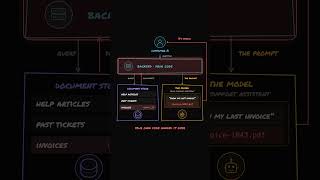
 DeepCamp AI