Algorithmic Trading Complete Course – Full 22+ Hours Masterclass (Beginner to Expert) | FREE Course
Kuldeep Singh Rathore | AI Trading Automation
·
Beginner
·⚡ Algorithms & Data Structures
·22:03:14
·11mo ago
Skills:
Algorithm Basics80%
Key Takeaways
Builds an algorithmic trading system using Python and various trading algorithms
Full Transcript
Welcome to what I promise will be the most comprehensive, most practical, and most life-changing program on algorithmic trading ever created on the internet. I say this with 100% confidence because what you are about to learn is not just another collection of tutorials. This is a master framework, a structured system spanning over 23 plus hours of carefully designed and highly valuable content. And let me make this clear. This isn't theory you will never use. Every single concept, every strategy, every line of code in this program has been battery tested, optimized, and perfected over years of experience. I have poured in everything. Ive learned over the past nine years working with algorithmic strategy, quant research and financial technology. This is the condensed wisdom of nearly a decade delivered to you in one place. Do you know that 80% of global market trades are executed by algorithms. Hedge funds, prop trading firms and institutional players all rely on algorithms. If you are not leveraging algorithmic strategies, you are playing a completely different game and you're losing. This course is your chance to step in the same playing field as a world's smartest traders. Before we dive in, remember what Alon Musk says. Have a bullseye view before you start anything. You need to see the big picture first. So here's your road map to succeed in this program. the exact blueprint that will transform your learning curve. This road map has three phases which I have followed in multiple times. Whenever I need to learn a new skill, I follow exactly this blueprint and it has really proven very effective for me. So I would recommend you to please follow this system and you will see huge difference. Phase one, watch the entire video first. All 23 plus hours. It might take three or four days or even a week but don't write a single line of code in this phase. Don't. Your only job is to understand the flow, the big picture. This is where you build your mental blueprint. Phase two, reinforce your learning with the multiplechoice questions. You'll find the link in description for all the multiple choice questions. So in this phase, watch the entire video again. This time paired with highly researched, expertly crafted multiplechoice questions. These aren't basic questions. They are designed to test your conceptual clarity and simulate real world problem solving scenarios. By the time you finish this phase, your understanding will be unshakable. Last but not the least, phase three. Build real systems with many projects. And this is the gamecher, mini projects. These projects are not just random exercises. They are industry-grade problems carefully chosen to mirror real trading challenges. By completing these, you will gain hands-on experience and you will be building systems that are almost ready for the live markets. And here's the bonus that makes your learning experience unstoppable. My book, Practical Python for Effective Algorithmic Trading. This book is the distilled essence of 9 years of experience covering everything from the absolute basics of Python to advanced data handling, API integration and live execution. It's not just a book, it's your reference guide, your quick lookup, your lifelong companion as you grow in this field. And combined with the videos and the projects, it creates the perfect triangle theory, practice, and reference. You have both the options. If you want the ebook, the link is in description or if you want the hard copy, then you can order from the Amazon. Now, let me tell you something critical. 95% of beginners in algorithmic trading quit within 3 months. Not because they are not smart, because they lack structure, discipline, and the right road map. This program gives you all three. You have 23 plus hours of pure value, 500 plus MCQ questions and 50 plus mini projects and one powerful book all in your hands. But here's the truth. This knowledge is only valuable if you act on it. Imagine yourself 6 months from now building your own trading bots, automating strategies, analyzing market data like a pro, and executing trades in milliseconds. while others are still placing manual orders. That future starts with this single decision to commit. You can absolutely do this. Whether you are a beginner or an experienced trader, this course is built to take you from zero to mastery. But mastery demands one thing, hard work. There will be moments when you feel stuck. Push through. That's the difference between those who succeed and those who quit. And remember this, knowledge is leverage. One good strategy can change everything. So here's my advice. Commit fully and follow the road map. Watch the entire course once. Reinforce with multiple choice questions. Build the many projects and use the book for your lifelong reference. If you do that, this program will give you an edge that 90% of traders only dream of. This is the best investment of your time and energy you will ever make in your trading career. Are you ready to take control, master algorithmic trading and step into the future of financial markets? Then let's dive in this awesome algorithmic trading journey. Okay. So what is the definition of Python? So Python is a highle interpreted programming language known for its clear syntax. What is the meaning of interpreted? Basically there are two concepts. One is compiler and second is interpreter. So compiler generally compiles the whole program in one go and it executes and in interpreter what it does it execute the program line by line. So we can say Python is an interpreted programming language and also it's known for its clear syntax. The code is very beautiful and it supports multiple programming paradigms means you can code in procedural object- oriented and functional programming. So we will be learning object- oriented programming shortly after a few videos and also with the help of Python we can do multiple things like it can be used for web development, it can be used for data analysis and also you know that we can use this in artificial intelligence, scientific computing and much more. So one question arises why Python? because of its design philosophy. As I have already explained the syntax of Python is very clear and because of its readability correct and second is batteries included means it has so many functions which makes our life so easy. For example, to reverse a string it has a single function but in other languages like C, C++, Java, we have to write a longer code, right? So that's why there are so many functions which you can use straight away and it reduces your lines of code. And third is generalpurpose programming language. As I already explained, we can use it for web development, artificial intelligence, data analysis and so many things and almost anything and everything we can use Python. And the fourth is libraries and community because it has so many libraries. So you can straight away use those pre-coded libraries and you can make your any application way faster than any other language and also it has a huge community. So whenever you are stuck in any condition, you can always ask for help and also you can contribute from your side also. So why Python for algo trading? The first is easy to learn. Python is very easy and anyone can learn in just one or two weeks and they can start coding. And second is proximity with maths because it has so many pre-built modules and libraries which you can directly use whenever you want to perform any mathematical operations. So it makes your life so easier and also the community is very huge and there are so many people who are always eager to help you. So that's the basic reason behind that. So let's quickly move to the Python print function. So whenever you find this curly braces you can assume that it's a function and what the print function does in Python that it is used to output data to the standard output devices which we can say screen and it can be used to print strings, you can print numbers and you can print any other printable objects. So this function is often used for displaying information or debugging. So let me show you quickly. So what happens? So how it works? You just have to call the print function. Okay? And type like this. And here you can type like hello world which is very basic in every language. And when you enter shift enter it will be printed out. So here we have printed a string. But if you want you can print any other printable objects like if you want to print print a string and then you want to print a number. So number we let's say 100 days. So let's number let's say 100 and if you want to print a list you can do that also 1 2 3 and also if you want you can print a float which is 1.2 and like you can print anything here. Okay, you can also print a dictionary like key value. So we can say this is key and this is value. Okay. So when you hit shift enter you can see that how powerful the print function. It has printed a string, a number, a list, a float and a dictionary. And now if you observe that we have a space between each object right? If you check here this is a string and this is a number and we have a space. So why this space is coming? So in print function when you go here and just wait for a second then you will see the documentation of this print function. And here you can see that there is a parameter which is /ashn and slashn stands for the next line. If you have done the html coding then you know that. So when I type here slash forward slashn and when I hit shift enter it show me the same value. But what if I don't want the space between these and I want a hyphen. Okay. So you can just type a hyphen and when you hit shift enter again you have to you have to type here sep. Okay. And then you hit shift enter and you can see the results. Now if you observe here that there is a space between these objects. So what if I want a hyphen instead of this space. What can I do? If you go here and just wait for a second then you will see. Okay. So here you can see that this print function has so many default parameters like for example there is one parameter which is separator and when you see there is a default space between these double inverted comma right and another is and so there is default parameter and there is default value that is /ash and okay so if we change these values we'll be getting our desired output so here we wanted a hyphen instead of these spaces right so what we can do I'll just go here and in I'll type SCP and enter. Then I will just remove the space and enter a hyphen. So now when I hit shift enter I can see that there is a hyphen instead of space. Correct? Similarly as I displayed you that there's another parameter that is and. So what you can do and similarly like when we have multiple print functions for example hello world this is this is kep and okay this is kep this Squeezy and we are the unstoppable. Okay. When you hit shift enter, you can see that all these print output are on the different line. And when you go here and you just hover on it, you can see that there is the end parameter and the default value is slashn. Slashn stands for the next line. If you have done the coding in HTML, then you know that right? So if I change this value, I can get my desired results. So what I can do? I can just go here and type and and here I'll give a value hyphen. So instead of next line now and here also I can give and and hyphen. So instead of next line now all these three results will be displayed in a single line separated by a hyphen. And so here you can see the value right. So so this is about the print function. You will be using it extensively at everywhere. Right? So now the next part is Python data types. So in this we have uh integers, float, strings, booleans. Then again some complex data types like list, tpples, sets and dictionaries. You can read this definition but let's go with the practical. Okay. So the first is integers. So integer is what you can say like let's print. Okay. So let's print this and uh integer is like this. Okay. And what we will be doing we will be also printing the type of this data type. So it will be better for your understanding. So when you check you can see that we have printed one and the type of this one is integer. So always when you want to check the type of that particular data type what you can do you can just check with this type function. Okay, next is float. So I will just quickly copy this and I will type float. And here how we define a float uh 1.2. And when I type here 1.2, it will be printed out like this. You can see here 1.2 and the class is float. Now the next is boolean. So what are the booleans? So what I will do? I will just paste here. Okay. So true and false are the boolean data types. And make sure that Python is case sensitive. So you are typing as capital T not the small T. It will not detect. Right? So you have to type like this capital T. And when you print the type of this you can see that it is the class is bool right the boolean. Next we have strings. Strings you know very well. So we can type 100 days of hell with Python algo trading. Okay. Now fine and instead of it what we can do we can just assign this to a variable. So that is the common practice. So what I will do like I'll assign strings and here I can just pass this variable okay strings and here also I can check the type strings and now you can see that it has printed the strings and the type is str correct now the next is complex numbers the complex is used very rarely but it's better you know that right sometimes it might be required somewhere so I'm just explaining it quickly so I will change it to you can say complex and here you can give a number like you know that how we define the complex number 2 + 3 J and here 2 is real number and three is the imaginary number right and here what can I do I can just change it to complex from strings and when I hit shift enter we have the value right this is the complex number and this is the class correct and what if I just want the real number so what you can do you can just type like this complex dotreal you will be having only the real number and if you want the imaginary number what you can do you can type like complex do image and you will be getting the imaginary number next is list is one of the most important data types. You will be using it a lot in the algo trading. So you have to understand these concepts very clearly because if your fundamentals are strong then you will be having an edge over all the other algo traders for sure and I'll be explaining all these in the future videos very extensively. This is just the introduction. So just quickly have a look what is a list. So I'll just copy and paste it and I'll change here. Okay. So now I will quickly change this to list. So I'll give it the name list. And how we define a list? You just give a square bracket here. And then you mention your list items. Okay. So for example here I'm mentioning one uh two and then I can also mention a string in the list. 1 2 and also a float. Okay. 1.2. You can mention almost anything in the list. Okay. And when I print I will change here the value as a list. And here also I will check the type of this variable. So when I hit shift enter you can see that this has printed the list and also the type of this particular variable list. Correct. So now the next is tpples. So the list and tpples are almost similar just a small difference which is the we are using parenthesis instead of square bracket. Okay. So remaining. Okay. I'll change here also tpples and I'll just copy that here tpples and here also tpples and tpples. There are more differences which I'll be explaining in the upcoming videos. For now we are just having the overview. So just in list we are using a square bracket and in tpples we are using a parenthesis. Right? And when I hit shift enter, so you can see that we have a tpple. Otherwise the values are almost same. And the next is sets. So in sets also the difference is not much. If you have studied in the your high class about the sets the concept is exactly the same. The sets in mathematics and but here the the style of representation is a little bit different. Here you have to use a curly braces right. So I'll just change the values to set. Here also I'll here also I'll change it to sets and here also set. When you hit shift enter you can see that the values are printed and the class is set. Right? And last but not the least we have dictionaries. One of the most important data type which you will be using a lot like list in the algo trading or data science right it's very important and our fundamentals should be very strong in this basic concept. Right? So here I'll just change it to dictionary. So what does a dictionary do? I'll just change it to dict. And here in dictionary we have two things. One is key and another is value. So a key value pair. Okay. So let me change it. So I will type here key key 1 equals to 1. So I can give it and instead of equal you you are using a colon here. Okay. And the same goes for everything else. So I will just copy it and I'll make it key two. And again this will be the key three. So and we can make it as a key four. So now you know that we have four items here right? Key1, K2, K3, key4 and the value of key1 is 1 which is integer and the value of key2 is 2 which is also an integer and the value of key3 is kib which is a string and the value of key4 is a flo which is 1.2. Okay. And when I print this and when I print this and when I print this and when I change and print this. So now you can see that we have a dictionary printed out and the class is dict right the dictionary. So what if I only want to print the values the 1 2 kib 1.2 do what I can do I can just type dict dot values and parenthesis and when you hit enter then you can get the values 1 2 kul deep and 1.2 two correct and if you want only the keys you can type like this keys and you'll be having only the keys key 1 key3 key4 in a list okay and also the type you have seen in all the data type right so this is how the data types looks in Python a very basic explanation and we will be learning these in detail because these are very important uh to learn the bigger things in Python now we Move to the next part which is Python variables. The definition is variables in Python are names attached to a particular object or values. They are created through assignments and don't need explicit declaration. Python is dynamically typed which means the type of variable is determined at runtime. Unlike the other languages like like C and C++ where we have to explicitly mention that this will be an integer and this will be a character or a float and whatever the value will be. Right? So here we have already used the variables like in here also the set was the variable name the tpples was the variable name list and all these were the variables name right so so how to declare a variable it's very easy and straightforward like if I want a like a equals to 1 and here a is the variable name and for example b equals to the uh we can say a string maybe apple stocks and here B is the variable name. Correct? So now there are few concepts like the dynamic typing and dynamic binding. So what is the meaning of dynamic typing? So in dynamic typing what happens? The Python interpreter automatically detects the type of that particular object. For example, in other languages like C or C++, you have to type like integer A equals to 1 or character B equals to let's say Kulib, right? But here you don't need to do that. You can just type a equals to 1. Python will automatically detect that it is a integer and if you type b equals to kulp, it will detect that it is a string. Right? So that is a concept of dynamic typing. Now the next is dynamic binding. So what is dynamic binding? So what happens in other languages like C or C++ you have to mention like integer a equals to 1. So now we have explicitly mentioned that a will be an integer throughout the program. So now we cannot tell that character a is kuli. It will not work. It will throw an error. Right? But in Python it is very flexible. If you want what you can do you can just give like a equals to 1 an integer. Then in next line you can give a equals to kip which is a string. So it's so flexible even if you can assign a list or dictionary or set and there is no boundation of that you can do like that. So you can do like that there is no issue and you will not get any error. So now there are few techniques through which you can reduce your lines of code. Uh so what you can do in other languages you have to type like integer a equals to 1 then again integer b equals to 2. I'm not telling that any other language is bad. Every language has their own pros and cons. But as we are learning pythons we have to compare right. So integer c equals to 3. But in Python if you want to achieve this whole thing in one line what you can do you can just type a comma b comma c equals to 1a 2a 3 and this is it it's so easy and also and if you want to assign the same value to different variables so what you can do you can give like a equals to b= to c equals to 1 and it will be assigned the same value to all these three variables so it's that simple in Python. Now the next is Python comments which is very straightforward. Comments in Python are used to explain Python code and make it more readable. They are ignored by the Python interpreter. Single line comments start with the hash symbol and multi-line comments can be enclosed in triple quotes. Okay, we are already using these comments like here is also an comment like whenever you want to explain the code, make sure that you have a habit of commenting, right? it will be better for your teams. So how we can mention a single line command? For example, you are declaring a variable a equals to 1 and you want that your teammates should know what this variable does. So what you can do, you can just type this is a which is equal to 1 and you can type anything why you are declaring, why you are giving this name here. So it will be much easier for the other people. And again if you want like multiple line comments so for that you have to give triple quotes and then you can type your command like this is cool and here is the example of multi-line commands. Okay, when you hit shift enter, you can see that we have a multiple line commands. But generally we always go with the single line commands. But if you required, you can use it, right? You have an option. So the next is Python keywords and identifiers. So the keywords are the reserved words in Python that cannot be used as ordinary identifiers that define the syntax and structure of the Python language. Example include, if, for, and while. Identifiers are the names given to entities like classes, functions, variables etc. and must start with a letter or an underscore followed by letters, digits or underscores. So these are the three simple rules. So like if you are assigning a variable a equals to 1 or defining a function like defining function you can say stock market uh stock data or a function and also if you are like for a class also if you are so you can say market analyzer. So these all are the identifiers. A is also an identifier. Stock data is also an identifier. Market analyzer is also an identifier. You cannot use if because it's a keyword. It's a reserved keyword. So you cannot use this as an identifier. Right? This is the basic difference between keywords and identifiers. So again quickly keywords are those words which are reserved by Python interpreter. You cannot use those reserved keywords as your identifier means your variable name, your function name, your class name. You cannot use those. And now what are the rules for identifiers? These cannot start with the digit. Like if you want here, you cannot give like 1 a. It will throw an error. Also while defining a function also you cannot start with any digit. Also you cannot use any special keywords which we have explained already. Here the here it will be characters special characters except what will the spelling for this except underscore. You can use underscore but other than this underscore you cannot use any other special character like hash at the rate or any other special characters. So these are three simple rules. I cannot start with the digits cannot use any cannot use any uh special character except underscore and identifiers cannot be keywords. So that is a simple concept of keywords and identifiers. Now we move to the next which is Python user input. So generally there are two type of applications. One is static another is dynamic. So in static what happens? We only get the information. So like Wikipedia or any blog. So in that we are only getting the information right? We cannot communicate with that application. But in dynamic we are able to communicate like YouTube in that we can search, we can give comments also we can give like like so all those are inputs right? So to take the input from user you just have to call the input function and here so if you just press shift enter you will see a box see here if you are using Jupyter notebook you will see here only but in visual studio we are seeing a input box here. So here you can type anything you desire like uh kulip sing and when you hit enter it will be printed out here. But this is not a good practice. So what we should do we should always give some kind of information here. So we can ask here what is the current price of bitcoin and give a question mark and and now when you hit shift enter you will see the information here. What is the current price of bitcoin? You can type like uh 62,000 and when you hit enter it will be printed out. So this is how we take a basic input from the user. Now what we will do we'll just create a simple program in which we will be taking the inputs from the user and we'll perform an operation and then we will print the result. So what we can do we can like ask again the same thing. So we will just cut paste and I paste here. So we can say we can give it a variable name like uh current price. Okay. So current price and we can also ask like earlier price like you can say yesterday's price we can say y price okay yesterday price we can say yesterday price what is the yesterday price of Bitcoin. Okay. Then what we will do? We will just check. Let's say today is the 62K and yesterday was 60K and when you hit shift enter it will not display right because we have assigned this to another variable and in order to print that we have to print that variable also. Let's perform some operation. So we can say difference between yesterday's and today's price. So how we can do that? we can like subtract from current price to yesterday's price. Okay. And now you can like Jupyter notebook you can just type diff it will be printed out. So when you hit shift enter it will first ask you current price then it will ask you yesterday's price and then it will say unsupported operand type. So you just quickly type why we are getting this error and now the time is out. I'll just explain you because in Python input function it always takes the default data type as the string. So in string we cannot perform the mathematical operations. So let me show you the what we can do. We can just like let me show you first the type of these. So the type of these variables. So I will just call the type function as we have already studied type and type of this variable also and let me remove this and also this give it a comment so it will not throw. So when I hit shift enter it will ask me today's price then it will ask me yesterday's price and when you see here it has printed out the string right okay here I have to give the print to both these to display so print and again and again print so like give any value here 62 and 60 and you can see here that it is a string. So in order to resolve that issue you have two options. One is to while performing this operation you can convert this string into an integer. Okay, you can just like call you can just mention here the integer function here also the integer function and now when you give any value it will not throw an error right but one more thing when you change the data type it will not change the original data type correct it is only changing in that particular operation. So another option is to change the type of data while taking the input. So here you can take and when you hit shift enter and give any value. Now you see that we have the integer data type right. So this is how you can perform this and when you print this difference also you will see that when you hit shift enter and when you enter today's price and then let's say yesterday's price and the difference is 2,000 input. So this is how the input function works and now we have the Python type conversion. So what is this? We have just did that. Uh here the default is string but we have converted that into an integer. So that is the type conversion. We are converting the type of that data. Right? So there are two ways. One is implicit and another is explicit. So what is implicit? So in implicit Python automatically converts the data type and in explicit we have to mention. So here we did the explicit type conversion right because it was default string and we have converted that into an integer. But okay, let me show you an example. So for example, we have the price here 100. Okay. And uh let's say price one is 100 and price 2 is 200. And I want the total price. Okay. So what what I can do? I can just give price 1 plus price two. So here Python knows that price one is an integer. Price two is also an integer. So when we are performing any operation in this it will implicitly convert. So it will not throw any error. Right? So when I print here total and hit shift enter it will display the 300. So this is the implicit type conversion. But instead of this integer I just gave it a string. Okay. Now when I hit shift enter, you type in the comment any error or it will run. So when I hit shift enter, so it will throw an error unsupported operand types. In order to resolve this issue, what I can do? I can just perform a type conversion here from string to integer and when I hit shift enter it will not throw any error. So this is what that Python type conversion sometime it helps us. So we have to convert the data types. it helps sometime. Now we are moving to the last topic of this day that is Python literal. So first so first let's understand what are the literal. So while declaring any variable for example we declared here price 1 equals to 100. So here price one is the variable name which is also known as the identifier. Correct? Then it equals to 100. So 100 is the value of the price one and this is also known as the literal means what is the literal value of that particular variable. So this is the identifier and 100 is the literal. Correct? There are various kind of literal in Python. So we can just go through the definition. Literal in Python are data items given in a variable or constant. Python supports various types of literal including string lit, numeric literal, boolean literal and collection literal. So let's quickly go through all those. So in binary what happens? It starts with 0 B right. So if you print this I will just give it shift enter. And here I will print A. Here I will print a. So here it is 9 because this is binary equivalent of 9. So it starts with 0 B then the decimals which we always use generally. So I can print B also here. So quickly print B and it will print 301. Then we have octal literal which starts with O right. So binary starts with 0 B and octal lit starts with 0 O and when I print this octal so here I will print C and it is 209 means this is the octal representation of 209. Then we have hexa decimal which starts with 0x. So you can print this also and this is 539. We can say that 0x21b is the hexa decimal equivalent of 539. Then we have float literal which we have already studied like e= to 1.2 when we have a decimal that is the float and in complex also we have studied. So like if you're typing like 1 + 2 J this is the complex lit 1 is real number and 2 is the imaginary number in string lit we can type like h equals to uh string one this is the string and here also we can represent it with a single quote double quote or a triple quote. So this triple code is used for multi-line strings and this double inverted quotes and single inverted quotes are used at various places like like you can represent this string with single quote also. But if you have a situation like it's it's a string. So in that case it will get confused. Right? So to resolve that issue what you can do you have to use the double inverted comma. you have to use the double inverted comma. So this is how you can use this. Then we have the uni code strings. So in uni code nowadays like sometimes we have to print emojis and so many special characters. So you can use the uni code string. So in uni code string what you can do you can just print it and you can see that we have the emojis here and in row string we have like slashn / tab and all those things are the row strings so you can also print those also and when you hit shift enter it will give me an error because I haven't typed the correct one and here you can see that we have a row string so let's understand what are the operators so operators are the special symbols or you is the keywords which are used to perform some operations on variables and values right. So you can say the symbol between variable and value. So for example, so like we say uh sum equals to a + b right here sum is the variable and a plus b is the value of that variable correct and here this symbol is known as the operators and python supports various kinds of operators. For example, we have arithmetic in which we perform addition, subtraction, division, multiplication. Then we have relational. In that we calculate the less than, greater than. Correct? And then next we have logical. And in logical we have the and, or, not. Then we have bitwise. So bitwise operators are used to perform bit level operations which also have and, or, exor, and left shift, right shift. We will shortly understand all those. Then we have assignment operator which is the equal to sign. And last but not the least we have membership operators which is in and not in. Okay. So let's try to understand them one by one. Okay. So the first type of operators are the arithmetic operators. Correct. In this we have addition which is plus then subtraction which is this sign and then we have multiplication uh division integer division then modulo and then power off. So how does this work? For example we have we have a= to 5 and b is equals to 2. Correct? So if you try to perform addition on this then the results will be 5 + 2 which is 7 which is basic maths. Then when we perform subtraction which is 5 - 2 we will get 3. Then we perform multiplication which is 5 * 2 we will get 10. Then we have division we will get here 2.5 correct a float value. Then we have the integer division which is very useful and very important right. So here what we will get when we perform five integer division two then we will get only two because it will ignore the 0.5 which is not an integer. Correct. So we will only get the integer value. Sometime it's very useful. I'll just show you in the example. Then we have the modulo. So in modulo we get one. We only get the remainder of that particular operation. So here we will get one and then we have power off. So for example if I perform like five power of two then I will get the value as 25. Correct? So these are the basic understanding of the arithmetic operators. So let's quickly understand them in the code. So now we quickly take an real life example. So for example, I have these values here. What I will do, I'll quickly copy and paste them in the Python code and I will remove these values. Okay, then I'll just uh hit shift enter. Okay, let's Okay, now I hit shift enter. Okay, so here if I want that total price. So what I'll do? So here first we perform the addition operation. So let's say we want the total price. So what we will do? Enry price plus exit price. Correct? So, so we will get the value see here 305 because 150 + 155 obviously 305 correct then you perform the subtraction in that what we can do we can just change the value from plus to minus and when we hit shift enter we get the value of5 then we have the subtraction then we have the multiplication so similarly just put a star sign there and we get the multiplied value then we have the division and in division we just place sign and we get the value 0.96. Now you tell me in the comments what you will get when we perform the integer division which is double slash. Just pause the video and comment down to check your understanding and still if you're not able to answer and then go back to the explanation and watch it again. Okay. So when I hit shift enter here, I'll get the value zero. Correct? Because it's less than one. But if I change this value just like 156 like just more than 155 then I'll get one correct. Then we have the modulo operator in modulo. So in modulo also you just pause the video and try to answer yourself so that your learning increases so that you are able to analyze whether you have understood the topic or not. In modulus we will only get the remainder. Right? So when I hit shift enter I get five because 160 divided by 155 we are left with the remainder that is five and then in last we have power off correct in power off what we can do we can take the exit price okay so here when I like power two so here it means exit price and then square so square of the exit price when I hit shift enter I get the value 2 425 which is 155 * 155. Correct? So now let's quickly move to the second type of operators which is relational operators. So here now we have relational operators. For example, we have the entry price which is uh let's say 100 and we want to exit at 150. Correct? Enry price is 100 and exit price is 150. So first if I want to check the greater than. So if you write a line of code like entry is greater than exit correct then you will get the output as false because relational operators always gives the boolean value true or false. So here we will get as false right? If I replace it with this sign the less than we get the value as true. What if I replace this with greater than equal to? So let's say if I do like this then also I will get the value as false. Correct? If I replace it with less than or equal to then I get the value as true because it is less than. And when we have the equals to equals to operator and here of course it is false. But if I change the value this value to 150 then I get the value of this as true. Correct? This one. Now if I replace it with the note equal to then you tell me what will be the answer. Just pause the video and write your answer below because here we know the entry price is 150 and exit is also 150. So here we will get the result as false because it is true because both the values are equal. Right? Now what we do we first complete the explanation then we will take example of each type of operators and we will perform on uh visual studio. Okay. Now we have the logical operators and these are used to combine the conditional statements. Let's see how. For example, let's take the same example like I have the entry price as 100 and exit price as as 150. Right? So now we have two variables and we want to apply the add logical operator on these two variables. So how how we can do that? we can compare the two conditions and if both the conditions are true and then only we will get the output as true. If any one condition is false then we will get the value as false. So in and operation all the values should be true then only we will get the output as true. Right? So let's say we compare if entry is greater than 50 and so here we are applying the end operation and exits price should also be greater than 100 right so these are two conditions if both the conditions are true then only we will get the output as true when we check that entry is 100 which is greater than 50 it is true right then exit which is 150 which is also greater than 100. So so means both the conditions are true and we will get the overall output as true correct and similarly in or what happens if any one of the condition is true then we will get the output as true. So let's say I remove this I add or here. So here let's change the condition from 50 to 150. Correct? Now I know that the entry price is 100 and I'm checking the condition that 150. So entry is not greater than 150. So this condition is false. Right? This is false condition. And in the second condition the exit which is 150 is greater than 100. So I can say yeah this is true this is true. So here one is false and second is true but still we will get the output as true because in or if any one of the condition is true you will get the output as true. In the last we have the not we have the not logical operation. So in not what happens it will just invert the real condition. For example if we have a condition which is true and if we apply not on that then we will get the output as false. it will just invert the real condition. Okay, for example, if you apply on this, so I'll just remove these all things and here I apply the not function. Okay. So the not function is not here I know that entry which is 100 is greater than 150 which is not true means it is false condition in reality it is false condition but but I have applied the not here. So the output will be true. It will just reverse the real output. Now we quickly move to the bitwise operators. So bitwise operators are used to perform bit level operations. We have two bits right 0 and one. So so in bitwise also we have the end operation. Okay. How so how does this works? For example you have two values. A equals to 2 and b= to 3. Correct? So python internally converts these values to bits and then perform the operation. Then it performs the operation and gives us the value in decimal. Okay. So let's quickly convert these values in bits. So so the binary equivalent of 2 is 0 1 0 and the binary equivalent of three is 0 1 1. Right? So now if I perform the and operation here. So now we have a and b. So first we will apply the and operation here. Okay. So what will be the output? So now we are applying and on these two and three right here. So 0 and 0 0 1 and 1 when so in and we know that what happens if both the values are true then only we will get the output as true which is 1. So which is 1 then 0 and 1 here 1 is false so we will get the false so 1 0. So means we can say we get the value as 0 1 0 which is equal to two here the output will be two. So now let's apply or here right. So I will apply or on these variables. So now let's recalculate. So here 0 or 0 0 1 or 1 1 0 or 1 1 because in or if any one condition is true we get the output as true. So here the output will be 0 1 1 and we can say that is equal to three. So here the output will be three. Correct? So now the next is exor. So let's apply exor here. Okay. So in exor what happens? Whenever both the conditions are true then it becomes false otherwise the rest is same like the or operation. Okay. Let's suppose here we apply the or operation. So if so if both the values are not one then we apply the simple or operation. Okay. Here it will be zero. Now we know that both the values are 1 one. So we'll get as zero. And in next we know that both the values are not one. So we will apply a normal or operation which is one. So we will get the value as and that is equivalent to one. So here the output will be one. Correct? So it is that simple. And if you just practice few uh multiple choice questions and then a task and then all of your doubts will be cleared. I promise that. But if you still have any doubt then feel free to reach us via the comments or discord or telegram. Now we have the not operation in not what happens it just invert all the bits. Okay. So for example for example we have a variable a which is equals to 2 and the binary equivalent of that is 0 1 0. Correct? If I apply not operator on this. So we can apply that with this symbol and a then I will get the output as the invert of these bits. It will just invert these bits. So 0 becomes 1. 1 becomes 0 and 0 becomes 1. So 1 0 1 correct. And which is equal to I not sure. Let me check. I guess let's quickly write 0 0 1 0 1 0 0 1 1. Then I guess uh 4 is 1 1 0 5 is 1 0 1. I guess it is five, right? Let me quickly check. Binary. Yeah, five correct. So it's been a long time in college time we have read these, right? So I have forgot already. So you get the idea. It will just invert all the bits. So this is how this works. Now we have left shift and right shift. Okay. For example, we have a value a= to 5. Okay. In this we write 8 bit, right? So we have 1 0 1 and then we add 5 0. Okay. Now we want to shift it left with one. So, so we write like five left shift one. Correct? Means here these values will be shifted to the right side. Okay, to the right side. So here what we will do? First we will discard this leftmost zero and we will add another zero here. So what it will become? After discarding this we are left with four zeros. So 1 2 3 4 then we have 1 0 1 and we have added another zero it becomes 10 right. So here we will have the output as 10. You can quickly pause the video and try this in code. Okay now we have the right shift and the concept is same here. We will right shift the value by whatever the value we have mentioned. So for example we have a value a is equals to 2 and the binary equivalent of that is 10 1 0 0 and we will apply three zeros here. Okay. Now the same concept applies here. We will discard the rightmost value. Okay we discard it and we add another zero here. Okay. So what it becomes? So now what we are left with we have this value that is 1 0 1 0 and then we have these three zeros 0 0 0 and and we have added another zero. So this is the value we are left with and which is a decimal equivalent to 10. We will get the value as 10. So it was a long session but it is very crucial. So now we quickly move to the next part which is assignment and that's very easy. We always use that we have this is the assignment operators and we use this assignment operator in conjunction with other operators like the addition, subtraction, multiplication. For example, we have a value a is equals to 2 and b is equals to 2. Okay, here what what I can do? I can write like uh a= to a + 2. So instead of this I can write here we are using the assignment operator. We can also write like a equals to uh a * 2 and so this syntax can also be written as a a mult* equal to 2. So it just shortens the code. Uh here we don't have like in C++ we used to have a ++ a because that is sometimes becomes very confusing. Hope you have understood it and if any issue then just practice this and still issue then ask us. Now we have the last the membership which is very interesting and very useful and the example of this is let's say we have a string as Singapore. Okay. So make sure this is a capital string. Okay. Now I want to check if this string contains the capital S. So what I will do if I write S in Singapore so it will give me the value as true. Okay. If I just change this value to small S right it's small then it will give me the value as false. Okay. So this is how we use the in and it helps a lot because instead of applying a loop here we are just getting the value in just single line. So it can be a long string and it's really very useful. Similarly we can use a not in also. So how we can do you just write not in and when I run this s. So it's a small s right? So s not in Singapore it will give me true because the small s doesn't exist in this the string. But if I just change it to capital S. Okay. And when I apply this, it will give me false because capital S is existing in Singapore. So this is how we use the membership operation. It just check whether particular character or any particular value is a member of the larger group or not. So that's how it works. Let's quickly move to the screen and perform some real life examples. Okay. So now let's quickly take an example of relational operators. So here we take the same value and when we come here and and apply the value and apply the operators. So what I can say uh like entry price is less than the exit price but we know that both are equal. Okay. So it will give me the false value. Correct. See here false. Correct. And the next is greater than. So if I apply that so it will also give me false because we know that both are equal correct. Then next we have greater than or equal to. So if I apply that then it will give me the true value because we know that it is not greater but it is equal. So when we hit shift enter we get the value as true. And the same goes for the less than equal to. And the same goes for the equal to equal to because it's equal to. But the interesting thing is when I apply to the not equal to it will just invert the real operation. Here we know that it is equal to. But when I apply the not equal to it will give me the value as false. See here. So that simple the relational operators are. So now let's quickly check the logical operations. So in that also we will take the value entry and exit. So entry and exit okay and we apply the and operation here. So so in and what happens both the conditions should be true then only we will get the output as true. So, so for example, if I check that entry price is greater than 100 which is true and exit price is greater than 150 which is also true. So means both the conditions are true and when I hit shift enter we get the value as true. Okay. And when we apply or here so in or if any one condition is true then we will get the output as true. So here what we can change I will just make the value as 15. So here we know that the entry price is not greater than the 100 because it is 15 now but we know that the exit price the second one is true right. So when we hit shift enter it still gives me the true answer. Next we have not. So in not it just inverts the real output. Here we know that the output is false. Right? But here if I apply not then I get the value as true. So this is how you can use these and when we will create the big problems and then you will see a lot of use of these operators and you can also perform the MCQ and task given in the description for your practice and please uh work on the mini project which I have given in the GitHub repository notebook. It will definitely improve your understanding. Now we quickly perform the bitwise operations. So in bitwise we have like a equals to 1 or b= to 2 right. So if I type uh a is b we get the value of zero because I have already explained you 1 is equal to 0 0 1 and 2 is equal to 0 1 0 correct. So in and both the values should be true then only we we get the true value but here we can see here that two values are true that's why we get the value as zero. Similarly if I okay let me keep this and comment it out so it will be better for your understanding. Uh so let's apply uh or here but in or we know that we just want one value as true. So here 0 0 becomes 0 1 0 becomes 1. So 0 1 1 is equal to the decimal 3. That's why we get the value three. Then we have the exor. So in exor you just think that if both the values are 1 one then it invert to zero otherwise the rest operations are all exactly the same as or operation. Right? So here if I apply the or operation the exor operation we get the value is three as we have already uh seen in the example and now we apply the and not in not what happens it just inverts the bit bit values so if I apply the not here I get the value as -2 right so why because 0 becomes one 1 becomes 0 and 0 becomes one and the two's and it gives us the value of two's equivalent You can just test in your machine. Now we have the left shift and right shift. For example, we have a equals to five. And when we want to left shift the bit values of five. So what we can do? We can write five left shift 1. When we hit shift enter, we get the value as 10. So now for the right shift for example, we have B equals to 20 and we want to shift B to the right by 1. So when we hit shift enter, we get the value as 10. So you can just practice these things. Let me know if you have an issue. Next, we have the assignment operators. For example, uh a equals to 2. Okay? And you want to print that uh a equals to a + 2. Okay? So, so instead of this you can write like a + 2. Okay? So, this is the basic assignment operation and you can like try with multiple things here. And here we have like membership. So membership uh for example I take a string as let's say uh India uh India then I want to check whether then I want to check whether I in India or not. So it will give me because I exist in India and yes I exist in India but currently in Singapore. And now if I check small I so it will also give me the value as true because small i also exists in India. But if I check with capital a it will give me false because in India we have so small a correct. Now similarly we have the not in operations. So when I apply a not in India which is true right. So it will give me the value as true. So this is what so these are the operators and we have given enough time. If you watch the video with full concentration and attend the MCQs and then you perform the task with the mini project then then I can vouch that you will never need to read this topic again in your life ever. Okay just one time with full concentration. Okay. Now we have the conditional statements which are if else if l if. So now quickly understand them and then we will proceed with the examples. For example, we have a entry price which is equals to 100 and a exit price which is equals to 150. So the syntax of if is if entry is greater than exit and then a colon then print. Okay. So here we can print our statement whatever that is we will just learn here we have else again colon and then print another statement here right whatever it is. So it is how if else work and for example I have more than two conditions okay for example let's say we have one more variable we can say stop loss okay so stop loss is let's say 80 correct so if I want to check if entry is greater than exit which is not true here then we can give another statement here okay here like if l if here also I can give that if exit is greater than stop-loss here also colon and then in last we can give else. So whatever the else condition we can print it out here. Here also we can print something. This is how this works. And what about the nested if else? So in nested if else what happens like in the else condition we can compare few more conditions. Okay, for example, in else we are giving else if like if you're writing a code for a strategy. So here you can write like if trade executed if trade executed means trade is equal to equal to 1. Then you will print here that trade executed right? Else else just print here uh not successful. Correct. Not. This is how a nested if else works. Means an another if else condition inside the already existing if else condition. So let's quickly take an example and then we proceed with the multiple choice question and then you proceed with the multiple choice questions and the task. Now we quickly proceed with the example. So first we check the if else. So here we write if entry price is greater than the exit price then it should print that entry price is it should print that entry price is greater than exit price. Right? else else it should print I'll just copy and paste this print statement here exit price is greater than entry price okay here we have the value of entry price is 165 and the value of exit price is 155 means here I have to write as greater than then only it will make sense so when I hit shift enter so here it will give me first statement if I just change the value to less than it will print the second statement which is exit price is greater than entry price so this is how the simple if else works and now let's check the if l if okay so in if l if we have more than two conditions so first we will check if entry price is greater than exit price second we will check l if entry price is greater than stop-loss price Okay. And in third we can check for any other statement. So let's uh so in second we can write so we can print here that entry price is greater than SL price. Correct. And in the else statement and in the else statement we can just write like uh anything right. We can say that we can say that both the conditions are not true. So uh I'll write like this and here like this uh like this both the conditions are not true right are not true. So when I hit shift enter we get the value as entry price is greater than I'll make it entry entry price is greater than the exit price. But what if I want to execute this second second one so we can make it as 145. Okay. And and stop loss we can make it as 144. So when we do that when we hit shift enter the second statement will be executed. Right. And what if I want to execute this third one? The both of the conditions are not true. Means entry price is also not greater than the exit price. Here I will make it as 148. So when I execute this, we will get the result as both the conditions are not true. So here how the if works. Now the last is nested if else. So in nested we have if else condition inside a if else condition. Here I wanted to check if I if share shares count is greater than five then print I'll just copy and paste uh then print then print uh you can say share count share count is greater than five Right. Else you can print else. Okay. Else you can print share count is not greater than five. Right? So for that the second condition has to be executed. Right? So in L if to execute the LF what we will do uh we will make the entry price should be greater than the stop-loss price. So 144 and then okay so now when we run this we get the statements like the entry price is greater than SL price which is true for this case and then it will print that share count is greater than five because we have the share count as 10. So this is how the if else if l iff and nested if else works. I highly recommend you again that please please go for the multiple choice questions. Those questions are well researched and once you are done with those then just head to the GitHub repository where you will find task and the mini project. So once you are done with that you will be the pro in Python algo trading in 100 days. I can vouch for that. Okay. Now let's quickly start with the Python modules. So first of all what are Python modules? For example, when you write a piece of code and in that code you have multiple functions, multiple classes. But what you want that once you have written the code, then anyone can use this. So what you will do? You will just submit that code into the Python official repository. And then if it gets approved, then they will add this in the official Python package. If not, then you can also host your own code at your repository or somewhere else. And if anybody wants that, they can just import and use that. In short, we can say modules are the block of codes written by someone else and using by someone else, right? So, it makes our life very easy that we don't need to write the whole code again and simply we can just import and use that. For example, here I am just showing you these four modules but there are a lot of modules for everything, right? Virtually you will be finding modules for each and everything. Okay? So, let's start with the first module which is math. So, in order to import the math module, you just need to write import math. Okay? And whenever you want to import any module you have to write import and then you write the name of that particular module and when you hit shift enter and if there is no error that means that that module has been imported then you can use that. So what we will do we will just type math then dot after that it will display all the functions in that module. So you can see here we have a cos and then a sign like all the trigonometrical functions then you can see the degree exponential factorial. So let's check the factorial of five. When I hit shift enter, we can see that we have the value 120. But when we write the code for factorial, it becomes lengthy, right? That in just a single line of code, we can do many powerful mathematical operations of this. Let's try one more thing. For example, floor and in floor what happens like if we have a value 6.5, it will give me six like when we want round off the values. So if I select the floor, then it will select the less value. For example, if I select here seal. So in seal in seal it will select the upper value. Right? So that's how the floor and ceiling works. Then again we can press math dot square root. So if you want to check the square root of 25 then you can see that it is five. And you can take any number here. For example 196 it is 14. So this is how you can use the math module here. And now we check the keywords. So for keywords also you have to import it. So what you will do you will just type the import then the name of that module that is keyword and when you hit shift enter if there is no error means it has been imported then what you can do if you want to see the list of keywords in python. So what you can do you can just write print and then you type the keyword dot kW list right and when you hit shift enter you can see a list of all the keywords in Python. So means these keywords you cannot use in your code. Next we have random module. So in random module what happens? You can generate random numbers. So there are multiple functions in that also. So let me show you few of them. So similarly we import random and when we hit shift enter there is no error means it has been imported. Then I type random dot then you can see all the functions of this random module. There are multiple functions but for now I'll just use the rand int. So in this we have to give a range. So I'm giving a range here from 1 to 100. So every time I run this code it will generate me a random number between 1 and 100. So let's press shift enter you can see we have 46. Then when I again press shift enter I have 24 next 87 and next 93. Okay. So this is how the random module works. Now I show you the last module for this session. Import date time. When I hit shift enter. Yeah it's working fine. And now for example I want to check the current time. So what I will do datetime dot datetime dot now. So it is also very useful a lot of times. Let's print this. So when you print it, we can see that the current time is 14th of May 5:54 a.m. And it gives you the exact timing. Here also you have multiple functions and you can use as per your requirement. You can see here we have date then time delta, time zone, TZ info, UTC and multiple options. So you can explore later on. Now quickly we take an example. So in this we will try to check the initial stock price and volatile. So let's consider that we have a stock. So let's take a new cell here. And let's suppose we have initial price of any stock $150. And then we take the volatility as 0.5%. So I'll take 0.05 correct because that is a percentage value. So now as we know that in volatility we don't know right whether it will go up or down. For the sake of this example what we will be doing we'll just take the random module here. So we will import the random module. Then what I will do we can take a variable and give it a name like volatility change. Okay. Then we will use the random function here. So random and here we can use the choice. In this we will give two list. So one will be negative volatile then another will be positive volatile. Why we have chosen this? Because we don't know the volatile right for the sake of this example we are taking this for example. Let me show you quickly how it will work. I'll first print the volatile change. So when I print shift enter it will show me 0.05 and next again 0.05. Next again 0.05 again 0.05. So now you can see that it will randomly choose negative of 5% or positive of 5%. So as that happens in the real life example. Okay. So hopefully you have understood the random function here. So I'll just remove it. So now I will take another variable that is daily price change. So what will be the daily price change? So first we have initial price which is 150. Then the percentage of volatile change. So what it will be? It will be the initial price multiplied by volatile change. Right? And now when I print it, print uh daily price change. And when I hit shift enter, you can see now I have 157.5. For example, one day I have my price as 157.5. Then next it is 142.5 same same and again shift enter shift enter because it is taking randomly right so we cannot say when will be the value when will be the positive and when will be the negative and that's exactly happens in the real life so this is how we can use the random module now we take another variable for the today's date so what we can say today equals to now we will be importing the datetime module. So date time today equals to date time dot date time dot today right let me check it hopefully it is correct let me just quickly print it and today yeah it is correct so now we have today's date and then we have the daily price change and the voltality change so what we can do we can print out these values so first I will print today's date. Okay, which is we can say today. Okay, then we will print. Okay, let me quickly copy and paste this instead of writing. So then I will print the initial price. Okay, so it will be initial price. So it will be this. Then I can print the price change. So uh let me remove these. Okay. Then I will print the new price. So which is the daily price change. Correct. And when I hit shift enter, you can see we have today's date is 14th of May uh 65 a.m. Then the initial price is 150 and then the new price is 142.5. Then when I again hit shift enter it is same but the time is changed. Now you can see that we have the new price because randomly it is taking the percentage volatility change. So this is how it happens in the real life trading. Then we quickly move to the modules. Then if you want to know the number of modules the name of modules in the Python what you can do you can quickly type help and then help and then modules okay and when you hit shift enter you'll be displayed a list of all the modules in your Python okay so this is very basic now we move to the today's main topic that is loops in Python this is absolutely important because you will be using loops everywhere, right? And if you have a good understanding of loops, then it will always benefit you and it will help tremendously in your logic building. It is super important. Okay? So now we quickly discuss why we need loops. So first of all, so many people don't even understand why we need loops. So in short, I'll give you a simple definition that whenever you want to repeat a same process, a same activity multiple times, then you have to use loop. Otherwise your program will be inefficient and you have to write same code for same thing multiple times. So for example, let me show you one real life example. So let's quickly open an e-commerce platform. So let's say I'll open Lazada which is a Singapore based e-commerce platform. So let me open the Apple iPhone 15 and okay let me search first. Okay. So I'll search iPhone 15. Okay. So here you can see that we have multiple results for the keyword iPhone 15 and precisely if you see there are 10,557 items found for iPhone 15. But here if you observe there is a similarity in each of the results displayed here and if you have observed already here you can see first we have the image of the item correct here is the phone and then this is the phone case. It doesn't matter what is the item but you can see the similarity which is first is the photo of that item then we have a carousel of multiple photos. Here the seller have put the four photos but here only one picture and here no picture. So that is the second similarity. Then there is the name of that item. Here is the Apple iPhone 15. Next is the military grade shockproof transparent TPU phone case. Then we have the price. Then we have the off correct and then the number of items sold. and then the review and then the location the origin of the item. So here it is Singapore and here it is China. Here you can say that there are few functions which have some variables and methods and those are exactly the same only the value is changing. Right? Means the programmer have written only one loop and he's running an iteration over that. He's not writing each code for separate item. Right? And if you go for that then you have to write 10,557 block of code for only for the iPhone 15 keyword. And here we can see we have million of items and it becomes absolutely disaster for anyone to write that much longer code. So instead we use loops means we have written a single piece of code then we are using that multiple times. Correct? So let me quickly show you with an example. So in Python majorly we have two loops. One is while loop and another is for loop. So in while loop what happens? So when we use a while loop it is used when the number of iteration is not known beforehand. So we don't know how many times we have to run the loop and again the loop continues as long as the condition is true. So for example if any condition is true then it will keeps on running. It will not stop until and unless that condition becomes false. And for the loop it is used when we know the number of iterations or when we have a sequence like from 1 to 10 or any sequence and the loop continues for each item in the sequence. Okay. So like we have 10 items then it will run for only 10 times. Okay. So let's quickly take an example of while loop. So for example, we have uh current price which is $150. Then we have a target price. So target price is $15, right? So we want to check whether the current price is greater than the target price or less than the target price. So normally we can use if else conditions. For example, if current price is less than target price, print then print price is still below the target price. Correct? Else else print. Now the price is above the target price and you can sell the stock. So now if you check with the if else condition it will show that price is still below the target price. But the problem is it will just check for one time and it will stop right but in real life when we are trading the price is always going up and down and up and down. So we have to always check and we want to know that once the price is hit our target price we will execute the trade whether buy or sell. So so in order to achieve that we need to use the while loop. Okay. So what I will do I will write while the current price is less than target price. I will remove this not needed. Okay. So if the current price is less than the target price it will always display that price is still below the target price. Correct. So what I will do here? So I will use a while statement here. Okay. So I will just write while the current price while the current price is less than target price I want to print. I will remove this if because it is not required as we have already checked the condition here. So until and unless the current price is target price it will always print that the price is still below target price. Correct? But in real life the price is always keeps increasing or decreasing. So to simulate that what we can do we can like we can increment the current price with one in each iteration. Correct? So what it will do it will first check the current price is less than target price. Yes it is. Then it will print that price is still below the target price and then it will increment that price with one. So next time it will become 151. Correct? So when the condition is not true then it will print that. So now the price is above the target price and you can sell the stock. Okay. So what I will do here I will run the program. Okay. And you can see that it printed five times that the price is still below. Then it incremented and then in the sixth time we know that 151 + 1 + 1 ++ + 1 it keeps on increasing and when it reaches 155 it comes out of the loop and it prints the statement. Okay. So this is how the while loop works. It's very easy. We will take a few more examples and then you can attempt the multiple choice questions and then you should go for the task. These are well researched and well curated and it will help you a lot. Okay. So now we quickly move to the while else. So in Python we have while else it is also useful sometimes. So let me show you when and how. So now we quickly take an example of while else. So what we will do? Uh let's define a list for price. So, so here I will give few prices like 110, 112, 114, 116 and 118. And then I have a threshold price. Okay. So threshold price let's say we take it we take it as 115. Now I want to check that whenever the price reaches above the threshold price it prints out the first occurrence. Right? So for example here when we run the program so it should display that 116 is the first price above the threshold price right now we break this example into pieces. So what we can do we will use a while else loop here and we only want to check the conditions inside this price list. So 1 2 3 4 5 only five times right? So what we can do we can first check the length of this price. So what we will do we will assign variable index and we declare it to zero. Okay, then we run the loop while while index is less than the length of the length of price. Correct? And then we give the colon. So here what is happening? Initially index is zero and length of price is 1 2 3 4 5. So the while loop runs only for five times. Right? Then what we need to do? we need to increment the index also in every iteration. So index equals to index + 1 by one. Okay. So now what we need to do we need to apply if and else condition to check whether the price greater than or less than the threshold price. So here we will apply if the price of index is greater than threshold price. Then what should it do? It should print that the price at we'll print out the so we will just format it. So the price at price index breaches the threshold price threshold price which is correct. So what it will do it will print that the price it will display the price breaches the threshold and it will display the threshold price. If you want you can also display the index number also. So you can just type here the index correct. So it will print out that right? Then we go to the next line. So if the price breaks the threshold price, it will break it. It will break the while loop and and then it should print that search and then it should print that search is completed. Correct? So here so let's try with this and then we will improvise further. So when I hit shift enter you can see that the price that is 1 16 breaches the threshold price 115 at 3 because the index of 116 is 3 0 1 2 3 correct now I want to display the else also correct. So in case when there is no bridge it should also display that there is no bridge. So how we can achieve that? Now we will be using the else statement. Else else means when there is no bridge. So print print there is no price bridge correct so when this will happen when the value is never above the threshold price correct so I can make it any other value like ones okay 11 one one okay no problem one one two also can okay so Now when I hit shift enter you can see that there is no price breach right until an un analyst if the price is anywhere greater than the threshold it will display that for example on the first index also if I if I make it 120 and then it will show that the price 120 breaches the threshold price 115 at at index zero. So this is how the while else works and it will be useful uh sometimes. So now if you have any doubt just just comment down or join our discord community where we will discuss all the queries. Okay. Okay. Now we quickly move to the for loop. So as we have already discussed what is for loop. It is used when the number of iteration is known. Now we know the number of iterations or when iterating over a sequence. We already have a sequence. It can be a list. It can be a dictionary or it can be any sequence. For example, alphabets any counting. It can be anything. Right? Then the second condition is the loop continues for each item in the sequence. Okay. Now we quickly take an example where we will calculate the average closing price over a 5day period. So what we can do instead of that we can we can just take the earlier example and here we can make it the closing price right? So let's say this is the closing price of day 1. 120 is the closing price of day 1 and 112 is the closing price of day 5. So we want to calculate the average closing price of this time period right. So in order to calculate the average price we should be having the total price divided by the number of days right. So what we can do for now we can so now we can declare a variable and give it and give it the value zero as the total price. So now what we will do we will run a for loop on this. So 4 I N closing price correct. Then total price is equals to total price plus I. Right? So what will happen? First the total price is 0 then equals to total price which is 0 plus I which is 120. So in first iteration it will be 120. So now in the second iteration total price becomes 120. Okay. So then 120 + 122. So it keeps on checking it and finally after five iterations it will calculate the total price and and then we can print it out. So but here we want the average price right? Average closing price. So what we will do average average closing price equals to total price divided by the number of days. So the number of days is length length of the list. Correct? So this is the average price. And now we can quickly print that that the average that the average closing price for 5 days for 5 days is this average closing price and when we hit shift enter we get the value 113.8. So this is how the for loop works. So first we understand what are Python strings. So Python strings are the sequence of uni- code characters. What do you mean by uni code? So let me quickly explain. So the so the earlier languages used as sky characters. Okay. But Python uses uni code. Correct. What is the exact difference between sky sky characters and uniode? as both the eskai and uni code are the character encoding standards but they differ significantly in their in terms of their scope functionality and capacity. So let's quickly understand that. Okay. So as standards can hold only up to 128 characters whereas uniode characters can hold a significantly large number of characters which is which is 14300,000. SKI standards are limited to English alphabets and digits and some control and special characters. Okay, so some control and special characters. Whereas uni-ode is a comprehensive encoding standards designed to support the characters from all the writing systems in the world as well as symbols, emojis and various control characters. So we can say all writing systems, emojis and so many special characters. Okay. When comes to the encoding size, it uses seven character per bits. Whereas uni-ode has variable sizes and and multiple encoding forms like UTF8, 16 and 32 which can be 1 to four bytes per character. And then we can say skay was historically used for basic text representation in English and uni code was universally accepted for modern text processing supporting multiple languages and symbols. Now we will learn various things on Python strings like how to create a string, how to edit a string, how to delete a string and there are multiple operations functions of strings. So we'll learn all those one by one. Then we will quickly move to the screen and we'll code some examples. Okay. So first of all we have how to create strings. First is creating strings. We can create strings with with single quotes, double quotes or triple quotes, right? In single quotes like we want to create a strategy name. So what we can do? We can just write strategy name, right? It's underscore. And the same we can achieve with double quotes also. So strategy name that also right and when we have multiple line of strings right so how we can write that so what we will do we will write like hello Algo traders we are here to learn algo trading correct and then we'll close the triple quotes. So these are the various ways and again like why we need to use these two different type of notations like single quote and double quote. So for example when we have something like let's say we are writing a string like its as string right so now we know that we have a single quote outside correct but inside also for its we have one code right one single quote so the Python will get confused and it might select only this part right so in those cases when we have a single code already inside the string then we have to use a double quotes right so in that case you can use a double strings. So that's a basic difference. So now what I'm doing I will quickly explain you this then we will move to the coding part. So second we have accessing strings right accessing strings. So for example we have a string and which is like moving crossovers strategy moving crossover strategy right so here if you think then we can say that this M is at the index of zero correct and this is at the last so now we don't know what is index but we know that it is at the last so In Python when you have a large string so you can just simply say that the last character will be at the negative one index. So you can blindly say the first will be zero and last will be minus one. That is the indexing system of the Python. Correct. So let's say now you want to access the first character of a string. So what you can do now what you can do? You can just write a variable name then then you give a square bracket. Okay. And inside that you write the index position of that string. Here we know that we want to access this m right. So here I will write zero. So when I write this syntax I will get the m I will get the m as the out. And similarly if I write sgative of one if I write negative of one then I will get the last character which is s correct. So this is called the positive indexing. when we are going from left to right and when we are going from right to left it is known as the negative indexing right and this is how we can access the characters similarly if you want to access O then you will write here 1 for V you will write here two correct and similarly when you write minus one you will get the S and if you want to access R you will write minus2 for E minus 3 V -4 and similarly it goes up to here. So this is a positive and negative indexing. Now we go to another important concept that is slicing. Correct? So as we know if I just write like print s I will get this whole string correct and if I write like s and n in square bracket when I give the index position I will get the single index. But what if when I want more than one characters right what if I want the whole string what if I want the reverse of that string what if I want only three characters of the string but what if when I want let's say the initial three characters the last three characters so in that case we have to apply the slicing here so how does that work let me quickly uh remove it so now we have this string okay so for slide say I write same s and and then in the square bracket I give one colon. Correct? If I just give a colon without any values, it will output the whole string. Okay? If I if I write zero at the starting position and blank at the end position, still I will get the whole string. Now I know that you are started to getting the idea. So how to access a string in various ways. For example, if I want only this part correct. So now I know that M is at the zeroth index and this G. So 0 0 1 2 3 4 5. Correct? It is at the fifth index. So if I want to access this this particular part from the string. So what I will write here? Zero means it will zero. Then this five right if I write five here then it will give me output up to this only this n correct uh because in the end position it is always negative -1 correct so you have to write + one so we know that this is at the fifth position so we will write + one so here we have to write 0 to 6 so when we write 0 to 6 then we will get this whole character then we will get this whole moving part right we will just cover some examples you'll get more idea Now there is another concept that is step size. So in step size what happens? You want the output in the steps like you want M then you want to skip O then you want V then you want to skip I then you want N. Correct? Means you want this part but in that also you don't want these characters. Correct? You only want m i n. So how we can achieve that? As we already know this m is at the zero index and this g is at the fifth index. Correct? So I will write like s then the starting then the starting index. Then the last index. So we have to give + one. Right? I will write like this. Then I want to give steps here. Like I want to skip this one character. So I will just write one. So it will just skip these characters. Correct? And it will give me the output as M then v and then n. Okay. If you want to skip two characters, you can just give here two. So this is how the step size works. Uh so now let's take some example of negative indexing. So now for example, if I want this whole string but in reverse order. So what I can do? I can simply write s and as we know that we want the whole string. So we will just leave the starting and end positions as blank. And if we simply write this we will get the whole string but in the normal order. But here we want in reverse order. So what we can do we can just mention here -1. So it will give me the whole string in reverse order. Now we move to the next part which is editing and deleting in strings. So in editing what happens for example if you want to modify the string right this m. So what you can do you can simply write s add at zero index and you can make it maybe small correct if you want to change this one. So what you can do you can write the s and the index position which is five and if you want to make it small so you will write like g correct but this will not work this will throw an error and you should avoid it correct because now you'll be learning one of the most important property of string which is immutability which is im mutability. You have to remember this that Python strings are immutable. You cannot modify them. Once they are created, they are created. Then you can only delete the whole string. You cannot modify in between the string. Right? So instead of that, what you can do? If you want to delete a string, you can use the dell keyword dell and then you can write s. So it will delete the whole string. But you cannot modify a string. Now we quickly move to the screen and perform some examples. So now we quickly start the example. So first we will create a string. So how we can do that? So we'll just write a string inside a single code or double quote. So we can write like momentum strategy. [Music] Momentum strategy and you can give it a identifier or variable name. So we will give it as strategy name. Okay. So when we print this strategy name we get the results. So now if I want to access the string. So this is the first way you just write the name of variable. It will print out the whole string. But if I just want the first character. So what can I do? So I'll just write the index position of that character. So I want to access this capital M. So I will write strategy name then the square bracket N. Then I'll mention the index position of that character. So when I hit shift enter it gives me M. As we have already learned, if I want the last character, I'll just write negative -1 and it will give me the y. And now if I want this whole momentum, okay, it's I think it's not correct. So I just correct it. And now it's fine. So if I want this whole momentum, what we have to do? We have to count the index. So it's 0 1 2 3 4 5 6 7. So it's 0 27, right? So if I write like this, you tell me what will be the answer. Just pause the video and write in the comment. It will test your understanding. Okay. When I hit shift enter, it gives me up to you only because if you remember, I have explained you already. You always need to give + one of the character you want to access. So here it is seven but I will need to give eight because it will not print out the last position. So when I hit shift enter, it will give me the complete momentum word. Okay. So this is the positive indexing. So if I want to access this momentum with the help of negative indexing what I can do I'll just count. So as we have discussed this y will be at -1 right. So 1 2 3 4 5 6 7 8 then space 9 10 11 12 13 14 15 16 17. So it will be -7 up to here. Right? So it will be again 1 2 3 4 5 6 7 8 9 10 up to 10. Right? up to 10 and when you write this you will get moment and again as we discussed we have to give + one so minus 10 + 1 will be - 9 and when you do that you will get the whole momentum okay and again if you want the whole string as reverse you just give two colons as empty and then give the step size as negative 1 and you'll get the whole string in reverse format and now I think that you are able to understand the power of Python with just one line of code we are able to reverse the whole string but in other languages we have to write the full code right and then it will reverse the string now we perform the adding characters to the string as we have discussed already that strings are immutable so you cannot add or edit a string once it is created it is created you cannot modify that so if you want to add then you have to create a new string right for example if I want to add here something so what I will do I'll just write like the new strategy name what I will do I will just I will just write here the variable name. Okay. And then my new character. So for example, it is uh latest. So for example, I have created a new strategy. I would like to give it as a new name. And then I will also have to give it a new variable name. So it will be latest. And when I hit enter and when I print this I get the result right momentum strategy latest. So here you can give a space and you will get the results. If you try to add something in between uh you will not be able to and it will throw an error right. Let's say like this is your string and if you if you want to change the value at zero and if you try that like let's say small m it will throw an error that string object doesn't support item assignment because it is immutable. Okay. Then we we can only delete a whole string. So how we can achieve that? We can use the dell character dell and the and then the variable name. So when we do that and now when I print it it shows me name strategy is not defined correct because it has been deleted. Okay now we have the next part which is operations on string. So now let's quickly start with the operations on string. So in this as usual first we will understand on the blackboard and then we will quickly move to the visual studio for the coding part. Okay. So let's first see that here we have four type of major operations. So first are the arithmetic operations. Then we have relational operations. Then we have logical loops and membership. So in arithmetic we only have the the addition and the multiplication. Okay. In relational all type of relational operators works on the strings like less than, greater than, equal to, equal to, not equal to. Okay. Then we have logical operations. So in that we have and or and not. So and or and not. Then loops also works on the string. And then we have the membership operations which is like uh n and not in. Okay. So let's quickly understand. For example, in arithmetic we have a string. Let's say we have a string s1 is equals to price and s_sub_2 equals to let's say stop-loss right because that is the most important thing right so if I want to perform addition operation on this which will ultimately concatenate these strings so how I can do that I can just write s_ub_1 plus s_sub_2 so it will give me the results as price and stop-loss. Okay, this is just for the explanation purpose. We will also perform some examples and also you can perform the multiplication. So how you can do that? Uh for example, this is your first string and then you are multiplying it uh with let's say five. So what will happen? This price will be for example this price will be printed five times. price price and price and price like this. Okay. So you can only perform the addition and the multiplication on strings. Then we have relational. So in that all operators work. So for example you have these two two strings. Okay. And if you write like s_sub_1 is greater than s_ub_2. So you just pause the video and write down the answer what it will be. As we have already studied that relational operators gives true or false right. So here when we perform this s_sub_1 is greater than s_ub_2 then it will print out false. Why? Because here the python comparing those strings based on sky standards. So like we have a dictionary. So in dictionary whatever the words come later it is bigger. Right? So here as we know that in alphabets p comes before s. So p is smaller and s is greater. So that's why you are getting the value as false. So we can say that in relational operators it is comparing as lexioraphically and then we have logical operators. It is not of that much use but it's very interesting and it also shows a very weird property. So how does it work? For example, we have the s_sub_1 and s_sub_2 right and if I write s_sub_1 and s_sub_2 and then I perform and logical operation on these two strings right. So what will happen? it will give me an output as stop-loss. Now you tell me why it happens, why it behaves like this. So in order to understand that we have to we have to understand another concept that is that is in Python logical operators we have two values right one is true and another is false correct so if any string is not empty means if there is anything in the string whether it's one character whether it's 1,000 character or whether it's 1 million character vector okay if there is anything in the string it becomes so I'll write here anything right and then it becomes as true correct and if any string is empty okay then it becomes a false so that's a simple idea and now and now let's perform some more operations Okay. So here as we perform and operation it gives me stop- loss. Why? Why? Because it checks both the values. So first price. So price is not empty. So it is true. Correct? Then it checks S_2 which is also not empty means it is also true. So in and operation as we know already that both the values has to be true. Then only we get the output as true. So it will be a stop-loss and it will give us the last value which is stop loss. Right? If I write like here s_sub_2 and s_sub_1 then what we will get? We will get the output as price. Okay. Then let's say we are performing an or operation here. Okay. So in or so it will first check the s_ub_2. So s_2 has some string and so it becomes true and it will directly give us the result as stop-loss. Correct? But let's say it is empty. S2 has no value. It is empty string. Then what it will do? So it will first go and check S_UB_2. S2 is empty. Then it will again check the next which is S_sub_1 and it will give us the output as price. Right? And if I perform and operation here so what will happen? Let's say the output of this will be S_sub_1 is true right S_sub_1 is true. Then it will check the S_UB_2 which is false because this is empty. So we will get here as a value empty. It's that simple. Okay. Then the last we have is not. So in not what happens in not what happens? Not will like apply on only one. So let's say we have S1 and here we apply the not operation. Okay. So here S1 is not empty means it is true, right? Means it is true. And as we know that and as we know that not logical operation always reverses the real output. So here here it is true. So it will give us as false correct and if we apply the same on s_ub_2. So s_ub_2 as we know it is empty. So in reality it is false but as we apply the note operation it will give us the value as true. So this is how the logical operations work. Okay. Then we have loops. So loops are very simple here. So for example we have a string as s and Singapore. So in strings we can even perform loop operation on strings. So how how it will work? We can write a code like for i s. Okay. And if I write like print I then we will get the output as like s i n and until s. So it can perform the loops also. So we will be performing some examples also quickly and just let me explain you the last one which is membership. So in membership what happens? So like we have this s string. So if I write like n s. So s is the string here. This one right. So it will check whether capital n exist in this string or not. So here we can say that yes n exist correct. So it will give us the value as true. Similarly, if I write like small n in s, so we will get the value as false because it doesn't exist. So now let's quickly perform some examples and then we will move to the next which is the functions on strings. So so now we will quickly perform all the four operations. So let's say we have a string as uh Singapore and S2 as let's say India. Okay. So here if I want to perform the addition operation so what I'll do I'll just like uh write S_sub_1 and s_ub_2. So it will give me Singapore and India. So if you want to make it little bit more good-looking so what you can do you can add some space. Okay. And here also plus. So here just give space and hit enter. Okay. Here we have to remove this. Okay. Now as you can see we have a good-looking Singapore India. Right. You can also perform some multiplication. So how we can do that? You can just give like S1 multiplied by 5. So you will get five times Singapore. Okay. And you can also give here space like plus space. So this is how you can get a formatted string. Okay. Then we perform some relational operations. So s_ub_1 s_ub_2. So if I write like uh s_sub_1 is less than s_ub_2. Okay. So if I write like s_sub_1 is less than s_ub_2. So you just pause the video and write down the answer because it will test your understanding and it will enhance your understanding. So just check that lexographically means in dictionary what comes first s or India and when you hit shift enter you'll get the false because I comes first so it should be like this and then you will get the true because because s comes later and whatever the value comes later it becomes greater. Now we can also perform the logical operations. So let's say let's take it let's copy and paste it here. Let's say okay. So here if I write like s_sub_1 and sub_2. So again what you do you keep on pausing the video and write down the answer and then check your understanding. So when you hit shift enter we get India because in and it checks both the values. So first is true second is also true and then it gives us the India. And when I write over here so it will give us Singapore right? because the first string itself is true. So it doesn't need to check the next value. But if I empty this then it will check the next value India and it will give us the value as India. So this is how the logical operations work. And again like you can take note also. So in not what happens if I write like not s1. So as s1 is empty so it is false but we have applied the not so it will make it as true. Correct? So we are done with logical operation. Then we move to the loops. So loops also very easy. So let's say we have the string s_ub_2. So what I can do I can just go and like for i n s2. Okay. And when I print I, it will print the whole string separated by a line. If I write here like Singapore, then what will be the answer to tell me? So it will print. Oh, we have to make it string. It's not a variable, right? So Singapore will be printed five times. So this is how loops works. It's really fantastic. It's really amazing functionality. Then we have the membership operations. So membership also very easy. We can like check the conditions. So let's say if I check whether capital I in India. So whether capital I in S2 and when we hit enter it says true. But when I make it as small I it is also true because we have this small i. But if I write like any other value let's say X then it will give us the false because it doesn't exist. Right? So we are done with the operations and you perform all the task all the MCQs and if you face any issue just feel free to let us know we are here to help you. Okay. So let's quickly move to the functions. So functions are also very easy. What we will do? We will just copy and paste the strings. And now we start the functions on strings. And here I have divided the functions based on their functionalities. So I have grouped them on the basis of how they works. Okay. So, so first set of functions is the common functions. It means these functions works on everything like strings, list, dictionaries. So once you have a good understanding here, it will help you in the future also. So for example we have a string as uh Singapore and let's say it is s_ub_1 and s_ub_2 as India. Correct? So when we apply len function it will count the number of characters in that string. So if I apply len on s_ub_2 like uh len on s_ub_2 it will give us uh five. Correct? Similarly, if I apply on S1, then it will give us like 2 4 6 8 9. So for Singapore, we will get the value as 9. If I apply the max, so when we apply the max function, we will get the biggest value based on the SKI characters as we have already learned in previous section. So it will compare lexographically. And so here when we apply, we will get the answer as S because that is the last I guess I'm correct. If if not then you can just go and check on your system. You will get the answer. So similarly for the min function you will get the answer as a right because it comes the first then we have sorted. So in sorted so as we have these two strings so first of all what we will do so we will make it as one string. So let's say f friends equals to s_ub_1 then we will give some space plus s_ub_2 correct. So we will get so what we will get as you already know we will get a string that is Singapore space India correct so now we apply all these functions on variable f which is Singapore space India so if I apply len here so what it will do so it will calculate the number of characters including the space and it will give us the results so what we will get when we apply the len function on the f so f is equals to s_sub_1 + s_sub_2 which is equal to Singapore space India. So if I apply len f then I get the value as like 2 4 6 8 9 + 10 space then 12 14 and 15. So I'll get the result as 15. Okay then if I apply max so in max what happens for example I apply like max on f. So then it will compare that string based on the asai standards which is lexographically that we have already studied. So in that we can see that here we will get the result as uh s right because s comes last in alphabets so we will get the result as s and when we apply the min so when we apply like min on f so we will get the result as space so we'll get a empty string correct and when we apply sorted okay so sorted on f so what we will get we will get a list so we will get a list and all these characters will be splitted and it will be sorted based on the SKI character. So for example this space will come first. So it will like give us result like this then comma and then we will get the capital okay so as all are capital. So no issue. So then we will get a here correct based on the sky standards then we can just test on the screen just wait for few minutes and I'll show you how. Let's first quickly cover all the functions. Okay. Now we move to the next set of functions which are capitalized, title, upper, lower and swap cast. So here it's also very simple. In capitalize it will capitalize the first character. So for example we have the string as like S3 as like this small India. Okay. And when I apply the capitalize here, so it will give me the output as capital I and then the the rest. So it will just capitalize the first character. Okay. Then in title we have a bigger string like Singapore plus India. Then it will just capitalize the first character of every word like Singapore space India. So what it will do? It will capitalize S and I. Okay. Then we have upper. So in upper you know that it will completely capitalize the whole word. Okay. Like we have a word with small I and D I A. Then it will reverse that. It will give us all the values as capital. Similarly in the lower it will make all the characters as small letters. Okay. Then we have swap case. So in swap case whatever the character is whether it's upper whether it's lower it will just reverse that. So it will swap from upper to lower and lower to upper. Then we have count. So count what it does so it just counts the number of times any character in a single string. For example we have a string as s1 India. So for example if I apply uh count here S1 dot count and here let's say I say capital I so it will give me the value as one because I is only one time in the India and if I give here small N then also we'll get the value as one. It will count the number of times that that character is in the string. Then we have find. So find will find that particular character and it will give us the index position. Similarly that same goes for index but in index when the value is not there it will give us an error. We will check shortly in the example. Then we have ends with and starts with. So if I write like s1 uh ends with for example a small a right. So we will get the value as true. If I write here capital a then we will get the value as false. It is that simple. And same goes with starts with if any word is starting with that particular character then it will give us the true and false based on that condition. So in format what happens for example I have two strings s1 and s_ub_2 s1 is equals to Singapore s_ub_2 equals to India. For example, if I want to print out like print, I will say hello this is Kulip and I am from and then I will give a placeholder for a function. Okay. And then I can write currently I am working in then again I can give a placeholder for a function then I can close this print statement. So here as this is a multi-line string so what you can do you can give a triple quotes and then you can close this print function. Okay. Okay. So for format you have to write a dot here next to the string dot then you can write format. Okay. Here you can pass your values. So here s_sub_2 and s_sub_1. Okay. So because of that mistake we are able to explore one more functionality of this format. So so here we can say that order matters. So whatever the order you mention here it will be printed out like that only. And again here also you can mention the index number. If you mention here one and here zero. So what will happen? So here we know that s_ub_2 is zero and s_ub_1 is 1. So here it will be printed out as s1. So it will be like hello this is kulp and I am from s1 is Singapore and currently I'm working in India. Okay. So we can say order matters here. Then we have is lnum is alpha is digit is identifier. In lum what happens? It checks whether it's alpha numeric value and in is alpha it checks whether it is an alphabet. In digit it checks just for the digit and in identifier it checks for a correct identifier like it should not start with any other special character except the underscore. We will just uh test these functions on the code also. So just wait a minute. We are just left with three functions. And now we have split. So split what it does it split any character or any word into a list and it can also split based on the the character you mentioned like so by default if you apply split on any string it will just split based on the spaces. So for example we have a string like that hello this is Kep and currently I'm working in Singapore. So it will split based on these spaces and it will give me a list and all those words inside the string will be given a separate indexes. Then join is inverse of the split. Okay. In replace we can replace a character and in strip strip is very very important and you will be using it a lot. So how it works? For example we have a string kulep. Okay. And by mistake for any kind of reason there was some space added in my string. So like kohi becomes like this. Okay. So the real value is this and this all is space. So what it will do when we apply strip on this it will remove all the trailing spaces whether it's in front or or back it will remove all the trailing spaces and it will give us a clean value. So sometime it's very useful while user is inputting a value and you want to store that value in the database. So sometimes what happens if the user's keyboard is not working fine then it might happen that they enter some unnecessary value in that and so it might happen that they are inputting some unnecessary value and we don't want to store that value in the database. So we just want to store the clean value. So here you can use the strip function. Okay. Now let's quickly move to the screen and perform some examples. So so let's quickly start the example. So as we have s_sub_1 as you can say Singapore then s_sub_2 is equals to and s_ub_2 is equals to India. Okay. So if I want to apply the len function so what I can do I can apply len on s1 and when we hit shift enter we get the value as 9 and when I apply same on s_ub_2 we get five. Correct? So now we have the max. So when we apply max on let's say when we apply max on s1 we will get the value as r because in sky characters let me show you quickly how it works. So let me open the Google and in Google SKI table and okay. So for example here you can see that we have this SKI table on in this first the decimal values hold the priority then we have the hex values and then we have the characters. So in characters also first the capital characters. So in characters also first we have the capital and then the small. So whatever that comes last it is bigger. You can also have some look and you can perform some operations and you'll be good to go. Okay. So that's why here when we apply the max on S1 this R comes the last right because that is a small then again when we apply minimum on this so in minimum it will give us the smallest value based on the SK characters. So when you hit shift enter so you get the value as capital S right then in sorted it will sort the values and give us a list. So you can see based on the SKI characters it has sorted and given us a list. So it's very useful a lot of times. Then we move to the next. So we will just copy and paste these these here. And here it's already capitaliz. So we'll make it smaller first. And okay. So let's say now I'm applying capitalize on S1. So it will just give me the value with only the first letter capitalized. Right? And when I apply the title. So title what it does for example we have combined this S1. We have combined this S_sub_1 with S_UB_2. Okay. And and when we apply the title only F. So what will happen? F dot title. So what it will do as we have learned already that it will capitalize the first so it will capitalize the first character of each word. Okay. Then upper upper case all the letters. So you can see then the lower case all the letters Singapore India. So in swap case what will happen? It will swap all the values. It's like understood right? So you can see here that these all values were smaller. So it has made them capital. Let's let's make it like this. Uh it's capital and then then it's also capital when I hit shift enter. So now when I apply the swap case you can see the results. So this is how it works. And now we move to the count and find. So here I can take this also maybe useful. Okay. Now we have this when I hit shift enter. Now we apply the count on this. So f dot count. Okay. We have to give any character here. Right. So let's say I give okay let me first print the value of f also here. So it's better for your understanding. So here we know that the f is equals to Singapore space India. And when I check here that how many times the I comes in this sentence, it will show us that only two times because one is this I and second is this I right the small I only and similarly you can check for capital I also when you hit shift enter it's only one time right and if you apply any other value then you get zero right then we have the next function as find it's also uh similar it will give us the index X position of that character. So when you hit shift enter and when that character is not existing in that word it will give us negative -1 and if it is existing then it will give the first occurrence. So here you can see that I comes at the index position one because S is zero and I is 1. And now we have index. So so basically find and index are same. They works exactly the same except for one thing that is if that character is not existing then it will not throw any error but in index if that value is existing then it's fine it's same like find but if that value is not existing it will give us an error so when I check for capital S it gives me zero but if I apply here the small s it throws an error because that substring not found in that particular string Now we have the ends with and starts with. So we just copy and paste same thing here. And let's check and let's check. So f dot uh ends with so let's first print this. Okay. Uh let's print f. Uh let's print f. And now check that whether f ends with f ends with what is the last character a. So we check whether f ends with a that is true. And if I change the value to any other character let's say s then it will give us the false because this string doesn't ends with the s. Okay. Same you can check with starts with. So if the Singapore is starting with capital S but if you give small S it will give us the false value. But if you make it capital S it gives us the true value. Okay. So this is how it works. So now we move to the next function which is format. So format is very useful. You will be using it a lot. So how does this works? For example, if I want to print like uh print hello, hello hello world, this is Kep and I am from okay so here I will give a placeholder for a function. Okay. Then what I will write? Hello world. This is Kulp and I am from placeholder and and currently I am working in again a placeholder. Okay. Now you have to apply here the format function. Okay. So format then here you have to provide some parameters. So as we know that Singapore is s_ub_1 and India is s_ub_2. So what I can do? I can give here first the S1 and then S_UB_2 first the S1 then S_UB_2 okay and let me make it a little bit smaller now it's fine I guess so now when I hit shift enter I get the value as hello world this is Kulp and I am from Singapore and currently I'm working in India so here we have made a mistake why because I am from India and currently I'm working in Singapore so what you can do you can just make some changes here or here you have like multiple options. So that's the benefit of format. So here we know that s_ub_1 is equals to Singapore and s_ub_2 equals to India and s_ub_1 is at the index position zero and s_ub_2 at at the index position 1. But what I want I want here India which is s_ub_2. So what I can do I can make it one and here zero. And when I hit shift enter I get the right value that is I am from India and currently I'm working in Singapore. So what you understood now that order matters in format function. Okay. Otherwise what could you have done? You could have just changed these like you could have just changed this. Okay. When you hit shift enter still we get the same uh desired output. So this is how powerful the format function is. You can use it in multiple ways. Okay. Now we move to the next function which is al ln num. So what we will do? We will again paste the values here. Okay. So these four functions is lnum is alpha is digit or is identifier. So, so is Ln checks whether this string is alpha numeric and this is alpha check whether it's alphabetic or is digit checks whether this is a digit and is identifiers checks whether this is a correct identifier right so let's quickly uh take an example first we check for the S1 and we apply is okay let's make it uh 1 2 3 okay So and percentage. So S_sub_1 is alpha numeric. S_ub_2 is alphabets only. And s_sub_3 let's we give a 1 2 3. Okay. Okay. So let's quickly make this s1 as uh alpha numeric. So we'll just add 1 2 3 here. Or when we hit shift enter. And now we check whether s_ub_1 is alpha numeric. So L okay is L num right is L num and when you hit enter it is true right now we check for the S2 whether it is is alpha when you hit shift enter it gives us true but if you check this that if it is digit then it will give us false because it is not digit and now you can check for S3 so in S3 three is only digit. So you check here S3 is a digit and when we hit shift enter yes it is and if I check it as is alpha and when I hit shift enter it gives me the false value. So this is how you can use these functions useful sometimes. Then we have split and join. So I'll quickly copy and paste these uh here. Okay. So, so first let's check for I'll I'll copy and paste this also here. F S S1 S2 and let's and let's add it here also. Okay, S3 also. So when I hit shift enter and when I print F, we get the value as Singapore, India 1 2 3. Okay, so now let's apply the split function here. So f dot split and when I hit shift enter I get a list with the sentence splitted based on this space. Okay. So it just detect the space and then it's make it a separate item in a list. So we get a list. The interesting thing about this function that you can mention anything here like if you mention that I want to split a string based on I. So if I if I write I then it will find I and it will split from that character. So you can see here it was S it has removed S and it has splitted. Then again here it was I. So one list item is this. Second is until this and third is until this. So this is how we can use that. And now let's take an example for join. So let's say we have a list which contains these items and I want a single string. So what I can do? I can just write like space dot join and I can give this list inside that function. So like this. So you can see that we have joined that list and uh this is the output of that. So like you can perform uh many operations on this. Make sure that you are practicing the MCQs and the and also the project on each and every session. So by the end of this course you will be having a set of 100 mini projects and you think that if you follow along with me then how much powerful you will be after 100 days. Okay. Now we quickly move to the next function which is replace. So here what you can do? So first you can print out this and now let's say you want to replace uh 1 2 3. So what you can do? So what you can do? You can write 1 2 3. Okay. And then give a comma. And here you write a string. For example, Singapore, India are really close friends. When you hit shift enter, you get the output that this 1 2 3 has been replaced with this string are really close friends. That's how simple it is. Now we move to the next part which is strip. For example, here by mistake my keyboard was not working fine and I have given some spaces. Okay, before Singapore and after Singapore and India also same like this. Okay. And 1 2 3 also like same I have given a spaces a lot of spaces. Okay. And when I hit shift enter I get the value like this. You can see right the the space again a lot of space space space space space space but in real life when you are taking inputs from user so many times the user makes mistakes but you don't want to include those spaces in your database. So what you can do you can quickly apply strip function on those inputs and then you can get a clean input and then you can store that in your database. So what we can do we can just apply s1 dot strip okay when you hit shift enter you get a clean Singapore right similarly it goes for these also s2 and s3 so now we are done with the strings so in this session first we will cover the introduction then we'll compare the list with the arrays and then we will see how lists are stored in the memory right then the characteristics of python list and then we will see some examples with all the operations and last but not the least disadvantages of the Python list. Okay. So now we quickly understand what are the list. So list is a data type where you can store multiple items under one name. Okay. I'll just quickly explain how. Then more technically list act like dynamic arrays which means you can add more items on the fly. Then we'll understand why lists are required in programming. Okay. So let's create an example of list. So let's say we have a list which contains the details of any trade. So we will name it as trade logs. Okay, this is hyphen. So in that list we have let's say the opening price then a string. So the name of a stock Apple correct? Then we can say the selling price. Okay. So it could be 110.6 which is a flot and then let's say we have a boolean value so which can be true right for example if the by was true or false so it can be true. So this is integer, this is string, this is float and this is a boolean value. And this list is able to store all those data types. Right? So which makes it so flexible and so adaptable. Okay. Now let's compare the list with arrays. So let's say we create a table. Okay. So the first is for arrays and this is for the list. Okay. Then now let's compare it. Okay. So the first point is fixed versus dynamic. Why? Because when we create an array. So how do we do that? We have to give the size beforehand. For example, uh let's say you are creating an array of int and the size is 50. So here you have to mention that we will be creating an array with the size 50 means it is fixed. Correct? We can say it is fixed. But in list you don't have to do that. You can create an empty list or you can create a list which consists multiple values. There is no restriction like that. Then the second point is the arrays are homogeneous. Means these can store only one data type. So here we know that this is integer. If you want an array with a string values then we have to create another array. Similarly for float and so on so forth. So means these are homogeneous. The second difference is these are homogeneous. But in list you can store all data types right as we have seen in this example. So let me quickly copy and paste this one. So this is the second point correct. So I can write it like second point. These are homogeneous and list are heterogeneous because these can store integer value. These can store string also. We have float and we have boolean values. So there is no restriction like that. So yes the list have these two benefits for sure. But the benefit comes with some disadvantages. And what are those? Let me quickly give this a green color. So we can say these are the pros we can say correct. And now let's we go for some cons. Okay. So in cons we have the third is the speed of execution. the speed of execution. So here the arrays are fast but lists are slow in terms of speed. And then fourth point is memory size. So arrays occupy less size whereas list occupy more sizes. So we will just understand these four points with an example right now. So for that we need to understand how arrays get stored in the memory. Okay. So let's say so let's create an array for example int array uh 50 correct here I want to store these values 1 2 3. So how does it work? So in a memory we have a continuous memory block 1 2 3 and up to 50. Right? And if I want to store these values, so what will happen? This one will come here, two will here and three here. So here also these are the binary patterns. So it will not store in the decimal, it will store in the binary value. And the bits depends on the binary pattern. It may be like 0 0 1 and then the next the four will be of one. Okay. And here it will start with the two. Okay. And so on so forth it will store the values. Okay. And again if someone ask what is the memory address of the arrays? Okay. So what it will be? it will be the memory address of the first item which is one. Right? So whatever the memory address of one will be the memory address of array. So this is how the arrays get stored. Okay. Now we have to understand the list also. Right? So in list what happens? Let's take the same example. I want to store 1 2 3 in a list. So how does it work? So what will happen? This one will get stored somewhere in the memory. And let's say the address of that memory place is 500. Again this one is getting stored somewhere and this two and the memory address is 600 and this three is getting stored somewhere and the address is 700. Okay. Now what will happen in the list? These addresses will get stored. Okay. Here it will be 500. Here it will be let's say 600 and here it will be 700. Correct? And those address will have their own addresses. So let's say it has 1,00 this has 1,001 and this is 1,002. This is just for example. So now we can say that in the list we are not storing the actual value. We are storing the memory address of those values. Right? So here a new term comes which is referential array. Or you can say pointer address right. So here we are storing the reference of that actual value. So now when you compare so now you can say whenever you want to fetch the values from the array you can directly fetch the value by just giving the address. So it is definitely fast but in arrays first you have to call this memory address of the address right? First stage then this address will call this address second stage and then this this address will fetch the value. So it becomes a multi-stage process. So definitely it will be slower than the arrays. And again the fourth point also is true here because we are storing two values here. So definitely it will be bigger in the size right slower and bigger. It will occupy more space right and arrays will occupy less space. So yeah we can say that list are powerful flexible but comes with some disadvantages. We will learn in the future that how we are able to mitigate these issues with the help of some libraries. And let me also prove this point to you with the help of some example. So let's quickly move to the screen and let me show you how it works. For example, we have a list and let's say it is the trade logs. Okay. And here I'll give the values. So let's say the buying price 100. Then let's say the name of the stock it was let's say BTC and then the selling price so it could be 110.9 then a boolean value so it will be true right so we can store multiple values and when I print it out it will give me the list but what I'm trying to say here that when we want to check the address so what we can do you can just use the function id right So when you apply ID here and when you hit enter you will see that you have the address right? This is a memory address. So I will print this. So first I'm printing the memory address of the whole list. Okay. So when I hit shift enter it gives me the address. Then let's say I'll print the addresses of the list values. Okay. So 1 2 3 4 and the first will be the zero this zero index. So it will be 100. Okay. I'll just copy and paste these values also. Uh okay. Then second third here I'll change the values. One then it will become two. It will be three. Right? So 0 is 100. One is BTC. 2 is 11 1 0 and three is true. Right? So when I hit shift enter it gives me few values. You can see the last is 5184 for the whole list. Then these are the values for each objects. So now what I will do? I'll just copy and paste these values and paste here. So here instead of the index we will just take the values. Okay. So here I'll paste the 100. And next I'll paste the BTC string and then we can copy and paste the float and last we have the boolean value. Now what we want to do we want to check the memory address of these variables and the values. Okay. So when I hit shift enter. So now when you check that the memory address of this float 110.9 here you can see it is different. Okay. 5424 and here we have 7984. Here the memory address is different because the Python uses a technique which is known as the string interning. Okay. And that is out of the scope for now. If you want to explore more you can go and Google. But now let's understand that because of the string interning the address is different. Okay, it's only for the floss. Okay, then we have again the 352 boolean which is equal to 352. Right? So now we can conclude that that in list we are storing the memory address of the values not the actual values. Right? So this is how it works. Now we quickly understand some concepts and then we will jump on the examples. So now generally we have three types of list. So one is 1D. So how does it work? So for example, we have a list which contains the trade prices. So 100 and then 110 120. Okay. And again we have another one list which has all the locks of the trade. So for example, we bought the stock at 100 and it was a buy position and and we can also store that we sold it at 120.5. Okay. And and then also we can say yes it was a profitable trade. So we can store a boolean value, right? And so here you know that we have an integer here. Then we have a string then we have a float and we have a boolean value. Correct? So the difference between these two list that we can say that this is a homogeneous list and this is a heterogeneous list. That is the basic difference. Okay. Now we quickly move to the 2D list. So in 2D list we have a list inside a list. So for example we can take the same example this one and let me quickly copy and okay so as we already have a list okay and we can say we have another list so uh let's say we have these values two uh three and four so what we can say here this is the main list right this is the outer list correct this one and inside that we have four values of this list so first value is this which itself is a list. Second value is two. Third value is three and fourth value is four. Let's say the identifier of this list is L. So you can say this is at zero index L0. This is at the index one. This element is at the index two and this is at the L3. Now you just pause the video and answer me this question that whether this list is a homogeneous list or a heterogeneous list. Let me give you the answer. So here as we know that we have four elements. Correct? Out of four these three are integers. Correct? Out of four these three are integers. This also integer. This is also integer. This is also an integer. But this element is a list and list itself is a different data type. Correct? We we can say this is a heterogeneous list. Correct? I think it should be clear now. And I'll also add some multiple choice questions and task. So once you attempt those, you will be good to go. Now we have the 3D list. Similarly, it's also not different. First, we have this list which is a 2D list. So we will just copy and paste that. So So let's say this is 100 and 120. This is a 1D list. Correct? And that list is inside another list. So this becomes a 2D list. Correct? Now when we say about 3D list, so we can say that we have a list of list of lists. Right? So here we have another 2D list. So for example, which contains some other values. So let's say we have some strings here. So we can say it was a by okay again some float values. Uh two and I'll close this. and some elements here, right? So four and five. So this is 2D itself, correct? This one is 2D. And when I close this, it it becomes a 3D list. So the outer list is this one. Correct? This one. And then we have the this list. Then actually uh I forgot this. So then we have this one. Correct? This. So this is the second this is the outer list. So first list, this is second list. And now this one is inside that. So this one is a third list. So we have three list and it is the 3D list. Like we can have more dimensions 4D, 5D also. But for now I think 3D is enough for you. And you can also identify the list with the number of opening brackets or closing brackets. So here you can clearly see that we have three opening brackets and also the closing brackets are also three. So you can think like that also. Here are two brackets and here is only one bracket. So this is how this works. And now you tell me that whether this list is homogeneous or heterogeneous. This is the outer list. Correct? This one in that we have two elements. First is this element and another is this element. Right? So this outer list has two elements. This outer 3D list has two items which are a 2D list and this 2D list has four items. So one is a 1D list and another are the integers. Similarly, this also has three items. This one is a 1D list and these are the integers. When we ask that whether the outer list 3D is homogeneous or heterogeneous, we can clearly say that this is a homogeneous list. Why? Because it has only two elements and both are the list. And you know that when we have same data type, it becomes a homogeneous. So these were the explanation of homogeneous heterogeneous 1D, 2D and 3D list. Now I will quickly explain you how to access these items and how to add some items in a list. Okay. So first we'll quickly see here then we will move to the examples. Okay. So for example you have a list. Okay. I'll write it here. Uh accessing items. So accessing. So generally we can access any item of the list with the three ways. The first is positive indexing. Second is negative indexing and the last is slicing. Correct? How does this positive indexing works? So for example, we have a list as trade logs. Correct? Which have the items. Let's say it was the opening price. Then it has the name of that stock. So apple then it has the selling price which is let's say 109.2 and we have a boolean value which is true. So here we can say this is a 1D homogeneous list right now how now how do we access this with the help of positive indexing. So now what you can do to access these items from the list with the positive indexing you can write the code like trade logs and if you want to access this value this is at the zero index correct this is at one at two at three. So if you want to access the first value you have to write zero correct similarly if you want to access the last item you have to write three here. It will give you the boolean value true. This is simply the positive indexing. Similarly, we have the negative indexing. So, what you will do? You will write as trade logs. Then you will give and as we know that in negative this is the value minus1. This is -2. This is -3 and this is -4. Right? So, if you want to access this value the last value you have to write minus one. Correct? when you are using negative indexing. Similarly, you can access these value with the help of negative indexing. Correct? Hope you are getting the idea. If yes, then please let me know that what improvements do you need. Then we have the slicing. Slicing is also very easy. In slicing, what happens? Let's say you just want these two values. Correct? So, what you can do, you can just write the code like trade logs. Then it is at the index zero, right? So you will write zero up to one. So as we have already learned that whenever you write here you have to write + one. So here we want the one index. So we will write two. Correct? So it will give us these two values. We will just see in the examples also but for now you just understand the concept. Okay. And here also you can use the step size. So for example you want to access the whole list but only with the indexes at the old places. So you want only these values one and three correct these are at the old indexes. So what you can do in slicing you can write like trade logs then zero to means zero to last right. So you just write like this and it will give you the whole list but with the step size. So you will give here the step size which is two. So what it will do it will first print out this value then it will print out this value and if you have more values then it will print out like this 5 7 9 and that's how you can use the step size. Same goes for the negative indexing. So for that you can write like trade logs and if you want the numbers from like apple to true so you know that this is negative3 so you will write -3 up to the boolean value. So it will be minus1 correct but if you write minus1 it will not print out there. So just leave that. So it will give you the value from minus3 to minus1. So this is how it works and we will quickly see example after this explanation. So now we have one small concept that is adding items to the list. Right? So I'll write like this adding items. Okay. So for that we have three functions. One is append, second is extend and third is insert. That's it. So so how does these functions work? Let's say we have this list and we want to append one item into the list. So whenever you want to append a single item, so you can write here a single item you have to use this append. But whenever you want to extend the list, for example, you have to add the multiple values 1 2 3 here you have to use the extend function. This append will only add one value and this extend will add multiple values. So with the help of this insert function we can add any item at the desired index. For example, if I want to insert a value at this index. This is between zero and one index. So I can use here insert. Let's say insert at one position. I'll insert 200. So what we will get? We will get the new list and that list will be having 200 at the index one. Okay. So that's how it works. And now we will jump to the example. So you will be having a good understanding. Okay. Now, as we have already understood the concept of list in detail. So, we will quickly move to the examples and we'll finish it off. So, first I'll copy and paste this list. Here you can clearly see that this is a heterogeneous list. Why? Because you can see this 100 is an integer. This BTC is a string. This is a float and this is a boolean value. And when we have different types of data in our list, we call it as a heterogeneous list. But what if you want to make it as a homogeneous? You have multiple options. You can make all these list items as a single data type. And how you can achieve that? You can just make it a string. This also a string and this boolean also a string. So once you have done that, you have made a homogeneous list. Similarly for 2D you have a list inside a list. So let me take this example here and I'll print it here. And what I'll do I'll add an outer list here like this. and I'll add few more items. So, so now we know that this is a heterogeneous list. Why? Because the first element of this list is a list and the second element is an integer and third is also an integer. So, it becomes a heterogeneous 2D list. Correct? You can also count the opening brackets which is two and so so that's why we call it as a 2D list. Similarly, you can make a homogeneous list out of this. And now we quickly move to the 3D list. So in 3D what you can do you know that this is a 2D list right? So we will add another outer list here like this. Okay. And then also in the second element I will copy and paste this exact that 2D list here. So it becomes a 3D list. Right? So we know that this the outer one is 3D and inside we have two 2D list. So it becomes a homogeneous list because this 3D list contains two items and both these items are a 2D list. So when we have same data type it becomes a homogeneous. Similarly you can make a heterogeneous. It's very easy. So now we have type convergence. So what we can do here? We can convert any string or any other data type into a list. So how we can achieve that? For example, first we have a a string here. So what I'll do I'll just print it. So when we see that this is a string and you can even check the type of this so it will show that it is a string right now if you want to convert the string into list how you can achieve that you'll just write list and pass a function and then the list symbol then you will insert that particular string inside this okay and when you hit shift enter you will get a list here you can even check the type of this when you check the type this is a list So this is how you can use a type conversion. It will be very useful in uh your upcoming projects or the questions. So now let's understand how to access items from a list. We have three options. One is positive indexing, another is negative indexing and then we have slicing. Let's quickly go through the examples. So let's say we have this one, right? So what we can do when we print the whole list, it will give us this output, right? But we know that this is a 2D list and this one is the first item that means at the zero index. Correct? Then we have 200 which is an integer and then we have 300 which is also an integer. So 0 1 2. So if I want this whole list so what I can do I can give here the zero right the zero index position and when I hit enter I will get the first item which is a list. But if I want the BTC value from that, so we know that this is also a list. And when we want to access an item from a list, we have to give the position of the index. So here the BTC is at the index number one. So again, we will mention the one here and then we can get the BTC string. Correct? So that's how we use the positive indexing. Similarly, if I want the same results with the negative indexing. So how we can achieve that? So for that what we can do? we can quickly uh write here the same thing and now let's remove okay so now let's achieve the same results with the negative indexing so what we can do we know that this 300 is at the -1 position right so -1 -2 and -3 so we have to provide here the -3 so when we hit shift enter we get this item which is a list but our desired result is this BTC correct so we know that inside this list This is at which position minus1 -2 and minus3 same right. So when I give here -3 I'll get the same result right with the positive indexing and then with the negative indexing. Now we move to the slicing. So how we can use slicing here. So if you have understood correct the strings it is exactly the same the indexing positive negative and slicing it's exactly the same. So that is the benefit of the python because everything in Python is very consistent. So if you learn one thing correctly, it will definitely help you in another things. So that's why I always say your fundamentals should be very strong because the devil is in the details, right? So so for that what you can do, let's say we have the same list here and I'll just comment these out. So these doesn't bother us. Okay. So for slicing uh let's say you want only these two items, right? So what you can do you can print trade logs and you want only these two items 0 and one. So what you can do you can give here a slice. First is the starting position which is zero and then you also want this 200 right. So what you can do you can give here two because you have to give plus one index. Right? So when you hit enter you will get both these values right 200 and this first list. Now the same thing can be achieved with a negative slicing. So what you can do you can print it here and we know that we want these values. So this will be -1, -2 and -3. So we can put it here -3 up to -2. Correct? But we need to add + one. So what we will do? We will add -1 and we get the same results. Correct? So these are very basic and if you attempt some questions it will be very easy for you. So just go and attempt all the MCQs and all the task and then mini project. Now we move to the next topic which is adding items in the list. We have three options here. Append, extend and insert. So first we check the append here. So let's say we have this list here which is a 2D list. Let's say we have this list and I want to append a single item. As we have already discussed this topic in the starting. So if you're getting any issue just go to the start and watch it again. Okay. So what we can do here I'll just uh I want to add uh let's say trade logs dot append. Okay. So I'll give here any string. Let's say uh that uh let's give my name here and when I print the trade logs I'll get the kulp appended at the last. So by default this append function adds a single item at the last. Okay. Similarly, the extent function can be used to add multiple items in a list. For example, you have the same list again and you want to add another list. So, what you can do? Let's say you have a list with the name by condition, right? For example, and there you can say that a by parameter string then a boolean which is true and let's say you have float which can be a price. So 112.8. So now you want to extend the original list with this second list. So what you can do? You can just apply the function extend. So trade logs dot extend. And here you can give this list. Right? And when you print the trade logs again you will get a new list with the values appended. But here is a catch. You have to make sure that append is used only for a single item and extend is used only for multiple items. So if you get confused and instead of giving multiple values here, you just give a string here. So for example, instead of multiple values, you have given a single string here. So now pause the video and let me know the answer in the comments. I'll just wait for few seconds. Okay, let me show you. When I hit shift enter, I get the values like this. So what we can conclude that extend has an inherent property which always adds multiple items to a list. Okay. Similarly this can happen to uh append also. So here uh like uh instead of a single string you are providing multiple values right. So let's say we are adding this list again here. So what I'll do I'll just uh provide here a list instead of a string. And when I hit shift enter you will get a new list like this. So you can see that only one item has been added into that list and that whole item is itself a another list. So that's how append and extend works. Please practice these. These are very basic but very important. Okay. Then we have insert function. So with the help of insert function, you can add an item at your desired index position. So how it works? Let's say you want to add another string at the index position one. Currently BTC is at the index position one. But you want another item. It can be a string, list, anything. So let's say I want to add at trade trade logs dotinsert. And so here you have to first give the index position. So I'll be giving one and then I want to add ETH. Okay. So when I print this list, it will give me a new list and it will look like this. Correct? So what if I wanted to add something here? Here we know that this whole list at the zero index 012. So at the one index it was 200. So what we did ETH has been added to this position and we have given a new list. So with this mistake we have another very interesting concept that is what if I wanted to insert an item in a 2D list. So let's say here we want to insert this ETH. So with this way we cannot achieve that right? We think that it will be added in the first list. So for that what we need to do we need to access this item first. So for that you will add zero here and when you hit shift enter you will get the desired results. So this is how it works and you have to attempt some questions then only you'll be able to grasp the concept. So now we move to the next concept which is editing item in a list. We have already done the adding of item is also an editing. So here we will see editing with indexing and editing with slicing. So let's take this same list again. Okay, let's say I want to edit this value correct 200 and I want Ethereum here. So what I can do? We know that this is the item of the outer list, right? And this is at the index one. So what we can do? We can simply write uh trade logs and then you have to give the index position one and just provide ETH and when you print this again you will get ETH at the place of 200. So what if I wanted XRP at the place of BTC. So for that what you can do first you will access the first item correct. So it will be accessed then again you will access this BTC which is at the index one then you can give here the XRP correct and when you print this list you will get XRP at the position of BTC. So that's how the editing with indexing works. Then we move to the next which is slicing. So for slicing what you can do I'll just comment these values because this might create problem. Slicing is simple. we have already done in the indexing. So let's say you want to change all these four values. Correct? So what we can do first we will access the first item which is zero. So you'll be able to enter in this list. Then here we can give an index. So it will be the whole list right? So you can just give a single column and then equals to and now you can give your values. So it will be a list. So I'll give 300 and then at the place of BTC I can give let's say XRP. Then at 110 I'll give 1 120 and at true I'll give false. Okay. And then I'll just print this uh list. So I'll get the values as 300 XRP 120 and false. So this is how you can use slicing while editing. Then we have the next topic which is deleting items from a list. So here so here we know that we can edit we can delete the items from a list because lists are mutable whereas strings are immutable. we cannot make changes in the strings. But as we know that lists are very flexible. So we can edit any item on the list. So if I want to delete a list, so what you can do you can first I'll print the list. So here you can see we have the let me remove this. Let me copy this one. So let's say uh I have this list and I'll print it first. So print and trade logs. So here we get the whole list. But if I delete the list, delete and trade logs. And when I again print it, it will throw me an error, right? Because it is not existing. It has been deleted. So that's how the delete works. And if you want, you can use indexing also here. So I'll just comment these out. And and I'll copy and paste this uh list here. And here I just want to remove let's say this value 200. So what I can do I can give uh delete and trade logs and the index position which is one right and when I again print this trade logs you can see that 200 has been removed. Similarly we have slicing. So that's also very easy. So for slicing what we can do we will remove this BTC and 119. So Dell then trade logs first we will access the first list then we will give the index position. So from one because BTC is at the index position one from one to three right because we have to give + one. So when we print this oh we have to remove this. So we get the value as because these values has been removed. Now we have remove, pop and clear. So these also have some interesting functions. So let's learn them one by one. So in remove what happens? You can remove any item with the value. So let's say here we don't have the index position. So what you can do? You can just give the value here. So trade logs remove and let's say I don't want this value 300. So you can just give here 300. And then you can print this uh list again. And you can see that 300 has been removed. But what if you wanted to remove this BTC? So for that what you can do. First you have to access this list. So which is at the zeroth index. So here I'll give the index zero. Then here I can give a string which is BTC. And when you hit shift enter you can see that BTC has been removed. So this is how remove works. Generally it is used when you have dynamic data. So in trading the data is always dynamic and you want that some kind of stock name or some kind of price you don't want to trade you can just mention here and you can you can make it work correct. So now we have pop. So for pop by default it removes the last item in a list. So if you just write uh trade and if you don't give any index here so it will remove the last item of a list. So when you print it again you can see that 300 has been removed. But if you give an index position let's say we want to remove this true here right. So first we will access this list then I can give the index position of this. So it is 0 1 2 3 and when I give three here you can see that true has been removed. You can also use the negative indexing here. So you can just give negative 1. For that also you will get the same results. Clear. Now we have clear. So for clear it's very simple. You can clear a list. Means you can clear the items of a list. Instead of deleting you can just make a list empty. So let's say we have this list and first I'll print the list. Okay. Then I'll apply the clear function on the list. So clear and then again I'll print that list. So trade logs. Okay. Now it is printing. Correct. And let me give here a print and and because if you don't give print it will print out the last value. So that is important to apply. Okay. Now you can see that first it printed the list with the values but when we clear it is giving us a empty list. So this is how clear works and these old functions are very useful. You just practice few questions and you are good to go. Now we have the operations on lists. So we have three operations arithmetic, membership and loop. And these are exactly the same which we have learned in the strings. So let's quickly understand them. So for arithmetic let's copy and paste this uh list here. Okay. So in arithmetic we have only two operations addition and multiplication. Correct? So, so let's say we have uh another list and the name of that list is stock details and let's give it the value 100 and 120. Now if you want to like use the addition operation here. So what you can do you can create a new list. New list equals to trade logs plus stock details. And when you print the new list, it will be printed out. And you can see that it has been merged or you can say it has been concatenated. Correct? And for the multiplication, that's also very simple. Like you have this list here and let me just uh comment this out. Like you have this list and when you apply the multiplication, okay, so you will get the same value multiplied. So we have one list and when we multiply it so you will get two values. So if you want the same list like 10 times 20 times you can do that like this is one of the use case of the multiplication. Sometimes it's also used. Then we have loops. So in loops let's say uh we have again the same list. And what we can do here uh let's say we apply a for loop. to four uh I in trade logs and we can print uh I here. So it will print out all the items. And here we know that this list is also an item. So it will print it as a single value. Correct? But if you want to print these values also, you can apply another function inside this and you can do that. Correct? So for example for trade logs and you will give an index of zero and when you print that you will get all the values inside this first list. This is how the loops works in list. Now we have some functions. Basically we have covered most of the functions already but uh there are few functions which are also used in the list. So let's take them one by one quickly. With the help of len function what you can do and let's say len and then you give a list. So the len function will print out the total number of items inside that list. So when we hit shift enter it will give us three because 1 2 3 right. Similarly for the minimum when you apply this minimum function here it says uh not supported between instances of okay. So yeah, it's also a good idea because here we know that this minimum max works only on the homogeneous list. So here we know that this is a list and these are integers. So it will not work here. For that you have to take another list and let's say we have we have this list and I'll remove I'll remove this and now it becomes a homogeneous because all integers and when I apply minimum here it will give me 100. And same goes for the max also. So it will give me the max right 300 sorted. So for sorted it will just sort the values inside a list. So when you apply this you will get all the values sorted. So by default it sorts in ascending position but you can make that reverse by applying like reverse equals to true. Right? So when you give this you will get the values in descending order. Correct? Then we have the count. So in count what happens? Let's say we have this list and we have multiple values. So I'll just give a comma here and okay. So we have 100 four times like we have all these values four times. So when I apply the count function here, trade logs dot count and I'll just give a value 100. So the count function will give us the number of times that item exists in the list. Right? So we know that 100 exists four times. So 1 2 3 4. Right? Then we have the reverse. So reverse is also very interesting. So what you can do, you can just apply the reverse function here. uh trade logs dot reverse. So when you apply reverse function you have to be very careful because it permanently reverses the value. So when you hit shift enter it doesn't give any output. So in Python there is a thumb rule that if you don't get any output after applying any function that means that that thing has been applied permanently. So you have to be very careful before applying this reverse function. And now when you check the trade logs you can see that it has been reversed that two permanently correct but we had uh the sorted it was just doing that temporarily right but the reverse function reverse the items permanently. So make sure that you know that same thing uh goes with the sort. Okay now we have another function the sort. So let's compare this with sorted. So what happens? Sorted perform the operation temporarily. But sort make the changes permanently. So let's see it live. Uh let's say first we'll apply the sorted and then we will apply sort and then we will print both the outputs. So let's say we have this sorted and we'll apply the function here and then we will print the original value of trade logs. Then again we apply the sort here and we print it again. Correct. So, and when I hit shift enter, you can see that first it applied the sorted and then we printed. So, we get the original value because it didn't make any permanent changes. But when we apply the sort function here, you can see that it printed out the new value which is permanently changed. So, that's how it works. So, what we can do in order to avoid these problems. So, so at that place you can use copy function. So, what does copy do? it will just make another copy of a list at some different memory address. So how does it work? Let's say we have uh we have this trade list. So we can print we can print the list and then we again print the memory address of this uh list. So print and print id of this. Right? Okay. Now what we do we make a copy of this uh trade logs. So trade logs dot copy and let's say we assign it to the new variable new trade logs. Correct. And again we print this. Let me again we print this new trade logs. And now we print the memory address of this. Correct. So ID and when we hit shift enter we get these value. See both the list have exactly the same item same value correct the trade logs and the new trade logs. But when we print the memory address of those list you can see that the trade logs is stored at this location 0864 and the new trade logs is stored at 1120. So that's how these works. So generally when you want to make some changes you should be using this copy function. It's very useful and very helpful. Correct. Now let's start one of the most important concept of Python list which is list comprehension. So what is list comprehension? List comprehension provides a concise way of creating list. Means we can create complex list in just a single line of code. So we have few advantages of list comprehensions which is it is more time efficient and space efficient than loops. So means Python recommends that you should be using list comprehension instead of four loops. It requires fewer line of like you can create a complex list in just a single line of code and it transforms iterative statement into a formula. So let's see how does it work. For example, we want to create a list. Right? What we can do? We can give a new variable name. So let me give a name uh new list. Then you have to provide the list symbol which is the square brackets. So inside that first you have to write the expression right. So expression I'll just explain you in a bit what does it mean then you have to write four right for then any name. So you can give here like generally we give I. So for I then in your iterable right so it could be anything your iterable let me delete this and we will add it later on your iterable then your condition. Okay so here it will be condition. So let's say we have a if condition. So if and then you can write the condition condition. Okay, let's say equals to equals to true. Correct. So this is the basic formula. I know it's look very difficult but let me quickly make it so easy for you guys. Okay. So for that we have to go to the screen. For example, if you want to add 1 to 10 numbers to a list. So you want a list which contains the numbers from 1 to 10. First we declare an empty list. Then we apply the for loop. So for i in range of 1 to 11 right because it will not include the last number 11 it will just give us the one value less right so that's why we are writing 11 then what we will do we will append this i right so append and i so the first time it the i will become one then 2 3 4 and up to 10 then what we will do once it has done the append we will print the final list. So we can see that we have a new list which contains all the numbers from 1 to 10. But what if when I tell you that we can achieve this same uh result in just a single line of code. So how we can do that? We can take help of list. So so first as per the formula we create a list and inside that how I do this first I will run the for loop right. So for i in range of range of 1 to 11 the same like the general loop. Then here I will give the expression right? So I'll just give a space and then here what I'll do I'll print I. Okay. So in the first iteration I will be equals to 1 then 2 3 4 and so and so forth. So now if you just hit shift enter you will get the same result. Right? So we have achieved this code with just a single line of code. And that's really powerful. Right? Because when we have thousands lines of code, it really makes a difference, right? It really makes a difference. So that's how you can do this. And so next example we have scalar multiplication on a vector. So what we can do? We have a list and let's say it have the vectors as 2, 3 and four. Okay. And the scalar let's say we have negative of three. And what we want that we get a result with 3 into 2 6 - 69 and -12. Right? So if you just do like vi into s you will get an empty list. Right? But to achieve that result what you have to do you have to run a for loop. So for i in v correct because this is an i iterable. Then what you will do you will multiply i uh with s and here also you have to declare an empty list. So let's say L equals to empty list and then you will append that value to the list and here you can print the new list right so let's say we have this L and when you hit shift enter you have the values but instead of this we have the list comprehension so how we can do that you can just go and write first the empty list okay then you run the for loop so for i in this vector Right. So for I in V. Then what I want that the value of S, the value of S should be multiplied with the I. Right? So here I can just give I multiplied by S. Okay. And when you hit shift enter, you have the results. Right? See the power of list comprehension. Just a simple line of code and it makes our life so easy. Now we have add squares. Now for example we have this list and what we want? We want a new list with the number squared. So what we can do? So generally we declare an empty list. So let's say S is an empty list. Then for I in L and I multiply I squared and then we can add this to the empty list. Right? So S dot append. Now we can just print the S. Oh, I have to give it capital S. And we have the new list with the number squared. But now we know how to apply the list comprehension here. So what we can do? We can create an empty list. Then we will run a for loop. So for I in S. Oh no, for I in L because there is a list. And then here I can just give I square 2. That's it guys. When when you hit shift enter and you will get your desired values. Now we have the next the two ways to traverse a list. So one is item wise another is index wise. So what we can do and let's say we have this list right uh this one I'll just copy and paste this here and well let's take the list above right the list this one right the trade logs so here we will traverse a list item wise so we have trade logs equals to this list and so now let's traverse this list with item wise. So how we can achieve that for I in trade logs and then print I correct. So if you hit shift enter all the items will be printed out because you know that this list itself is an item. It will be printed out as an item. So we have three items in this list and we have those values. And let's say if you wanted to print only the items of this first list. So what you can do you can just give here zero and all those items will be printed out. Next we have to traverse a list index wise. So what you can do uh you can simply copy and paste the same list here. And now you want to traverse index wise. So what you can do you can write like for i in range of zero then then length of this list. Right? So that is trade logs correct. And now if you print I okay you have to print like this you have to give the trade logs and then I so you will get the same values. So this is how you can traverse item wise and index wise. Okay it's very easy just uh practice yourself and you'll be good to go. Now we have an another very very important concept in Python which is zip. So the zip function returns a zip object which is an iterator of tpples where the first item in each past iterator is paired together and then the second item in each past iterator are paired together. If the past iterators have different lengths, the iterator with the list items decides the length of the new iterator. So let's see how does it work. For example, you have two list. Let's say L1 L1 equals to 1 2 3 4 and L2 equals to let's make it negative, right? So, -1 -2 3 and -4. So now what I want to do, I want to add these items. So the first item of L1 to the first item of L2, the second item of L1 to the second item of L2. So similarly it will apply for the rest of the items. So for that you can apply the zip object. So what you can do you can just write zip and then you can pass the list inside it. So L1 and L2. And now when you hit shift enter you will get a zip object which was written here. Right? The zip function returns as zip object. And now if you want to check the values what you can do you can just you can just assign a list function here. And now when you hit shift enter you will get the values in a list of tpples. Correct. But still we have not achieved our target which is to add these values. So for that what you can do you can apply the for loop or the list comprehension. Right? So here we'll be applying the list comprehension. So what we can do let's say we can store this value in any other variable. Let's say z equals to the function. So now what we will do? We will apply the list list comprehension. So first we will declare an empty list. Then for i in now we have two items. So what we have to do? We have to write two variables. So for i, comm, j in zed. Correct? And here you can simply print those values however you want. So let's say if you wanted to print with the comma separated, what you can do? You can write like this. And when you hit shift enter, okay, you have to write a bracket here and you can get the same value, right? But it doesn't make any sense. So what you can do, we wanted to add these values. So you will just assign a addition operator here. And now when you hit shift enter, you will get the values as 0 0 0. And then you will get the values as 0 0 0. So that's the functionality observe function. And it is also very useful. So just practice some questions. I'll be giving an MCQ and uh task. Now we have the final topic of the list and I think we have covered almost all the topics in very detail. So if you covered these topics, you'll not be having any issue with the list in your future again. Okay. So what are the disadvantages of Python list? Actually we have already covered this but let me quickly explain you again. Lists are slow. We have covered this in the starting correct. So, Python lists are slower because these store the memory addresses not the actual values. And second is risk uses because lists are mutable. So, unlike strings, strings are immutable. We cannot change them. But lists are mutable and we can make changes. So, it becomes very risky. So, we have to deal with the list diligently, carefully. Then again eats up more memory because these are slower. Definitely it will consume more memory, right? And also these stores both the values and addresses. So it consumes more memory. So in order to uh resolve these drawbacks. So we came with the library which is numpy. And there we have nd arrays. So with the help of nd arrays we can mitigate these drawbacks at some extent not fully at some extent. So let me just explain you how this is risky. Right? So let's say we have a list a equals to 1 2 3. Then what we will do? we will assign b equals to a correct. So now when I print the print uh a and print b I get two list right and when I print the memory address of both the variables like id and then id b so you can see that the address also same correct so now let's say what I did I made some let me print it again before Okay. So before printing I made some changes. So what I did I did like a delete a zero means I deleted this item correct the one from A. So now when I hit shift enter you can see that it made changes in B also. So that's the issue correct. Sometime when we have a bigger code and we are making changes in some other variables some other list and that is reflected into some other variables also and it becomes so risky. So, so to resolve that issue, we have already studied a function. So, you let me know in the comments how we can resolve this issue. So, just think and let me know what are the tpples. A tuple in Python is similar to a list. The difference between the two is that we cannot change the elements of a tpple once it is assigned. Whereas, we can change the elements of a list. In short, a tpple is an immutable list. This is very important. A tpple cannot be changed in any way once it is created. It's same like strings. Strings are also immutable and tpples are also immutable. We cannot make any changes once we have created strings and tpples. Whereas in list we can make changes, right? So that's the fundamental difference between tpples and lists. Now let's check the characteristics of tpples. These are ordered same like lists. Lists are also ordered and tpples are also ordered. So we can say that apart from the immutability all properties of list and tpples are similar. This is unchangeable of because these are immutable. So we cannot make any changes and then it allows duplicate. So same like list we can also have duplicate items in tpples. Now let's quickly jump to the python tpples examples. So first of all same like list. So how we can do that? Let's say t1 equals to just parenthesis the bracket. So when you hit shift enter and print this t1 you will get tpple the empty tpple right and how you can verify that you can just go and type id here and you can see that the class is tpple correct then let's create a tpple with a single item so similarly what we can do we can write t2 and let's write tpples correct and when you hit print t2 you can see that we have a tpples. But how do you know that this is tpples only? It could be a string also, right? And in fact, it is a string. How? Let's check the type of this and you can see that we have a class str. So how do we create a tpples with a single item? For that what we can do instead of this you can just add a comma here and when you print you can see that we have a tpple. So to resolve that confusion the Python has added a comma here. So we can differentiate between a like a single string or any single integer here. So when we add a comma here it will become a tpple. For the tpples with more than one item there is no issue like that. And similarly for homogeneous tpples same like a list what we can do I'll just copy and paste it here. So the first item is a string. So for homogeneous tpples we have to have all the items as single data type. Right? So this also I can have like uh any string we can say like uh let's say BTC then ETH and when you print this out you can see that we have the tpples BTC ETH right this is homogeneous and similarly for heterogeneous what you can do you can change this value to any other it can be an integer then a string then you can change this to a float so a float could be 1.5 then boolean value correct it will become a heterogeneous tpples. So when you print it out T2, it will be printed out as a heterogeneous tapulles. Correct? And again using type conversion this exactly same like we did in list. So for example we have a string let's say BTC correct and when we check the type of this it will be the string right. But what you can do you can just convert the type of this. So you have give here tpple. Okay. And when you check the type you can see that it has converted to tpples right. So now as you can see that almost all the properties are same except the immutability because tpples are immutable. So we cannot make any right changes. So like adding an item, editing an item we cannot do that. So now let's quickly check out how to access items from add tpple. So let's say uh we have this tpple. Let me copy and paste this here. Okay. Same like list uh what we can do we can access like t2 and zero the one will be printed out. And if I go t2 with the index two the float will be printed out and with the three will be having a boolean value. Same for slicing. Slicing also works exactly same like strings and list and then interse. So how you can do that? Let's say you want to print only these values BTC and 1.5. So we know that this is at the index position one and 1.5 is at the index position two. So for that we have to write one the starting position then three right + one and when we hit shift enter we get both the values correct and same you can achieve with the negative indexing. So this is -1. This is -2 and BTC is -3. So you have to write -3. Then up to -2. But you have to write + one. So it will become -1. And when you enter you get the same value, right? Next is editing items. So let's try some editing here. So we'll just copy and paste the same duple here. So let's say I want to change this value BTC to ETH. Okay. So what I can do I'll just write t2 and the index position of BTC which is at 1 and I will try to change this to e. So when I write e here and shift enter it gives me tpple object doesn't support item assignment of course because these are immutable and we cannot make any changes. So that's the difference right that's the major difference between list and tpples and same goes for adding items as these are immutable we cannot do. So let's try to do that. For example, if I append here, so append will not work. Correct? Also adding items is not possible in tpple. So there is no function for adding item. Same goes for deleting. So if you try to delete any item here, it will not work. So let's try to delete a single item from a tuple. So what we can do? We'll write delete then t2 and the index position of that item. So so let's say we want to delete the first item. So I'll type here zero and when I hit shift enter I get that touble object doesn't support item deletion same it doesn't support item assignment and it also doesn't support the item deletion because these are immutable but we can delete the whole tpple that's possible so when I check that you can see that now it doesn't exist so when I try to print t2 it will say that the name t2 is not defined because it has been deleted so that's how the deletion works. here. Then we have operations on tpples same like list. So let's copy and paste the same uh tpple here. So let's say we have another tpple t3 which has the values like two then e and let's say 2.5 and this is false correct. So when you try to add these two tpples it will be printed out. So we can say that only the addition and multiplication arithmetic operators works on tpples. Same like list right? If you want you can also use the multiplication here. So when you multiply t2 you will get the value like this because it will be printed out two times. If you want like let's say four times then you can do that also and you will get the same tuple four times. Correct? So let me change it. Then we have the membership operation. So what we can do here? Let's say I want to check whether BTC is existing on T2. So let's say here I want to check whether BTC string exist on T2 double or not. So what I can do? I'll write BTC in T2. And when I hit shift enter, it gives me true because it does exist. But if I change it to T3, but in T3 it doesn't exist. Similarly we can use the not in so when I when I check not in BTC not in T3 so it will give me true because it doesn't exist in T3 it exists in T2 so here it will give me false value so it is false so it's very same it's very simple and similar like the list and for iteration also this works same let's say we want to print all these values t2 and t3 so we can apply a for loop here so for i in t2 2 print I and again for J in T3 print uh J when you hit shift enter you get all the values so we can say iteration also works exactly same like uh list so now we have the same functions len sum minimum maximum sorted so let's quickly perform that. So let's say I apply the len function here on t2. So len t2 it will give me the length of this apple. If I apply sum on this what we will get pause the video and give me the answer we'll get an error because here we have multiple data types and sum function cannot work on that. We need to have a homogeneous tpples for that. So let's say we have another tpple which consists of 1 2 3 4 and if I apply sum on t3 it will give me 10 right the sum of these values again we can apply minimum also but only on the homogeneous tpple. So here when you apply you will get the minimum value. Similarly max sorted also you will get the values in ascending order and if you want the value in descending order you can just write reverse equals to true and you will get in reverse order 4 3 2 1. So now we have a count function here. So count also print out the number of times any item existing in that double. So let's say we will copy and paste this three times. So again and when I check that t2 dot count and let's say we check for the BTC string correct so when I hit shift enter I get three times because BTC BTC BTC it exists three times similarly for the index if I apply here so it will give me the index position of BTC the first occurrence right so we will get the first 0 and one. So let's say if I add another value here 2 3 so now so now the index position of BTC is 0 1 2 3 right so when I hit shift enter I get the three so that's how it works it's very simple it's very easy if you have understood strings and list then you should be having no issue here right so now let's check the difference between list and tpples the first of force syntax. So the syntax of list is we write with the square bracket. But for the tpples we have to write the parenthesis the round bracket. So we have to write like this. Then the second difference is mutability. Correct? List are mutable. We can make changes in that. We can add, we can edit, we can delete the list. But in duples we cannot make any changes. So it becomes immutable. Then we have the speed. So for the speed what happens? You can think that all the immutable data types are faster and mutables are little bit slower than the immutable. Correct? So we can say strings tpples are faster than list. Correct? Then we have the memory. Of course same like speed tpples occupy less memory than the list. Next we have built-in functionalities. So almost all functionalities are same except the writing operation. So in tpple we cannot perform the writing operation because we cannot make any changes we cannot edit we cannot delete. So you can say except all the writing operations we have similar functionalities on both the list and tpple. Then the next is errorprone. Yeah. So as we can clearly understand that lists are more errorprone because as we understood in the last session list we took an example that how lists are errorprone because lists can be changed list can be edited and list can be deleted. So lists are more errorprone than tpples because tpples cannot be changed these are immutable. So we cannot make any changes. So so in short we can say lists are more errorprone than usability. So when it comes to usability, so in usability you can use tpples where you don't want to change the data. For example, we have a strategy and we want to set the parameters to strategy parameters. So here I want that I want a short window of 50 and the long window of 100 for SMA and EMA. Correct? So these should be same. I don't want to change this throughout the program. So in that case you can use apples. It's that simple. So now we will take an example where we will measure the time taken for various operations like creation, access and iteration. Then we will compare the memory size of list and tpples. So first we will import the time and sis library and then we will quickly create the number of elements to use in list and tpples. So here we will take the number of elements as 1 million and here we will generate the sample data. So the range will be from 0 to 1 million and it will create a list and that list is being stored in the data variable. Now we start with the major memory sizes. So here I am creating two variables. First is data list and second is data tpple. Right? Now when I check the like this get size of function will check the size of that particular variable. It will print out the size. Correct? So here it will be printed out. Then we check the time measurement. So here what is happening here? We check the start time of that operation and here we are performing the operation and then we are checking the end time of that operation. Here we will print out the end time minus start time. So it will give us the seconds how much time it took to perform that operation. Similarly it is for list. So that was for the creation and this part is for the access. So how much time it takes to access the elements from list or from. So it will be measured out and then we'll print it out. And then next we have the iteration. So how much time and list take for the iteration and similarly for the tpples correct? So and then we have the time measurement for append which is only for list and again for the extend that is also for only list because tpples doesn't support any write operation right. So we cannot append or extend the tpples. So when we hit shift enter uh we get the value. So now here you can see that the size of the list is slightly bigger than the size of the tuple. Correct. Again the list creation time is slightly more than the tpple creation time. Similarly for the access time tpples are slightly faster. So when we have a large amount of data it makes a huge difference. So while while dealing with HFTs high frequency trading it makes a lot of difference. Then you can see the list iteration time and the tpple iteration time. Tpples are slightly faster. And last we have the list append and extend time. So here we cannot compare because tpples doesn't support that. So after this session you can go through this document and you can read more on the duples and list. Now we take this example where we will try to append some value in the list and then again we will try to append some value in the tpple. So here you can see that we have a list which has the items 1 2 3 then b equals to a and when I append four into that list we can see that we have change in both the variables a and b. Similarly when we check for tpples A equals to a tuple which has three values 1 2 3 and B equals to A. So now B and A points to 1 2 3 and when I add another tpple here four and shift enter. So here we can see that only A has been changed there is no difference in the B. So that's how we can uh compare the list and tpples. Okay. So now we have a question why use tpples? So in algo trading you can say that when we want the immutable data structures we can use tpples. When we want efficient memory storage we can use tpples as we have seen in the above example. When we want hashable keys for dictionaries we can use tpples. We can use tpples at fixed and unmodifiable data sets and again improved performance for read only operations because write operations we cannot perform on tpples. So that's where you can use tpples in algo trading. So now the next topic is special syntax. So here we have tpple and packing. So let's say we have a tpple which has date open price and high price. So we want that these all should be assigned to date, open price and high. So in this way in this syntax you can write and the values will be assigned to each one of them. The date will be assigned that this one the open price will be 100 and the high will be 110. You can even check here. You can print the values. print. Let's take all these together. And you can see it says too many values to unpack. Okay. Yeah. So, but here we have to see this one. Correct. It has printed. The error is for this one. So, let me comment it out for now. So, now you can check that we have the date here, the opening price and the high price. Correct. Now for example what you did you have three items in the tpple but you assigned only two variables here then it will throw the error. So let me comment out this and when I hit shift enter you can see that we have this uh error value error too many values to unpack expected two. So here what you can do you can add another variable here or you have to remove one value from here. So let's say we remove this 11 1 0. Now we have only the date and the open price. So now if you hit shift enter and print out these values print and you have the date and the opening price. Correct? Now let me comment it also. So this example is for the use case of double unpacking in the algo trading. So let's say you have the trade data which is a list of tpples. Okay, this is a list and in that we have the items as tpples, right? So here you can iterate over trade data and you can see that we have assigned date which will be the first item of tpple then the open price then high the low close and volume and when we run that we will get all the values. So that's how you can use the tpple unpacking. Next is this similarly we have a tpple which has four items. Let's say here we just have two variables a and b and rest we want to store in the other variable. So far we don't know what is the name of that variable. So this way we can assign AB equals to 1 2 and the rest items will go to the others. So when you print it out, so when you print it out you can see that we have 1 2 and in the others it will be three four. You can have as many as you want and when you hit shift enter the other will have all these values. Okay. Similarly you can check this also. So when you print out this is a use case of double unpacking. Let's say I print this. So let me print these in other for better understanding print open price and then I will print the others. Let me comment out these. So you can see that in date we have this one and open price which is 106 and the rest values is inside the others variable. So that's how you can use this. Now we have the last zipping tpples. So we have already understood the zip uh function in list that is exactly the same. So here we have two tpples. One is trade log and another is trade log one. So we will zip it first and then okay. So you know that when we apply the zip function we get a zip object. So when you hit shift enter you will get a zip object and then you have to pass it to tpple right. So when you hit shift enter you will get the value. If you want you can also pass it to a list. So you will get a list. So it's just the difference of name and syntax otherwise everything is same. So first of all we understand some theory of sets. So a set is an unordered collection of items. So pay attention to these words. Every set element is unique and must be immutable. Right? However, a set itself is mutable. We can add or remove items from it. Sets can also be used to perform mathematical set operations like union, intersection, symmetric difference, difference and many more. Then we have few characteristics that sets are unordered. These are mutable, no duplicates and can't contain mutable data types. So let's take an example. For example, we have a set A. So how do we represent sets with a curly braces? Correct? So let's say we have four stocks in that set. So Apple, then we have Google, then we have Tesla. Okay, let's make it three only. And in set B we have let's say Tesla then Amazon and then we have Microsoft correct so so let's create some V diagrams Okay, for example, we have a set A. Then we have the set B, right? So here we will write the set elements. So in set A, I'll represent this with A. In set A, we have Apple. So I'll just write the first letter. Then we have Google, right? And another we have is Tesla. Correct? Then in set B, we have Tesla. So Tesla is also in this set B. So I'll just leave it. And we have Amazon. So I have to write let's say A M to differentiate. And then we have the Microsoft. Correct. Here we can see that this is set A which have Apple, Google and Tesla. This is set B which consist of elements Tesla, Amazon and Microsoft. So now basically we have four operations on this. So first is union. The first is union. We have first operation which is union. That means we combine all the elements from set A and set B and create a new union set. So how we can do that? Let's say we have AGT. So let me create a union set. So I'll just represent this with U is equals to a new set which consists of Apple then Google correct then we have Tesla then Amazon so Amazon I'll represent with uh red and the last is Microsoft. Right? Now pay attention here. See these elements are from the set A. Correct? And these elements are from set B. Correct? As we have already seen that sets do not have duplicates. Even if there are duplicates, it will get ignored. Right? So the Tesla has duplicate here. So it was ignored. And in the union of sets we have these 1 2 3 4 five elements. Correct? So in short you can say union is the combination of all the elements from both the sets and you can ignore the duplicates. So that simple the union is right. So the next is intersection. Intersection is very easy. You just have to consider the common elements. So here we can clearly see that we have only one common that is Tesla. Correct? Only this this area. So what we can do I'll just go ahead and write a new set intersection and it will be only Tesla. So I'll just write here second which is intersection correct. Next we have is difference. Difference is also as the name suggest we just take the difference of the elements. So let's say if we are taking the difference of like a minus b. So in difference first of all we will check that if there is any common element. If yes then just remove that and then you check what are the remaining elements in the set A. For example if I did a difference B then I know that T is the common element. Just remove that. We are left with Amazon and Google. So I can write a new set in that we have we have Amazon and Google. Correct? If I write B difference A B minus A then again we will remove the common element which is Tesla and we are left with Amazon and Microsoft. It was Apple here in the A negative B right this was Apple. So I can write apple and when we perform B difference A we can write we will ignore this T element and we are left with Amazon and Microsoft. So, MSFT that's the basic idea of difference. Next we have is also very easy that is symmetric difference right? So we can write like symmetric difference. So in symmetric difference what you do you just ignore the common element and then you write all the remaining elements. So here when we check that Tesla is the common so we ignore that and we are left with Apple, Google, Amazon and Microsoft. So we'll write a symmetric difference b and then we will write the remaining elements which is apple. Then we have Google and Amazon and we have the Microsoft. So that is the symmetric difference. So now we have few more properties like if someone asks is disjoint. So in disjoint set what happens if there are no common elements then we can say yes true right but we know that this set is false. So if we have a question whether these sets are disjoint so we will say false. Correct. a boolean value false. We have another property which is it subset. So when we have is as prefix we just have to think in terms of true and false. So when it is asked that is subset in that what happens like we have two sets. First is apple second element is Google. Correct. Then the second set we have is Apple then let's say Amazon. So if someone asks whether A is subset of B then we can say true. Why? Because all the elements of set A are existing in set B. Right? Next we have supererset. So if we have a question is supererset. So similarly someone ask B is supererset of A then we can say true. Why? Because of all the elements of A are existing in B. Correct? So it's very easy. Yeah we can say that B is the supererset of A. Similarly next we have unique. So is unique in this what happens? Uh for example, we have this set B. So I'll just I'll just add another element in this and let's say this is apple. If now someone asks if B is unique then we can say it is false because it is not unique. it contains the apple element. So when we have duplicates, we can say that that particular set is not unique. So with that being said, that is the basic theory of sets and I hope that you understood it very well and if you still have any doubt, you can connect with us. Now we quickly perform some examples and then we'll proceed with the dictionaries. Now we quickly perform some examples so it will be better for understanding. So let's say we want to create an empty set. For that you have to write the word set and then you can leave it. So when you hit shift enter and when you print s1 you can see that we have a set and then the parenthesis right and when you check the type of this you can also see that this is from the class set. So we know that this is the set right then again the same 1D and 2D sets. So for 1D sets it is same like the list and tpples. For 1D sets you only have one curly braces. So when you I'll just comment these out. So okay. So when you print this. So when you print S1 you get the elements from the set S1. And for 2D sets what you can do? You can like just have a set inside a set. Right? So I can write like this. And then I'll give some elements inside this that set. So it can be MSFT and then then we can write meta also. Correct? So you just pause the video and you let me know whether this will work or not. Okay. So when I hit shift enter, let me comment these out. And when I hit shift enter, it says unhashable type set because because we have already seen that it cannot contain mutable data types, right? But we know that a set itself is mutable. So we cannot have a set inside set. So instead of this you can have a tuple right and when you print that out and when you print that out let me print the s one and you'll be having the the elements and here you can also observe one another property of sets that here we had the order like apple Google tesla and then another tpple but here when we print out we get the tpples first so there is no sequence so we can say the Order doesn't matter here which was another property of sets. Uh see here it is unordered right? So which element will come first we do not know it's completely depends on the hashing. Then we have another properties which is a homogeneous or heterogeneous uh sets which we have already seen in previously in list and tpples. So it's same. So you let me know whether this set is homogeneous or heterogeneous. Let me comment this above. So we know that we have four elements. The first three are strings and this fourth one is tpples. So we can say that this is heterogeneous. But if you wanted to make it first let me print this s1. Uh I'll print s1. Okay. So when we print it we get this value. Right? Again the order has been changed. The sequence has been changed. And now when I want the homogeneous what we can do I'll just write uh I'll just write s2 here and I'll give it s2 also. Okay. So here I'll just remove the tpples. Okay. And now all elements become strings. And when I print this I get 1 2 3 4 5. I get the five elements which is true. And these all are strings. So we can say this is homogeneous set and this is heterogeneous set. Next we have using type conversion. For example, we have a string. So let's say this is s three equals to apple. Correct? And we can also print it out. So I'll just copy and paste here and make it S3. Okay. And I will also again print the type of this. So let's say type. So and we can comment the above ones. Okay. When you perform the examples, you can remove the comment and you can proceed. So now when I print this we can get the output like the S3 is apple and class is string but we want to make it a set with the help of type conversion. So what we can do we can simply write here the set right and when we hit shift enter you can see that the string apple has been splitted into multiple elements and we have got a new set with three elements and because these t
Original Description
Algorithmic Trading Complete Course – Full 22+ Hours Masterclass (Beginner to Expert) | FREE Course Python Algotrading ...
Watch on YouTube ↗
(saves to browser)
Sign in to unlock AI tutor explanation · ⚡30
More on: Algorithm Basics
View skill →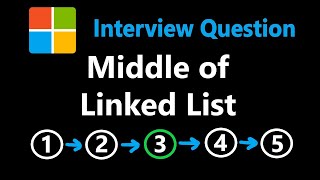





Related Reads
📰
📰
📰
📰
Building a Power Grid Inside Minecraft with BFS Algorithms
Dev.to · Carlos Cortez 🇵🇪 [AWS Hero]
The Run-Length Encoding Trick: How Simple Strings Get Compressed
Medium · Programming
75 Days of Leetcode — Day 4: #238 — Product of Array Except Self
Medium · AI
I implemented the algorithm that broke the sorting barrier. Dijkstra still wins.
Medium · Programming
🎓
Tutor Explanation

 DeepCamp AI