TryHackMe: Shadow Trace | Write-Up
📰 Medium · Cybersecurity
Learn to analyze a binary file using static analysis tools like pestudio to understand its architecture and behavior
Action Steps
- Boot the Virtual Machine (VM) and locate the target binary
- Open pestudio and use it to perform static analysis on the binary
- Analyze the binary's architecture using pestudio's features
- Answer questions about the binary's behavior using static analysis results
Who Needs to Know This
Security analysts and penetration testers can benefit from this tutorial to improve their skills in analyzing binary files and identifying potential threats
Key Insight
💡 Static analysis can provide a quick overview of a binary's behavior and architecture, making it a valuable tool for security analysts
Share This
Analyze binary files like a pro! Use pestudio for static analysis and improve your security skills #cybersecurity #staticanalysis
Key Takeaways
Learn to analyze a binary file using static analysis tools like pestudio to understand its architecture and behavior
Full Article
Title: TryHackMe: Shadow Trace | Write-Up
URL Source: https://medium.com/@ash.t/tryhackme-shadow-trace-write-up-442941f1a6f6?source=rss------cybersecurity-5
Published Time: 2026-04-16T00:31:04Z
Markdown Content:
# TryHackMe: Shadow Trace | Write-Up | by Ash T | Apr, 2026 | Medium
[Sitemap](https://medium.com/sitemap/sitemap.xml)
[Open in app](https://play.google.com/store/apps/details?id=com.medium.reader&referrer=utm_source%3DmobileNavBar&source=post_page---top_nav_layout_nav-----------------------------------------)
Sign up
[Sign in](https://medium.com/m/signin?operation=login&redirect=https%3A%2F%2Fmedium.com%2F%40ash.evan.t%2Ftryhackme-shadow-trace-write-up-442941f1a6f6&source=post_page---top_nav_layout_nav-----------------------global_nav------------------)
[](https://medium.com/?source=post_page---top_nav_layout_nav-----------------------------------------)
Get app
[Write](https://medium.com/m/signin?operation=register&redirect=https%3A%2F%2Fmedium.com%2Fnew-story&source=---top_nav_layout_nav-----------------------new_post_topnav------------------)
[Search](https://medium.com/search?source=post_page---top_nav_layout_nav-----------------------------------------)
Sign up
[Sign in](https://medium.com/m/signin?operation=login&redirect=https%3A%2F%2Fmedium.com%2F%40ash.evan.t%2Ftryhackme-shadow-trace-write-up-442941f1a6f6&source=post_page---top_nav_layout_nav-----------------------global_nav------------------)

# TryHackMe: Shadow Trace | Write-Up
[](https://medium.com/@ash.t?source=post_page---byline--442941f1a6f6---------------------------------------)
[Ash T](https://medium.com/@ash.t?source=post_page---byline--442941f1a6f6---------------------------------------)
Follow
5 min read
·
Just now
[](https://medium.com/m/signin?actionUrl=https%3A%2F%2Fmedium.com%2F_%2Fvote%2Fp%2F442941f1a6f6&operation=register&redirect=https%3A%2F%2Fmedium.com%2F%40ash.evan.t%2Ftryhackme-shadow-trace-write-up-442941f1a6f6&user=Ash+T&userId=4145df0892db&source=---header_actions--442941f1a6f6---------------------clap_footer------------------)
[](https://medium.com/m/signin?actionUrl=https%3A%2F%2Fmedium.com%2F_%2Fbookmark%2Fp%2F442941f1a6f6&operation=register&redirect=https%3A%2F%2Fmedium.com%2F%40ash.evan.t%2Ftryhackme-shadow-trace-write-up-442941f1a6f6&source=---header_actions--442941f1a6f6---------------------bookmark_footer------------------)
[Listen](https://medium.com/m/signin?actionUrl=https%3A%2F%2Fmedium.com%2Fplans%3Fdimension%3Dpost_audio_button%26postId%3D442941f1a6f6&operation=register&redirect=https%3A%2F%2Fmedium.com%2F%40ash.evan.t%2Ftryhackme-shadow-trace-write-up-442941f1a6f6&source=---header_actions--442941f1a6f6---------------------post_audio_button------------------)
Share
Press enter or click to view image in full size
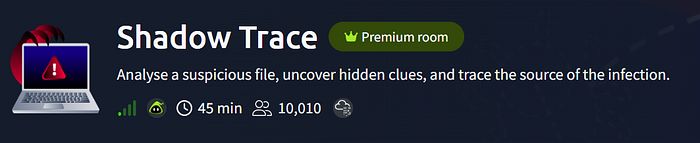
This is a write-up for the Shadow Trace room on TryHackMe which is part of the SOC Level 1 pathway. I will describe how I completed this room and the reasons behind my decisions to help you understand the method.
## **Task 2: File Analysis**
First, boot the Virtual Machine (VM) and see the target binary, _windows-update.exe_, on the Desktop. Then, view the questions for task 2. Our first action should be static analysis, rather than dynamic because static analysis can give us a good overview of the binary quickly where dynamic can take longer and be more complex. The questions in task 2 can all be answered using static analysis.
I opened pestudio, found in the DFIR Tools folder on the Desktop, and used _file > open file_ to open the windows-update.exe binary using the tool. pestudio is a static analysis tool for Windows and gives a good overview of the binary.
### What is the architecture of the binary file windows-update.exe?
URL Source: https://medium.com/@ash.t/tryhackme-shadow-trace-write-up-442941f1a6f6?source=rss------cybersecurity-5
Published Time: 2026-04-16T00:31:04Z
Markdown Content:
# TryHackMe: Shadow Trace | Write-Up | by Ash T | Apr, 2026 | Medium
[Sitemap](https://medium.com/sitemap/sitemap.xml)
[Open in app](https://play.google.com/store/apps/details?id=com.medium.reader&referrer=utm_source%3DmobileNavBar&source=post_page---top_nav_layout_nav-----------------------------------------)
Sign up
[Sign in](https://medium.com/m/signin?operation=login&redirect=https%3A%2F%2Fmedium.com%2F%40ash.evan.t%2Ftryhackme-shadow-trace-write-up-442941f1a6f6&source=post_page---top_nav_layout_nav-----------------------global_nav------------------)
[](https://medium.com/?source=post_page---top_nav_layout_nav-----------------------------------------)
Get app
[Write](https://medium.com/m/signin?operation=register&redirect=https%3A%2F%2Fmedium.com%2Fnew-story&source=---top_nav_layout_nav-----------------------new_post_topnav------------------)
[Search](https://medium.com/search?source=post_page---top_nav_layout_nav-----------------------------------------)
Sign up
[Sign in](https://medium.com/m/signin?operation=login&redirect=https%3A%2F%2Fmedium.com%2F%40ash.evan.t%2Ftryhackme-shadow-trace-write-up-442941f1a6f6&source=post_page---top_nav_layout_nav-----------------------global_nav------------------)

# TryHackMe: Shadow Trace | Write-Up
[](https://medium.com/@ash.t?source=post_page---byline--442941f1a6f6---------------------------------------)
[Ash T](https://medium.com/@ash.t?source=post_page---byline--442941f1a6f6---------------------------------------)
Follow
5 min read
·
Just now
[](https://medium.com/m/signin?actionUrl=https%3A%2F%2Fmedium.com%2F_%2Fvote%2Fp%2F442941f1a6f6&operation=register&redirect=https%3A%2F%2Fmedium.com%2F%40ash.evan.t%2Ftryhackme-shadow-trace-write-up-442941f1a6f6&user=Ash+T&userId=4145df0892db&source=---header_actions--442941f1a6f6---------------------clap_footer------------------)
[](https://medium.com/m/signin?actionUrl=https%3A%2F%2Fmedium.com%2F_%2Fbookmark%2Fp%2F442941f1a6f6&operation=register&redirect=https%3A%2F%2Fmedium.com%2F%40ash.evan.t%2Ftryhackme-shadow-trace-write-up-442941f1a6f6&source=---header_actions--442941f1a6f6---------------------bookmark_footer------------------)
[Listen](https://medium.com/m/signin?actionUrl=https%3A%2F%2Fmedium.com%2Fplans%3Fdimension%3Dpost_audio_button%26postId%3D442941f1a6f6&operation=register&redirect=https%3A%2F%2Fmedium.com%2F%40ash.evan.t%2Ftryhackme-shadow-trace-write-up-442941f1a6f6&source=---header_actions--442941f1a6f6---------------------post_audio_button------------------)
Share
Press enter or click to view image in full size

This is a write-up for the Shadow Trace room on TryHackMe which is part of the SOC Level 1 pathway. I will describe how I completed this room and the reasons behind my decisions to help you understand the method.
## **Task 2: File Analysis**
First, boot the Virtual Machine (VM) and see the target binary, _windows-update.exe_, on the Desktop. Then, view the questions for task 2. Our first action should be static analysis, rather than dynamic because static analysis can give us a good overview of the binary quickly where dynamic can take longer and be more complex. The questions in task 2 can all be answered using static analysis.
I opened pestudio, found in the DFIR Tools folder on the Desktop, and used _file > open file_ to open the windows-update.exe binary using the tool. pestudio is a static analysis tool for Windows and gives a good overview of the binary.
### What is the architecture of the binary file windows-update.exe?
 DeepCamp AI