Train and deploy a DreamBooth model on Replicate
📰 Replicate Blog
Train and deploy a DreamBooth model on Replicate for generating custom images with as few as three training images
Action Steps
- Gather training data as a set of JPEGs in a directory
- Zip the training data and upload it via HTTP or Replicate's API
- Start a training job using the DreamBooth API with the uploaded data
- Deploy the trained model for generating custom images
Who Needs to Know This
AI engineers and data scientists can benefit from this tutorial to create custom generative models, while product managers can utilize these models for various applications
Key Insight
💡 DreamBooth allows for fine-tuning of Stable Diffusion models with minimal training data and time
Share This
🤖 Train a DreamBooth model on Replicate with just 3 images! 📸
Key Takeaways
Train and deploy a DreamBooth model on Replicate for generating custom images with as few as three training images
Full Article
# Train and deploy a DreamBooth model on Replicate – Replicate blog
[Replicate has joined Cloudflare](https://replicate.com/blog/replicate-cloudflare)
[](https://replicate.com/)
cmd+k
[Explore](https://replicate.com/explore)[Pricing](https://replicate.com/pricing)[Enterprise](https://replicate.com/enterprise)[Docs](https://replicate.com/docs)[Blog](https://replicate.com/blog)[Sign in](https://replicate.com/signin)[Try for free](https://replicate.com/signin)
Menu
[Explore](https://replicate.com/explore)[Pricing](https://replicate.com/pricing)[Enterprise](https://replicate.com/enterprise)[Docs](https://replicate.com/docs)[Blog](https://replicate.com/blog)[Sign in](https://replicate.com/signin)[Try for free](https://replicate.com/signin)
* * *
[Compare models in the Playground](https://replicate.com/playground)
* Replicate
* [Blog](https://replicate.com/blog)
# Train and deploy a DreamBooth model on Replicate
Posted November 21, 2022 by
* [bfirsh](https://replicate.com/bfirsh)
* [zeke](https://replicate.com/zeke)
**Update, August 2024**: The experimental DreamBooth API is no longer available. Check out the [FLUX.1 fine-tuning blog post](https://replicate.com/blog/fine-tune-flux) for an alternative with better results.
**Update, August 2023**: We’ve added fine-tuning support to [SDXL](https://replicate.com/stability-ai/sdxl), the latest version of Stable Diffusion. The DreamBooth API described below still works, but you can achieve better results at a higher resolution using SDXL. Check out the [SDXL fine-tuning blog post](https://replicate.com/blog/fine-tune-sdxl) to get started, or read on to use the old DreamBooth API.
Generative AI has been abuzz with [DreamBooth](https://dreambooth.github.io/). It’s a way to train Stable Diffusion on a particular object or style, creating your own version of the model that generates those objects or styles. You can train a model with as few as three images and the training process takes less than half an hour.
Notably, DreamBooth works with _people_, so [you can make a version of Stable Diffusion that can generate images of yourself](https://replicate.com/bfirsh/bfirshbooth).
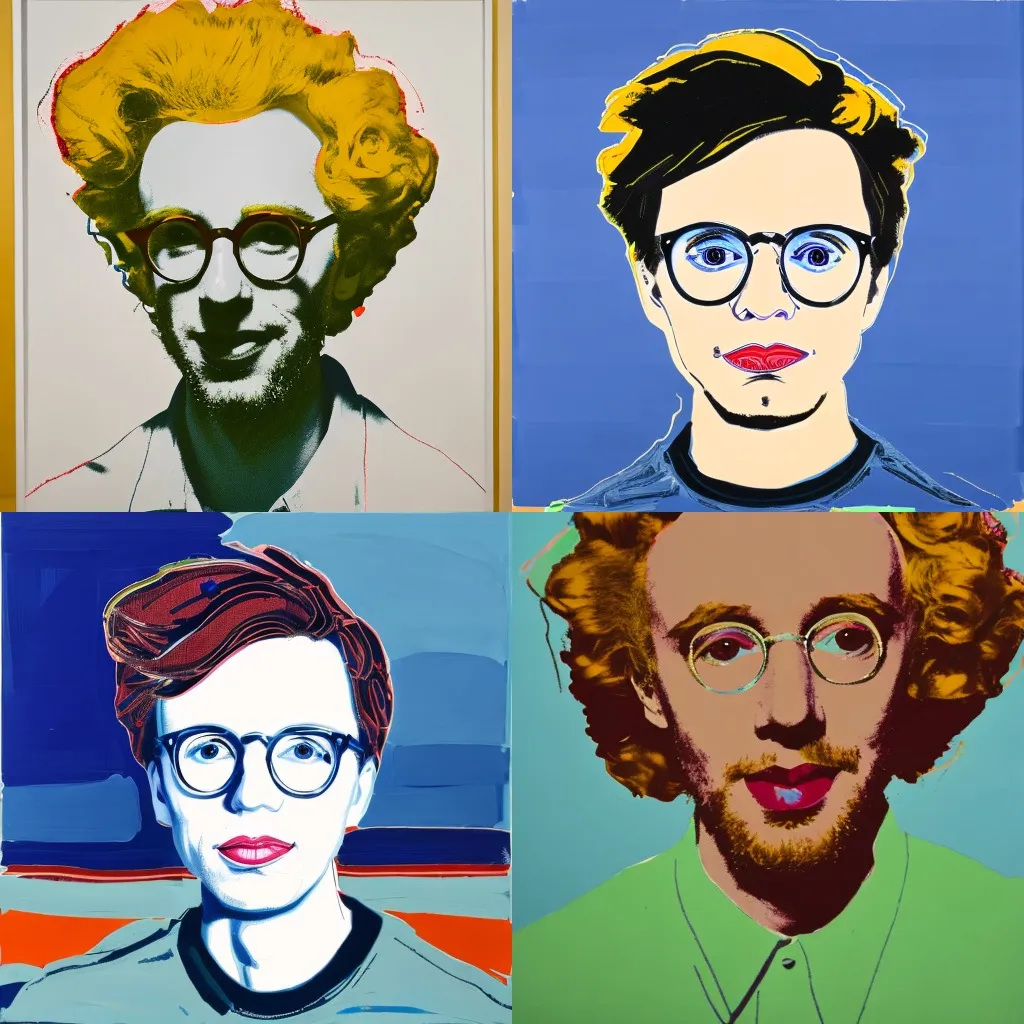
People have been making some magical products with DreamBooth, such as [Avatar AI](https://avatarai.me/) and [ProfilePicture.AI](https://www.profilepicture.ai/).
Now, you can create your own projects with DreamBooth too. We’ve built an API that lets you train DreamBooth models and run predictions on them in the cloud.
You need as few as three training images and it takes about 20 minutes (depending on how many iterations that you use). [It costs about $2.50](https://replicate.com/pricing) to train a model.
## [](https://replicate.com/blog/dreambooth-api#train-a-dreambooth-model)Train a DreamBooth model
First, [grab your API token](https://replicate.com/account) and set it in a terminal:
export REPLICATE_API_TOKEN=…
Next, gather your training data as a set of JPEGs in a directory called `data/` and zip it up:
zip -r data.zip data
Put this zip file somewhere accessible via HTTP. If you like, you can use our API for uploading files. Run these three commands:
Copy
```
RESPONSE=$(curl -X POST -H "Authorization: Bearer $REPLICATE_API_TOKEN" https://dreambooth-api-experimental.replicate.com/v1/upload/data.zip)
curl -X PUT -H "Content-Type: application/zip" --upload-file data.zip "$(jq -r ".upload_url" <<< "$RESPONSE")"
SERVING_URL=$(jq -r ".serving_url" <<< $RESPONSE)
```
Then, start a training job:
Copy
```
curl -X POST \
-H "Content-Type: application/json" \
-H "Authorization: Bearer $REPLICATE_API_TOKEN" \
-d '{
"input": {
"instance_prompt": "a photo of a cjw person",
"class_prompt": "a photo of a person",
"instance_data": "'"$SERVING_URL"'",
"max_train_steps": 2000
[Replicate has joined Cloudflare](https://replicate.com/blog/replicate-cloudflare)
[](https://replicate.com/)
cmd+k
[Explore](https://replicate.com/explore)[Pricing](https://replicate.com/pricing)[Enterprise](https://replicate.com/enterprise)[Docs](https://replicate.com/docs)[Blog](https://replicate.com/blog)[Sign in](https://replicate.com/signin)[Try for free](https://replicate.com/signin)
Menu
[Explore](https://replicate.com/explore)[Pricing](https://replicate.com/pricing)[Enterprise](https://replicate.com/enterprise)[Docs](https://replicate.com/docs)[Blog](https://replicate.com/blog)[Sign in](https://replicate.com/signin)[Try for free](https://replicate.com/signin)
* * *
[Compare models in the Playground](https://replicate.com/playground)
* Replicate
* [Blog](https://replicate.com/blog)
# Train and deploy a DreamBooth model on Replicate
Posted November 21, 2022 by
* [bfirsh](https://replicate.com/bfirsh)
* [zeke](https://replicate.com/zeke)
**Update, August 2024**: The experimental DreamBooth API is no longer available. Check out the [FLUX.1 fine-tuning blog post](https://replicate.com/blog/fine-tune-flux) for an alternative with better results.
**Update, August 2023**: We’ve added fine-tuning support to [SDXL](https://replicate.com/stability-ai/sdxl), the latest version of Stable Diffusion. The DreamBooth API described below still works, but you can achieve better results at a higher resolution using SDXL. Check out the [SDXL fine-tuning blog post](https://replicate.com/blog/fine-tune-sdxl) to get started, or read on to use the old DreamBooth API.
Generative AI has been abuzz with [DreamBooth](https://dreambooth.github.io/). It’s a way to train Stable Diffusion on a particular object or style, creating your own version of the model that generates those objects or styles. You can train a model with as few as three images and the training process takes less than half an hour.
Notably, DreamBooth works with _people_, so [you can make a version of Stable Diffusion that can generate images of yourself](https://replicate.com/bfirsh/bfirshbooth).

People have been making some magical products with DreamBooth, such as [Avatar AI](https://avatarai.me/) and [ProfilePicture.AI](https://www.profilepicture.ai/).
Now, you can create your own projects with DreamBooth too. We’ve built an API that lets you train DreamBooth models and run predictions on them in the cloud.
You need as few as three training images and it takes about 20 minutes (depending on how many iterations that you use). [It costs about $2.50](https://replicate.com/pricing) to train a model.
## [](https://replicate.com/blog/dreambooth-api#train-a-dreambooth-model)Train a DreamBooth model
First, [grab your API token](https://replicate.com/account) and set it in a terminal:
export REPLICATE_API_TOKEN=…
Next, gather your training data as a set of JPEGs in a directory called `data/` and zip it up:
zip -r data.zip data
Put this zip file somewhere accessible via HTTP. If you like, you can use our API for uploading files. Run these three commands:
Copy
```
RESPONSE=$(curl -X POST -H "Authorization: Bearer $REPLICATE_API_TOKEN" https://dreambooth-api-experimental.replicate.com/v1/upload/data.zip)
curl -X PUT -H "Content-Type: application/zip" --upload-file data.zip "$(jq -r ".upload_url" <<< "$RESPONSE")"
SERVING_URL=$(jq -r ".serving_url" <<< $RESPONSE)
```
Then, start a training job:
Copy
```
curl -X POST \
-H "Content-Type: application/json" \
-H "Authorization: Bearer $REPLICATE_API_TOKEN" \
-d '{
"input": {
"instance_prompt": "a photo of a cjw person",
"class_prompt": "a photo of a person",
"instance_data": "'"$SERVING_URL"'",
"max_train_steps": 2000






 DeepCamp AI