Setting Up Passwordless SSH Access from Mac to Ubuntu
📰 Medium · DevOps
Learn to set up passwordless SSH access from Mac to Ubuntu for secure and efficient remote access
Action Steps
- Install OpenSSH server on Ubuntu using 'sudo apt install openssh-server -y'
- Start and enable the SSH service using 'sudo systemctl start ssh' and 'sudo systemctl enable ssh'
- Verify the SSH service status using 'sudo systemctl status ssh'
- Generate SSH keys on Mac using 'ssh-keygen -t rsa'
- Copy the public SSH key to Ubuntu using 'ssh-copy-id username@ubuntu-ip'
Who Needs to Know This
DevOps and system engineers can benefit from this tutorial to streamline their workflow and improve security
Key Insight
💡 Using SSH key authentication provides a secure way to access remote systems without entering passwords
Share This
🔒 Set up passwordless SSH access from Mac to Ubuntu for secure remote access! 🚀
Key Takeaways
Learn to set up passwordless SSH access from Mac to Ubuntu for secure and efficient remote access
Full Article
Title: Setting Up Passwordless SSH Access from Mac to Ubuntu
URL Source: https://medium.com/@prabin.baral00/setting-up-passwordless-ssh-access-from-mac-to-ubuntu-c701e7fd9e91?source=rss------devops-5
Published Time: 2026-04-24T16:59:47Z
Markdown Content:
# Setting Up Passwordless SSH Access from Mac to Ubuntu | by Prabin Baral | Apr, 2026 | Medium
[Sitemap](https://medium.com/sitemap/sitemap.xml)
[Open in app](https://play.google.com/store/apps/details?id=com.medium.reader&referrer=utm_source%3DmobileNavBar&source=post_page---top_nav_layout_nav-----------------------------------------)
Sign up
[Sign in](https://medium.com/m/signin?operation=login&redirect=https%3A%2F%2Fmedium.com%2F%40prabin.baral00%2Fsetting-up-passwordless-ssh-access-from-mac-to-ubuntu-c701e7fd9e91&source=post_page---top_nav_layout_nav-----------------------global_nav------------------)
[](https://medium.com/?source=post_page---top_nav_layout_nav-----------------------------------------)
Get app
[Write](https://medium.com/m/signin?operation=register&redirect=https%3A%2F%2Fmedium.com%2Fnew-story&source=---top_nav_layout_nav-----------------------new_post_topnav------------------)
[Search](https://medium.com/search?source=post_page---top_nav_layout_nav-----------------------------------------)
Sign up
[Sign in](https://medium.com/m/signin?operation=login&redirect=https%3A%2F%2Fmedium.com%2F%40prabin.baral00%2Fsetting-up-passwordless-ssh-access-from-mac-to-ubuntu-c701e7fd9e91&source=post_page---top_nav_layout_nav-----------------------global_nav------------------)

Press enter or click to view image in full size
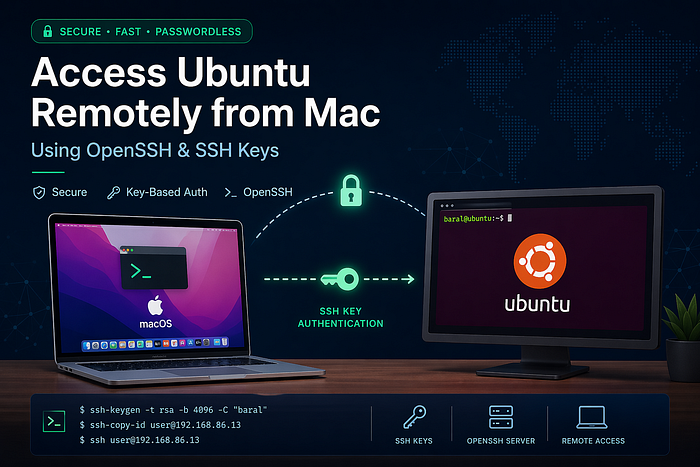
# **Setting Up Passwordless SSH Access from Mac to Ubuntu**
[](https://medium.com/@prabin.baral00?source=post_page---byline--c701e7fd9e91---------------------------------------)
[Prabin Baral](https://medium.com/@prabin.baral00?source=post_page---byline--c701e7fd9e91---------------------------------------)
Follow
2 min read
·
1 hour ago
[](https://medium.com/m/signin?actionUrl=https%3A%2F%2Fmedium.com%2F_%2Fvote%2Fp%2Fc701e7fd9e91&operation=register&redirect=https%3A%2F%2Fmedium.com%2F%40prabin.baral00%2Fsetting-up-passwordless-ssh-access-from-mac-to-ubuntu-c701e7fd9e91&user=Prabin+Baral&userId=b4b2655f7b65&source=---header_actions--c701e7fd9e91---------------------clap_footer------------------)
[](https://medium.com/m/signin?actionUrl=https%3A%2F%2Fmedium.com%2F_%2Fbookmark%2Fp%2Fc701e7fd9e91&operation=register&redirect=https%3A%2F%2Fmedium.com%2F%40prabin.baral00%2Fsetting-up-passwordless-ssh-access-from-mac-to-ubuntu-c701e7fd9e91&source=---header_actions--c701e7fd9e91---------------------bookmark_footer------------------)
[Listen](https://medium.com/m/signin?actionUrl=https%3A%2F%2Fmedium.com%2Fplans%3Fdimension%3Dpost_audio_button%26postId%3Dc701e7fd9e91&operation=register&redirect=https%3A%2F%2Fmedium.com%2F%40prabin.baral00%2Fsetting-up-passwordless-ssh-access-from-mac-to-ubuntu-c701e7fd9e91&source=---header_actions--c701e7fd9e91---------------------post_audio_button------------------)
Share
Remote access via SSH is one of the most essential skills for developers and system engineers. In this setup, you configured secure, passwordless login from a macOS machine to an Ubuntu system using the OpenSSH server and SSH key authentication.
## 🧱 1. Installing and Enabling the SSH Server on Ubuntu
The first step was ensuring that the Ubuntu machine could accept incoming SSH connections.
You installed the SSH server:
sudo apt update
sudo apt install openssh-server -y
Then started and enabled the service:
sudo systemctl start ssh
sudo systemctl enable ssh
To verify it was running:
sudo systemctl status ssh
At this point, your Ubuntu system was listening on **p
URL Source: https://medium.com/@prabin.baral00/setting-up-passwordless-ssh-access-from-mac-to-ubuntu-c701e7fd9e91?source=rss------devops-5
Published Time: 2026-04-24T16:59:47Z
Markdown Content:
# Setting Up Passwordless SSH Access from Mac to Ubuntu | by Prabin Baral | Apr, 2026 | Medium
[Sitemap](https://medium.com/sitemap/sitemap.xml)
[Open in app](https://play.google.com/store/apps/details?id=com.medium.reader&referrer=utm_source%3DmobileNavBar&source=post_page---top_nav_layout_nav-----------------------------------------)
Sign up
[Sign in](https://medium.com/m/signin?operation=login&redirect=https%3A%2F%2Fmedium.com%2F%40prabin.baral00%2Fsetting-up-passwordless-ssh-access-from-mac-to-ubuntu-c701e7fd9e91&source=post_page---top_nav_layout_nav-----------------------global_nav------------------)
[](https://medium.com/?source=post_page---top_nav_layout_nav-----------------------------------------)
Get app
[Write](https://medium.com/m/signin?operation=register&redirect=https%3A%2F%2Fmedium.com%2Fnew-story&source=---top_nav_layout_nav-----------------------new_post_topnav------------------)
[Search](https://medium.com/search?source=post_page---top_nav_layout_nav-----------------------------------------)
Sign up
[Sign in](https://medium.com/m/signin?operation=login&redirect=https%3A%2F%2Fmedium.com%2F%40prabin.baral00%2Fsetting-up-passwordless-ssh-access-from-mac-to-ubuntu-c701e7fd9e91&source=post_page---top_nav_layout_nav-----------------------global_nav------------------)

Press enter or click to view image in full size

# **Setting Up Passwordless SSH Access from Mac to Ubuntu**
[](https://medium.com/@prabin.baral00?source=post_page---byline--c701e7fd9e91---------------------------------------)
[Prabin Baral](https://medium.com/@prabin.baral00?source=post_page---byline--c701e7fd9e91---------------------------------------)
Follow
2 min read
·
1 hour ago
[](https://medium.com/m/signin?actionUrl=https%3A%2F%2Fmedium.com%2F_%2Fvote%2Fp%2Fc701e7fd9e91&operation=register&redirect=https%3A%2F%2Fmedium.com%2F%40prabin.baral00%2Fsetting-up-passwordless-ssh-access-from-mac-to-ubuntu-c701e7fd9e91&user=Prabin+Baral&userId=b4b2655f7b65&source=---header_actions--c701e7fd9e91---------------------clap_footer------------------)
[](https://medium.com/m/signin?actionUrl=https%3A%2F%2Fmedium.com%2F_%2Fbookmark%2Fp%2Fc701e7fd9e91&operation=register&redirect=https%3A%2F%2Fmedium.com%2F%40prabin.baral00%2Fsetting-up-passwordless-ssh-access-from-mac-to-ubuntu-c701e7fd9e91&source=---header_actions--c701e7fd9e91---------------------bookmark_footer------------------)
[Listen](https://medium.com/m/signin?actionUrl=https%3A%2F%2Fmedium.com%2Fplans%3Fdimension%3Dpost_audio_button%26postId%3Dc701e7fd9e91&operation=register&redirect=https%3A%2F%2Fmedium.com%2F%40prabin.baral00%2Fsetting-up-passwordless-ssh-access-from-mac-to-ubuntu-c701e7fd9e91&source=---header_actions--c701e7fd9e91---------------------post_audio_button------------------)
Share
Remote access via SSH is one of the most essential skills for developers and system engineers. In this setup, you configured secure, passwordless login from a macOS machine to an Ubuntu system using the OpenSSH server and SSH key authentication.
## 🧱 1. Installing and Enabling the SSH Server on Ubuntu
The first step was ensuring that the Ubuntu machine could accept incoming SSH connections.
You installed the SSH server:
sudo apt update
sudo apt install openssh-server -y
Then started and enabled the service:
sudo systemctl start ssh
sudo systemctl enable ssh
To verify it was running:
sudo systemctl status ssh
At this point, your Ubuntu system was listening on **p
 DeepCamp AI