Interactive Prototype vs. Static Mockup: Which Gets You to User Feedback Faster?
📰 Medium · UX Design
Learn when to use interactive prototypes vs static mockups to get user feedback faster and more effectively in UX design
Action Steps
- Create a static mockup using a tool like Figma or Sketch to visualize the basic layout and design of a product
- Build an interactive prototype using a tool like InVision or Adobe XD to test the usability and functionality of a product
- Compare the feedback gathered from both approaches to determine which one yields more useful and actionable insights
- Use interactive prototypes to test complex interactions and static mockups for high-level concept validation
- Iterate on the design based on the feedback gathered and refine the prototype or mockup accordingly
Who Needs to Know This
UX designers and product managers can benefit from understanding the differences between interactive prototypes and static mockups to inform their design decisions and gather useful user feedback
Key Insight
💡 Interactive prototypes yield more useful and actionable feedback than static mockups, especially for complex interactions
Share This
💡 Interactive prototypes vs static mockups: which one gets you to user feedback faster? 🤔
Key Takeaways
Learn when to use interactive prototypes vs static mockups to get user feedback faster and more effectively in UX design
Full Article
Title: Interactive Prototype vs. Static Mockup: Which Gets You to User Feedback Faster?
URL Source: https://medium.com/@ashleywilson_89237/interactive-prototype-vs-static-mockup-which-gets-you-to-user-feedback-faster-adf18af3824b?source=rss------ux_design-5
Published Time: 2026-04-23T09:46:18Z
Markdown Content:
# Interactive Prototype vs. Static Mockup: Which Gets You to User Feedback Faster? | by Ashleywilson | Apr, 2026 | Medium
[Sitemap](https://medium.com/sitemap/sitemap.xml)
[Open in app](https://play.google.com/store/apps/details?id=com.medium.reader&referrer=utm_source%3DmobileNavBar&source=post_page---top_nav_layout_nav-----------------------------------------)
Sign up
[Sign in](https://medium.com/m/signin?operation=login&redirect=https%3A%2F%2Fmedium.com%2F%40ashleywilson_89237%2Finteractive-prototype-vs-static-mockup-which-gets-you-to-user-feedback-faster-adf18af3824b&source=post_page---top_nav_layout_nav-----------------------global_nav------------------)
[](https://medium.com/?source=post_page---top_nav_layout_nav-----------------------------------------)
Get app
[Write](https://medium.com/m/signin?operation=register&redirect=https%3A%2F%2Fmedium.com%2Fnew-story&source=---top_nav_layout_nav-----------------------new_post_topnav------------------)
[Search](https://medium.com/search?source=post_page---top_nav_layout_nav-----------------------------------------)
Sign up
[Sign in](https://medium.com/m/signin?operation=login&redirect=https%3A%2F%2Fmedium.com%2F%40ashleywilson_89237%2Finteractive-prototype-vs-static-mockup-which-gets-you-to-user-feedback-faster-adf18af3824b&source=post_page---top_nav_layout_nav-----------------------global_nav------------------)

# Interactive Prototype vs. Static Mockup: Which Gets You to User Feedback Faster?
[](https://medium.com/@ashleywilson_89237?source=post_page---byline--adf18af3824b---------------------------------------)
[Ashleywilson](https://medium.com/@ashleywilson_89237?source=post_page---byline--adf18af3824b---------------------------------------)
Follow
6 min read
·
Just now
[](https://medium.com/m/signin?actionUrl=https%3A%2F%2Fmedium.com%2F_%2Fvote%2Fp%2Fadf18af3824b&operation=register&redirect=https%3A%2F%2Fmedium.com%2F%40ashleywilson_89237%2Finteractive-prototype-vs-static-mockup-which-gets-you-to-user-feedback-faster-adf18af3824b&user=Ashleywilson&userId=27662a3b46b0&source=---header_actions--adf18af3824b---------------------clap_footer------------------)
[](https://medium.com/m/signin?actionUrl=https%3A%2F%2Fmedium.com%2F_%2Fbookmark%2Fp%2Fadf18af3824b&operation=register&redirect=https%3A%2F%2Fmedium.com%2F%40ashleywilson_89237%2Finteractive-prototype-vs-static-mockup-which-gets-you-to-user-feedback-faster-adf18af3824b&source=---header_actions--adf18af3824b---------------------bookmark_footer------------------)
[Listen](https://medium.com/m/signin?actionUrl=https%3A%2F%2Fmedium.com%2Fplans%3Fdimension%3Dpost_audio_button%26postId%3Dadf18af3824b&operation=register&redirect=https%3A%2F%2Fmedium.com%2F%40ashleywilson_89237%2Finteractive-prototype-vs-static-mockup-which-gets-you-to-user-feedback-faster-adf18af3824b&source=---header_actions--adf18af3824b---------------------post_audio_button------------------)
Share
Press enter or click to view image in full size
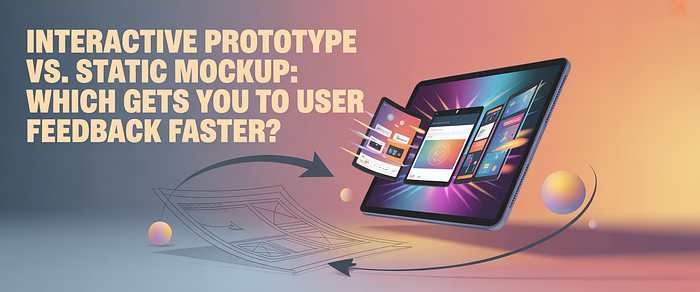
Every product decision starts with the same tension: you have an idea, you need feedback, and you need it before you spend weeks building something wrong. The tool you use to gather that feedback — a static mockup or an interactive prototype — determines not just how fast you get responses, but how useful those responses actually are.
This comparison breaks down what each approach produces, where each wins, and when the di
URL Source: https://medium.com/@ashleywilson_89237/interactive-prototype-vs-static-mockup-which-gets-you-to-user-feedback-faster-adf18af3824b?source=rss------ux_design-5
Published Time: 2026-04-23T09:46:18Z
Markdown Content:
# Interactive Prototype vs. Static Mockup: Which Gets You to User Feedback Faster? | by Ashleywilson | Apr, 2026 | Medium
[Sitemap](https://medium.com/sitemap/sitemap.xml)
[Open in app](https://play.google.com/store/apps/details?id=com.medium.reader&referrer=utm_source%3DmobileNavBar&source=post_page---top_nav_layout_nav-----------------------------------------)
Sign up
[Sign in](https://medium.com/m/signin?operation=login&redirect=https%3A%2F%2Fmedium.com%2F%40ashleywilson_89237%2Finteractive-prototype-vs-static-mockup-which-gets-you-to-user-feedback-faster-adf18af3824b&source=post_page---top_nav_layout_nav-----------------------global_nav------------------)
[](https://medium.com/?source=post_page---top_nav_layout_nav-----------------------------------------)
Get app
[Write](https://medium.com/m/signin?operation=register&redirect=https%3A%2F%2Fmedium.com%2Fnew-story&source=---top_nav_layout_nav-----------------------new_post_topnav------------------)
[Search](https://medium.com/search?source=post_page---top_nav_layout_nav-----------------------------------------)
Sign up
[Sign in](https://medium.com/m/signin?operation=login&redirect=https%3A%2F%2Fmedium.com%2F%40ashleywilson_89237%2Finteractive-prototype-vs-static-mockup-which-gets-you-to-user-feedback-faster-adf18af3824b&source=post_page---top_nav_layout_nav-----------------------global_nav------------------)

# Interactive Prototype vs. Static Mockup: Which Gets You to User Feedback Faster?
[](https://medium.com/@ashleywilson_89237?source=post_page---byline--adf18af3824b---------------------------------------)
[Ashleywilson](https://medium.com/@ashleywilson_89237?source=post_page---byline--adf18af3824b---------------------------------------)
Follow
6 min read
·
Just now
[](https://medium.com/m/signin?actionUrl=https%3A%2F%2Fmedium.com%2F_%2Fvote%2Fp%2Fadf18af3824b&operation=register&redirect=https%3A%2F%2Fmedium.com%2F%40ashleywilson_89237%2Finteractive-prototype-vs-static-mockup-which-gets-you-to-user-feedback-faster-adf18af3824b&user=Ashleywilson&userId=27662a3b46b0&source=---header_actions--adf18af3824b---------------------clap_footer------------------)
[](https://medium.com/m/signin?actionUrl=https%3A%2F%2Fmedium.com%2F_%2Fbookmark%2Fp%2Fadf18af3824b&operation=register&redirect=https%3A%2F%2Fmedium.com%2F%40ashleywilson_89237%2Finteractive-prototype-vs-static-mockup-which-gets-you-to-user-feedback-faster-adf18af3824b&source=---header_actions--adf18af3824b---------------------bookmark_footer------------------)
[Listen](https://medium.com/m/signin?actionUrl=https%3A%2F%2Fmedium.com%2Fplans%3Fdimension%3Dpost_audio_button%26postId%3Dadf18af3824b&operation=register&redirect=https%3A%2F%2Fmedium.com%2F%40ashleywilson_89237%2Finteractive-prototype-vs-static-mockup-which-gets-you-to-user-feedback-faster-adf18af3824b&source=---header_actions--adf18af3824b---------------------post_audio_button------------------)
Share
Press enter or click to view image in full size

Every product decision starts with the same tension: you have an idea, you need feedback, and you need it before you spend weeks building something wrong. The tool you use to gather that feedback — a static mockup or an interactive prototype — determines not just how fast you get responses, but how useful those responses actually are.
This comparison breaks down what each approach produces, where each wins, and when the di




 DeepCamp AI