AWS DynamoDB Backups
📰 Medium · DevOps
Learn how to protect your Amazon DynamoDB data with backups and recovery options, including Point-in-Time Recovery, On-Demand Backups, and AWS Backup integration.
Action Steps
- Enable Point-in-Time Recovery (PITR) for your DynamoDB tables to recover data to a specific point in time.
- Create On-Demand Backups of your DynamoDB tables to capture a snapshot of your data at a specific moment.
- Integrate AWS Backup with your DynamoDB tables to automate backup and recovery processes.
- Restore your DynamoDB tables from backups using the AWS Management Console or AWS CLI.
- Configure IAM permissions to control access to your DynamoDB backups and restores.
Who Needs to Know This
DevOps and database administrators can benefit from this guide to ensure data protection and compliance in their Amazon DynamoDB deployments.
Key Insight
💡 Amazon DynamoDB offers multiple backup and recovery options, including Point-in-Time Recovery and On-Demand Backups, to help protect data and meet compliance requirements.
Share This
Protect your #DynamoDB data with backups and recovery options! Learn about PITR, On-Demand Backups, and AWS Backup integration.
Key Takeaways
Learn how to protect your Amazon DynamoDB data with backups and recovery options, including Point-in-Time Recovery, On-Demand Backups, and AWS Backup integration.
Full Article
Title: AWS DynamoDB Backups
URL Source: https://medium.com/@rheagupta993/aws-dynamodb-backups-a23971ef437f?source=rss------devops-5
Published Time: 2026-05-08T21:01:00Z
Markdown Content:
# AWS DynamoDB Backups. In any production system, data… | by Rhea Gupta | May, 2026 | Medium
[Sitemap](https://medium.com/sitemap/sitemap.xml)
[Open in app](https://play.google.com/store/apps/details?id=com.medium.reader&referrer=utm_source%3DmobileNavBar&source=post_page---top_nav_layout_nav-----------------------------------------)
Sign up
[Sign in](https://medium.com/m/signin?operation=login&redirect=https%3A%2F%2Fmedium.com%2F%40rheagupta993%2Faws-dynamodb-backups-a23971ef437f&source=post_page---top_nav_layout_nav-----------------------global_nav------------------)
[](https://medium.com/?source=post_page---top_nav_layout_nav-----------------------------------------)
Get app
[Write](https://medium.com/m/signin?operation=register&redirect=https%3A%2F%2Fmedium.com%2Fnew-story&source=---top_nav_layout_nav-----------------------new_post_topnav------------------)
[Search](https://medium.com/search?source=post_page---top_nav_layout_nav-----------------------------------------)
Sign up
[Sign in](https://medium.com/m/signin?operation=login&redirect=https%3A%2F%2Fmedium.com%2F%40rheagupta993%2Faws-dynamodb-backups-a23971ef437f&source=post_page---top_nav_layout_nav-----------------------global_nav------------------)

# AWS DynamoDB Backups
[](https://medium.com/@rheagupta993?source=post_page---byline--a23971ef437f---------------------------------------)
[Rhea Gupta](https://medium.com/@rheagupta993?source=post_page---byline--a23971ef437f---------------------------------------)
Follow
5 min read
·
Just now
[](https://medium.com/m/signin?actionUrl=https%3A%2F%2Fmedium.com%2F_%2Fvote%2Fp%2Fa23971ef437f&operation=register&redirect=https%3A%2F%2Fmedium.com%2F%40rheagupta993%2Faws-dynamodb-backups-a23971ef437f&user=Rhea+Gupta&userId=f080d57ed74f&source=---header_actions--a23971ef437f---------------------clap_footer------------------)
[](https://medium.com/m/signin?actionUrl=https%3A%2F%2Fmedium.com%2F_%2Fbookmark%2Fp%2Fa23971ef437f&operation=register&redirect=https%3A%2F%2Fmedium.com%2F%40rheagupta993%2Faws-dynamodb-backups-a23971ef437f&source=---header_actions--a23971ef437f---------------------bookmark_footer------------------)
[Listen](https://medium.com/m/signin?actionUrl=https%3A%2F%2Fmedium.com%2Fplans%3Fdimension%3Dpost_audio_button%26postId%3Da23971ef437f&operation=register&redirect=https%3A%2F%2Fmedium.com%2F%40rheagupta993%2Faws-dynamodb-backups-a23971ef437f&source=---header_actions--a23971ef437f---------------------post_audio_button------------------)
Share
In any production system, data protection is not optional — it’s foundational. Whether it’s an accidental delete, a bad deployment, or a security incident, losing critical data can be costly.
That’s where **Amazon DynamoDB Backups** come in.
Amazon Web Services offers multiple backup and recovery options in Amazon DynamoDB to help teams protect data, meet compliance requirements, and build resilient architectures.
Press enter or click to view image in full size
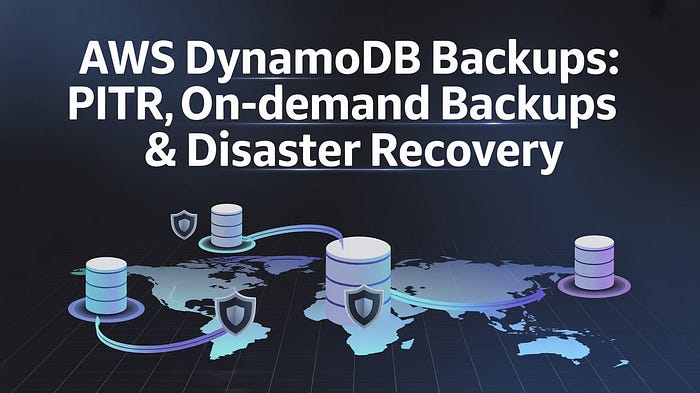
In this guide, we’ll explore:
* Point-in-Time Recovery (PITR)
* On-Demand Backups
* AWS Backup integration
* Restore workflows
* IAM permissions
* Pricing considerations
* Real-world best practices
Let’s dive in.
## Why DynamoDB Backups Matter
Even highly available databases need protection from:
* Accidental record deletions
* Faulty application deployments
* Data corruption
* Insider threats
* Ransomware or malicious attacks
* Compliance and audit requirements
DynamoDB gives you two primary ways to safeguard data:
URL Source: https://medium.com/@rheagupta993/aws-dynamodb-backups-a23971ef437f?source=rss------devops-5
Published Time: 2026-05-08T21:01:00Z
Markdown Content:
# AWS DynamoDB Backups. In any production system, data… | by Rhea Gupta | May, 2026 | Medium
[Sitemap](https://medium.com/sitemap/sitemap.xml)
[Open in app](https://play.google.com/store/apps/details?id=com.medium.reader&referrer=utm_source%3DmobileNavBar&source=post_page---top_nav_layout_nav-----------------------------------------)
Sign up
[Sign in](https://medium.com/m/signin?operation=login&redirect=https%3A%2F%2Fmedium.com%2F%40rheagupta993%2Faws-dynamodb-backups-a23971ef437f&source=post_page---top_nav_layout_nav-----------------------global_nav------------------)
[](https://medium.com/?source=post_page---top_nav_layout_nav-----------------------------------------)
Get app
[Write](https://medium.com/m/signin?operation=register&redirect=https%3A%2F%2Fmedium.com%2Fnew-story&source=---top_nav_layout_nav-----------------------new_post_topnav------------------)
[Search](https://medium.com/search?source=post_page---top_nav_layout_nav-----------------------------------------)
Sign up
[Sign in](https://medium.com/m/signin?operation=login&redirect=https%3A%2F%2Fmedium.com%2F%40rheagupta993%2Faws-dynamodb-backups-a23971ef437f&source=post_page---top_nav_layout_nav-----------------------global_nav------------------)

# AWS DynamoDB Backups
[](https://medium.com/@rheagupta993?source=post_page---byline--a23971ef437f---------------------------------------)
[Rhea Gupta](https://medium.com/@rheagupta993?source=post_page---byline--a23971ef437f---------------------------------------)
Follow
5 min read
·
Just now
[](https://medium.com/m/signin?actionUrl=https%3A%2F%2Fmedium.com%2F_%2Fvote%2Fp%2Fa23971ef437f&operation=register&redirect=https%3A%2F%2Fmedium.com%2F%40rheagupta993%2Faws-dynamodb-backups-a23971ef437f&user=Rhea+Gupta&userId=f080d57ed74f&source=---header_actions--a23971ef437f---------------------clap_footer------------------)
[](https://medium.com/m/signin?actionUrl=https%3A%2F%2Fmedium.com%2F_%2Fbookmark%2Fp%2Fa23971ef437f&operation=register&redirect=https%3A%2F%2Fmedium.com%2F%40rheagupta993%2Faws-dynamodb-backups-a23971ef437f&source=---header_actions--a23971ef437f---------------------bookmark_footer------------------)
[Listen](https://medium.com/m/signin?actionUrl=https%3A%2F%2Fmedium.com%2Fplans%3Fdimension%3Dpost_audio_button%26postId%3Da23971ef437f&operation=register&redirect=https%3A%2F%2Fmedium.com%2F%40rheagupta993%2Faws-dynamodb-backups-a23971ef437f&source=---header_actions--a23971ef437f---------------------post_audio_button------------------)
Share
In any production system, data protection is not optional — it’s foundational. Whether it’s an accidental delete, a bad deployment, or a security incident, losing critical data can be costly.
That’s where **Amazon DynamoDB Backups** come in.
Amazon Web Services offers multiple backup and recovery options in Amazon DynamoDB to help teams protect data, meet compliance requirements, and build resilient architectures.
Press enter or click to view image in full size

In this guide, we’ll explore:
* Point-in-Time Recovery (PITR)
* On-Demand Backups
* AWS Backup integration
* Restore workflows
* IAM permissions
* Pricing considerations
* Real-world best practices
Let’s dive in.
## Why DynamoDB Backups Matter
Even highly available databases need protection from:
* Accidental record deletions
* Faulty application deployments
* Data corruption
* Insider threats
* Ransomware or malicious attacks
* Compliance and audit requirements
DynamoDB gives you two primary ways to safeguard data:
 DeepCamp AI